
Turn Minecraft into an indoor cycling workout.
Pedal a smart trainer, feel the hills, steer with your phone, and record your rides as FIT files.


What to install · Quick start · Crafting · Fitness features · Compatibility · Controller mappings

VoxVelo combines VoxVelo Bikes, VoxVelo Fitness Library, and VoxVelo Fitness. You can also install Bikes alone for keyboard riding without fitness features.
What should I install?
Fitness Library setup: Starting with version 0.1.3, Fitness can launch without Fitness Library. On the title screen, choose Download and install library to fetch the exact matching version from the official GitHub release, then quit and relaunch. Downloads only start after your click and are checked against GitHub's SHA-256 digest. Keyboard cycling remains available if you skip setup. Versions before 0.1.3 require manually installing the library from the same GitHub release as Bikes and Fitness.
Use Minecraft 26.3, Java 25, and Fabric Loader 0.19.5 or newer. Both setups below also need Fabric API for Minecraft 26.3 and GeckoLib 5.5.7.
| I want to… | Install these VoxVelo mods |
|---|---|
| Work out with a smart trainer, use fitness sensors, or record rides | VoxVelo Fitness and matching VoxVelo Bikes; install Fitness Library through the in-game setup |
| Just ride bikes with a keyboard and mouse, without fitness features | VoxVelo Bikes only |
Alternatively, to install all three mods manually, download the JARs from the same GitHub release
and put them, Fabric API, and GeckoLib in your instance's mods/ folder. For the fitness setup, that means:
voxvelo-bikes-<version>.jarvoxvelo-fitness-lib-<version>.jarvoxvelo-fitness-<version>.jar
Fitness features require matching Bikes and Fitness Library versions. Fitness can launch without the library and offers its installer on the title screen. The library alone does not add bicycles. With a dependency-aware CurseForge launcher, install VoxVelo Fitness and confirm that it also installs Bikes, Fabric API, and GeckoLib. If the library is missing, complete the in-game setup and restart Minecraft.
Once installed, mount a bike and press F8 to connect your Bluetooth FTMS trainer and optional sensors.
See Fitness features for device setup, phone steering, resistance, and ride recording.
Servers: install Bikes, Fabric API, and GeckoLib for bicycle gameplay. Add Fitness and Fitness Library for multiplayer rider stats and ride maps. Fitness devices connect to the player's client, not the server.
Downloads and changelogs are on GitHub Releases. You can also download each mod on CurseForge:
| Mod | CurseForge |
|---|---|
| VoxVelo Bikes | Download |
| VoxVelo Fitness Library | Download |
| VoxVelo Fitness | Download |
Screenshots

Watch the trailer and gameplay showcase on YouTube
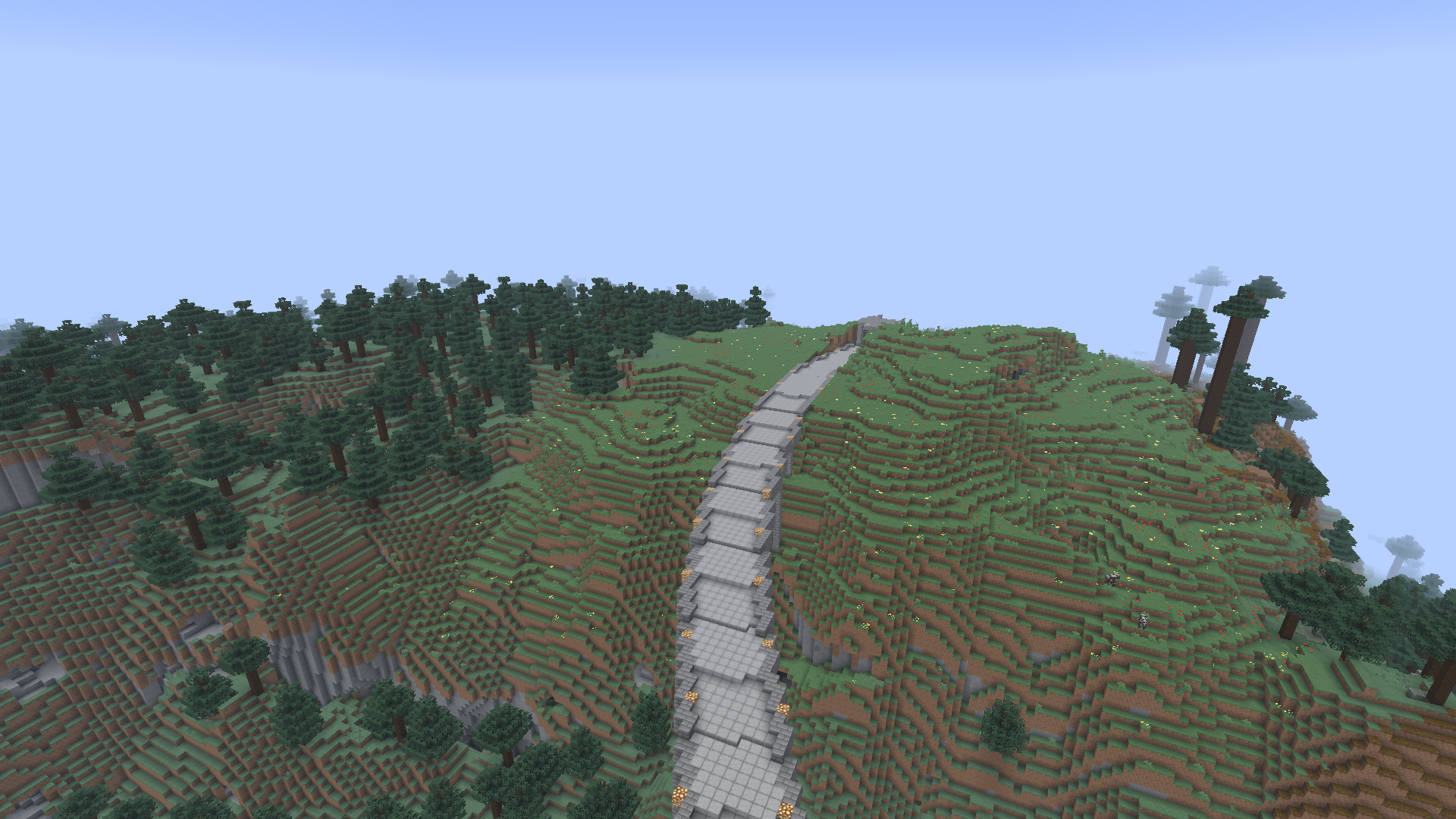
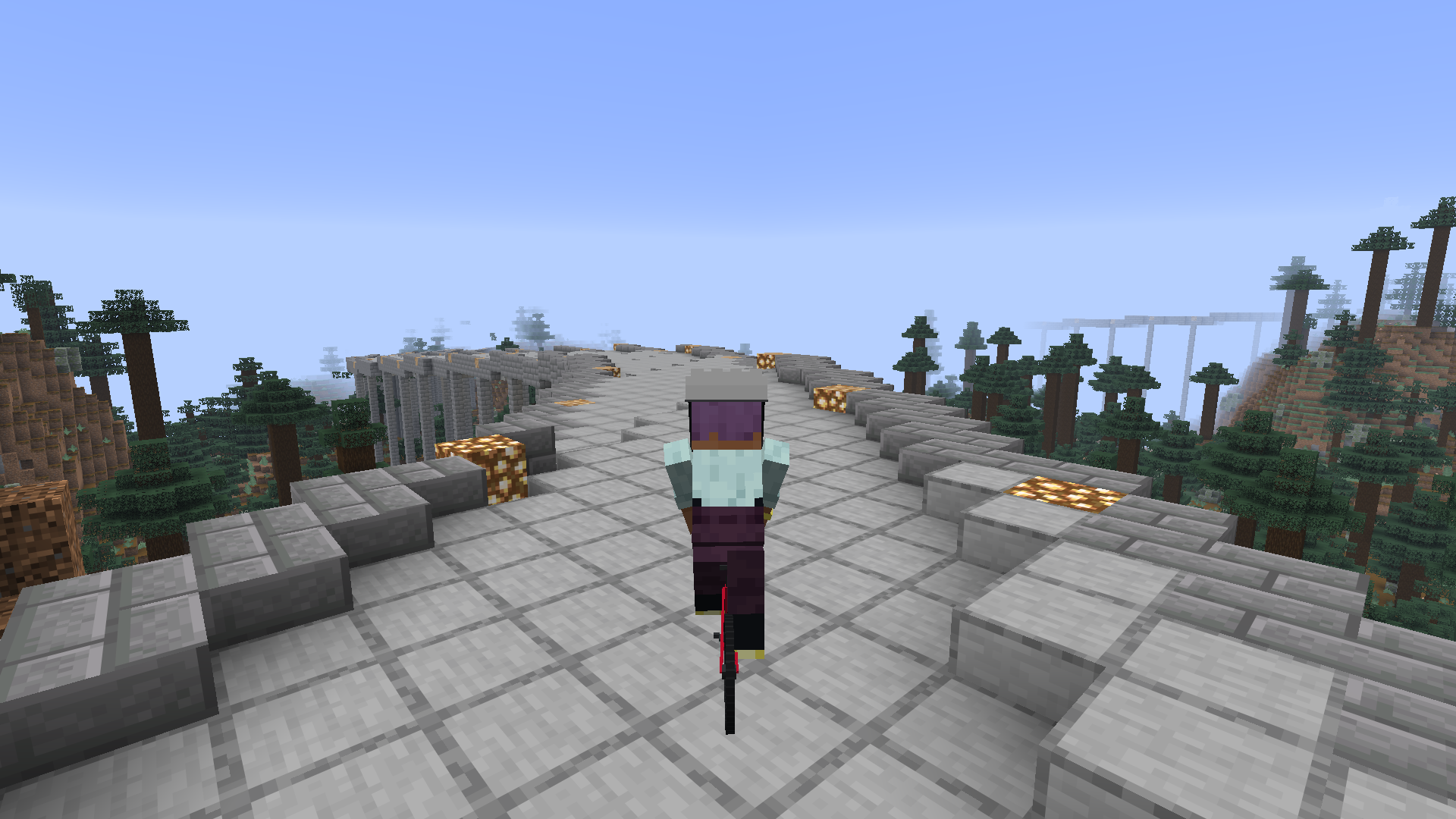
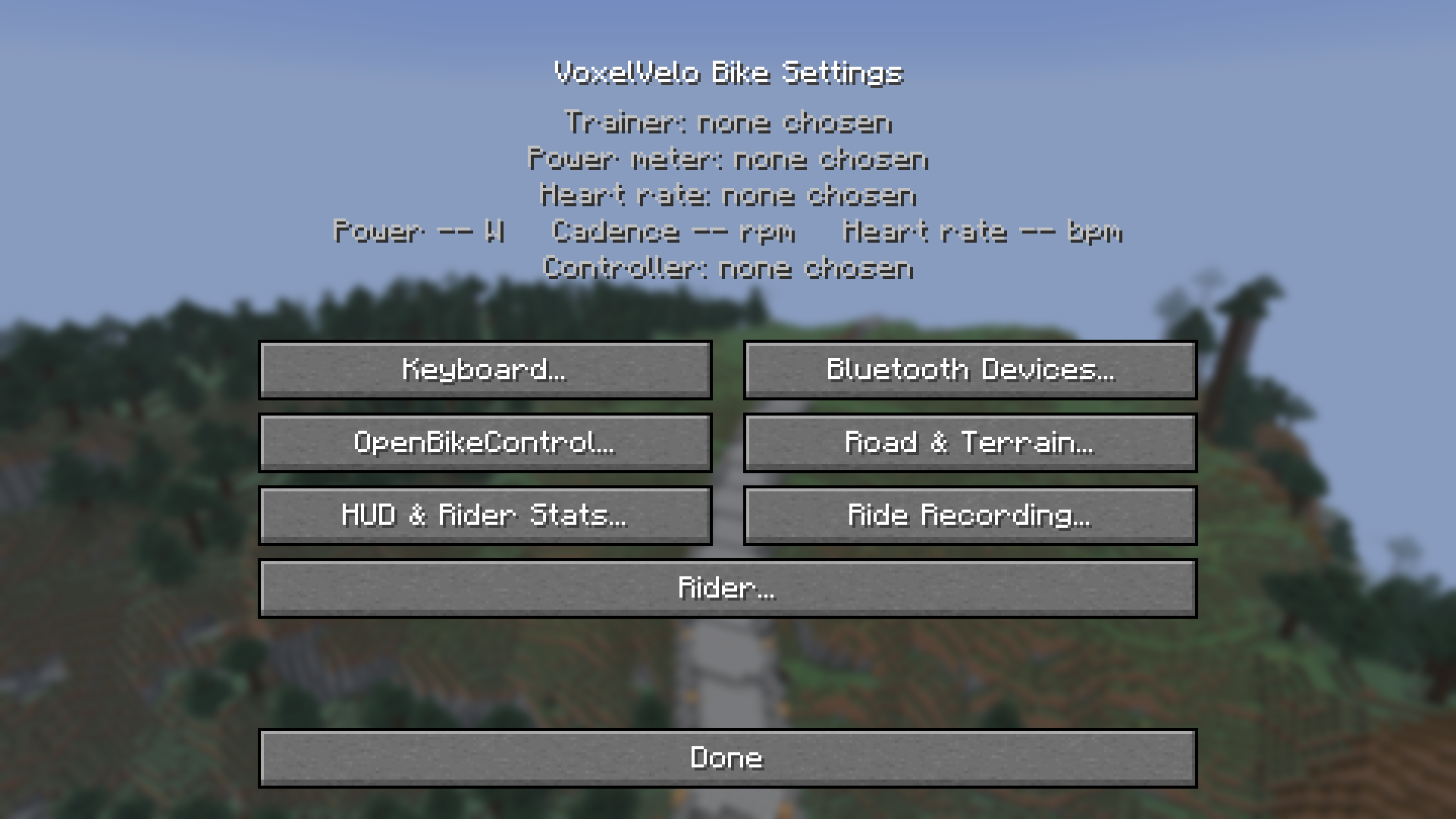
Features
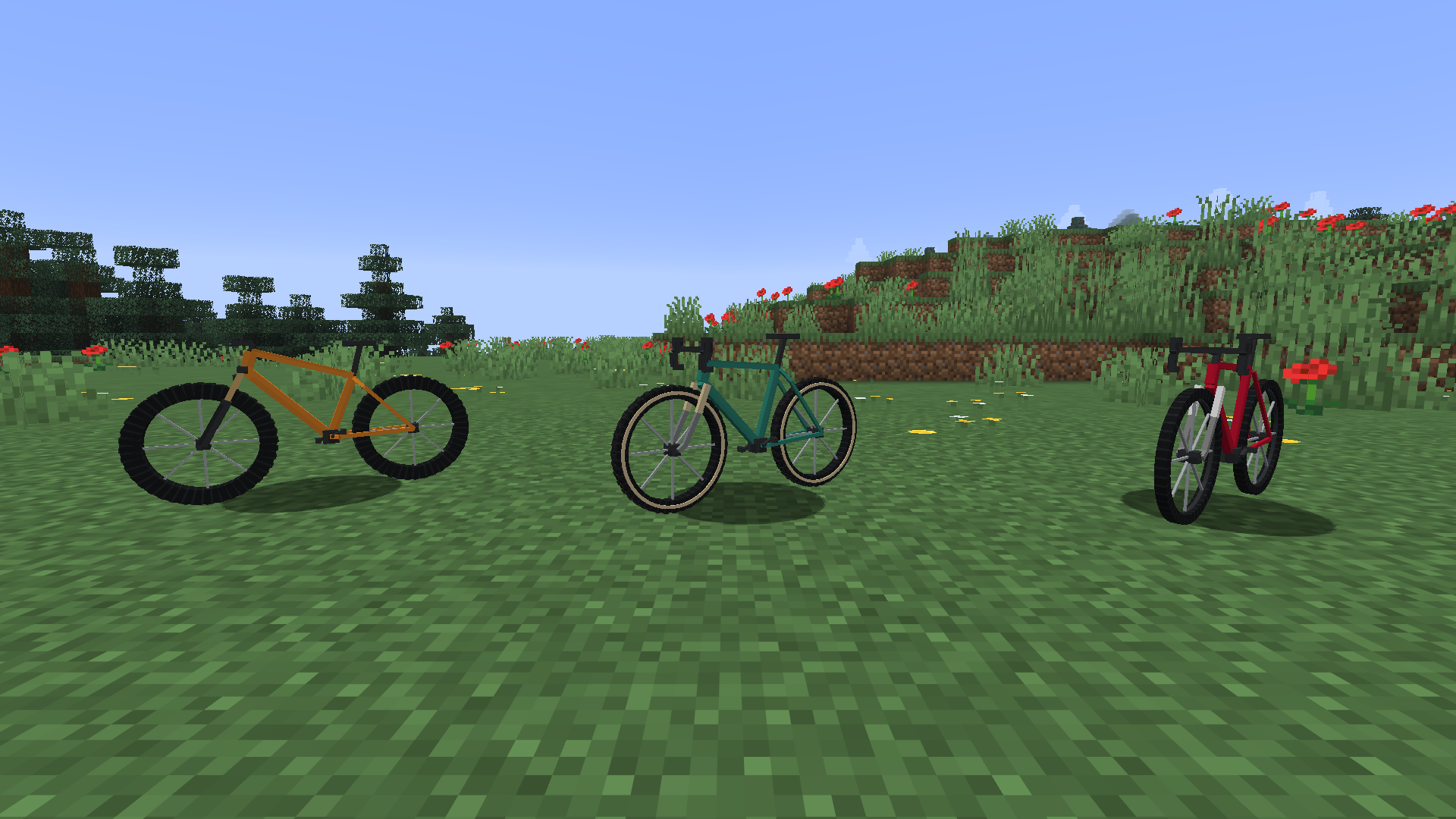
- Real bicycles: road, gravel and mountain bikes, crafted from frames, wheels, tires, handlebars, saddles and pedals, recolorable with dyes, enchantable with Speed Boost, repaired and dismantled with a wrench.
- Power-based physics: rider power against rolling resistance per surface, air drag, slope gravity, braking, suspension and fall damage. Bikes climb one-block steps, roll downhill and shove or hurt what they run into.
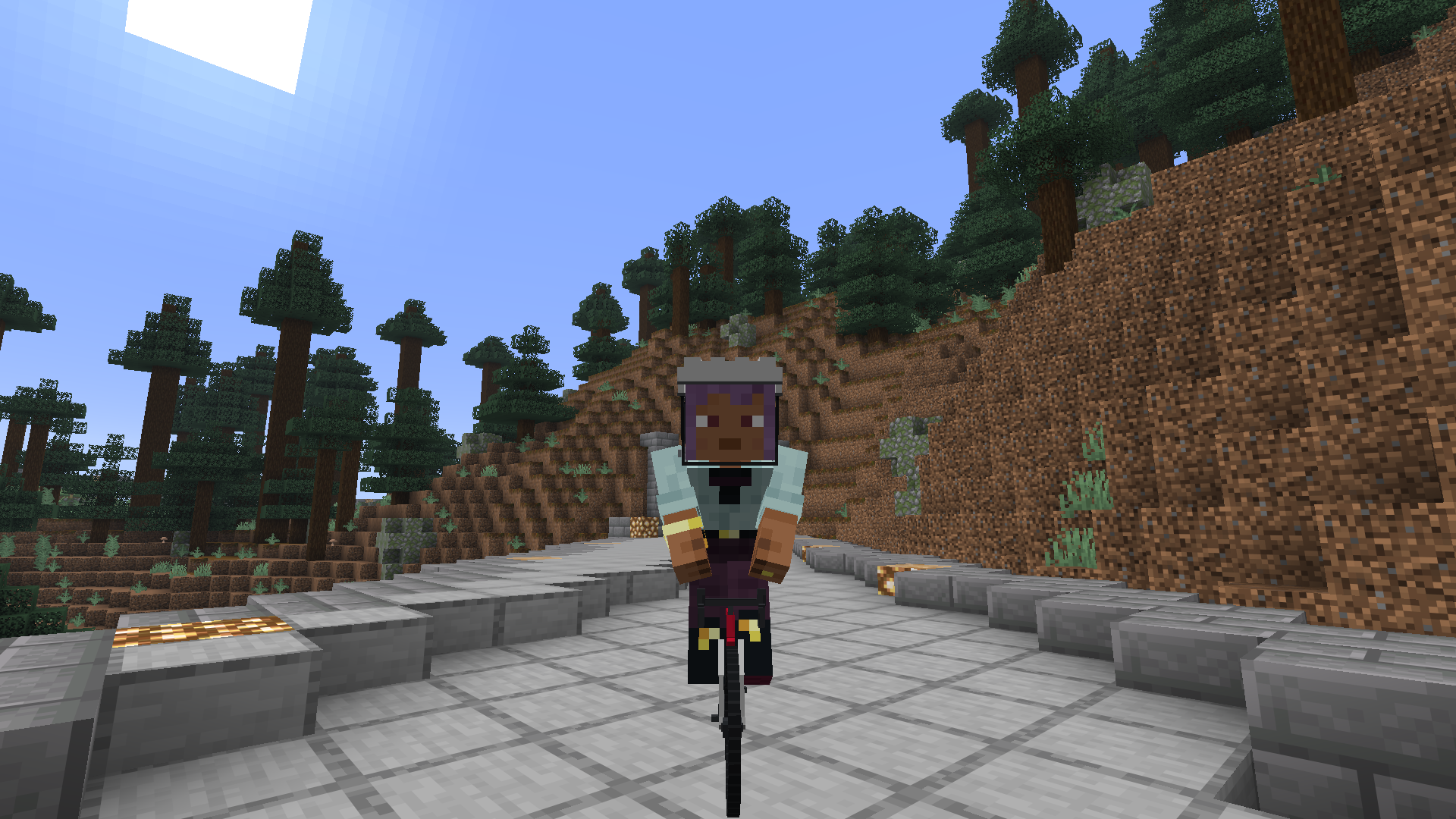
- Multiplayer first: a synchronized entity that rides like a horse or boat. Everyone sees steering, wheels, cranks and a posed rider. Works in singleplayer, on LAN and on dedicated servers.
- Keyboard riding is always available and fully rebindable.
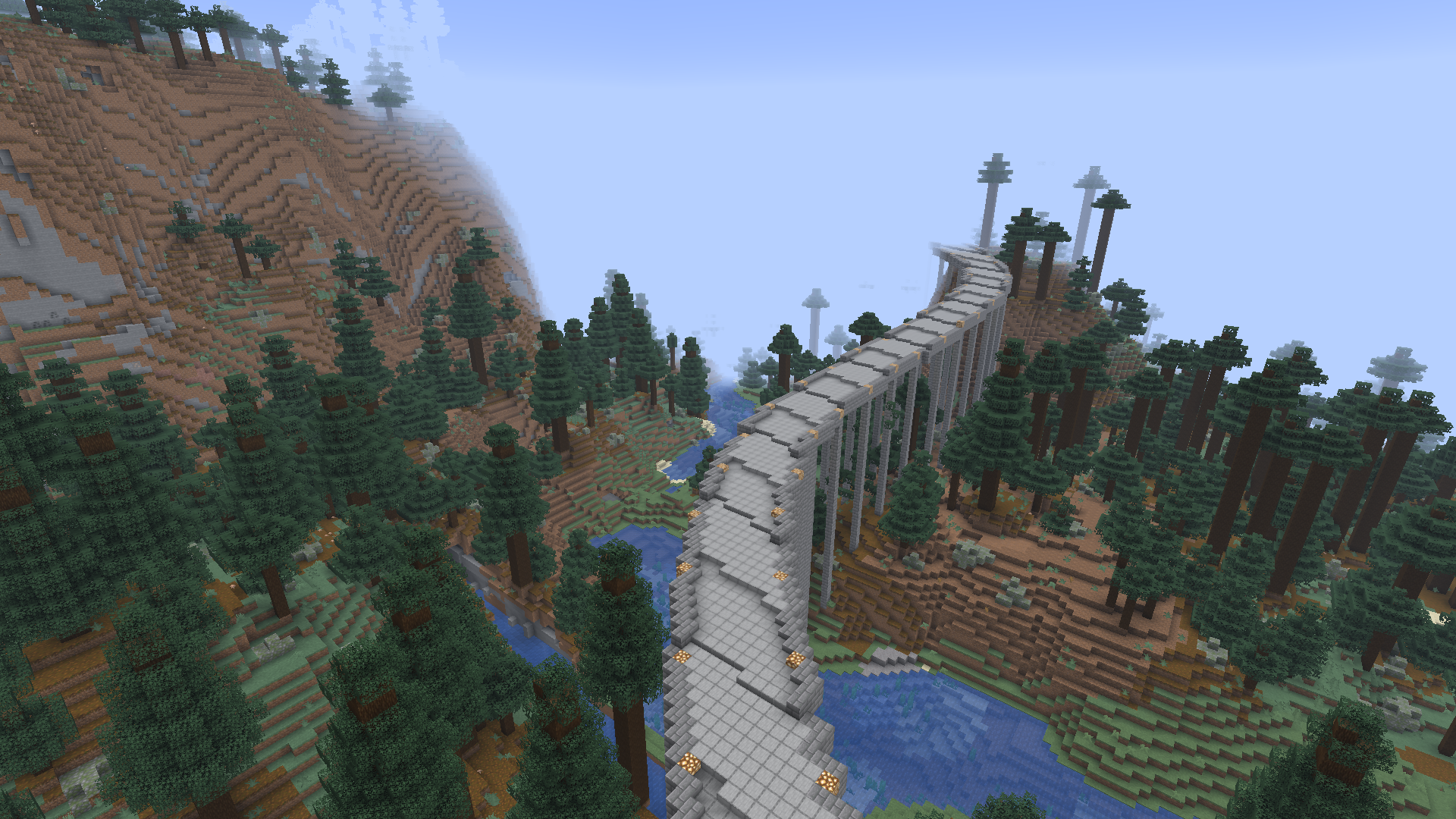
- Cycling track generator:
/voxvelo trackbuilds a closed, terrain-following loop road with slab slopes, borders, tunnels and bridges. - Cycling statistics: Distance Cycled and Time on a Bicycle in the vanilla statistics screen.
- Fitness add-on:
- Smart trainers (Bluetooth FTMS) as propulsion, plus an optional power meter and heart rate sensor.
- Trainer resistance follows the terrain and the surface, with 12 virtual gears (virtual shifting).
- OpenBikeControl steering, braking and shifting over the network (mDNS) or Bluetooth LE.
- Hands-free road following with LEFT / RIGHT prompts at junctions.
- Riding HUD, heart rate graph and a server-wide rider stats overlay.
- Ride recording with summaries, FIT export for Strava, Garmin Connect and others, and ride maps.
The three mods


Each mod has its own jar and project pages on CurseForge:
| Project | Jar | Mod ID | Purpose | Requires |
|---|---|---|---|---|
| VoxVelo Bikes | voxvelo-bikes-<version>.jar |
voxvelo_bikes |
Bikes, physics, recipes, keyboard riding, tracks | Fabric API, GeckoLib |
| VoxVelo Fitness Library | voxvelo-fitness-lib-<version>.jar |
voxvelo_fitness_lib |
Reusable Bluetooth/device connections, trainer feedback, HUD, sessions, recording and FIT export | Fabric API |
| VoxVelo Fitness | voxvelo-fitness-<version>.jar |
voxvelo_fitness |
Connects bikes to the fitness library; road following, rider stats and ride maps | Matching VoxVelo Bikes and VoxVelo Fitness Library, plus Fabric API and GeckoLib |
VoxVelo Bikes works independently. It contains no Bluetooth support, fitness-device integrations, workout recording or fitness libraries. Players who just want bicycles only need Bikes and its normal dependencies.
VoxVelo Fitness Library is vehicle-independent. Other developers can use its public API to build fitness integrations for their own vehicles without depending on Bikes, VoxVelo Fitness or GeckoLib. It activates vehicle feedback and recording samples only when an adapter supports the local player's vehicle.
VoxVelo Fitness requires both voxvelo_bikes and voxvelo_fitness_lib. For bicycle fitness features,
install all three jars from the same release. Bikes and the library do not depend on each other. The library is
an explicit, separately installed dependency of Fitness, not bundled inside its jar.
The VoxVelo Fitness entry on CurseForge declares its required dependencies so compatible launchers can resolve them.
Developers: the vehicle integration API is dev.michidk.voxvelo.fitnesslib.api; see the optional
boat example.
Quick start
- Get a bike: craft one from parts (every recipe is in the recipe book), or in creative take one from the
Tools & Utilities tab or run
/give @s voxvelo_bikes:road_bike(alsogravel_bike,mountain_bike). - Right-click a block to place it, right-click the bike to mount.
- Ride with the default controls below. Press
Bfor the settings hub.
| Action | Default |
|---|---|
| Pedal | W / Up |
| Steer | A D / Left Right |
| Brake | S / Down |
| Hard brake | Left Alt |
| Dismount | Shift (vanilla sneak) |
| Bike settings | B |
| Fitness Library settings | F8 |
| Shift gear up / down (fitness) | X / Z |
| Toggle rider stats overlay (fitness) | H |
| Start / stop ride recording (fitness) | R |
Keys are rebindable under Controls > VoxVelo Bicycle and Fitness. Sneak-use a bike with an empty hand to pick it up.
Holding the pedal key produces 200 W of virtual power (adjustable in B > Keyboard...).
| Road | Gravel | Mountain | |
|---|---|---|---|
| Mass | light | medium | heavy |
| Hard ground | fastest | good | slowest |
| Loose ground (sand, dirt) | very slow, little grip | good | best, most grip |
| Braking | weakest off-road | good | strongest |
| Turning | quick at speed | balanced | tight lock, stable |
| Suspension | stiff | some | long travel |
| Durability | 60 | 80 | 100 |
At 200 W on flat stone the three cruise at roughly 34, 32 and 28 km/h; on sand 12, 21 and 21 km/h.
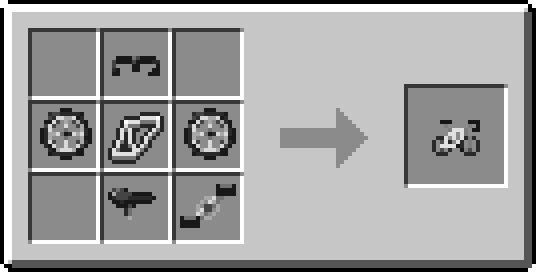
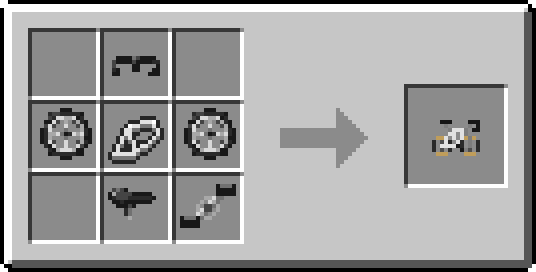
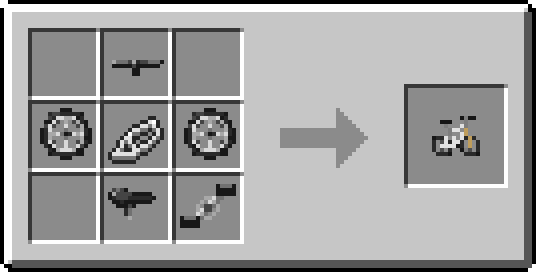
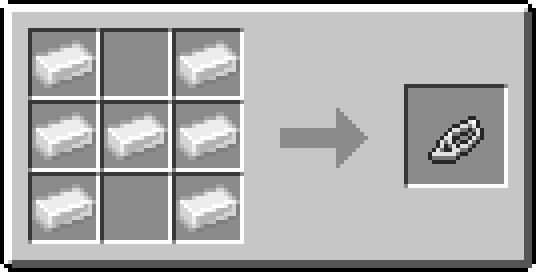
- Crafting: a frame (road, gravel or mountain), two wheels, handlebars, a saddle and a pedal set. A wheel is a bare wheel plus a road, gravel or mountain tire; any wheel can be re-tired. See Crafting.
- Dyes recolor a bike, a frame or the helmet like leather armor.
- Speed Boost I–III (enchanting table or anvil) adds 10% speed per level. Dismantling a bike loses it.
- Damage and repair: hard crashes and falls over three blocks damage the bike; at zero it breaks into its parts. Left-click a parked bike with the Bike Wrench to repair it, right-click to dismantle it. In Creative, one left-click instantly removes a bike without drops or an attack swing, including when holding a wrench. Normal right-click still mounts the bike.
Crafting
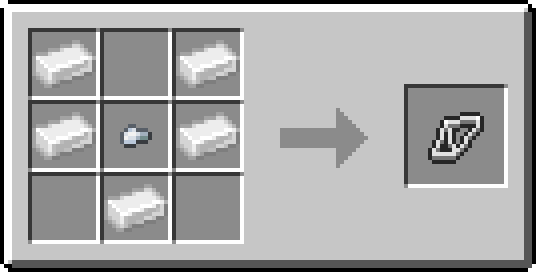
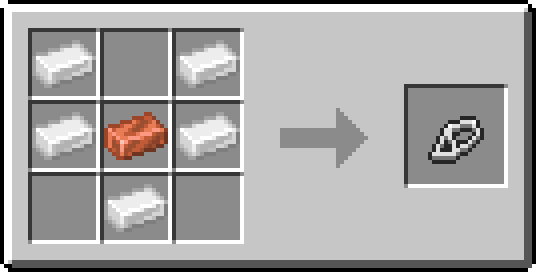
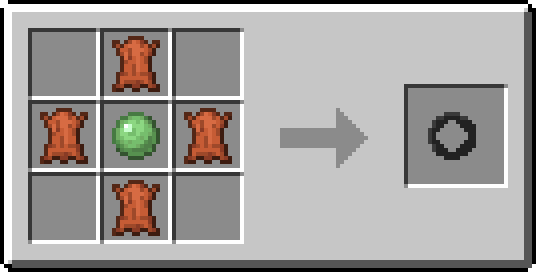
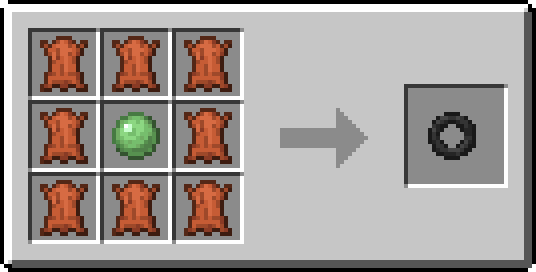
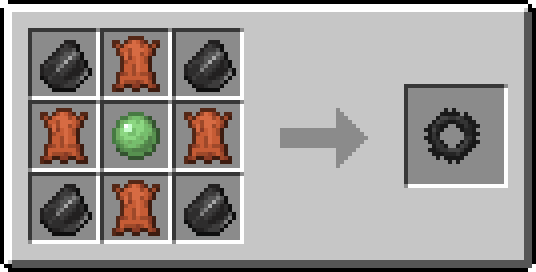
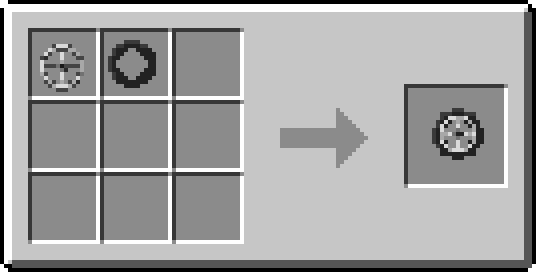
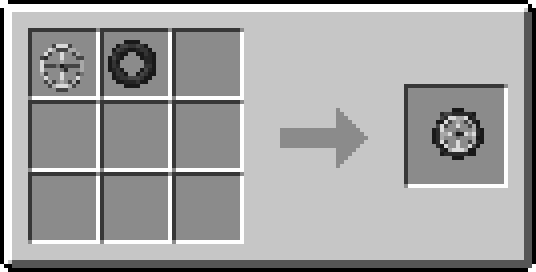
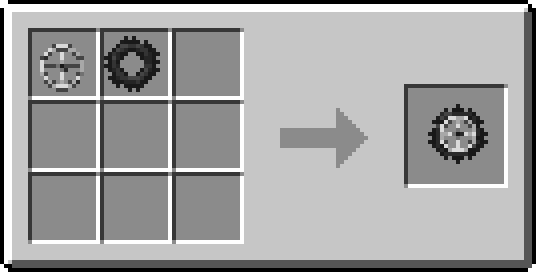
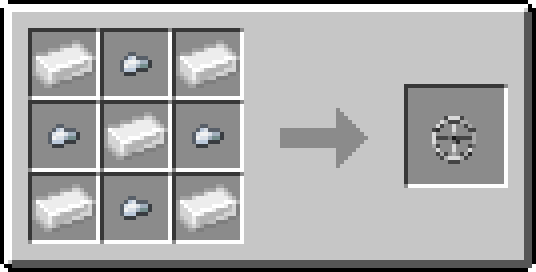
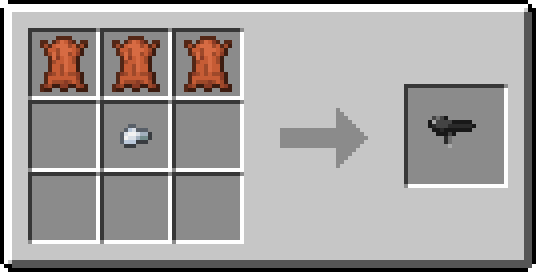
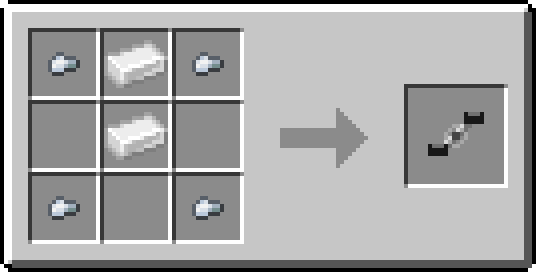
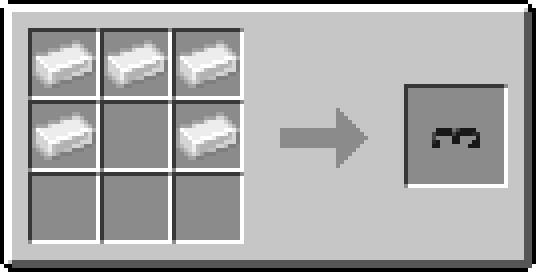
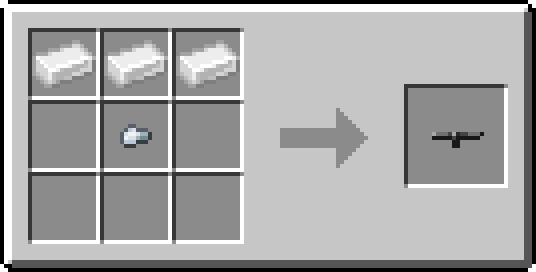
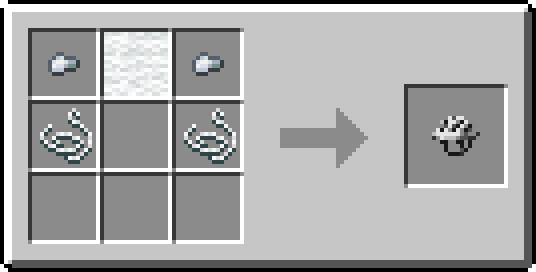
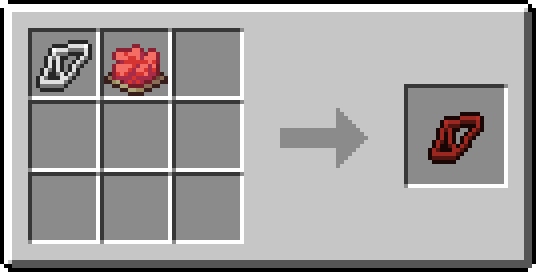
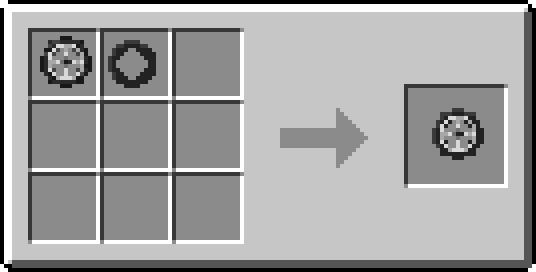
Every recipe is in the vanilla recipe book and unlocks when you pick up one of its ingredients (iron, leather, slime, a frame, ...). Wheels, recoloring and re-tiring fit the 2×2 inventory grid; everything else needs a crafting table.
Bikes take either handlebars: drop bars have less air drag, flat bars give more steering lock.
| Road bike | Gravel bike | Mountain bike |
|---|---|---|
 |
 |
 |
Frames
| Road frame | Gravel frame | Mountain frame |
|---|---|---|
 |
 |
 |
Tires and wheels: a bare wheel plus a tire makes a wheel with that tread.
| Road tire | Gravel tire | Mountain tire |
|---|---|---|
 |
 |
 |
| Road wheel | Gravel wheel | Mountain wheel |
 |
 |
 |
Parts
| Bare wheel | Saddle | Pedal set |
|---|---|---|
 |
 |
 |
| Drop handlebars | Flat handlebars | Bike wrench |
 |
 |
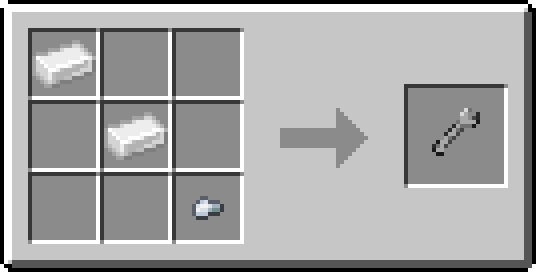 |
Helmet, recoloring and re-tiring: any dye (or several) recolors a bike, a frame or the helmet; dyes mix like leather armor. Any wheel plus any tire swaps the tread, and a worn tire comes back fresh.
| Bike helmet | Recolor (any dye) | Re-tire (any tire) |
|---|---|---|
 |
 |
 |
Riding
- Slopes: every bike rolls up a one-block step. Slabs and stairs are free; full-block ledges cost speed, the stiffer the bike the more. Climbs slow you down and you coast faster downhill.
- Falls: the bike takes most of the blow. The more suspension, the less fall damage the rider takes.
- Collisions: blocks stop the bike, and a hard head-on hit hurts. Below about 11 km/h mobs and players are shoved; faster, they are hit and knocked aside. Heavy targets slow the bike down: a cow takes most of your speed, an iron golem stops you dead.
- Multiplayer: the rider's client simulates its own bike, like vanilla horses and boats, and the server clamps what it reports and handles damage. A modified client could ride faster than the physics allows (within vanilla's movement checks), the same trade-off vanilla makes.
Cycling track generator
Players can build a closed loop road through the landscape, starting at their current X/Z position:
/voxvelo track
/voxvelo track 10 minecraft:smooth_stone 12 0.85 6 8 0
Arguments are positional and optional from the right:
| Argument | Default | Range / meaning |
|---|---|---|
length_km |
10 | 0.25–20; horizontal length of the loop |
material |
minecraft:smooth_stone |
Stable full solid block; no fluids, falling blocks or block entities |
checkpoints |
12 | 8–24 spline control points |
bends |
0.85 | 0–1; higher values add deeper bends |
width |
6 | Road width in blocks, 3–11 |
grade_percent |
8 | 1–15; maximum grade |
variant |
0 | Variation index mixed with the world seed |
Warning: this edits the terrain. Blocks along the road are replaced, trees it cuts through are removed, and there is no undo. Back up your world first.
The road follows the ground with half-block slab steps, crosses water and lava on solid foundations, bridges dry
valleys and tunnels through mountains, with low lit borders and five blocks of headroom. Progress shows in a boss
bar; /voxvelo track status and /voxvelo track cancel inspect or stop it (cancelling keeps what is already
built). Only one track can be built per server at a time. The same seed, position and arguments give the same layout.
Fitness features
These features require VoxVelo Fitness and both of its dependencies. They are not included in Bikes alone.
Devices
Press F8 > Bluetooth Devices... > Scan, then pick a role next to a device:
- Trainer: any smart trainer or indoor bike with the Bluetooth Fitness Machine Service (FTMS). Its power drives the bike.
- Power: a crank, pedal or hub power meter (Cycling Power Service). Its reading overrides the trainer's.
- Heart: a chest strap, armband or watch (Heart Rate Service). Otherwise the trainer's heart rate is used.
Devices are remembered and reconnect automatically. If one drops out, the keyboard keeps working. All inputs work together: the strongest power and the strongest brake win, and steering goes to road follow, then OpenBikeControl, then the keyboard. Bluetooth works on Windows, Linux and macOS; when it is off or missing, riding is unaffected.
Resistance and virtual shifting
With a trainer connected, climbs get heavier and descents lighter, and the surface (stone, grass, sand) and tire change the rolling resistance. Trainer Settings... has:
- Resistance on/off and Intensity (0–200%). Grades are clamped to -10% .. +15%.
- Slope Window (10–40 blocks): how far ahead and behind the grade is averaged, so steps blend into a smooth hill.
- Virtual Shifting (on by default): leave the real bike in one gear and shift through 12 virtual gears with
X/Zor OpenBikeControl. Measured cadence, the virtual gear and Wheel circumference determine virtual road speed and power. Measured trainer speed converts that power to resistance, independently of the real cassette gear. Without cadence or moving speed telemetry, shifting is inactive and the plain road target applies. The debug HUD reports this state.
If climbs feel too hard or too easy on your trainer, adjust Intensity.
For troubleshooting, enable Trainer debug HUD in Trainer Settings or HUD & Rider Stats. It is off by default and appears at the top left. It shows requested SIM grade and rolling resistance, the last Bluetooth write, the last trainer-accepted target, command/reply bytes, errors, retry timing, gear ratios and trainer telemetry. A Bluetooth write alone does not confirm that the trainer accepted a command. Missing or refused FTMS responses are reported and retried instead of being treated as success. An accepted SIM command confirms protocol acceptance, not a measured change in pedal resistance.
The control sequence is FTMS Request Control (0x00), Start/Resume (0x07), then Indoor Bike Simulation Parameters (0x11), with matching control-point indications (0x80). SIM sends grade, rolling resistance and aerodynamic coefficients; it does not set an ERG wattage target. The generic sequence and packet layout were cross-checked against QDomyos-Zwift's FTMS implementation. Its Wahoo implementation also uses proprietary simulation and gearing commands; those are separate from the generic FTMS path used here.
OpenBikeControl
OpenBikeControl devices such as the
BikeControl phone app can steer, brake and shift. Press B > OpenBikeControl...,
pick the transports (network or Bluetooth LE) and click your device, or enter host:port by hand. For phone
steering, mount the phone on the handlebars and let BikeControl turn its tilt into steering.
Controllers can also navigate menus using OpenBikeControl's Up, Down, Left, Right, Select/Confirm, and Back/Cancel actions. These work like the arrow keys, Enter, and Escape on the current screen, including Minecraft menus and fitness settings. Menu opens fitness settings while in a world with no screen open. Configure these actions in BikeControl's button mappings; steering actions remain separate. Each press acts once; release and press again to move further. Text entry still needs a keyboard.
Setting up BikeControl:
- In BikeControl, set Setup Trainer to OpenBikeControl Compatible. Do not pick Other: it makes BikeControl pose as a Wahoo trainer with a Zwift controller, which VoxVelo does not understand.
- Set the target to Other Device (Minecraft runs on your computer, not the phone) and turn on the network connection. Keep the phone on the same Wi-Fi or LAN as the computer.
- In Minecraft, press
B> OpenBikeControl.... The screen searches as soon as it opens; click BikeControl [Network] when it appears. Press Rescan if you changed BikeControl's settings while the screen was open.
If BikeControl does not show up, check that Windows Firewall lets Java receive on private networks (discovery uses mDNS, UDP port 5353), and turn off VPNs that take over the network. Once picked, BikeControl reconnects by itself whenever it is running.
Road follow
Turn on Road Follow in B > Road & Terrain... and the bike steers itself along the centre of a road. Road
blocks default to smooth stone and its slab, stone and gravel; add others (for a track built from another material)
on the same page. At junctions a LEFT / RIGHT prompt appears a few seconds ahead: answer by steering, or the
bike takes the widest way. Slow down for tight junctions.
HUD and rider stats
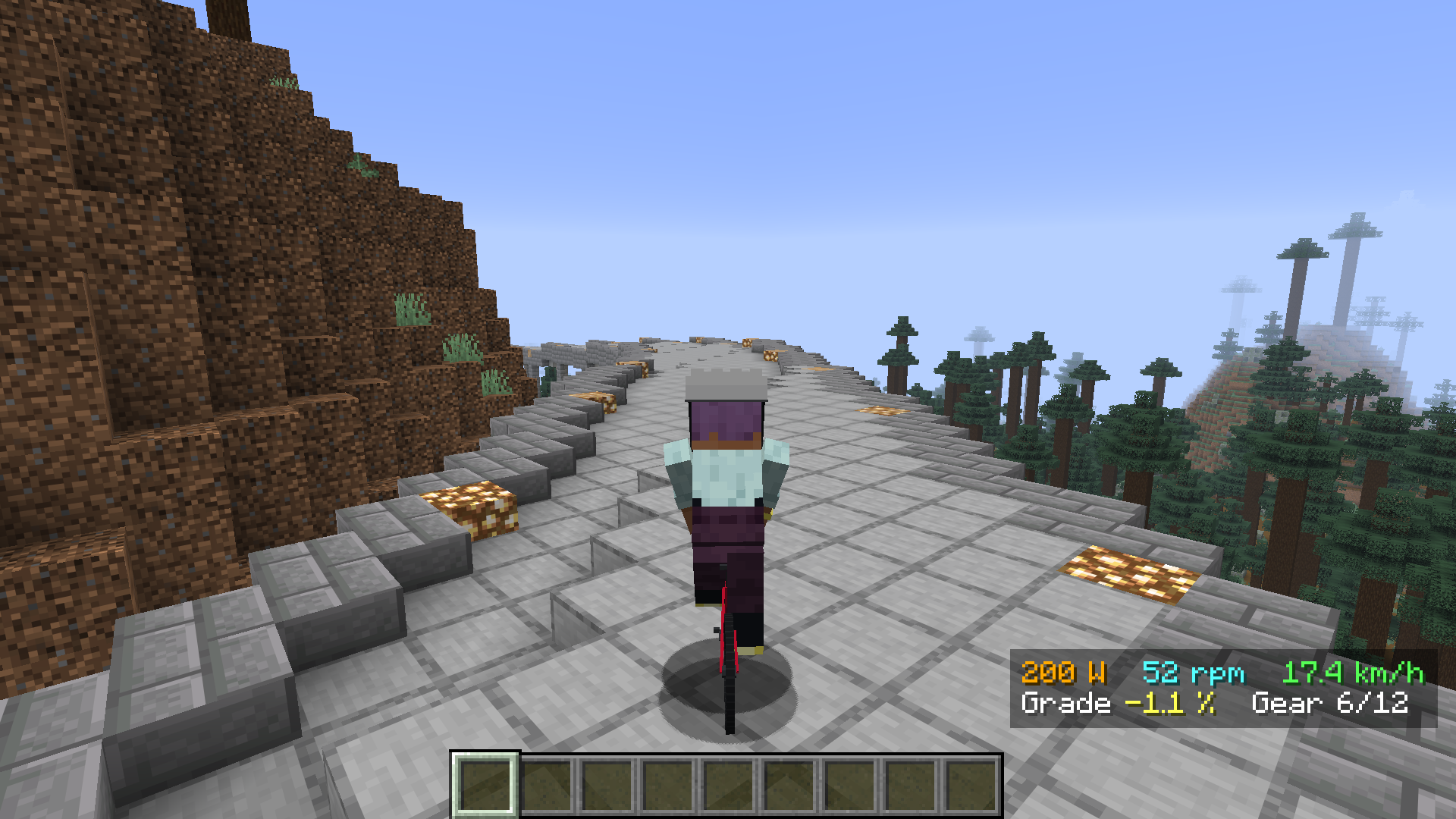
- The riding HUD shows power, cadence, speed, grade and gear, and a heart rate graph of the last minute.
Htoggles an overlay of every rider on the server with watts, speed, cadence, heart rate and gear. Share My Watts and Share My Heart Rate control what others see.- Everything can be switched on or off in
B> HUD & Rider Stats....
Ride recording
Press R to start and stop a ride. The summary shows distance, times, speed, power, normalized power, cadence,
heart rate, work and climbing. In B > Ride Recording...:
-
Record automatically on bike entry is off by default. Enable it to start recording when mounting a bike. Dismounting pauses sampling; remounting continues an active recording. After stopping manually, recording stays stopped until the next mount. A previous unsaved ride is exported before a new recording starts; if saving fails, automatic recording is skipped so the previous ride stays available.
-
Export .FIT saves the ride to its own folder in
.minecraft/voxvelo_fitness_lib/rides/for Strava, Garmin Connect, intervals.icu or TrainingPeaks. With GPS in FIT on, the route is placed on the globe (in the mid Atlantic by default, set byrideFitOriginLat/rideFitOriginLon) so websites draw it. -
Draw on Map gives you a filled map of the route (one empty map in survival).
Starting a new recording discards the previous ride, so export it first. Leaving the world saves an unexported ride automatically.
Each ride folder is named yyyy-MM-dd_HH-mm-ss and holds activity.fit, map.png, and photos taken during that
recording. The map PNG is produced when saving the ride without requesting a map item. It uses terrain sampled from
loaded client chunks during the recording; unseen terrain remains blank paper.
Automatic ride photos
Open F8 > Ride photos to configure automatic screenshots. By default, a photo is taken after every five
minutes of active riding, requiring at least 50 W of fresh trainer or power meter data and a speed of 3 km/h.
Photos only work during an active ride recording. Stops, menus, pausing and an unfocused game pause the timer.
Stopping recording resets the photo timer, so each new recording starts with a full interval.
You can turn photos off, adjust the interval (30 seconds to one hour), power and speed thresholds, and choose the current view, behind the rider, facing the rider, or alternating front/rear views. Alternate perspectives briefly appear on screen for the captured frame; the camera and HUD are restored afterward. Keeping the current view is the default. Hiding the HUD in photos is separately configurable.
PNG photos and matching JSON files containing capture time, dimension, position, power and speed are saved in
the ride's folder (photos taken outside a recording go in .minecraft/voxvelo_fitness_lib/rides/photos/). Use Open photo folder to find them. These are local files for
attaching to an activity later; uploading photos to Strava is not implemented.
Configuration
Press B for bicycle settings, or F8 for Fitness Library settings. Client settings are stored in config/voxvelo-bikes-client.json (fitness:
config/voxvelo-fitness-lib.json). Server settings are in config/voxvelo-bikes-server.json, for example
enableVehicleDamage and vehicleDamageInCreativeMode.
Compatibility
| Component | Version |
|---|---|
| Minecraft | 26.3 |
| Fabric Loader | >= 0.19.5 |
| Fabric API | >= 0.161.0 (built against 0.161.2+26.4) |
| GeckoLib | >= 5.5.7, < 6 (required on clients and servers) |
| Java | 25 |
License
VoxVelo's own code and assets are licensed under the MIT License.
Third-party licences
The VoxVelo Fitness Library jar bundles third-party code that keeps its own licences. All of it is permissive (MIT,
Apache-2.0, BSD-3-Clause), so the library jar can be used, shared and published commercially. The full texts
ship inside the library jar under META-INF/licenses/ (source:
fitness-lib/src/main/resources/META-INF/licenses/).
The VoxVelo Bikes jar bundles no third-party code.
| Library | Version | Licence | Used for |
|---|---|---|---|
btleplug and its Rust dependencies, built into VoxVelo's native Bluetooth library (native/ble) |
0.13 | BSD-3-Clause; dependencies MIT or Apache-2.0 | Bluetooth LE |
JmDNS (org.jmdns:jmdns) |
3.6.5 | Apache License 2.0 | OpenBikeControl network discovery |
Minecraft is a trademark of Mojang AB. VoxVelo is not affiliated with Mojang or Microsoft.
Controller action mappings
OpenBikeControl receives the supported action IDs over both Bluetooth and TCP. Minecraft Controls also exposes the corresponding rebindable actions. The OpenBikeControl settings page lists their IDs and names as a reference. In BikeControl, choose a named standard action where available. Custom recording and unstuck actions may not appear in its picker: advertising their IDs does not add named options to that app. They require a controller that can send custom IDs or a VoxVelo-specific mapping in the controller app. Change Camera does not start recording.
Standard actions
| Controller action | Hex ID | Decimal ID | In-game behavior |
|---|---|---|---|
| Shift Up | 0x01 | 1 | Increase virtual gear once per press |
| Shift Down | 0x02 | 2 | Decrease virtual gear once per press |
| Gear Set | 0x03 | 3 | Select gear directly; state = gear + 1; states 0 and 1 do nothing |
| Up | 0x10 | 16 | Navigate up in menus |
| Down | 0x11 | 17 | Navigate down in menus |
| Left | 0x12 | 18 | Navigate left in menus |
| Right | 0x13 | 19 | Navigate right in menus |
| Select / Confirm | 0x14 | 20 | Activate the focused menu control |
| Back / Cancel | 0x15 | 21 | Go back in menus |
| Menu | 0x16 | 22 | Open fitness settings during gameplay |
| Steer Left | 0x18 | 24 | Steer left when no handlebar angle is available |
| Steer Right | 0x19 | 25 | Steer right when no handlebar angle is available |
| Brake | 0x1A | 26 | Apply brakes; state 1 is full braking |
| Steering Angle | 0x1B | 27 | Set front-wheel angle, adjusted by sensitivity and smoothing |
| Screenshot | 0x24 | 36 | Take a ride photo using the photo settings |
| Camera View / Change Camera | 0x40 | 64 | Cycle first person and the two third-person views |
| HUD Toggle | 0x44 | 68 | Show or hide Minecraft's HUD |
Left and Right navigate menus; they are not steering actions. An explicit handlebar
angle takes priority over Road Following and digital steering. Angle states 2–254
encode (state - 128) × 0.5°, positive right. State 128 is straight ahead, 0 means
unavailable, and 1 and 255 do nothing.
VoxVelo custom actions
These use the app-specific protocol range. They are not aliases for standard Pause, Resume, Lap, or Camera View actions.
| Hex ID | Decimal ID | Minecraft key binding / action | Behavior |
|---|---|---|---|
| 0x80 | 128 | Toggle ride recording (default R) | Start, or stop and save the active recording |
| 0x81 | 129 | Start ride recording | Start only if not already recording |
| 0x82 | 130 | Stop and save ride recording | Stop and save only if recording |
| 0x83 | 131 | Unstuck bike | Recover the ridden bike to a safe nearby position |
| 0x84 | 132 | Toggle road following | Enable or disable road guidance |
| 0x85 | 133 | Toggle always look ahead | Enable or disable alignment with the bike heading |
| 0x86 | 134 | Open Fitness Settings (default F8) | Open the Fitness settings menu |
Assign keyboard buttons in Options → Controls → Key Binds. New custom actions are unbound by default, except Toggle recording and Fitness settings. Photo, camera, and HUD actions also have rebindable entries. Unstuck, Road Following, and Always look ahead require Bikes and the Fitness adapter. The other custom actions belong to Fitness Library. Only actions registered by installed modules are advertised.
Photo, camera, HUD, and custom actions run during gameplay with no menu open. One-shot
actions fire once per press: send state 1 on press and state 0 on release before
pressing again. Held updates do not repeat them, and disconnect clears pending presses.
For example, Start recording is [0x01, 0x81, 0x01], then [0x01, 0x81, 0x00] on release.
The protocol advertises numeric action IDs; its current App Information message has no field for custom action names. Controllers may display custom IDs until they add VoxVelo-specific labels. Manual unstuck works with automatic recovery disabled and uses the same collision-checked destination search, with a two-second server cooldown. It does not require pedaling. The server accepts requests only for the sender's ridden bike; if no safe destination exists, it reports that instead of teleporting.
Steering response in OpenBikeControl settings defaults to 1.00 (immediate). Lower response factors smooth input at the cost of some delay. Always look ahead follows the bike heading, independent of the front-wheel angle and the direction the player faced when mounting.
See the OpenBikeControl protocol for the wire format. Actions absent from these tables are not implemented.