






About
Maestro is a lightweight Unix-like kernel written in Rust.
The goal is to provide a lightweight operating system able to use the safety features of the Rust language to be reliable.
This project is still in early stage development, thus it is highly unstable and misses a lot of features. Do not use it in production!
To stay updated with the project, follow the blog!
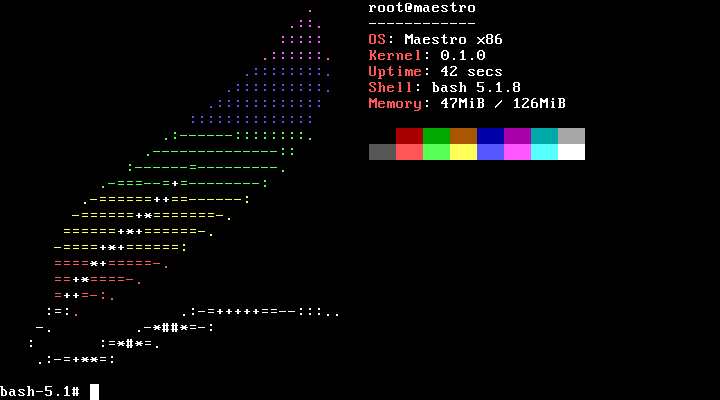
Neofetch and bash running on the OS.
Features
CPU architectures support
| Architecture | Status |
|---|---|
| x86_64 | ✅ |
| x86 | ✅ |
| AArch64 | 📅 |
- ✅ Supported
- 📅 Planned (not currently supported)
The following features are currently implemented (non-exhaustive):
- Linux's system calls (roughly 30% are currently implemented)
- Kernel modules
- Drivers
- PCI devices enumeration
- Basic ACPI support
- Memory management
- Buddy allocator
- Internal memory allocator, with similarities with dlmalloc's implementation
- Per-process virtual memory
- Over committing
- Copy-on-Write
- Page cache
- Unix processes
- CPU topology enumeration
- Preemptible scheduler (inspired by FreeBSD’s ULE scheduler)
- Symmetric MultiProcessing (SMP)
- POSIX signals
- Unix files
- ELF programs
- Terminal
- VGA text mode
- Partial support of ANSI escape codes
- Clocks
Quickstart
This repository is not a full operating system in itself but only the kernel.
You can either:
- Use the installer to build a full operating system from an ISO file
- Build the OS by hand. For this, you can check the kernel's book
The OS can then be run by a virtual machine such a QEMU or VirtualBox, or on a physical machine.
Build
To build and/or run the OS, cd into the kernel's crate:
Then follow the instructions in README.md
Documentation
The kernel's book contains general information on how to use the kernel.
mdbookandmdbook-mermaidare required:cargo install mdbook mdbook-mermaid
Build the book with:
mdbook-mermaid install doc/
mdbook build doc/
Then, it can be accessed at doc/book/index.html.