
- Getting started with AMP for Email
- HTML support for AMP emails
- CSS support for AMP emails
Getting Started
- Open the Gmail AMP for Email Playground
- Copy/paste one of the templates and you'll see it rendered
- Hit send and it will be sent to your email
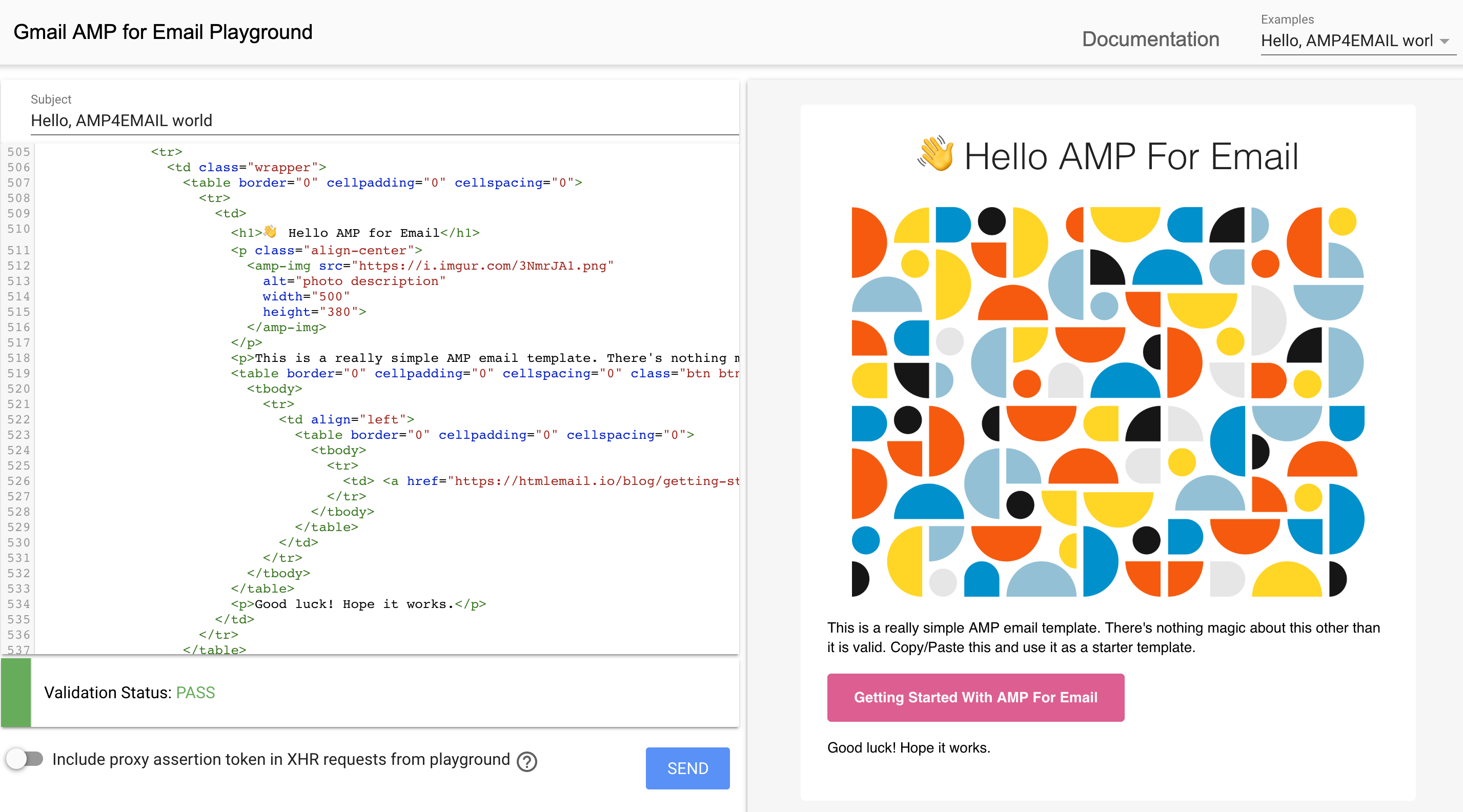
Note: The starting template used was a clone of this HTML template. You do not necessarily need all the markup included in these templates for AMP emails to work correctly.
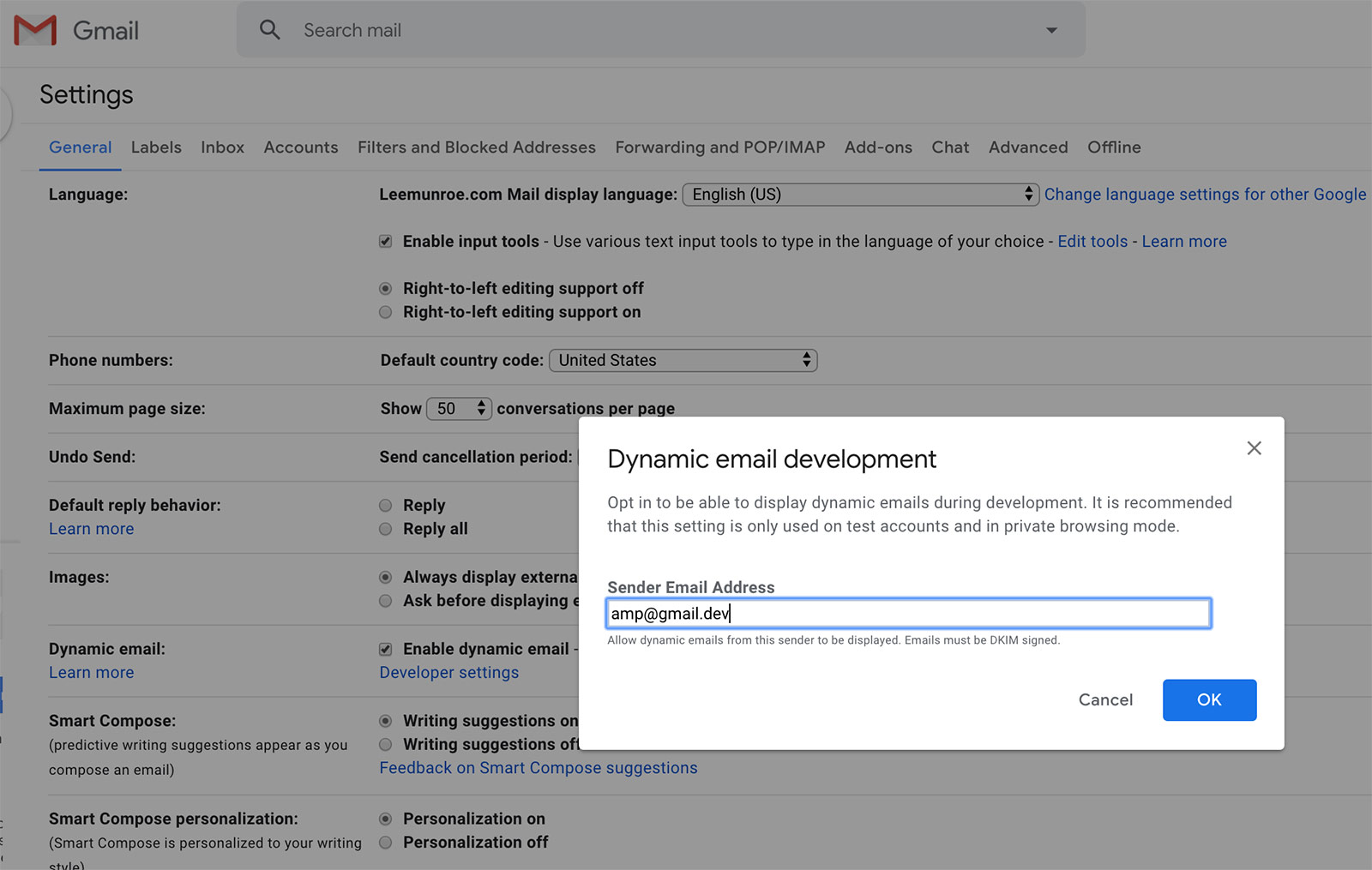
You will need to configure your Gmail to receive AMP emails
- Go to Settings > General > Dynamic email
- Check Enable dynamic email
- Click Developer Settings
- Add
amp@gmail.devas the Sender Email Address - Save your changes
Examples
Simple hello world with image

<amp-img src="https://i.imgur.com/3NmrJA1.png"
  alt="photo description"
  width="500"
  height="380">
</amp-img>
AMP carousel

<script async custom-element="amp-carousel" src="https://cdn.ampproject.org/v0/amp-carousel-0.1.js"></script>
<amp-carousel width="500"
  height="380"
  layout="responsive"
  type="slides"
  controls>
  <amp-img src="https://i.imgur.com/Its6yBO.png"
    alt="photo description"
    width="500"
    height="380">
  </amp-img>
  <amp-img src="https://i.imgur.com/hUYQ4bi.png"
    alt="photo description"
    width="500"
    height="380">
  </amp-img>
  <amp-img src="https://i.imgur.com/ULDCGZN.png"
    alt="photo description"
    width="500"
    height="380">
  </amp-img>
</amp-carousel>
AMP form
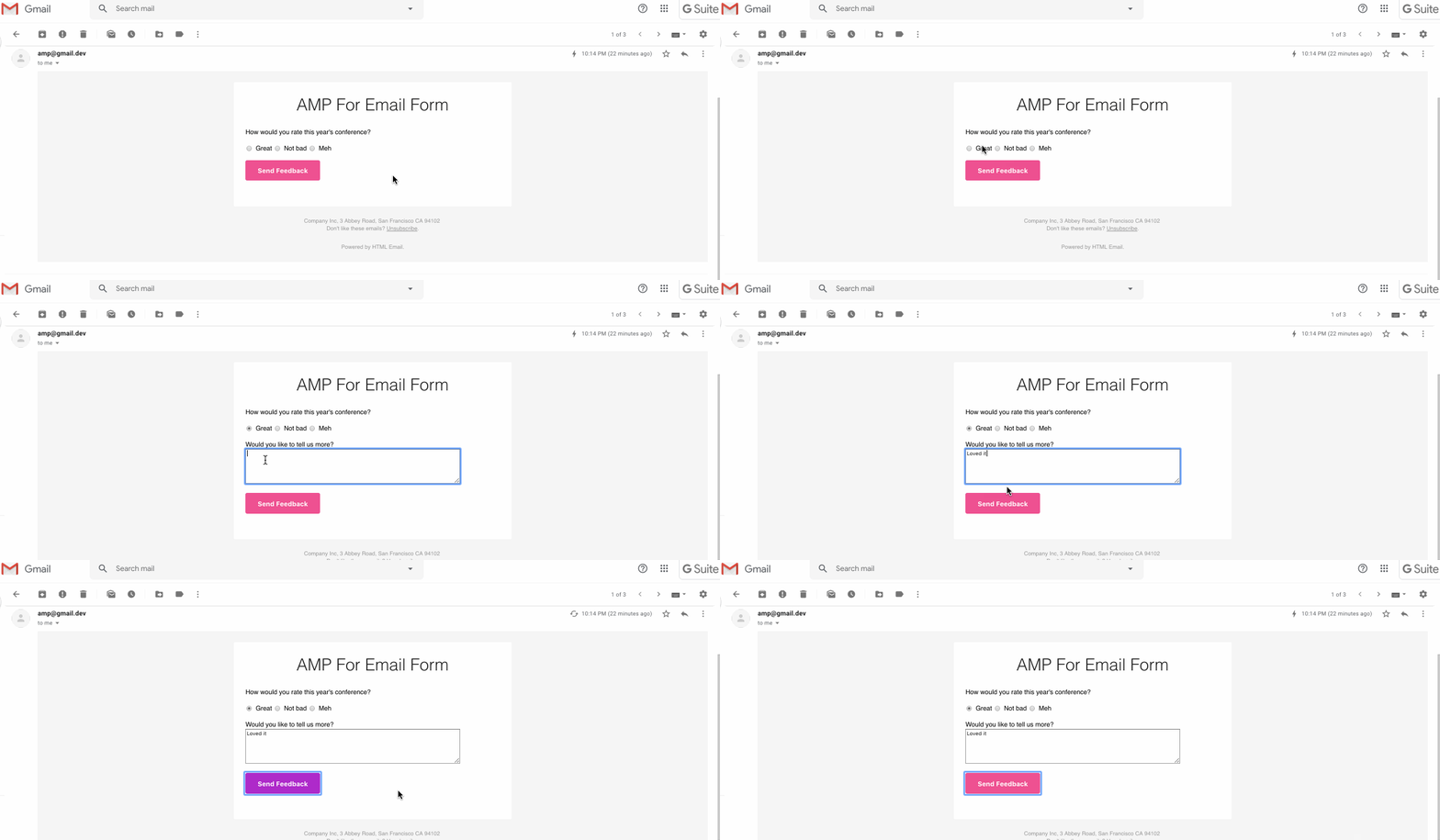
<script async custom-element="amp-form" src="https://cdn.ampproject.org/v0/amp-form-0.1.js"></script>
Credits
- Using simple HTML email template as a boilerplate
- Thanks to paaatterns for the nice images