
Bob Wallet is a Handshake wallet with an integrated full node.
Status: This is beta software. As with all wallet GUIs, please use with care, and at your own risk.
How to Install Bob Wallet
Most users should use the prebuilt binaries in this repo's releases page.
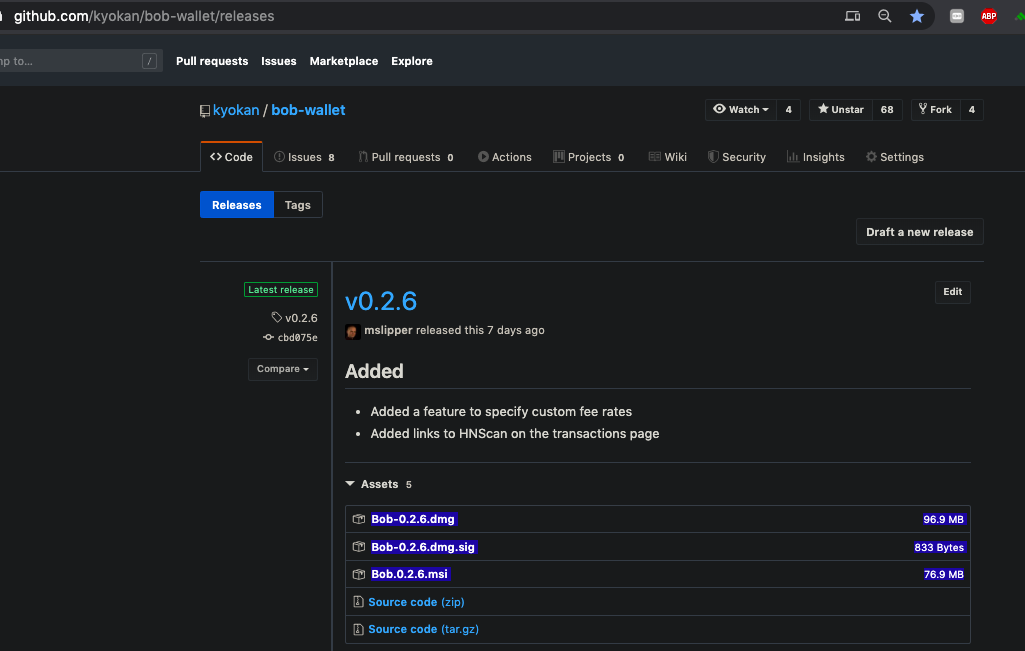
Note: this screenshot is unlikely to age well but the filetypes are highlighted so you know what to install. It says 0.2.6 here but you should always look for the latest version.
- OSX:
.dmg(x86 = Intel; arm64 = Apple Silicon) - Windows:
.msi - Linux:
.AppImage
For macOS users, Bob is also available through the Homebrew package manager:
Verify downloaded binaries
- Download a SHA256SUMS.asc file included into the release
- Paste the file's content into https://keybase.io/verify and click "Verify"
- Make sure the file's signer is a trusted signer mentioned in SECURITY.md
- Compare a checksum of a downloaded Bob Wallet app file:
# Linux
sha256sum Bob-2.1.0.AppImage

# Windows
certUtil -hashfile Bob-2.1.0.msi SHA256

# macOS
shasum -a 256 Bob-2.1.0-x86.dmg
shasum -a 256 bob-2.1.0-arm64.dmg
For more details and more advanced PGP signature verification see #612.
Uninstall
Bob Wallet can be uninstalled from your OS apps list. This does not delete any blockchain and wallet data.
To completely remove all stored data, delete the Bob directory which can be found in Settings -> General. If Bob was installed with brew, then brew uninstall --zap kyokan-bob will do this for you.
Since this deletes wallet data, be sure to backup your seed phrases first.
Features
Bob supports all of the following features:
- Name auctions
- DNS record management
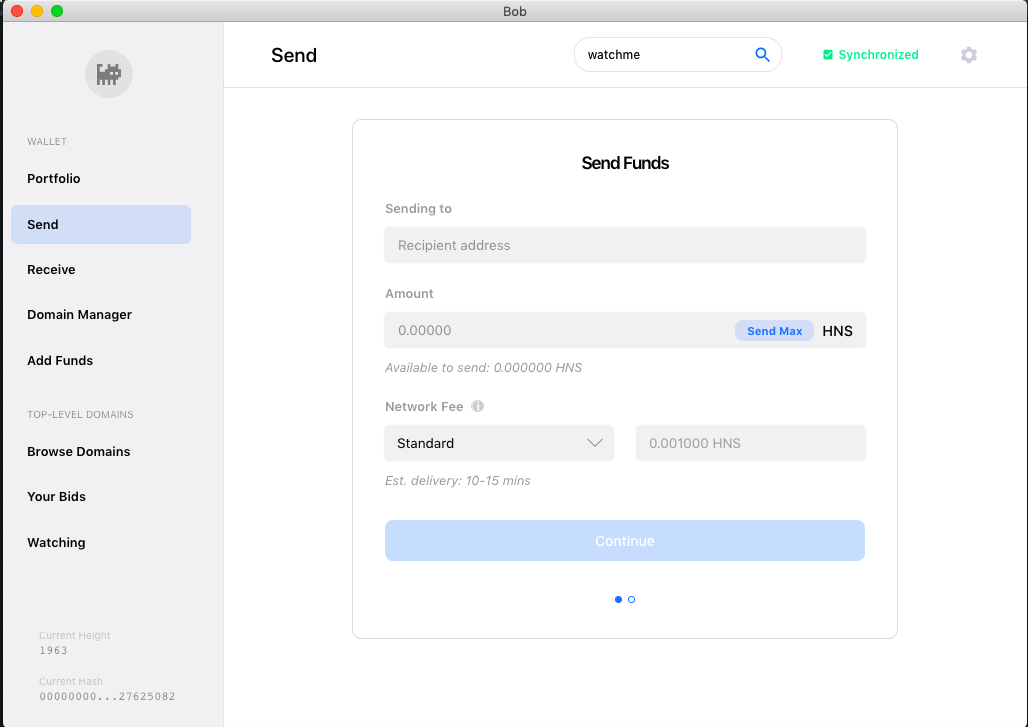
- Send/receive coins
- Airdrop claims (Note that you need to wait 100 blocks before spending the airdrop reward)

- Name watchlists

- Transferring names
Contributing
Contributions are most welcome. Some contributor activity occurs on Telegram/bobwallet.
Inquiries to integrate with hardware wallets, ecosystem DNS/website infrastructure, and offers to collaborate with other Handshake-aligned projects are also most welcome. Please make inquiries via Telegram, to [at]sdtsui.
If you are an individual developer looking to add a feature, fix a bug, or create new documentation -- please feel free to reach out, even if just to say hello. We are also exploring incentivization mechanisms, potentially ramping up from small bounties to ecosystem-funded full-time developers.
Building From Source
Please see this guide, courtesy of @pinheadmz. It explains how to get set up in dev mode, and includes some helpful tips like (i) how to tail log output and (ii) how one can have a "personal mainnet" Bob while developing on a different Bob instance.
Due to Ledger USB integration, additional dependencies are required:
OSX
If you are running OSX on an arm64 processor (aka "Apple Silicon" or "M1") it is highly recommended to upgrade to Node.js v16 which has arm64 support.
Building for OSX requires one extra "optional" dependency (dmg-license) that can not currently be installed on Windows/Linux systems:
brew install libusb
git clone https://github.com/kyokan/bob-wallet
cd bob-wallet
npm install
npm install dmg-license
Build the app package for the native architecture of your Mac:
If you are running OSX on an arm64 but want to build the executable for x86 (Intel)
Macs, you can do so but you must first downgrade to Node.js v14 or re-install Node.js v16
for x86 instead of arm64. Building for a non-native architecture will seriously impair
the performance of the application, so this option is only recommended for multi-platform
distribution by maintainers with M1 Macs. As an extra complication, this process must
be run in an environment where libunbound is available as an x86 package.
npm run package-mac-intel
The output app will be created in the /release/mac or /release/mac-arm64 folder.
Open Bob.app to start the wallet.
Linux
apt-get install libusb-1.0-0-dev libudev-dev
git clone https://github.com/kyokan/bob-wallet
cd bob-wallet
npm install
Build the app package:
The output app will be created in the /release folder. Open Bob-x.x.x.AppImage to start the wallet.
Ledger
Note that to use Ledger devices with Linux, permissions must be granted to access the USB device. Follow Ledger's own guide here which will instruct you to execute this command:
wget -q -O - https://raw.githubusercontent.com/LedgerHQ/udev-rules/master/add_udev_rules.sh | sudo bash
Test in development mode
Reporting Issues
[DEPRECATED] Most discussion around Bob is on the forum. Please go there to report issues and send feedback. The forum is also where we'll post announcements.
We have no officially sanctioned or administered support/development channels, so this list will be periodically updated as the community develops. For now, the Telegram/bobwallet is the best place for questions.
Non-Security Issues
Please report issues using Github issues on this repo. Please file bugs with the provided template.
Security Issues
See SECURITY.md.