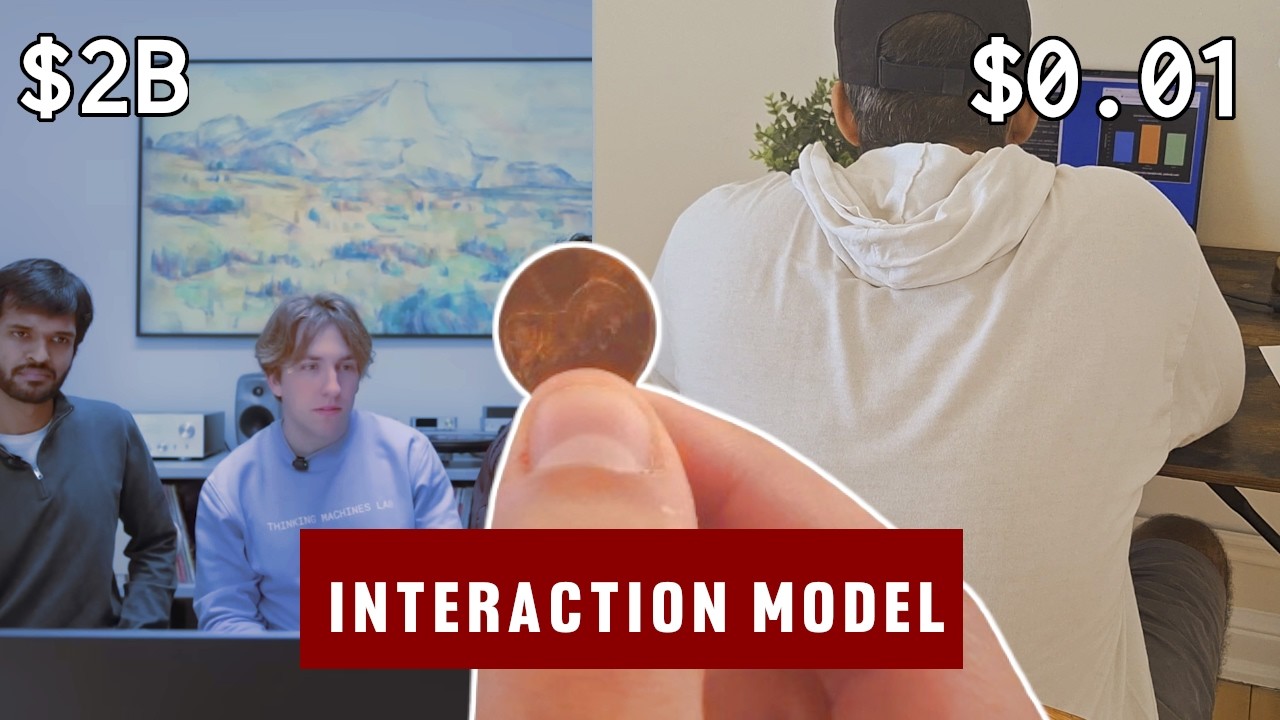
A CPU-only voice agent that replicates the surface behaviors of Thinking Machines' Interaction Models demo (May 2026) — real-time speech, vision-keyed proactivity, live translation, mid-conversation background tasks — on a laptop, with off-the-shelf parts and minimal LLM calls.
The point isn't to match Thinking Machines' architecture. They trained a 276B MoE from scratch on continuous audio+video with 200ms micro-turns. This project glues commodity models together with a Python event loop and shows how close a careful harness can get on the four behaviors that demo highlighted. Speech and vision are local (Silero VAD, Kroko ASR, YOLO11 pose, Piper TTS); LLM calls go to DeepInfra (Llama-3.1-8B-Instruct-Turbo for the foreground, DeepSeek-V3.2 for structured background work). One CPU laptop, one process, one asyncio loop.
Status of this round
The four demo behaviors all run end to end on a real laptop with a real webcam and mic:
- Friend detection — YOLO11-pose on the webcam emits
person_count_changed; the registered watcher fires on the non-primary person. - Live translation — Silero VAD cuts phrase-sized chunks, Whisper-large-v3-turbo on DeepInfra translates them to English, Piper speaks each chunk interpreter-style over the user. Exit is automatic when the user speaks English on an end-of-turn pause.
- Slouch detection — shoulder→ear vector angle off vertical, debounced over three frames (1.5s) so a momentary lean doesn't fire.
- Search + chart with continued conversation — the foreground says "let me find those for you" while a background worker calls Serper, then DeepSeek-V3.2 for a Chart.js spec. The user can interrupt and ask follow-ups while the chart renders in the browser.
Pass --no-cam to skip the camera and the YOLO load entirely;
vision-keyed triggers stay in the table but don't fire automatically
(VisionWorker.push_event still works for scripted demos).
--no-audio runs from stdin without touching mic or TTS.
--no-audio --no-cam together gives a headless pure-text session,
which is what the integration tests use.
Architecture
flowchart TB
    O["<b>Orchestrator</b><br/>(Python, single process)<br/><br/>• event loop<br/>• triggers table<br/>• foreground queue<br/>• background queue<br/>• completed-tasks queue"]
    W["<b>Webcam</b><br/>YOLO11 pose<br/>@ 4 fps"]
    M["<b>Mic</b><br/>Silero + Kroko<br/>+ Whisper"]
    S["<b>Speaker</b><br/>Piper<br/>(VITS / onnx)"]
    N["<b>Network</b><br/>Llama + DeepSeek<br/>+ Serper"]
    B["<b>WebSocket</b><br/>Browser<br/>(Chart.js)"]

    O <--> W
    O <--> M
    O <--> S
    O <--> N
    O <--> B
The orchestrator runs a single asyncio loop. Three event sources feed it:
- Audio events from Silero VAD + Kroko ASR (normal mode) or
Silero VAD + Whisper (translate mode):
user_started_speaking,partial_transcript,user_finished_speaking,translation_chunk. - Vision events from the YOLO worker:
person_count_changed,pose_state_changed. - Background completions from the worker that handles search and chart generation.
The triggers table is the central data structure. It is a list of registered behaviors that the orchestrator consults on every event. Entries are written by the foreground model in response to user instructions and read by the event loop. The orchestrator logs the table after every change, so you can watch the demo's "memory" grow over a session.
Stack
Local (CPU):
- Silero VAD — endpointing and barge-in gating
- Kroko ASR via sherpa-onnx — streaming speech-to-text
- YOLO11-pose via ultralytics — person + pose at 4 fps
- Piper — TTS (VITS via onnxruntime)
- WebRTC AEC3 via livekit's Python bindings — acoustic echo cancellation on the mic path, so speaker output doesn't self-barge mid-reply
sounddevice+soundfilefor mic/speaker I/O and FLAC encoding of translate-mode audio uploadsopencv-pythonfor webcam capture
Network APIs (DeepInfra by default, plus Serper):
meta-llama/Meta-Llama-3.1-8B-Instruct-Turbo— foreground "interaction" modeldeepseek-ai/DeepSeek-V3.2— background reasoning / structured-output modelopenai/whisper-large-v3-turbo— translation, only invoked in translate mode- Serper — web search
The three model calls go through DeepInfra's OpenAI-compatible
/v1/openai/chat/completions and /v1/openai/audio/translations
endpoints. The base URL is set in src/foreground.py and
src/background.py; point them at any OpenAI-format provider (the
real OpenAI, Together, Groq, Fireworks, a local vLLM/Ollama server,
etc.) and supply matching model names. Cost numbers in this README
assume DeepInfra's pricing.
Orchestrator core:
httpxfor streaming SSE to/from the model endpointspartial-json-parserfor incremental extraction of thesayfield before the full response landspython-dotenvfor.envloading
Browser-side:
fastapi+uvicorn+websocketsserve a single static HTML page that renders charts with Chart.js v4. Used only for behavior #4.
Why Piper for TTS
Earlier rounds used Chatterbox Turbo. Chatterbox sounds better but is comfortably slower than real-time on a single CPU core, which meant the first sentence of every assistant turn was bottlenecked on synthesis rather than on Llama's time-to-first-token. Piper runs the VITS-style synthesizer as an ONNX graph through onnxruntime — no torch at synthesis time — and produces audio at several times real-time on a single core. The cost is some prosody quality; the win is that time-to-first-audio drops by roughly an order of magnitude, which is the latency dimension that matters most for the demo. Piper also streams natively (sub-sentence audio chunks), so barge-in cancels within tens of ms instead of the seconds-per-sentence granularity the old sentence-by-sentence loop gave us.
Why WebRTC AEC
On headphones the mic only hears the user, and barge-in detection is straightforward: VAD says "speech", the orchestrator cancels TTS, the user takes over. On speakers, the mic also hears the assistant's own voice coming back from the speakers a few tens of milliseconds later. VAD can't tell that apart from a real interruption, so a naive setup self-barges on every reply — the assistant cancels itself a second into its first sentence.
WebRTC AEC3 fixes this at the sample level. The TTS playback path
tees its int16 PCM into a reference ring buffer (resampled to 16 kHz
so it matches the mic rate); the mic loop, on every 10 ms block,
hands the reference to process_reverse_stream and the mic to
process_stream before VAD or ASR see anything. AEC3's adaptive
filter learns the room's impulse response and subtracts the echo.
After the filter converges (~0.5–1.5 seconds of TTS), speaker bleed
is suppressed by 20–40 dB and VAD only fires on actual user speech.
The convergence window itself is handled separately: the orchestrator
ignores user_started_speaking events during the first
aec_convergence_ms (default 1200) of each TTS utterance, because
the filter hasn't seen enough reference yet to be reliable. The UX
cost is essentially zero — nobody interrupts the opening of a reply
that just started — and it eliminates the otherwise-persistent
opening-sentence self-cancellation.
The token-overlap heuristic in audio._looks_like_self_echo is kept
as a backstop on ASR finals (for residual bleed during double-talk
or when the platform's render-to-capture delay differs significantly
from the configured aec_stream_delay_ms). With AEC active it
almost never fires; the log line echo filter: dropping likely self-transcription (post-AEC residual) is your hint that something
is misaligned.
If livekit isn't installed at runtime, AEC degrades to no-op with a
logged warning and the behaviour matches the pre-AEC version (the
token-overlap filter does what it can). Set CHEAPIM_AEC_ENABLED=0
to disable explicitly. Tune the render-to-capture delay with
CHEAPIM_AEC_DELAY_MS if echo persists past the convergence window
on your hardware (USB devices typically want 80–150ms; bluetooth
200–300ms).
YOLO model size and the fps budget
The default is yolo11n-pose.pt (nano) running at 4 fps, balanced
for "feels real time" on a CPU laptop. End-to-end latency from a pose
change to a trigger fire lands roughly in the 150–300ms range on a
modern laptop in practice (your hardware will vary): camera read is
near-instant once buffer-draining is in play, inference is ~60–100ms
for n, and the rest is the asyncio hop into the orchestrator and
TTS dispatch.
Earlier versions defaulted to yolo11x-pose.pt at 2 fps. That gave
beautiful keypoints but a 2–3 second perceived delay — the bottleneck
was camera buffering compounding with a slow capture interval, not
model size. Both have been fixed (see the buffer-drain note in
vision._run_loop), but n is still the right default: it leaves
plenty of headroom for the loop to recover from a slow frame without
falling behind. m is a good upgrade if your slouch angle jitters
on n's noisier keypoints.
Override via env:
CHEAPIM_YOLO_MODEL=yolo11m-pose.pt    # slower, more stable keypoints
CHEAPIM_YOLO_MODEL=yolo11x-pose.pt    # slowest, very stable keypoints
If you switch to x on CPU, also drop VisionConfig.fps to 2.0 (in
src/vision.py); the loop will silently fall behind otherwise and
you'll see the lag come back.
Setup
Requires Python 3.11.
Built and tested on Linux. The dependencies are cross-platform
(sounddevice, opencv-python, onnxruntime, ultralytics all
ship macOS and Windows wheels) and nothing in the orchestrator is
Linux-specific, so macOS and Windows should work — but they haven't
been exercised. The mic/speaker and webcam permission notes below
cover the macOS and Linux cases; Windows users will need to adapt.
git clone <this repo>
cd cheap-im
uv venv && source .venv/bin/activate   # or your preferred venv tool
uv pip install -e .

cp .env.example .env
# fill in DEEPINFRA_API_KEY and SERPER_API_KEY
pyproject.toml pins torch and torchvision to PyTorch's CPU-only
wheel index (download.pytorch.org/whl/cpu). The demo never uses
CUDA; this keeps the install at ~250 MB instead of ~3 GB. (Piper
doesn't use torch at all — only Silero VAD does — but torch is still
a direct dep so the CPU-index pin applies.) If you're not using uv,
install torch from the CPU index manually:
pip install torch torchvision --index-url https://download.pytorch.org/whl/cpu
pip install -e .
Kroko model weights
Download Banafo Kroko ASR weights for English (and any other languages you want) from the HuggingFace mirror. You need four files in one folder:
models/en/kroko_64l/
├── encoder.int8.onnx
├── decoder.int8.onnx
├── joiner.int8.onnx
└── tokens.txt
Set CHEAPIM_KROKO_MODEL_DIR=./models/en/kroko_64l in your .env.
YOLO weights
ultralytics downloads pose weights on first use. No manual step
required; the first cheap-im run with vision enabled will fetch
yolo11n-pose.pt (~6 MB) into ultralytics' cache. If you want to
pre-cache or use a different size, the model name is read from
CHEAPIM_YOLO_MODEL (see above).
Piper voice
Piper ships a downloader. Pick a voice from the Piper voices list and run:
mkdir -p models/piper
python -m piper.download_voices --data-dir models/piper en_US-lessac-medium
That writes both en_US-lessac-medium.onnx and
en_US-lessac-medium.onnx.json into models/piper/. Point the env at
the .onnx file:
CHEAPIM_PIPER_MODEL_PATH=./models/piper/en_US-lessac-medium.onnx
The .onnx.json file must sit next to the .onnx; Piper reads it
automatically. medium is a good default for laptop CPUs; high
sounds better but is roughly 2× slower. Optional knobs:
CHEAPIM_PIPER_LENGTH_SCALE— float;>1.0slows speech,<1.0speeds it up. Useful if a particular voice feels rushed.CHEAPIM_PIPER_SPEAKER_ID— int; only meaningful for multi-speaker voices (most en_US voices are single-speaker).
Browser
The orchestrator hosts the chart page itself. Open http://127.0.0.1:8765/ in a regular browser window before starting the demo. The orchestrator doesn't manage the browser lifecycle.
Microphone / speaker permissions
On macOS, grant terminal access to the microphone in System Settings →
Privacy & Security. On Linux, ensure the user is in the audio group
and that PulseAudio/PipeWire is running. List devices with
python -m sounddevice and set CHEAPIM_AUDIO_DEVICE=<index> if the
default doesn't work.
Webcam permissions
On macOS, grant terminal access to the camera in System Settings →
Privacy & Security. On Linux, the user needs read access to /dev/video*
(typically via the video group). If your machine has multiple cameras,
set CHEAPIM_WEBCAM_INDEX=<index> — OpenCV enumerates in the same order
as v4l2-ctl --list-devices on Linux and system_profiler SPCameraDataType
on macOS.
Running
Or, to skip mic/TTS and drive the orchestrator from stdin (useful for testing the chart pipeline without audio hardware):
cheap-im --no-audio --log-level=DEBUG
Then type the user's side of the conversation at the you> prompt.
To skip the webcam and YOLO model load (useful on a headless machine, in CI, or when iterating on non-vision behaviors):
Vision-keyed triggers still register and persist in the triggers
table; they just don't fire from the camera. Tests and scripted demos
can still push synthetic events via VisionWorker.push_event — that
path doesn't need a camera.
To watch what YOLO sees while the orchestrator runs — bounding boxes,
keypoints, which person is treated as primary, the live slouch angle,
and the debounce streak counters — pass --cam-debug:
An OpenCV window opens alongside the chart UI. Press q in the
window to close it; the orchestrator keeps running headlessly
(closing the preview should not be a way to silently disable
triggers). This is the flag to reach for when "the model isn't firing
the trigger I expected" — the overlay shows the angle and streak
counts that go into the decision. Incompatible with --no-cam.
The two flags compose. cheap-im --no-audio --no-cam runs a
pure-text session with no hardware touched at all, which is the
configuration the integration tests use.
Demo behaviors
1. Friend detection
User: Every time one of my friends enters the frame, say 'friend'.
The foreground model registers a new_person_in_frame visual
watcher. The vision worker tracks a "primary" person (largest
bounding box, assumed to be the user) and fires the watcher whenever
a non-primary person appears in frame for at least two consecutive
frames (~0.5s at 4 fps), subject to the trigger's cooldown.
2. Live translation
User: I'll speak in Hindi. Can you translate to English in real time?
The foreground model emits {"set_mode": {"mode": "translate"}} and
the orchestrator flips the audio path. In translate mode, Silero VAD
cuts the user's speech at phrase pauses (~400ms of silence) and
end-of-turn pauses (~1400ms). Each chunk is sent to Whisper-large-v3-turbo
on DeepInfra with task=translate, and the returned English text is
spoken by Piper over the user's continued speech — interpreter-style,
without barge-in.
Exit is automatic: when Whisper detects a chunk as English and that chunk ended on a full end-of-turn pause, the orchestrator flips mode back to normal and routes the English text to the foreground as an ordinary user turn. The model replies however it wants. Whisper audio is metered in seconds and folded into the cost estimate alongside LLM tokens.
End-to-end latency from end-of-phrase to spoken English is dominated by Whisper round-trip; DeepInfra typically returns in under a second on warm calls, with cold-start spikes of a few seconds on the first chunk.
3. Slouching
User: Tell me when I start slouching.
The foreground model registers a slouch_sustained visual watcher.
Slouch is detected from the angle of the shoulder-midpoint →
ear-midpoint vector off vertical, on the primary person only. The
state flips between upright and slouching after three consecutive
frames (~0.75s at 4 fps) past threshold, so a momentary lean forward
doesn't fire and a brief head-bob back doesn't bounce out.
4. Search + chart with continued conversation
User: What are typical human reaction times for auditory, visual, and tactile cues? Could you search?
The foreground model speaks "Let me find those for you" immediately
and emits a delegate for search. The background worker runs
Serper.
When the search returns, the result is buffered as a system note. The next user turn picks it up and Llama 8B speaks the answer from it.
User: Can you visualize them in a bar chart?
A second delegate, this time for chart. Background worker calls
DeepSeek-V3.2 for a Chart.js spec, validates the JSON, pushes to the
browser. Chart appears in the open browser window.
User (interrupting): In the meantime, why is auditory faster than visual?
The foreground handles this as an ordinary turn while the chart render completes asynchronously. No notification needed — the chart just shows up in the browser when it's ready.
What this can't do
Things the harness cannot do, and which TM's architecture handles natively:
- True mid-sentence interruption with learned timing on when to yield. The orchestrator does coarse-grained barge-in: when VAD detects new speech mid-TTS, it cancels the current Piper chunk and truncates the assistant turn in history to roughly what played. WebRTC AEC handles the speaker-bleed case (so the assistant doesn't cancel itself), but the model has no learned policy on whether to yield — every detected user start cancels TTS unconditionally.
- Backchanneling ("mhm", "right") during user speech.
- Simultaneous speaking and listening at the token level. The harness cleanly separates these: while TTS plays, the mic is still listened to, but the system can't generate and listen at the same time.
- Visual proactivity decisions that depend on subtle context (not just hardcoded events like "new person").
- Sub-400ms turn-taking. Realistic floor here is 500–1200ms on a laptop, dominated by DeepInfra time-to-first-token (Piper itself is fast enough not to be the bottleneck on most hardware).
- Code-switching mid-utterance during translation.
- Graceful "I got cut off after saying X" behavior. The orchestrator approximates this by truncating the assistant turn in history to match what was actually played through TTS, but it isn't learned — the model isn't trained on cut-off transcripts.
Cost guard
The orchestrator tracks input/output tokens for every foreground and
background call, plus seconds of audio sent to Whisper. The default
cap is 100k tokens per session, set via CHEAPIM_TOKEN_CAP. When
hit, a warning is logged and the demo continues; the goal is to make
the cost claim verifiable from logs, not to enforce a hard limit.
The token cap does not gate Whisper minutes.
A typical 5-minute demo run looks like:
- ~10 foreground turns × ~300 input + ~100 output tokens → 3k input, 1k output Llama 8B tokens → ~$0.000090
- ~2 background tasks (one search, one chart) × ~500 in + ~600 out → 1k input, 1.2k output DeepSeek-V3.2 tokens → ~$0.000716
- Serper search: 1 call → $0.001
- Translate mode (if used): ~$0.0002 per minute of audio
Total: well under a cent of inference for a non-translation demo, plus Serper; a 10-minute translation session adds about $0.002 on top.
File layout
/
├── README.md
├── SPEC.md                  the design doc this README implements
├── pyproject.toml
├── .env.example
├── src/
│   ├── orchestrator.py      event loop, triggers table, queues
│   ├── foreground.py        DeepInfra Llama client, streaming JSON parsing
│   ├── background.py        DeepInfra DeepSeek client, search/chart tasks
│   ├── audio.py             Silero VAD + Kroko ASR + Whisper + Piper TTS + WebRTC AEC
│   ├── vision.py            YOLO11-pose @ 4 fps, person count + slouch
│   ├── modes.py             normal / translate mode state
│   ├── web/
│   │   ├── server.py        FastAPI + WS chart server
│   │   └── chart.html       Chart.js v4 renderer
│   └── prompts/
│       ├── foreground.txt   system prompt + output grammar
│       └── chart.txt        DeepSeek chart-gen prompt
├── examples/
│   ├── README.md            how to write your own visual watcher
│   └── quorum_watcher.py    concrete extension sketch
└── tests/
    └── test_foreground_parsing.py
Testing
uv pip install -e ".[dev]"
pytest
The only dev dependency is pytest itself — the streaming
integration tests use plain asyncio.run() instead of pulling in
pytest-asyncio. The tests cover the foreground JSON-parsing path
(streaming-say-early, plain-text fallback, truncated streams, history
trimming) and a mock-transport integration test that exercises the
full streaming pipeline end-to-end.
License
MIT.