ygg - Git Worktree Helper
A simple CLI tool for managing git worktrees. Create feature branches in isolated directories, switch between them easily, and clean up when done.
Installation
Homebrew
brew tap joch/ygg
brew trust joch/ygg   # Homebrew 6.0.0+ requires trusting non-official taps
brew install ygg
Go
go install github.com/joch/ygg/cmd/ygg@latest
From source
go build -o ygg ./cmd/ygg
Usage
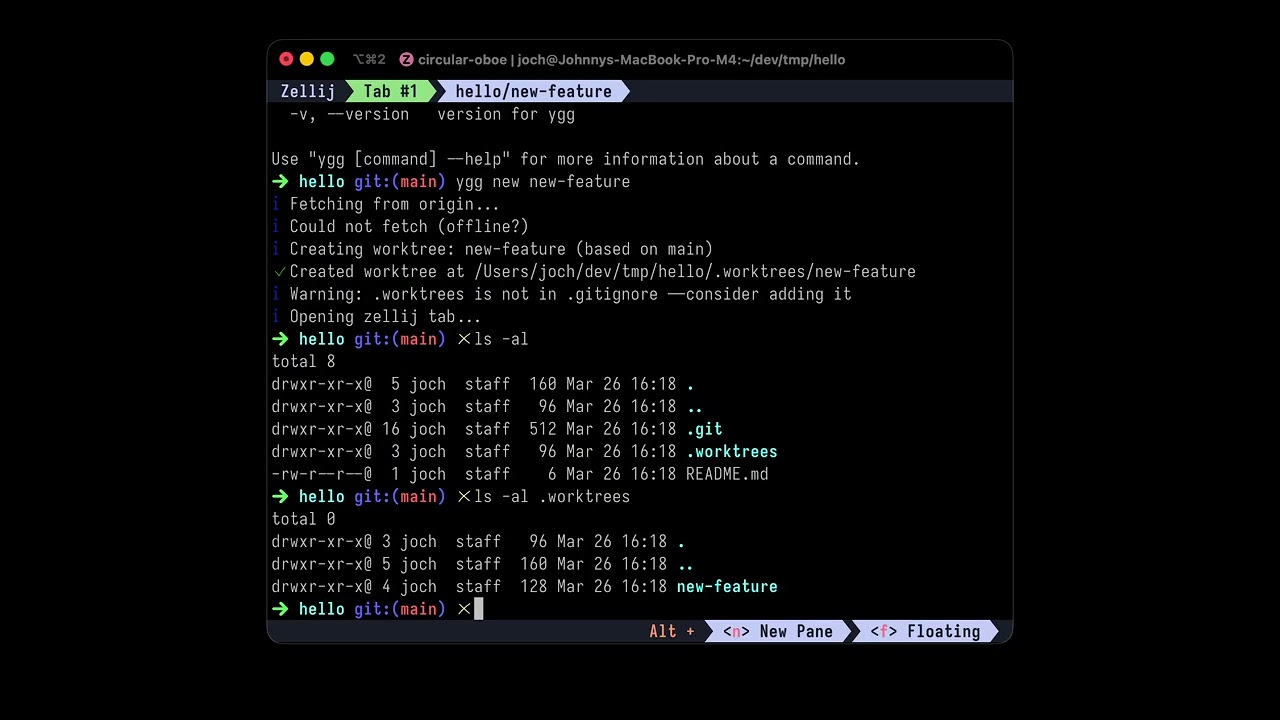
Create a new worktree
This will:
- Fetch latest from origin
- Create a new worktree with branch
my-featurebased on the default branch - Enter a subshell in the new worktree directory
Worktrees are created at .worktrees/<feature-name> inside the repository root.
List worktrees
Shows all worktrees. Current worktree is marked with *, modified ones show [modified].
Switch to a worktree
Enters a subshell in the specified worktree.
Remove a worktree
ygg remove my-feature  # remove by name
ygg remove             # remove current worktree
ygg rm my-feature      # alias
Use --force to remove even with uncommitted changes or unmerged branches.
Clean up merged worktrees
ygg clean           # prompts for confirmation
ygg clean --dry-run # show what would be removed
ygg clean --force   # no confirmation
Removes worktrees whose branches have been merged to main.
Commands
| Command | Description |
|---|---|
ygg new <name> |
Create a new worktree and enter it |
ygg list |
List all worktrees |
ygg switch <name> |
Switch to a worktree |
ygg remove [name] |
Remove a worktree |
ygg clean |
Remove merged worktrees |
Shell Completion
# Bash
source <(ygg completion bash)

# Zsh
source <(ygg completion zsh)

# Fish
ygg completion fish | source
Add to your shell rc file for persistent completion.
Prompt Integration
When inside a ygg shell, $YGG_WORKTREE is set to the current worktree name. Add to your prompt:
# Bash/Zsh
PS1='${YGG_WORKTREE:+[$YGG_WORKTREE] }'$PS1
When running inside a zellij session, ygg automatically creates named tabs instead of spawning subshells. No configuration needed — it detects zellij via the ZELLIJ environment variable.
ygg new my-featurecreates a tab named<repo>/my-featurewith the worktree as the working directoryygg switch my-featurefocuses the existing tab, or creates one if it doesn't exist
If zellij commands fail for any reason, ygg falls back to the normal subshell behavior.
Agent Skills
ygg includes a skill file for AI coding agents that teaches them how to use ygg for worktree management.
Supported agents
Install
Uninstall
How it works
ygg spawns subshells in worktree directories. When you're done, exit to return to where you started.
Inside a ygg shell, ygg switch changes directory directly instead of nesting shells.
Requirements
- Go 1.22+
- Git
License
MIT