About

VLide.vim is a global plugin for interactive presentations.
Requirements
- Vim 7.0+
Usage
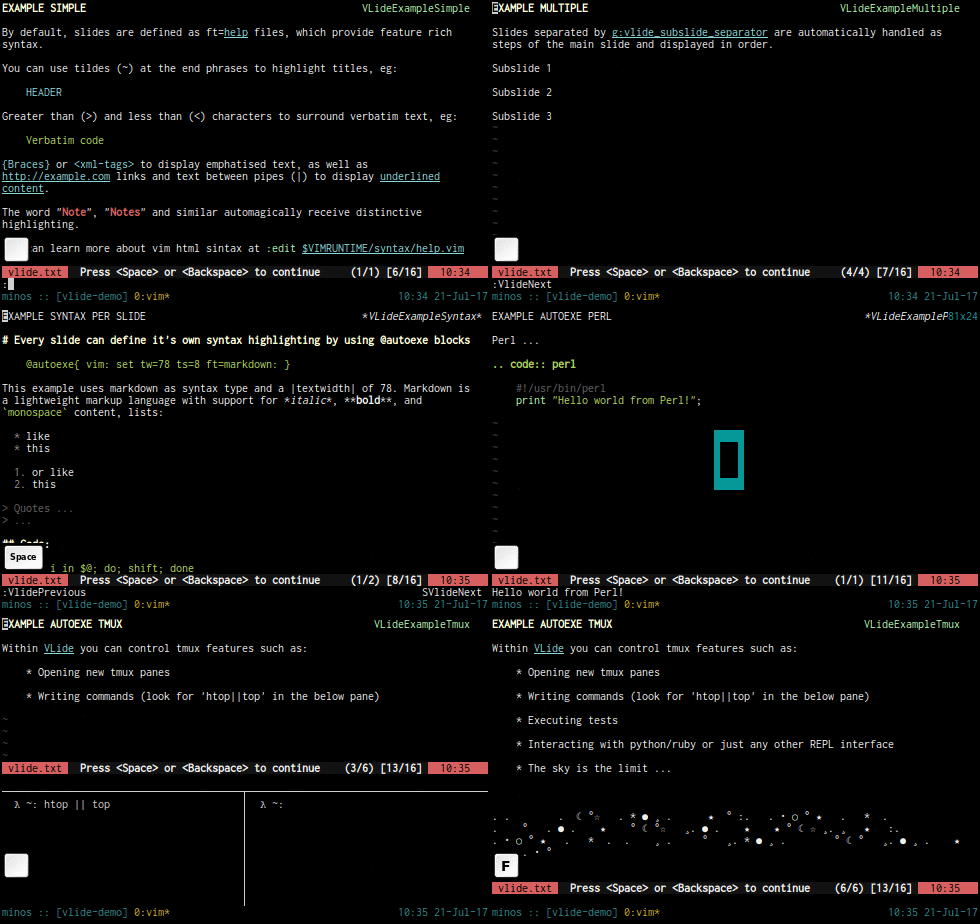
VLide.vim allows you to use Vim as a presentation tool.
Slides are separated by:
====================================================
Subslides by:
----------------------------------------------------
Besides displaying content it can run commands and modify syntax highlighting per slide by using @blocks:
@autoexe{ vim: set tw=78 ts=8 ft=sh: }

@autoexe{sh}
    printf "%s\\n" "Hello world!"
@end
To move around, it maps the following keys:
| Key | Action |
|---|---|
| <Space> | Next Slide |
| <Backspace> | Previous Slide |
Subslides
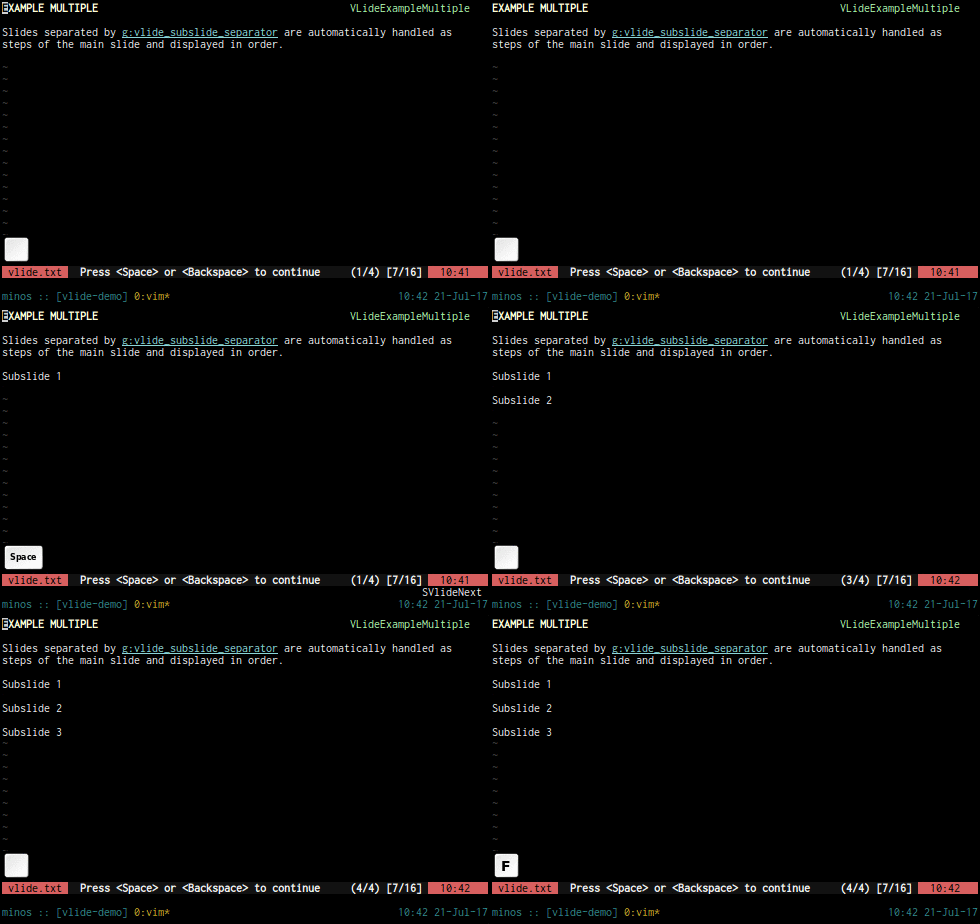
Slides separated by g:vlide_subslide_separator are automatically handled as
steps of the main slide and displayed in order.
Subslide 1
Subslide 2
Subslide 3
Tmux
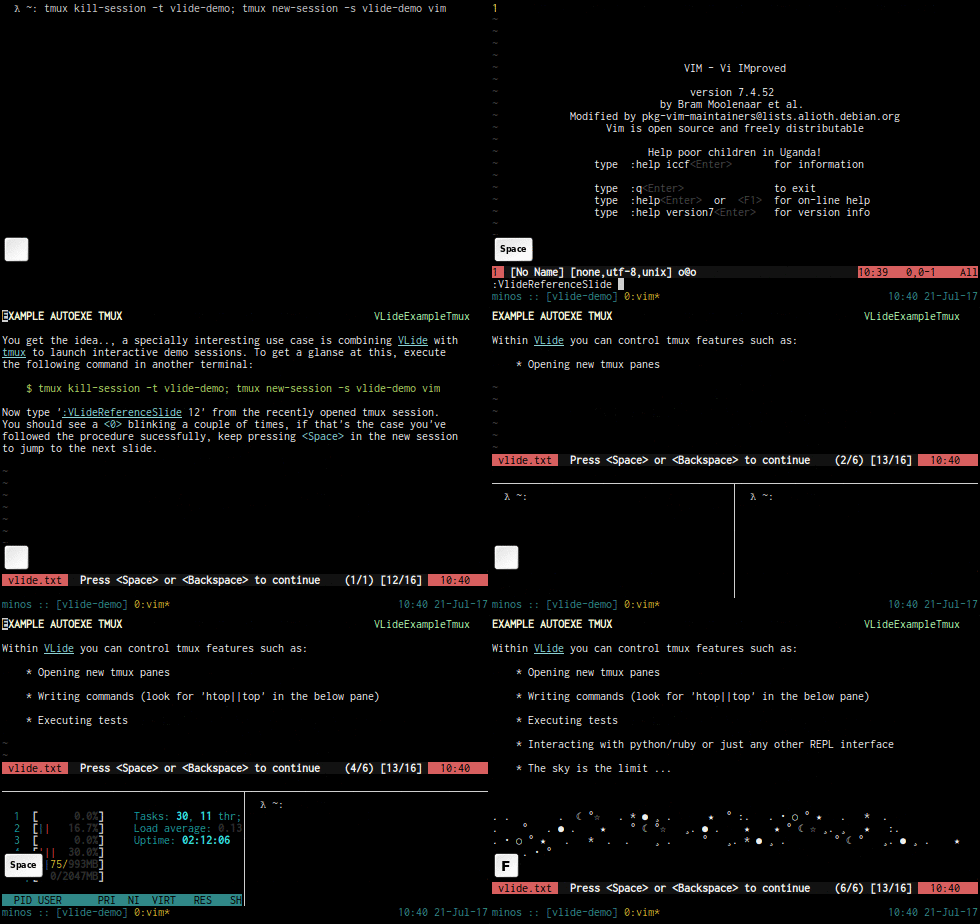
A specially interesting use case is combining vlide.vim with tmux to launch interactive demo sessions. To get a glanse at this, execute the following command in a new terminal:
$ tmux kill-session -t vlide-demo; tmux new-session -s vlide-demo vim
Now type :VLideReferenceSlide 12 from the recently opened tmux session. You
should see a <0> blinking a couple of times, if that's the case you've
followed the procedure sucessfully, keep pressing <Space> in the new session
to see the demo
See :h Vlide for more help.
Installation
Use your plugin manager of choice.
- Vundle
- Add
Bundle 'javier-lopez/vlide.vim'to~/.vimrcand run:BundleInstall
- Add
- NeoBundle
- Add
NeoBundle 'javier-lopez/vlide.vim'to~/.vimrcand run:NeoBundleInstall
- Add
- vim-plug
- Add
Plug 'javier-lopez/vlide.vim'to~/.vimrcand run:PlugInstall
- Add
- Pathogen
git clone https://github.com/javier-lopez/vlide.vim ~/.vim/bundle/vlide.vim
- Manual (simplest if you've never heard of vundle or pathogen), download the zip file generated from github and extract it to
$HOME/.vimmv vlide.vim*.zip $HOME/.vim && cd $HOME/.vim && unzip vlide.vim*.zip- Update the help tags from vim:
:helpt ~/.vim/doc/