A GNU Guix installer for Apple Silicon Macs.
I appreciate Apple’s hardware, particularly their light, carefully made laptops. I’m also drawn to systems that let people describe what they need, clearly and precisely, and have the computer build it reproducibly. And I have a particular fondness for Scheme and Lisp. This project sits at the heart of those three interests. It brings GNU Guix, a declarative operating system we can shape in Scheme, to Apple Silicon Macs.
Guixstart
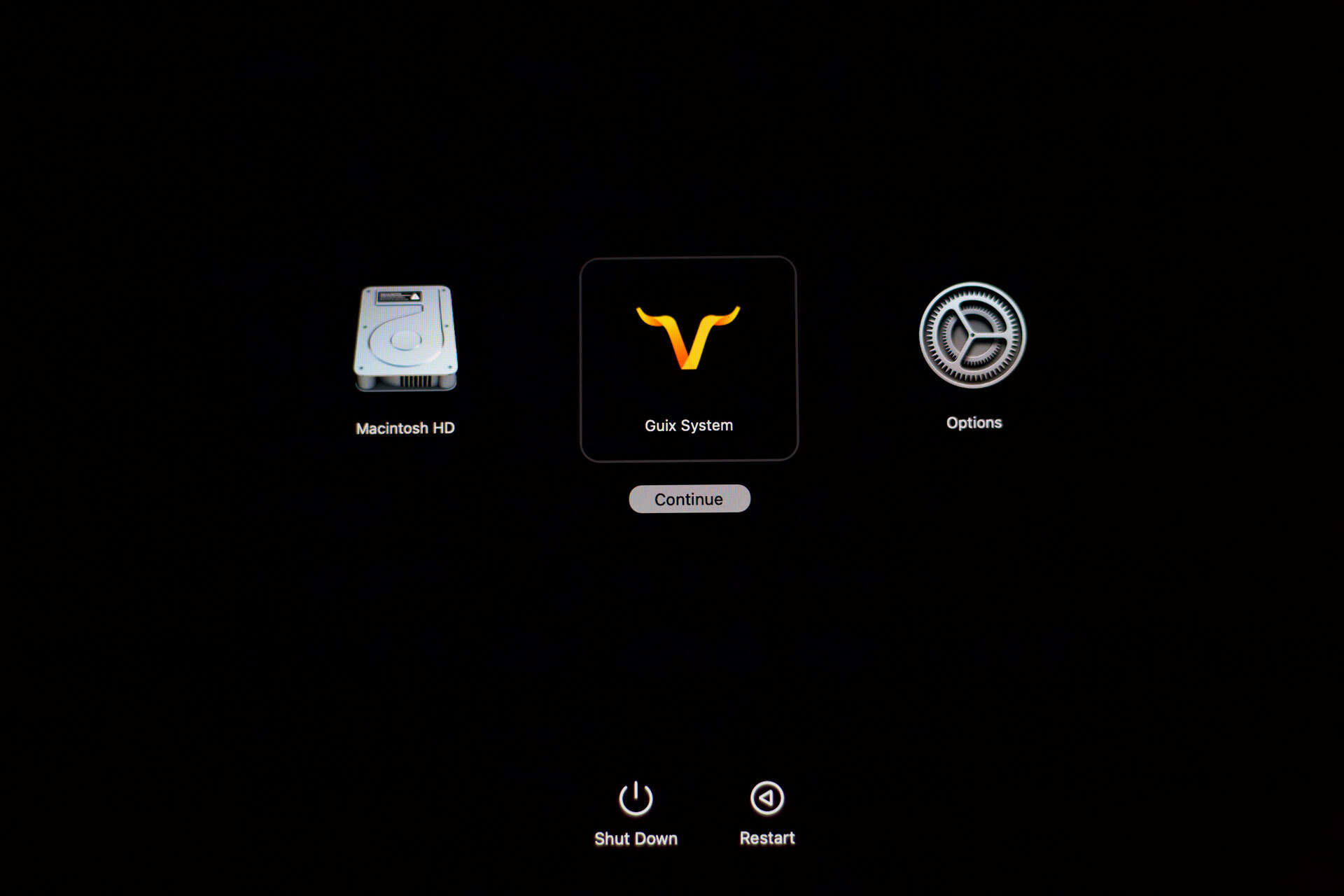
Back up your data before starting. Installing an operating system changes your computer’s storage and boot setup, so take time to understand the steps before you begin. Guix will be installed alongside macOS, which remains available as a separate startup choice. Read the installation notes for requirements, tested hardware and the full walkthrough.
On the Mac where you want to install Guix, choose how you’d like to begin:
1. Download, review and run. Save the
installer script
as hello-guix.sh in your Downloads folder. Read it in your text editor,
then open Terminal and run:
sh "$HOME/Downloads/hello-guix.sh"2. Download and run directly. Open Terminal and run:
curl -fsSL --proto '=https' \
  https://harishnarayanan.org/hello-guix.sh | sh
Both routes download and check the same installer, then guide you through three stages:
- Make room for Guix. The installer helps you resize macOS or use existing free space, then prepares the files needed to boot Guix.
- Allow the Mac to boot it. Follow the shutdown and power-button instructions to enter Apple Recovery and authorise the new installation.
- Choose what to install. Guix asks about language, keyboard, accounts, a desktop environment and services. Review your choices, let it install, then reboot and log in.
A system you can change
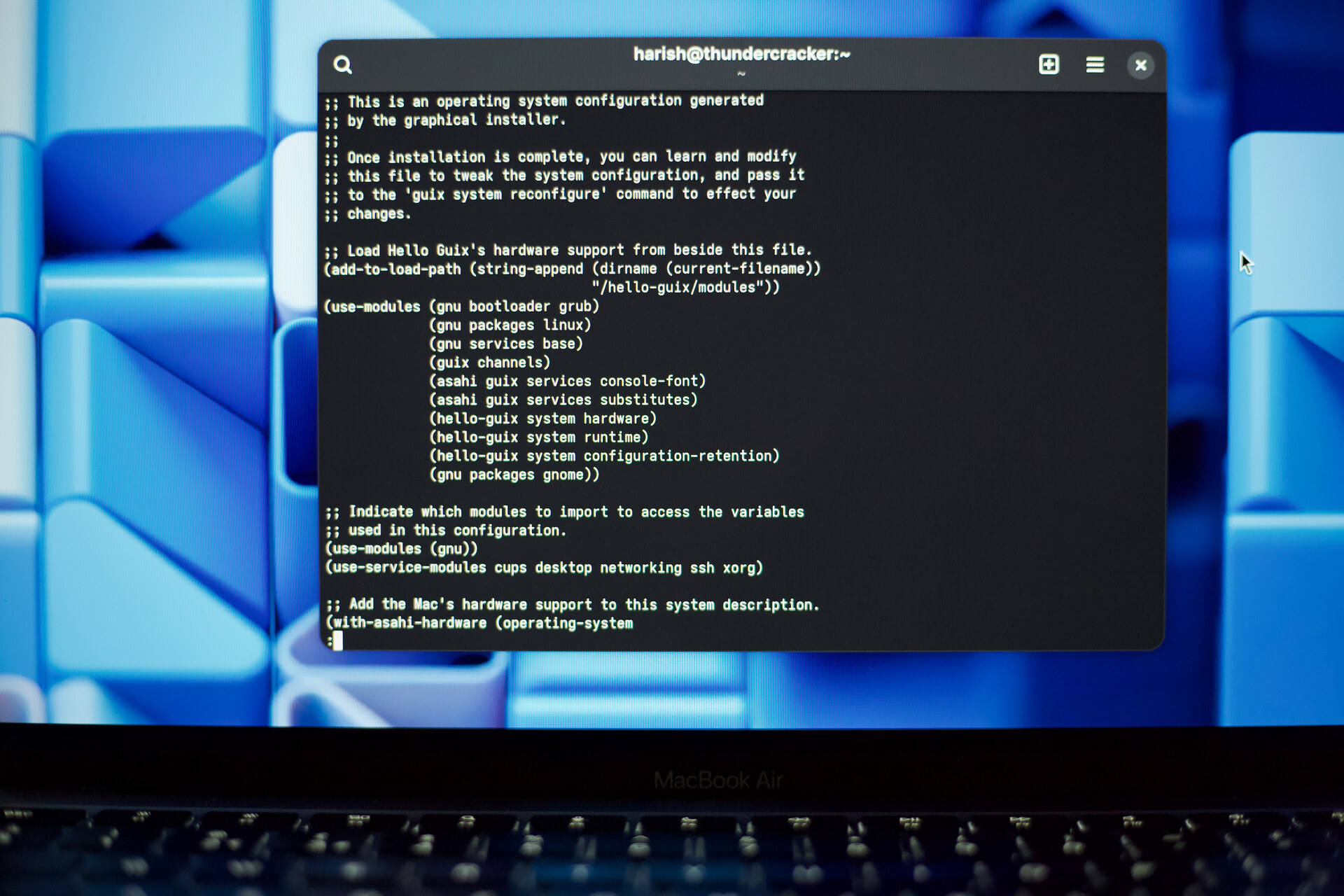
Once you’ve booted into your new system, poke around a little. The installer
has saved your choices in /etc/config.scm, where you can read the Scheme
description of your system. The Guix manual’s
Using the Configuration System
is a good place to explore the available packages, services and other
settings.
Hello Guix’s central idea is a small addition to an ordinary Guix
configuration. We pass your system description to with-asahi-hardware, a
Scheme function that returns one with the Mac’s hardware support included:
(with-asahi-hardware
  (operating-system
    ;; Your accounts, packages, services and other choices.
    ...))
The example is abbreviated: your choices go inside, and the surrounding function adds the Asahi kernel, firmware services and audio integration, including access to proprietary firmware where needed. Guix builds the resulting system. Installation and later reconfiguration use this same function, keeping the hardware support in place as your choices change.
The configuration guide explains how the saved channel versions and early boot files fit into updates and rollback.
How it works
To see how this works, it helps to look at where the pieces come from. Hello Guix brings together the work of three projects:
- Asahi Linux provides Linux hardware support and the macOS installer for storage preparation, firmware collection and Apple’s boot authorisation.
- Asahi Guix Channel expresses that support as Guix packages and services, with builders for an Asahi-compatible image.
- GNU Guix supplies the guided installer, configuration machinery, package builds and system generations.
The architecture guide is a map to the source. The development guide explains how to build and test it.
Licence and philosophy
This project exists because others let us study, change and build on their work. We owe the next person that same freedom, along with some care for their time and understanding. That means keeping the code readable, the pieces small and the reasons for our choices clear.
The project philosophy sets out these expectations. Read it alongside the licences below: it describes what I expect from the project and how I intend to review contributions.
Most original Hello Guix code and documentation use GPL version 3 or later. The separable Asahi installer contribution uses MIT, following its parent. Upstream material retains its own terms. COPYING explains the component licences; the installer notices cover the bundled software.
The ambition here is quite personal. I want my MacBook Air (M1, 2020) to work beautifully for me, and I want to understand enough of it to keep making it my own. I’m putting the work here so that, if your interests happen to overlap with mine, you can do something with it too.
I’m Harish Narayanan. You’re welcome to report a problem, suggest a change, or write to me at mail@harishnarayanan.org.