Turn Instagram into your personal, infinite cloud storage.
DoodleCloud is a Proof-of-Concept (PoC) tool that uses Instagram's internal API to store unlimited files for free. By converting files into "Visual Noise" images and uploading them as DM doodles, we can bypass file type restrictions and use Instagram's servers as a backend.
🚀 How It Works
- The Loophole: Instagram allows users to send "doodles" in Direct Messages. These are essentially PNG images hosted on Facebook's CDN.
- Encoding: DoodleCloud takes any file (MP3, APK, ZIP, etc.) and converts its binary data into pixels, creating a "Visual Noise" PNG.
- Chunking: Large files are split into 20MB chunks to ensure high reliability and bypass resolution limits.
- Storage: These images are uploaded to a private DM thread. The file metadata (filenames, chunk IDs) is stored in a PostgreSQL database.
- Retrieval: When you download a file, the tool fetches the images, reads the pixels back into bytes, and stitches them together to restore your original file perfectly.
📦 Features
- Infinite Storage: No caps, assuming Instagram doesn't patch the API.
- Any File Type: Stores
.exe,.apk,.mp4,.zip, etc. - Database Indexed: Keeps track of your files remotely using PostgreSQL (NeonDB recommended).
- Encryption: Basic obfuscation via image conversion.
- Dual Interface:
- CLI: Fast, terminal-based management.
- GUI: Modern Web Dashboard.
🛠️ Installation
-
Clone the repository:
git clone https://github.com/depreciating/DoodleCloud.git cd DoodleCloud -
Install Dependencies:
pip install -r requirements.txt
-
Configure Environment: Create a file named
config.envin the root folder and add your credentials:# Instagram Credentials INSTA_USER=your_username INSTA_PASS=your_password # PostgreSQL Database (Neon.tech is free & recommended) DB_HOST=your-db-host.neon.tech DB_NAME=neondb DB_USER=your_db_user DB_PASS=your_db_password DB_PORT=5432
🖥️ Usage
Option A: Graphical Interface (GUI)
The recommended way to use DoodleCloud.
- Run the web server:
- Open your browser to:
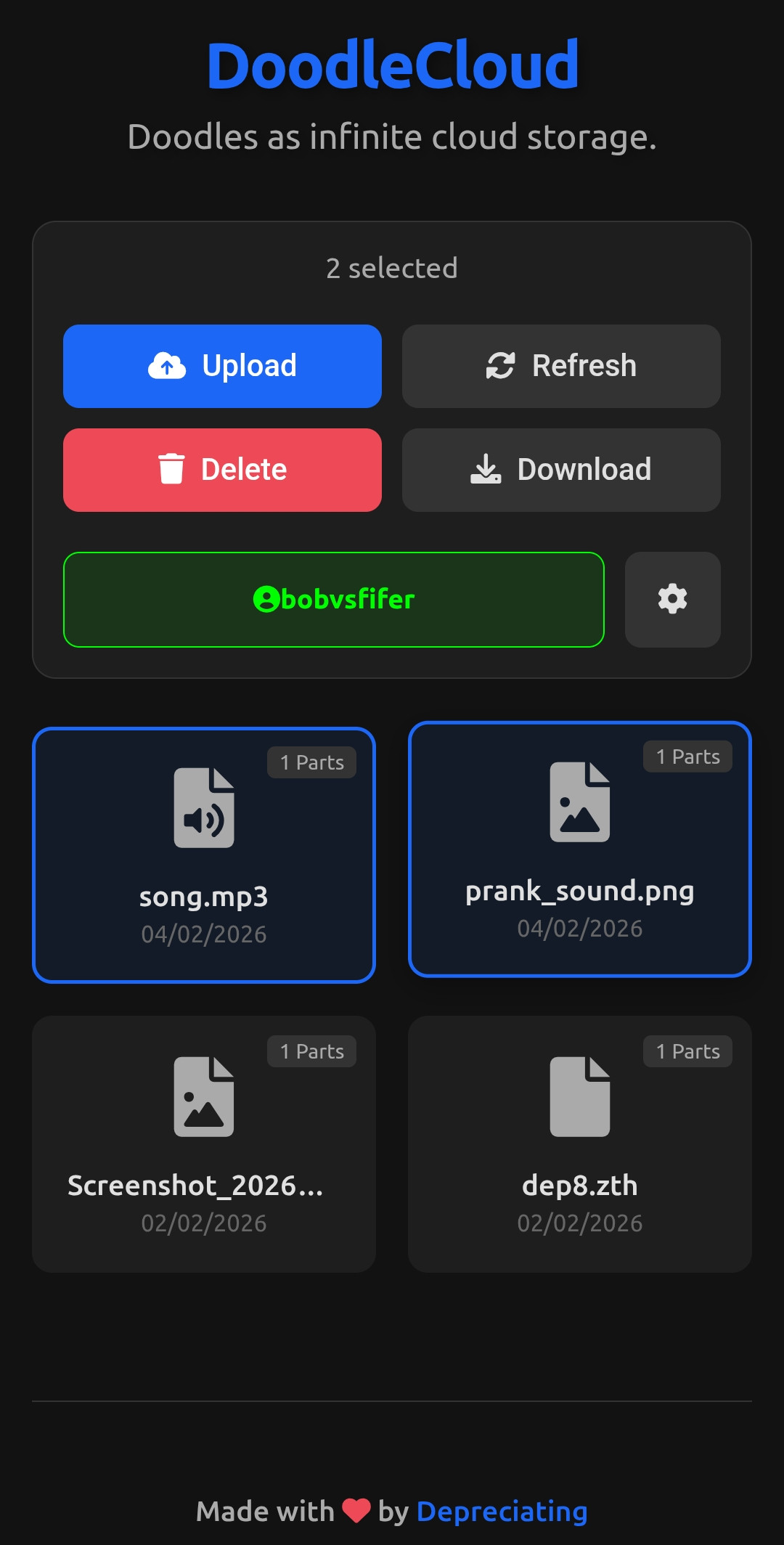
http://127.0.0.1:5000 - First Run: Click the Gear Icon ⚙️ next to your username to select a target DM thread (create a group with yourself or an alt account).
- Upload: Drag & drop files into the dashboard.
- Download: Select files and click Download.
Option B: Command Line (CLI)
For power users or headless servers.
- Run the CLI tool:
- Follow the interactive menu to Upload, Retrieve, or Delete files.
- Note: Files to upload must be placed in the
upload/folder. - Note: Downloaded files will appear in the
download/folder.
- Note: Files to upload must be placed in the
⚠️ Disclaimer & Warning
This project is a Proof-of-Concept (PoC) steganographic experiment and is for Educational Purposes Only.
- Terms of Service: Using this tool violates Instagram's/Meta's Terms of Service. Automated use of the Doodle API is not officially supported and can lead to immediate account suspension or permanent bans.
- Burner Accounts Only: DO NOT use your primary Instagram account. Use a dedicated burner account for any testing or usage.
- Data Reliability: This is an experimental storage method, not a replacement for professional cloud services. Instagram may patch this loophole, clear DM caches, or delete "doodles" at any time without notice. Never upload data that you cannot afford to lose.
- Privacy & Encryption: While files are converted into visual pixels, they are not encrypted by default. Meta's automated systems may still analyze these images. For true privacy, you must encrypt your files locally before uploading them to the system.
- No Liability: The author is not responsible for any banned accounts, loss of data, or legal consequences resulting from the use of this software.
🤝 Contributing
Contributions are welcome! If you have found a bug, want to add a new feature, or improve the documentation, feel free to open an issue or submit a pull request.
If you have any questions or would like to discuss the project, feel free to contact me through the platforms below.
👨💻 Credits
Created by Depreciating
- Telegram: @depreciatin
- Discord Server: Server Link