Important
I've moved away from using Pinboard and so won't be adding more features to this application. I will attempt to support it where possible, but please don't expect any changes that are anything other than a simple bugfix.
You may find my new terminal-based bookmarking client useful: Braindrop.
Introduction
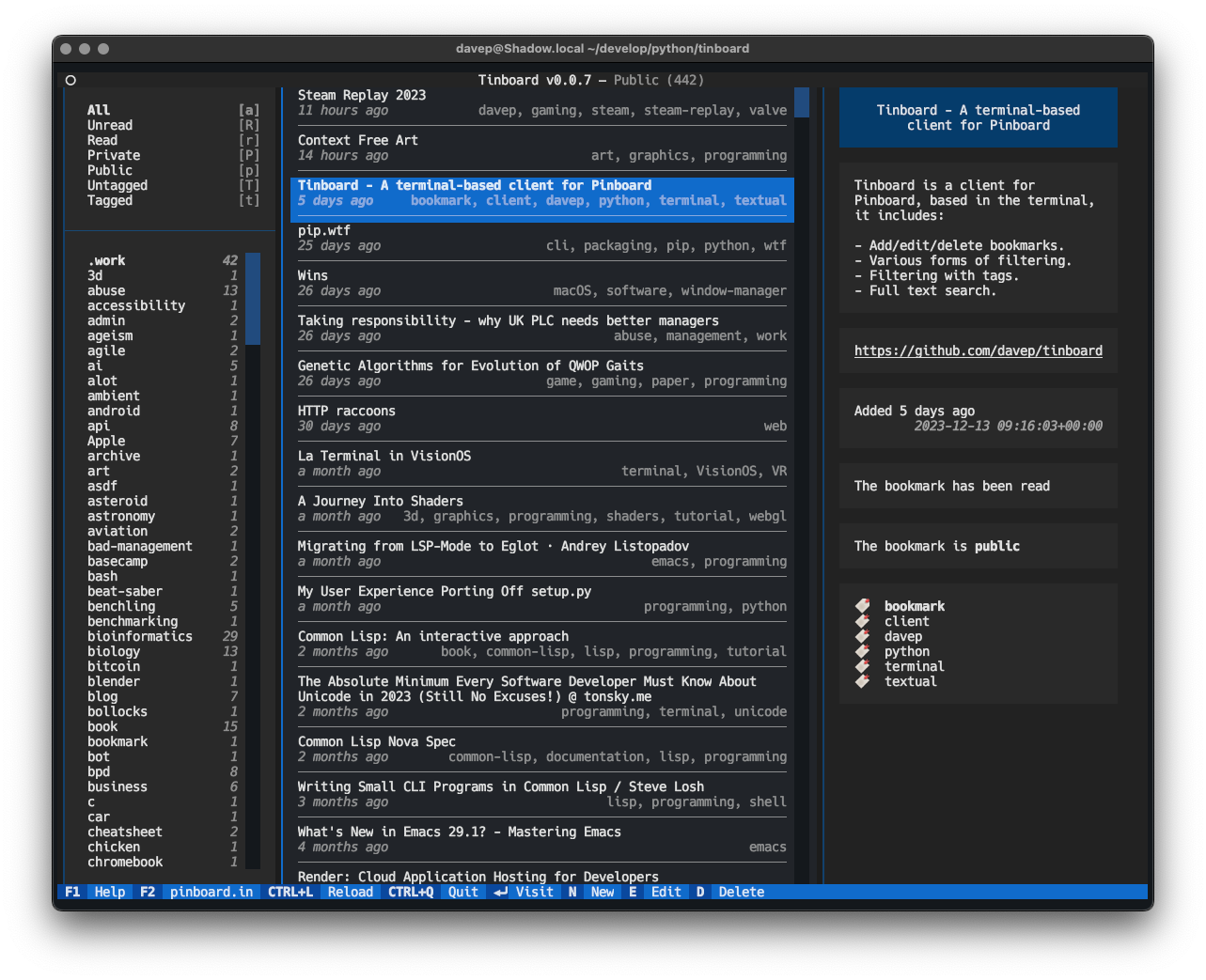
Tinboard is a terminal-based client application for the Pinboard bookmarking service. It provides the ability to manage and search your bookmarks in the terminal.
Installing
pipx
The package can be installed using pipx:
Once installed run the tinboard command.
Homebrew
The package is available via Homebrew. Use the following commands to install:
$ brew tap davep/homebrew
$ brew install tinboard
Once installed run the tinboard command.
Getting started
To use Tinboard you will need a Pinboard account (this application isn't
going to be useful to anyone who isn't a Pinboard user). Assuming you do
have a Pinboard account, you can get going by running up tinboard and
providing your API token when asked:
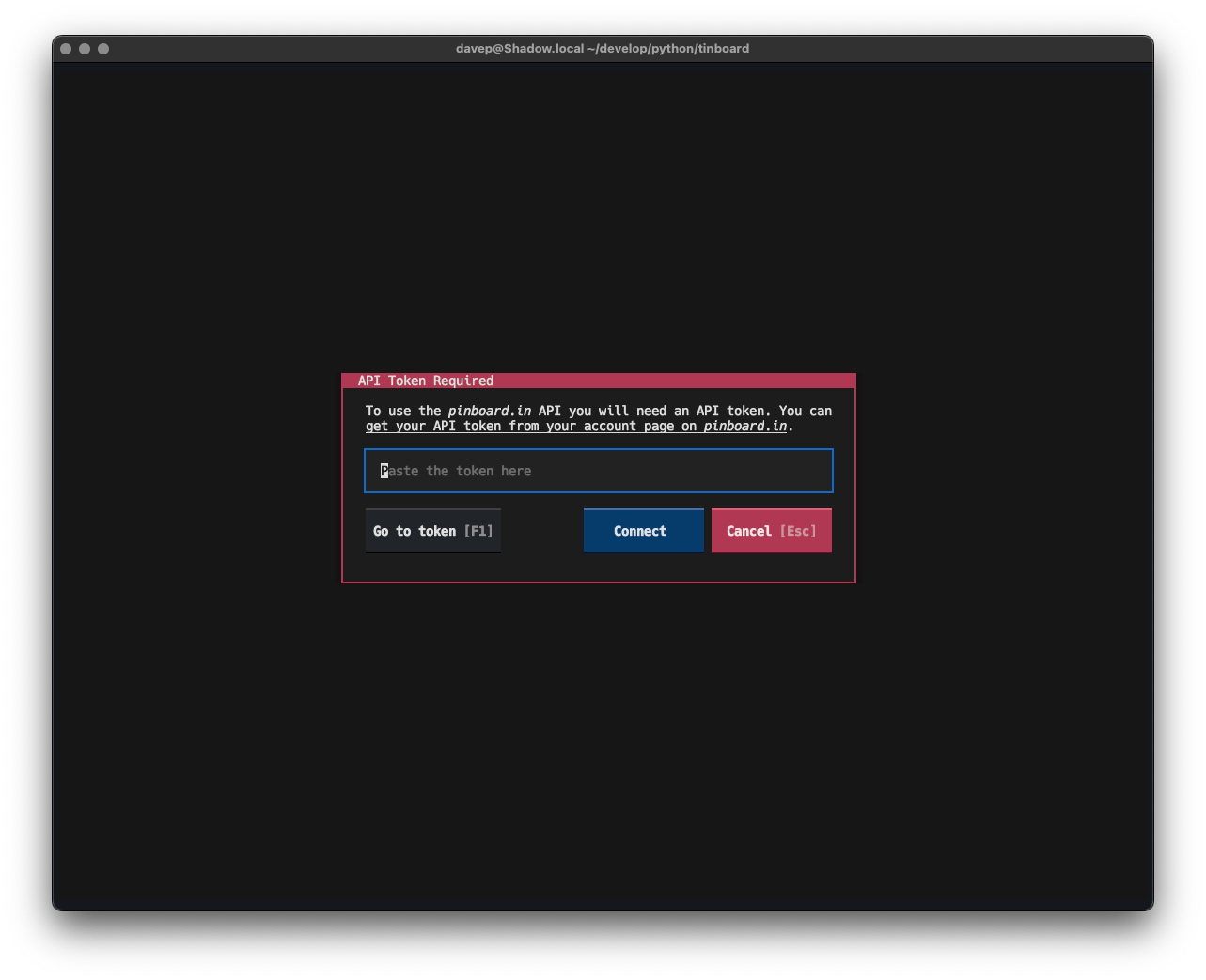
If you're not sure where to find your API token, just press F1,
or the Go to token button, and you'll be taken to the relevant Pinboard
page in your browser; copy the token, come back to this dialog and paste it
in.
Once done Tinboard will download your bookmarks and you're good to go!
NOTE: if it's your preference, you can set the token in an environment
variable called TINBOARD_API_TOKEN.
Using Tinboard
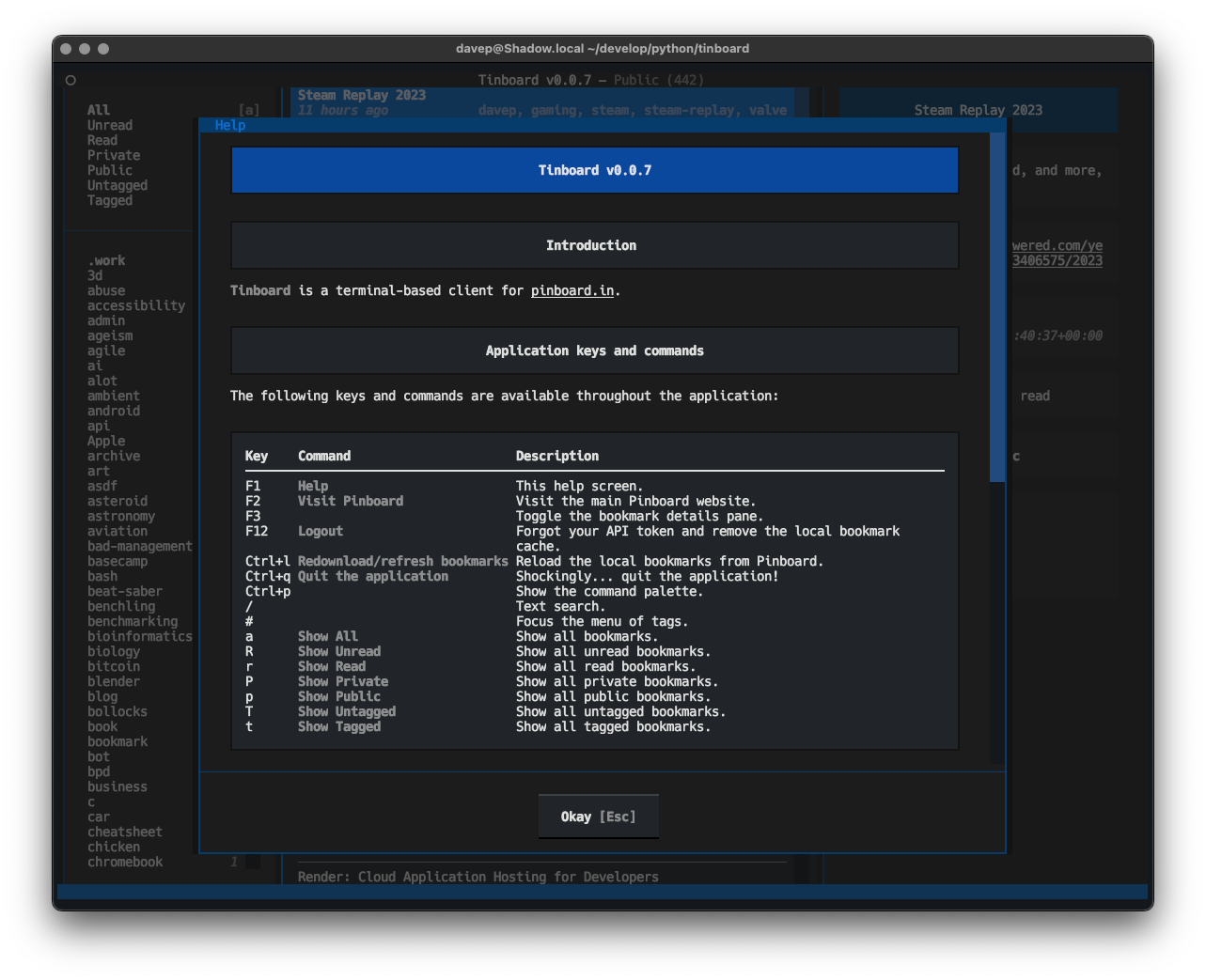
The best way to get to know Tinboard is to read the help screen, once in the main application you can see this by pressing F1.
Quick add on the command line
Tinboard has a (currently experimental) quick inline add feature. If you run:
an inline version of the bookmark editor will be shown in your terminal, allowing you to quickly add a bookmark and then carry on without running up the full application.
Getting help
If you need help, or have any ideas, please feel free to raise an issue or start a discussion.