
A message app that shows you how to add text and upload media to the Cosmic CMS using Next.js, the Cosmic JavaScript SDK, the File Upload Block, and React Server Actions.
Features
- React Server Actions
- Server Actions (No exposed API keys)
- Tailwind CSS
Getting Started
First, clone this repo.
git clone https://github.com/cosmicjs/cosmic-message-app
cd cosmic-message-app
Then install packages.
npm i
# or
yarn
# or
pnpm
# or
bun i
Create Project in Cosmic
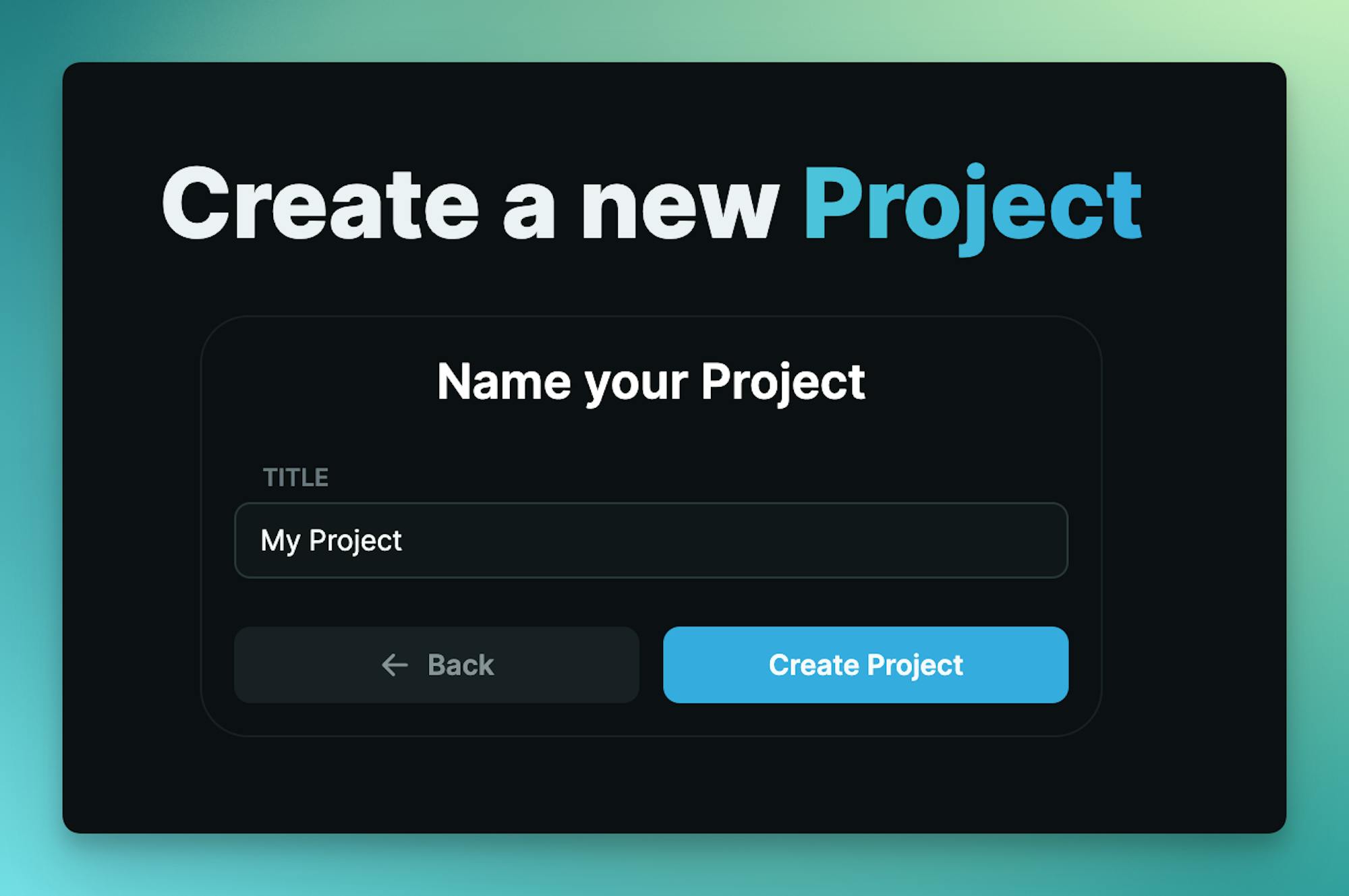
Log in to the Cosmic dashboard and create a new empty Project.
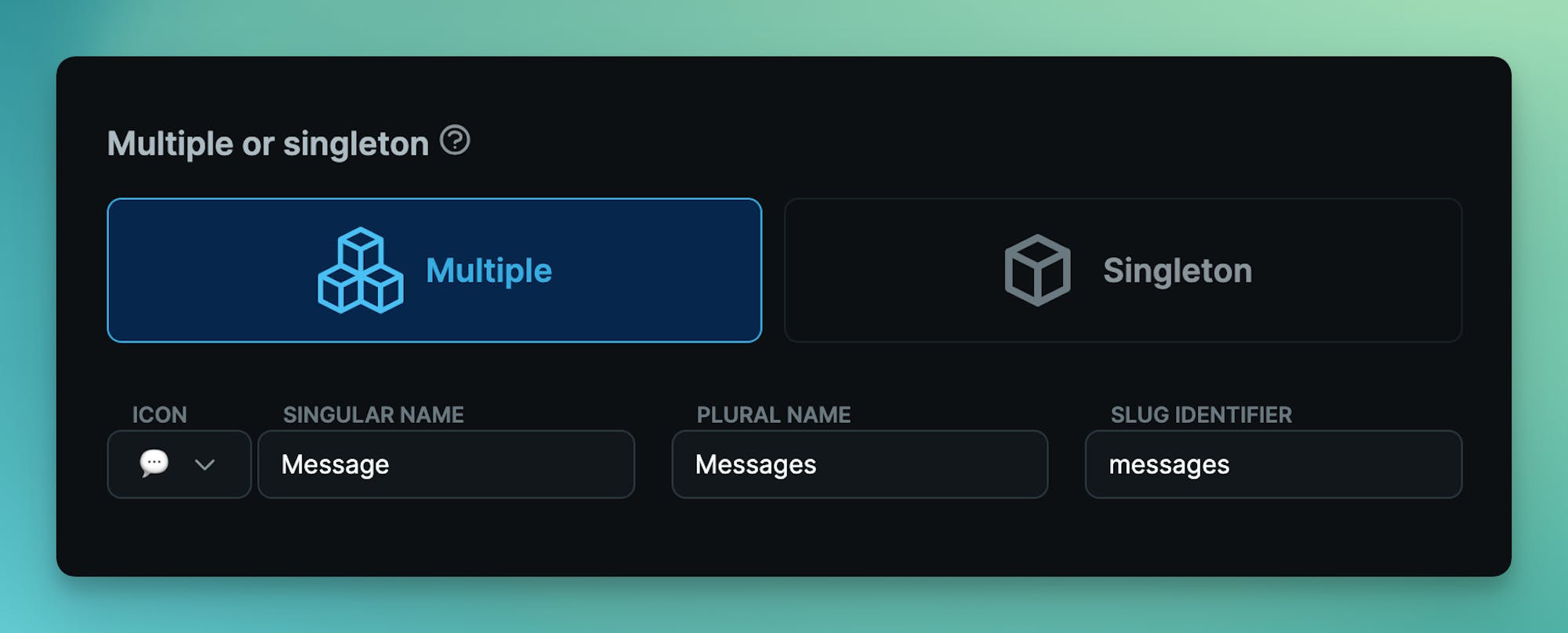
Create the Message Object type (multiple) with slug messages:
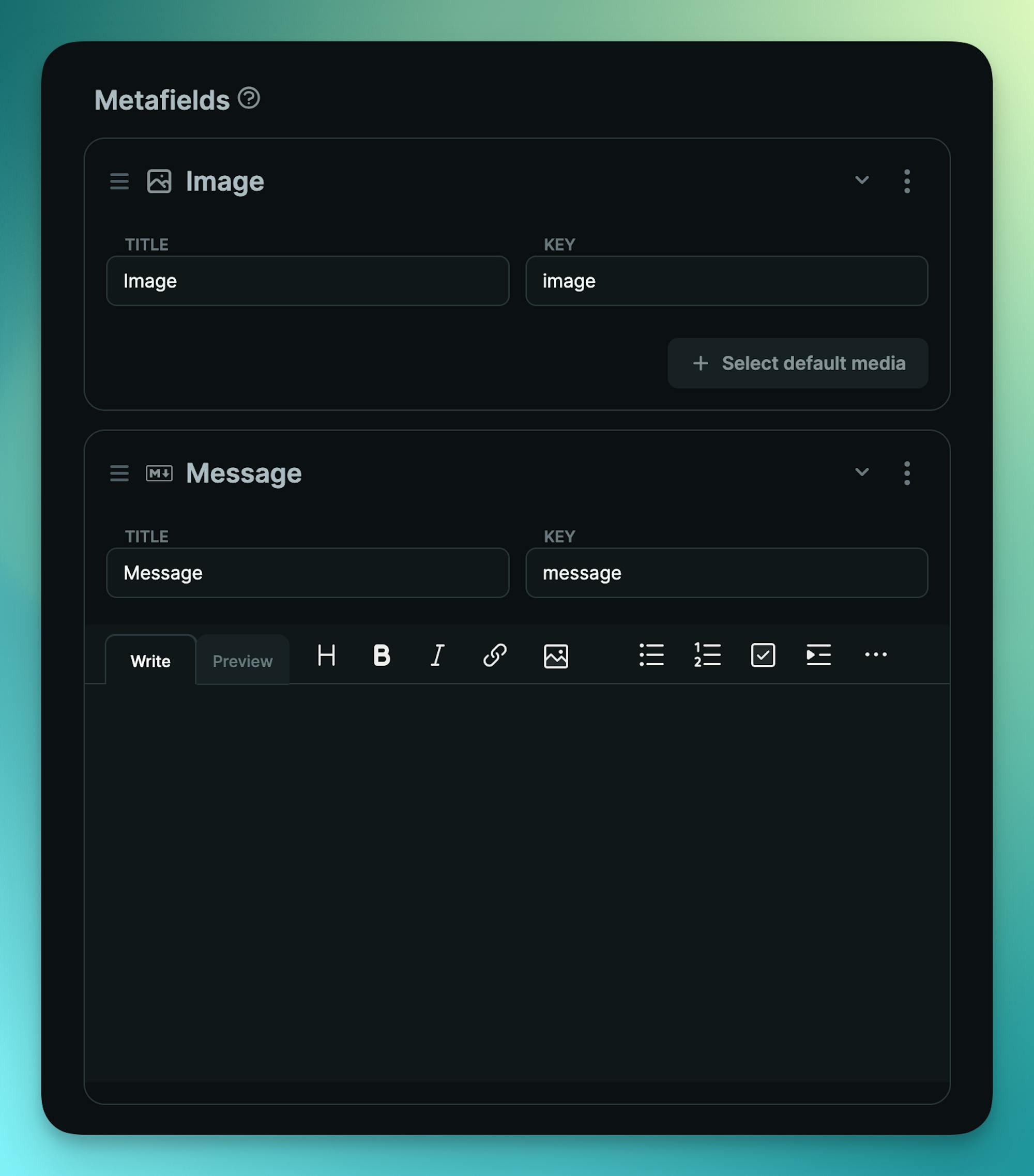
Add the following Image and Markdown Metafields with keys image and message.
Then copy the .env.copy to a new .env.local file. And add your API keys found in the Cosmic dashboard at Project / API keys.
# .env.local
COSMIC_BUCKET_SLUG=your_bucket_slug
COSMIC_READ_KEY=your_bucket_read_key
COSMIC_WRITE_KEY=your_bucket_write_key
Run the app
Then run the development server:
npm run dev
# or
yarn dev
# or
pnpm dev
# or
bun dev
Open http://localhost:3000 with your browser to see your message app. Add / delete your messages. See your messages in the Cosmic dashboard as well.
Contributing
Contributions welcome!