

AI-powered command-line interface for Cosmic. Manage your content, media, repositories, deployments, workflows, and AI agents through natural language and direct commands.
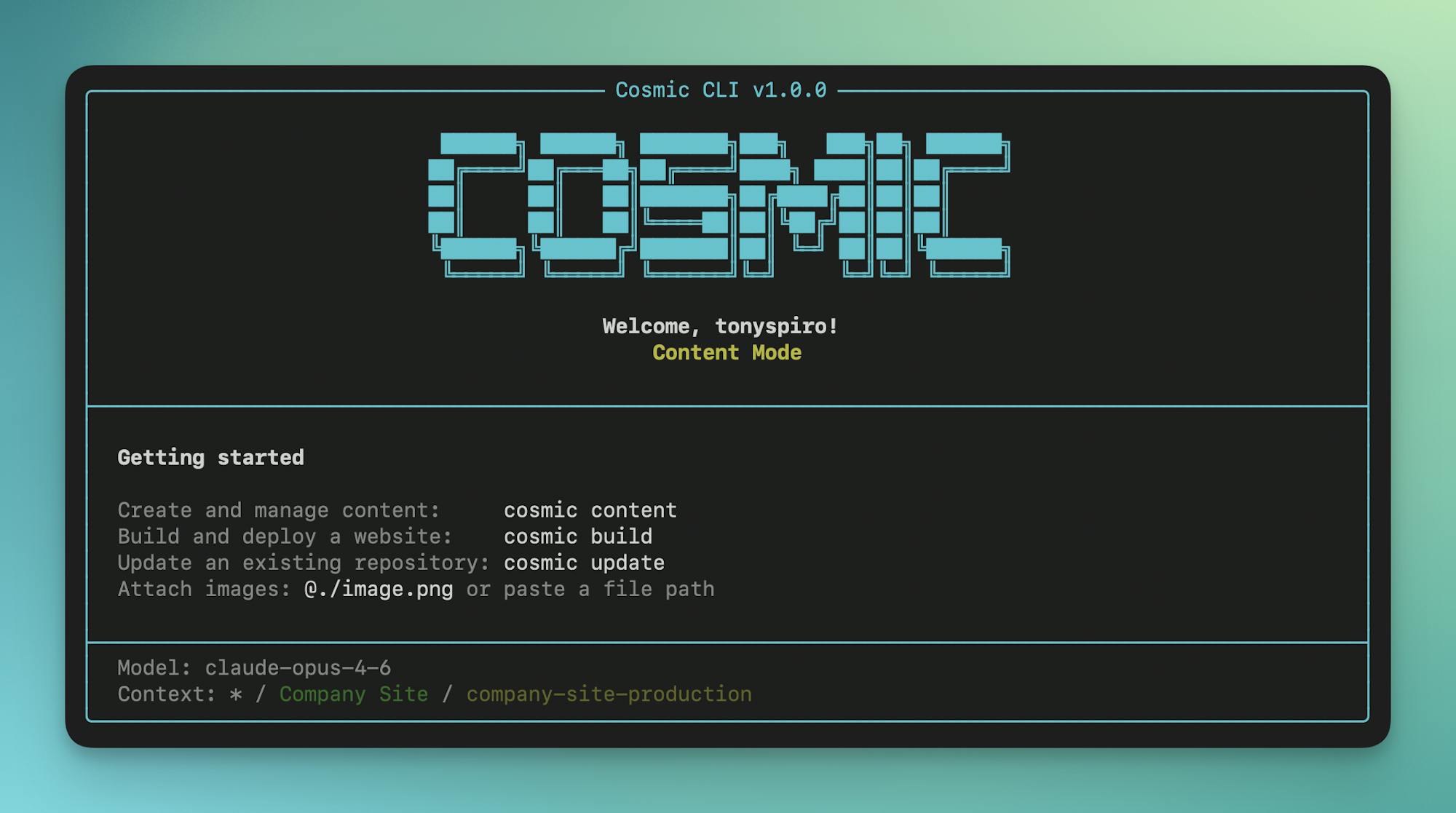
Zero to Production in One Command
cosmic login && cosmic projects create && cosmic build -p "A recipe blog" && cosmic deploy start --watch
# → Creates project, generates content model, builds Next.js app, deploys to Vercel
Table of Contents
- Features
- Installation
- Quick Start
- Authentication
- Interactive Shell
- Core Commands
- Shortcut Commands
- Interactive Chat Mode
- Configuration
- AI Models
- Examples
- Testing
- Support
Features
- Interactive Shell - Run commands without the
cosmicprefix - AI-Powered Chat Mode - Interact with your content using natural language
- Shortcut Commands -
content,build,update, andautomatefor common AI workflows - Direct Commands - Full CRUD for objects, media, types, repos, workflows, and agents
- Media Folders - Create, update, delete folders and move media between them
- Billing Management - View plans, subscribe to addons, check usage, open billing portal
- Team Management - Add, update, and remove project team members
- Webhooks - Create and manage webhooks for content events
- Domains & DNS - Import domains, manage DNS records, connect to deployments
- Repository & Deploy - Connect GitHub repos and deploy to Vercel
- Multiple Auth Methods - User login, Personal Access Tokens, or bucket keys
- Context Management - Navigate workspaces, projects, and buckets like a filesystem
- AI Generation - Generate text, images, and audio with streaming output
- AI Agents - Content, repository, and computer use agents with scheduling
- AI Automation - Create agents and workflows with natural language
- Auth Capture - Capture browser auth locally for computer use agents
Full Reference: See docs/CLI_REFERENCE.md for complete command documentation.
Installation
# Install globally with npm
npm install -g @cosmicjs/cli

# Or with bun
bun add -g @cosmicjs/cli
Quick Start
# Login to your Cosmic account
cosmic login

# Set your working context (interactive selection)
cosmic use

# Start interactive shell (no "cosmic" prefix needed)
cosmic shell

# Or run individual commands
cosmic chat                 # Start AI chat mode
cosmic content              # Create/manage content with AI
cosmic build                # Build a new app with AI
cosmic update my-repo       # Update existing code with AI
cosmic automate             # Create agents & workflows with AI
Authentication
User Authentication
Login with your Cosmic account for full dashboard access:
cosmic login
cosmic whoami               # Show current user
cosmic logout               # Clear credentials
Agent Signup (no prior account)
For AI agents that need to provision a Cosmic project from scratch on behalf of a human (no prior login required):
# Provision a project + bucket tied to a human's email. Cosmic emails them a
# 6-digit claim code. The CLI is automatically activated as the new agent
# session, so the commands below operate on the new bucket right away.
cosmic agent-signup --email tony@example.com --project "Recipe Blog" --agent-id my-agent

# Standard commands now work against the agent bucket:
cosmic ls
cosmic types create
cosmic objects list

# When the human pastes the code back to the agent, run:
cosmic agent-verify 123456

# Check the current state and tier limits:
cosmic agent-status

# View the full bucket keys (read/write) created during signup:
cosmic agent-keys

# If you ran `cosmic login` and want to switch back to the agent session:
cosmic agent-use
agent-signup stores three credentials in ~/.cosmic/credentials.json:
agent_key(agk_...): durable credential foragent-verify/agent-status.access_token(user JWT): drivescosmic whoami,cosmic types create, and every other Dashboard API command. 14 days unclaimed, 90 days verified. Auto-revoked when the human claims the bucket.- bucket
read_key/write_key: scoped to the bucket itself; used by the SDK and survive claim.
Unclaimed agent buckets are auto-deleted after 14 days, so plan to verify within that window. cosmic whoami clearly labels an active agent session and shows the project + bucket it points at.
Personal Access Token
Authenticate with a Personal Access Token for scripts, CI/CD, and automation:
# Login with a token
cosmic login --token cos_YOUR_TOKEN

# Or set the COSMIC_TOKEN environment variable
export COSMIC_TOKEN=cos_YOUR_TOKEN
cosmic whoami
Create tokens at Account Settings > API Tokens. The COSMIC_TOKEN env var takes priority over stored credentials, making it ideal for CI/CD pipelines.
Bucket Key Authentication
For quick bucket-level access without logging in:
cosmic use --bucket=my-bucket --read-key=your-read-key --write-key=your-write-key
Interactive Shell
Start an interactive shell where you can run commands without typing cosmic each time:
cosmic shell

  Cosmic Shell v1.0.0
  Logged in as: you@example.com

cosmic default> ls
cosmic default> cd my-project
cosmic my-project> objects list
cosmic my-project> !git status    # Use ! prefix for system commands
cosmic my-project> exit
Shell Features
- No
cosmicprefix needed for commands !prefix runs system shell commands (!ls,!git status)- Prompt shows current workspace/bucket context
- Command history with arrow keys
helpshows available commandsexitorquitto leave
Alias: cosmic sh
Core Commands
Context & Navigation
# Set working context
cosmic use                          # Interactive workspace selection
cosmic use my-workspace             # Switch to a workspace
cosmic use -                        # Switch to default projects (no workspace)
cosmic context                      # Show current context

# Navigate like a filesystem
cosmic ls                           # List contents at current level
cosmic cd my-project                # Navigate into project
cosmic cd my-bucket                 # Navigate into bucket
cosmic cd posts                     # Navigate into object type
cosmic cd ..                        # Go up one level
cosmic pwd                          # Show current location
Objects
cosmic objects list                          # List objects
cosmic objects list --type=posts             # Filter by type
cosmic objects list --status=draft           # Filter by status
cosmic objects list --props "id,title,metadata"  # Select specific fields
cosmic objects get <id>                      # Get object details
cosmic objects get <id> --depth 2            # With nested references
cosmic objects create --type=posts           # Create object (interactive)
cosmic objects update <id> --title="New"     # Update object
cosmic objects delete <id>                   # Delete object
cosmic objects batch --file ops.json         # Batch add/edit/delete (up to 25)
cosmic objects batch --data '[...]'          # Batch with inline JSON
cosmic objects publish <id>                  # Publish object
cosmic objects types                         # List object types
Types
cosmic types list                           # List object types
cosmic types get <slug>                     # Get type details & metafields
cosmic types create --title "Posts"         # Create object type (interactive)
cosmic types update <slug> --emoji "📝"     # Update object type
cosmic types delete <slug>                  # Delete type (and all its objects)
cosmic types duplicate <slug>              # Duplicate a type
Media
cosmic media list                    # List media files
cosmic media list --folder=images    # Filter by folder
cosmic media get <id>                # Get media details
cosmic media upload ./image.png      # Upload file
cosmic media delete <id>             # Delete media
cosmic media move <id> --folder=photos  # Move media to a folder
cosmic media unfolder <id>           # Remove media from folder
Media Folders
cosmic media folders list                     # List all media folders
cosmic media folders create --title "Photos"  # Create folder
cosmic media folders update <slug> --title "Images"  # Update folder
cosmic media folders delete <slug>            # Delete folder
Billing
cosmic billing usage                          # Show project usage statistics
cosmic billing open                           # Open billing page in browser
cosmic billing portal                         # Open Stripe billing portal in browser
cosmic billing plans list                     # List available plans with pricing
cosmic billing plans subscribe                # Subscribe to a plan (interactive, with confirmation)
cosmic billing plans cancel                   # Cancel plan subscription
cosmic billing addons list                    # List addons with current quantities
cosmic billing addons subscribe               # Subscribe/update addons (interactive, with confirmation)
cosmic billing addons cancel <addonId>        # Cancel addon subscription
Quantity-based addons (users, buckets, AI tokens) are handled through
addons subscribe-- it prompts for quantities, defaults to current values, and manages AI input/output tokens together.
Repositories
cosmic repos list                              # List connected repos
cosmic repos get <id>                          # Get repo details
cosmic repos connect --url <github-url>        # Connect a GitHub repo
cosmic repos clone                             # Clone repo & create .env with Cosmic keys
cosmic repos clone <repoId>                    # Clone specific repo
cosmic repos clone <github-url>                # Clone from URL
cosmic repos delete <id>                       # Disconnect repo

# Branch management
cosmic repos branches <repoId> list            # List branches
cosmic repos branches <repoId> create          # Create branch
cosmic repos branches <repoId> delete <name>   # Delete branch

# Pull request management
cosmic repos pr list <repoId>                  # List pull requests
cosmic repos pr get <repoId> <number>          # Get PR details
cosmic repos pr create <repoId>                # Create pull request
cosmic repos pr merge <repoId> <number>        # Merge pull request
cosmic repos pr close <repoId> <number>        # Close pull request

# Environment variables (Vercel deployment)
cosmic repos env list <repoId>                 # List env vars
cosmic repos env create <repoId> -k KEY -v VALUE  # Add env var (alias: add)
cosmic repos env edit <repoId> KEY -v VALUE    # Edit env var
cosmic repos env delete <repoId> KEY           # Delete env var

# Custom domains (Vercel deployment)
cosmic repos domains list <repoId>             # List domains
cosmic repos domains create <repoId> <domain>  # Add domain (alias: add)
cosmic repos domains create <repoId> www.example.com --redirect example.com  # Add with redirect
cosmic repos domains edit <repoId> <domain> -r <url>   # Update redirect
cosmic repos domains delete <repoId> <domain>  # Remove domain
Deployments
cosmic deploy start <repoId>                   # Deploy to Vercel
cosmic deploy start <repoId> --watch           # Deploy and watch progress
cosmic deploy start <repoId> --branch main     # Deploy from specific branch (repos with Vercel project)
cosmic deploy redeploy <repoId>                # Redeploy with branch selection (interactive)
cosmic deploy redeploy <repoId> --branch main  # Redeploy from specific branch
cosmic deploy list <repoId>                    # List deployments
cosmic deploy logs <deploymentId>              # Get logs
cosmic deploy logs <deploymentId> --follow     # Stream logs
cosmic deploy cancel <repoId> <deploymentId>   # Cancel deployment
Webhooks
cosmic webhooks list                                        # List webhooks
cosmic webhooks get <id>                                    # Get webhook details
cosmic webhooks create                                      # Create webhook (interactive)
cosmic webhooks create --title "Notify" \
  --endpoint https://example.com/hook \
  --resource objects --events created,edited               # Create with options
cosmic webhooks update <id> --endpoint https://new.url     # Update webhook
cosmic webhooks delete <id>                                # Delete webhook
Team
cosmic team list                              # List project team members
cosmic team add user@example.com              # Add team member (interactive role)
cosmic team add user@example.com --role admin # Add with specific role
cosmic team update <userId> --role manager    # Change member role
cosmic team remove <userId>                   # Remove team member
Domains
cosmic domains list                                  # List all domains
cosmic domains get <id>                              # Get domain details
cosmic domains search example.com                    # Search available domains
cosmic domains import example.com                    # Import external domain
cosmic domains connect <id> --repo <repoId>          # Connect domain to repo
cosmic domains disconnect <id> --repo <repoId>       # Disconnect from repo
cosmic domains delete <id>                           # Delete domain

# DNS record management
cosmic domains dns list <domainId>                   # List DNS records
cosmic domains dns add <domainId>                    # Add record (interactive)
cosmic domains dns add <domainId> -t A -n @ -v 1.2.3.4  # Add with options
cosmic domains dns update <domainId> <recordId>      # Update record
cosmic domains dns delete <domainId> <recordId>      # Delete record
Workflows
cosmic workflows list                          # List workflows
cosmic workflows get <id>                      # Get workflow details
cosmic workflows create --agent <agentId>      # Create with initial agent
cosmic workflows add-step <id> --agent <id>    # Add agent as step
cosmic workflows remove-step <id> --step 2     # Remove step
cosmic workflows run <id>                      # Execute workflow
cosmic workflows executions                    # List executions
cosmic workflows executions <execId>           # Get execution details
cosmic workflows executions <execId> --watch   # Watch until complete
cosmic workflows cancel <execId>               # Cancel execution
Agents
cosmic agents list                   # List agents
cosmic agents get <id>               # Get agent details
cosmic agents create --type=content  # Create agent (interactive)
cosmic agents run <id>               # Run agent
cosmic agents executions <agentId>   # List executions
cosmic agents delete <id>            # Delete agent

# Advanced agent operations
cosmic agents follow-up <agentId>              # Continue work on same branch
cosmic agents pr <agentId>                     # Create PR from agent work
cosmic agents approve <agentId> <execId>       # Approve pending operations
cosmic agents capture-auth --url <login-url>   # Capture browser auth
Agent Types
| Type | Alias | Description |
|---|---|---|
content |
- | Creates and manages content in your bucket |
repository |
code, repo |
Makes code changes to connected repositories |
computer_use |
- | Browser automation with AI vision |
AI Generation
cosmic ai generate "Your prompt"               # Generate text (streaming)
cosmic ai generate "prompt" --model=gpt-5      # Specify model
cosmic ai image "A sunset over mountains"      # Generate image
cosmic ai image "prompt" --folder=heroes       # Save to folder
cosmic ai audio "Welcome to our podcast"       # Generate audio (text-to-speech)
cosmic ai audio "prompt" --voice=alloy         # Specify voice
cosmic ai chat "Tell me about my content"      # Single chat message
Shortcut Commands
These shortcuts make common AI workflows faster:
Content Mode
Create and manage content with AI assistance:
cosmic content                                 # Start content chat
cosmic content -p "Create 5 blog posts"        # With initial prompt
cosmic content --types posts,authors           # Include specific object types
cosmic content --ask                           # Read-only mode (no changes)
Build Mode
Generate complete applications:
cosmic build                                   # Start build chat (interactive)
cosmic build -p "A blog with dark mode"        # With description
cosmic build --types posts                     # Include content as context
cosmic build --ask                             # Ask questions without generating
Update Mode
Modify existing repository code:
cosmic update                                  # Select repo interactively
cosmic update my-repo                          # Specify repo
cosmic update my-repo -b feature-branch        # Specify branch
cosmic update my-repo -p "Add dark mode"       # With instructions
cosmic update --ask                            # Explore code without changes
Automate Mode
Create AI agents and workflows with natural language:
cosmic automate                                # Start automate chat
cosmic automate -p "Create a weekly content agent"  # With initial prompt
cosmic automate --ask                          # Ask about automation without creating
Interactive Chat Mode
Start an interactive AI chat session:
cosmic chat                  # Default ask mode (read-only)
cosmic chat --content        # Content mode (can modify content)
cosmic chat --build          # Build mode (generate apps)
cosmic chat --repo           # Repository mode (code changes)
cosmic chat --automate       # Automation mode (create agents & workflows)
Context Options
Provide context to the AI:
cosmic chat --types posts,authors              # Include object types
cosmic chat --links "https://docs.example.com" # Include external URLs
cosmic chat --objects-limit 50                 # Max objects per type
cosmic chat --objects-depth 2                  # Nested metafield depth
Chat Commands
Inside chat mode:
exit/quit- Exit chatclear- Clear conversation historycontext- Show current contexthelp- Show available commands
Configuration
cosmic config get                    # Show all config
cosmic config get defaultModel       # Get specific value
cosmic config set defaultModel gpt-5 # Set value
Config Options
| Option | Description |
|---|---|
defaultModel |
Default AI model for generation |
apiUrl |
Custom API URL |
sdkUrl |
Custom SDK URL (for local development) |
Configuration stored in ~/.cosmic/:
config.json- Settingscredentials.json- Auth tokens
AI Models
cosmic models # List all available modelsSet your default model:
cosmic config set defaultModel claude-opus-4-8Or specify per-command:
cosmic ai generate --model=gpt-5 "Your prompt"Available models:
- Claude (Anthropic):
claude-opus-4-8,claude-opus-4-7,claude-opus-4-6,claude-sonnet-4-6,claude-opus-4-5-20251101,claude-sonnet-4-5-20250929,claude-haiku-4-5-20251001 - GPT (OpenAI):
gpt-5,gpt-5.2,gpt-5-mini,gpt-4o - Gemini (Google):
gemini-3-pro-preview
Examples
Clone and Develop Locally
# Clone a connected repository with auto-configured .env
cosmic repos clone                             # Interactive selection
cosmic repos clone <repoId>                    # By repository ID
cosmic repos clone https://github.com/user/repo  # By URL

# The clone command:
# - Clones the repo to a local directory
# - Creates .env with COSMIC_BUCKET_SLUG, COSMIC_READ_KEY, COSMIC_WRITE_KEY
# - Also adds NEXT_PUBLIC_ variants for Next.js apps

# Start developing immediately
cd my-repo
npm install
npm run dev
Build and Deploy an App (Full Walkthrough)
# 1. Login to Cosmic
cosmic login

# 2. Create a new project with AI-generated content
cosmic projects create
# Follow prompts: name your project, choose "Use AI to generate content model"
# Describe: "A recipe blog with recipes, categories, and authors"

# 3. Generate more content with AI
cosmic content -p "Create 5 recipes with images across different categories"

# 4. Build an app from your content
cosmic build -p "A modern recipe blog with search and category filtering"
# AI generates a complete Next.js app and creates a GitHub repo

# 5. Deploy to Vercel
cosmic repos list                              # Find your repo ID
cosmic deploy start <repoId> --watch           # Deploy and watch progress
# ✓ Deployment ready: https://recipe-blog-abc123.vercel.app

# 6. Clone locally for development
cosmic repos clone <repoName>                  # Clone with .env auto-configured
cd recipe-blog && npm install && npm run dev   # Start local dev

# 7. Make updates to the app
cosmic update -p "Add a favorites feature and dark mode" -b theme
# AI makes changes to the code on branch theme

# 8. Create a PR for the changes
cosmic repos pr create <repoId>
# ✓ Created pull request: #1
#   Title: Add a favorites feature and dark mode
#   Branch: theme → main
#   URL: https://github.com/user/recipe-blog/pull/1

# 9. Wait for deployment to complete, type open to preview and review
open
# Opens preview deployment in browser

# 10. Merge the PR
cosmic repos pr merge <repoId> 1
# Auto deploys to production. Type open again to view live.
open
Agent Workflow
# Create a scheduled content agent
cosmic agents create \
  --type content \
  --name "Weekly Roundup" \
  --prompt "Create a weekly summary of new products" \
  --schedule \
  --schedule-frequency weekly

# Create a repository agent
cosmic agents create \
  --type repo \
  --name "Bug Fixer" \
  --prompt "Fix the accessibility issues" \
  --run

# Create PR from agent's work
cosmic agents pr <agentId>
Computer Use Agent with Auth
# Capture authentication
cosmic agents capture-auth --url https://dashboard.example.com/login
# (Browser opens, log in, click "Done - Capture Auth")
# Returns session ID: abc123...

# Create agent with pre-captured auth
cosmic agents create \
  --type computer_use \
  --name "Dashboard Reporter" \
  --start-url "https://dashboard.example.com" \
  --prompt "Screenshot the weekly metrics" \
  --auth-session abc123...
Multi-Step Workflow
# Create workflow with initial agent
cosmic workflows create --name "Content Pipeline" --agent writer-id

# Add more steps
cosmic workflows add-step <workflowId> --agent editor-id
cosmic workflows add-step <workflowId> --agent publisher-id

# Execute
cosmic workflows run <workflowId>

# Monitor
cosmic workflows executions <executionId>
Global Options
All commands support:
--json          # Output as JSON (for scripting)
--verbose, -v   # Enable verbose output
--no-color      # Disable colored output
Environment Variables
COSMIC_DEBUG=1 # Enable debug outputDevelopment
git clone https://github.com/cosmicjs/cli.git
cd cli
bun install
bun run build
bun run dev
Testing
The CLI includes an integration test suite that runs against a real Cosmic bucket using your existing CLI credentials.
Prerequisites
- Log in to your Cosmic account:
- Select a bucket to test against:
Running Tests
This runs all tests sequentially via Vitest. Each test creates resources, verifies them, and cleans up after itself. If you're not logged in or no bucket is selected, the tests will skip with a helpful message.
Test Coverage
| File | Area | Operations |
|---|---|---|
objects.test.ts |
Objects (SDK) | Create, list, get, update, delete, publish, unpublish |
types.test.ts |
Object Types (Dashboard API) | Create, list, get, update, duplicate, delete |
media.test.ts |
Media & Folders (Dashboard API) | List, upload, get, delete media; create, list, update, delete folders |
webhooks.test.ts |
Webhooks (Dashboard API) | Create, list, get, update, delete |
ai.test.ts |
AI (Dashboard API) | List models, generate text, generate audio |
workflows.test.ts |
Workflows (Dashboard API) | Create, list, get, update, delete |
agents.test.ts |
Agents (Dashboard API) | List, get (read-only) |
Support
License
MIT License - see LICENSE for details.