code-clip prints source files and formats them for LLM chat inputs (ChatGPT, Claude, etc.) while respecting your .gitignore, .ignore, and .cursorignore files.
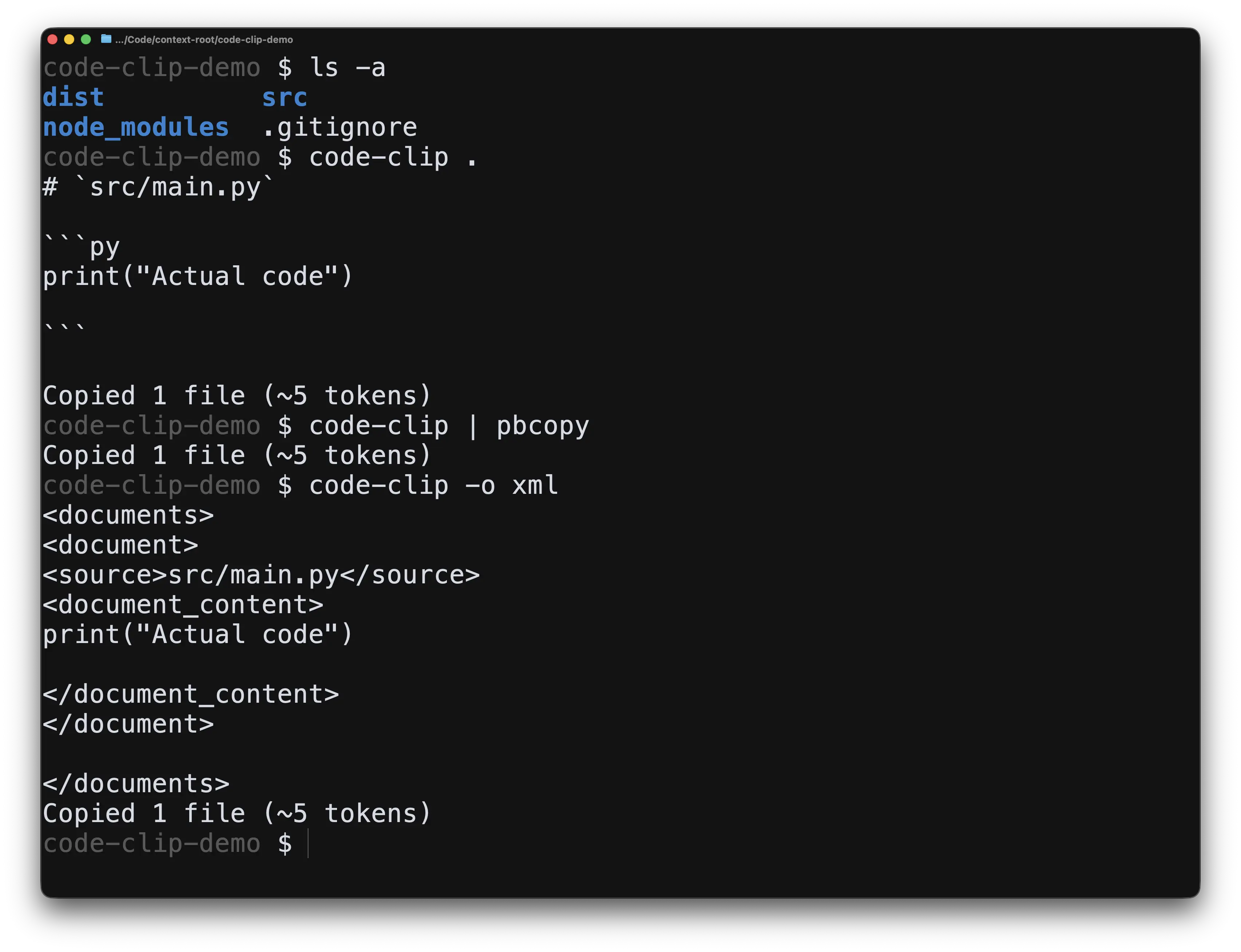
Use it like this:
$ code-clip . | pbcopy
Copied 7 files (~4251 tokens)
It's designed for performance and with one thing in mind: to get the code you actually want to paste in to your LLM chat.
What it actually does:
$ code-clip .
# src/main.go

```go
package main

import "fmt"

func main() {
 fmt.Println("Hello, World!")
}
```

# src/utils/helpers.go

```go
package utils

func Add(a, b int) int {
 return a + b
}
```
Use -o xml for Claude and ChatGPT.
$ code-clip . -o xml | pbcopy
Copied 7 files (~4251 tokens)
For clipboard support, pipe the output to pbcopy (macOS), xclip (Linux), or clip (Windows).
Features
- Recursively print directory contents
- Respects
.gitignore,.ignore, and.cursorignorefiles, even in parent directories. - Automatically respects
.gitignore,.ignore, and.cursorignorefiles in the current directory and all ancestor directories up to the root.- Ignore custom files and folders using
-ior--ignore
- Ignore custom files and folders using
- Output format: Markdown or XML (
-oor--output-format). XML is highly recommended for Claude and ChatGPT. - Automatically prints a token-count estimation to
stderrupon completion. - Limit the traversal depth with
-dor--max-depth - Customize the Markdown heading depth using
-mor--markdown-depth(e.g.,-m 3will generate### filename.go).
Installation
go install github.com/omarish/code-clip/cmd/code-clip@latest
(Or clone this repository and run make install)
(Coming soon: homebrew and npx packages)