




ChatProjects is the easiest way to chat with your files and documents in WordPress. AI-powered project chat with OpenAI Responses API vector store backend for intelligent file search.
Use your own API keys to chat with multiple AI providers including OpenAI (GPT-5.2), Anthropic (Claude), Google (Gemini 3 Pro), Chutes (DeepSeek), and OpenRouter.
Demo
Click the image above to watch the demo on YouTube
Key Features
- Multi-Provider Chat - Chat with GPT-5.2, Claude 4.5, Gemini 3, DeepSeek, and 100+ models via OpenRouter
- Project Management - Create projects with OpenAI's file search capability
- File Upload - Upload documents (PDF, TXT, DOC) to your project's vector store
- Custom Instructions - Set custom assistant instructions for each project
- Shared Chatbots - Create project-based chatbots that can be shared with your team
- Modern Interface - Clean, responsive chat interface with dark mode support
- Embeddable - Use shortcodes to embed the full application on any page
- Privacy First - Your API keys stay on your server, not ours
Screenshots
Project Management Dashboard

Main Chat Interface

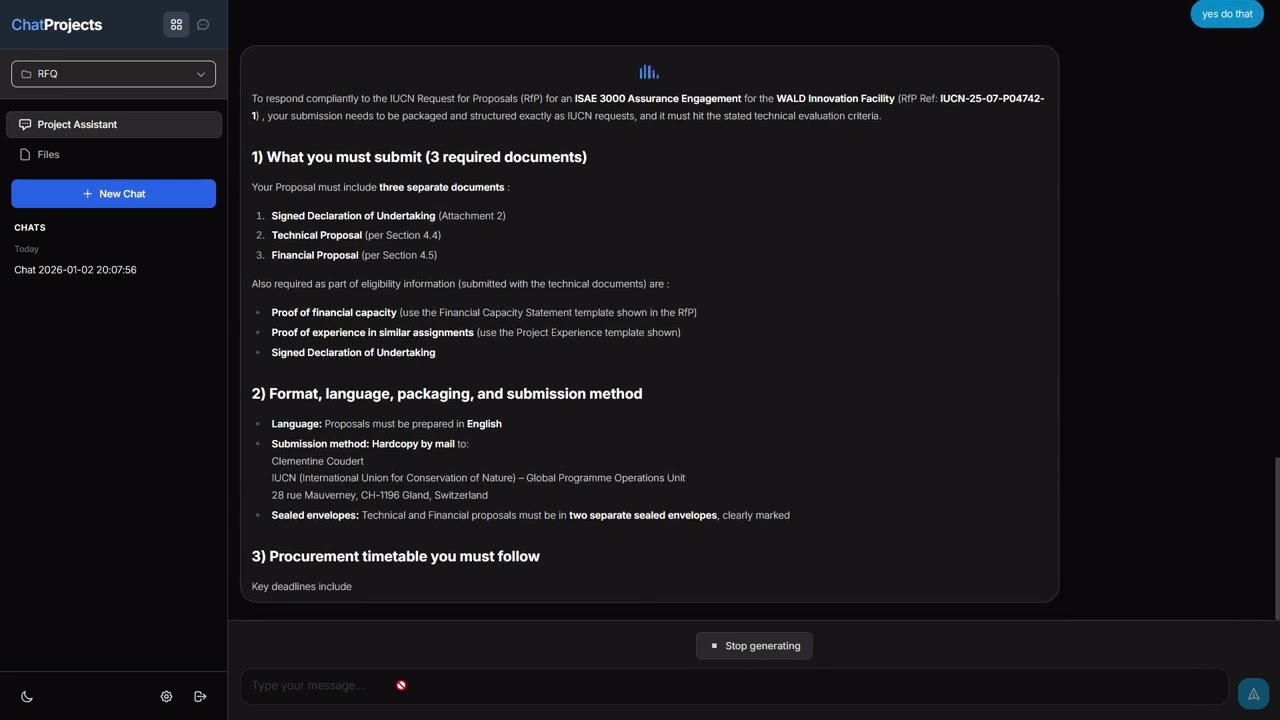
Project Assistant with Vector Store Chat

Edit Project Assistant Instructions

Upload Files to Vector Store

Settings & API Keys

Supported AI Providers
| Provider | Models |
|---|---|
| OpenAI | GPT-5.2, GPT-5 Mini, GPT-4.1, GPT-4o, o4-mini, o3-mini |
| Anthropic | Claude Sonnet 4.5, Claude Haiku 4.5, Claude Opus 4.5 |
| Google Gemini | Gemini 3 Pro, Gemini 3 Flash, Gemini 2.5 Pro, Gemini 2.5 Flash |
| Chutes | DeepSeek V3, DeepSeek R1, Qwen, Mistral, Llama |
| OpenRouter | 100+ models from various providers |
Installation
- Download from WordPress.org or upload the
chatprojectsfolder to/wp-content/plugins/ - Activate the plugin through the Plugins menu in WordPress
- Go to ChatProjects > Settings to add your API keys
- Access the interface at
https://yourdomain.com/chatprojects/or add the[chatprojects_main]shortcode to any page - Start chatting!
Shortcodes
[chatprojects_main]
[chatprojects_main default_tab="chat" height="80vh"]
Requirements
- WordPress 5.8 or higher
- PHP 7.4 or higher
- At least one API key (OpenAI, Anthropic, Gemini, Chutes, or OpenRouter)
Note: An OpenAI API key is required for Projects and document chat (vector store) features.
FAQ
Do I need all 5 API keys? No! You only need one API key to start chatting. Add more providers as needed.
Where are my API keys stored? Your API keys are stored encrypted in your WordPress database. They never leave your server.
What file types can I upload? PDF, DOC, DOCX, TXT, MD, CSV, JSON, XML, HTML, CSS, JS, PY, PHP
Can I use this on a client site? Yes! ChatProjects is GPL licensed. You can use it on any WordPress site.
Support
License
This project is licensed under the GPL v2 or later - see the LICENSE for details.