PostGIS Routing Examples
Experiments for Routing using PostGIS.
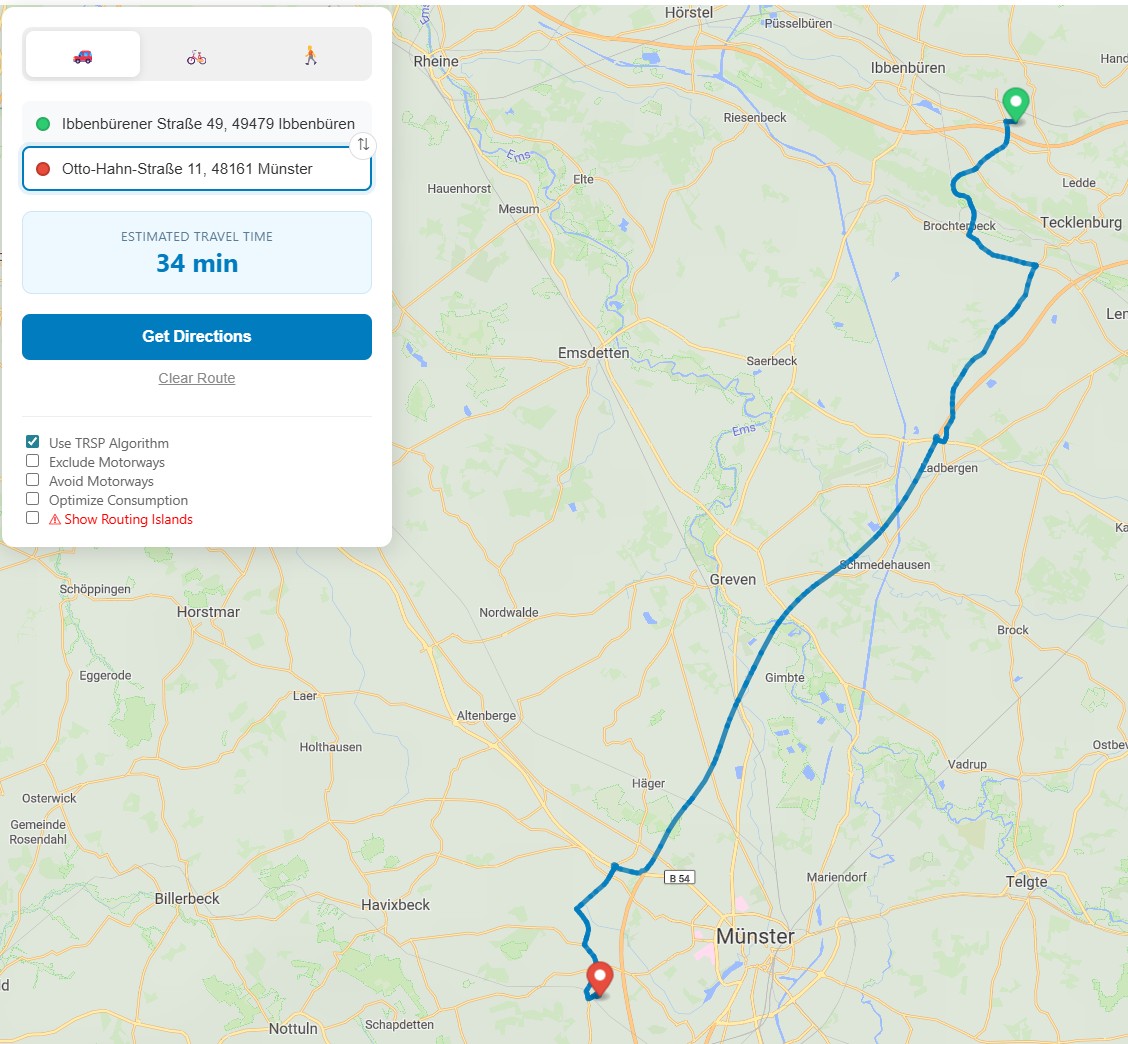
Screenshot: Routing
Running the Application
Certificates
Create and Trust the Developer Certificates using dotnet:
dotnet dev-certs https --clean
dotnet dev-certs https -ep ${HOME}/.aspnet/https/aspnetapp.pfx -p SuperStrongPassword --trust
Data
I am using the Natural Earth Relief using the following raster tiles:
For the OSM Data I am using geofabrik:
And you can use these Vector Tiles of Münster (Germany):
Configuration
In the .env file adjust the PBF path:
PBF_LOCAL_FOLDER=C:\Users\philipp\Downloads
PBF_FILENAME=muenster-regbez-260102.osm.pbf
In the .config/api/appsettings.json define the tilemaps to be used:
{
  "Application": {
    "Tilesets": {
      "openmaptiles": {
        "Filename": "/pgrouting-tiles/osm-2020-02-10-v3.11_nordrhein-westfalen_muenster-regbez.mbtiles",
        "ContentType": "application/vnd.mapbox-vector-tile"
      },
      "natural_earth_2_shaded_relief.raster": {
        "Filename": "/pgrouting-tiles/natural_earth_2_shaded_relief.raster.mbtiles",
        "ContentType": "image/png"
      }
    }
  }
}
In the .config/client/assets/appsettings.json define the API Url and the Style to use:
{
  "apiUrl": "https://localhost:5000",
  "mapOptions": {
    "mapStyleUrl": "https://localhost:5000/style/osm_liberty/osm_liberty.json",
    "mapInitialPoint": {
      "lng": 7.628202,
      "lat": 51.961563
    },
    "mapInitialZoom": 10
  }
}
In the .config/client/assets/style/osm_liberty/osm_liberty.json you'll need to setup the sources to match the API:
{
  "sources": {
    "ne_2_hr_lc_sr": {
      "tiles": [
        "https://localhost:5000/tiles/natural_earth_2_shaded_relief.raster/{z}/{x}/{y}"
      ],
      "type": "raster",
      "tileSize": 256,
      "maxzoom": 6
    },
    "openmaptiles": {
      "type": "vector",
      "tiles": [
        "https://localhost:5000/tiles/openmaptiles/{z}/{x}/{y}"
      ],
      "minzoom": 0,
      "maxzoom": 14
    }
  }
}
Running the Application
Then you can start the application with:
docker-compose --profile dev up
You can then go to https://localhost:5001 and open the map.
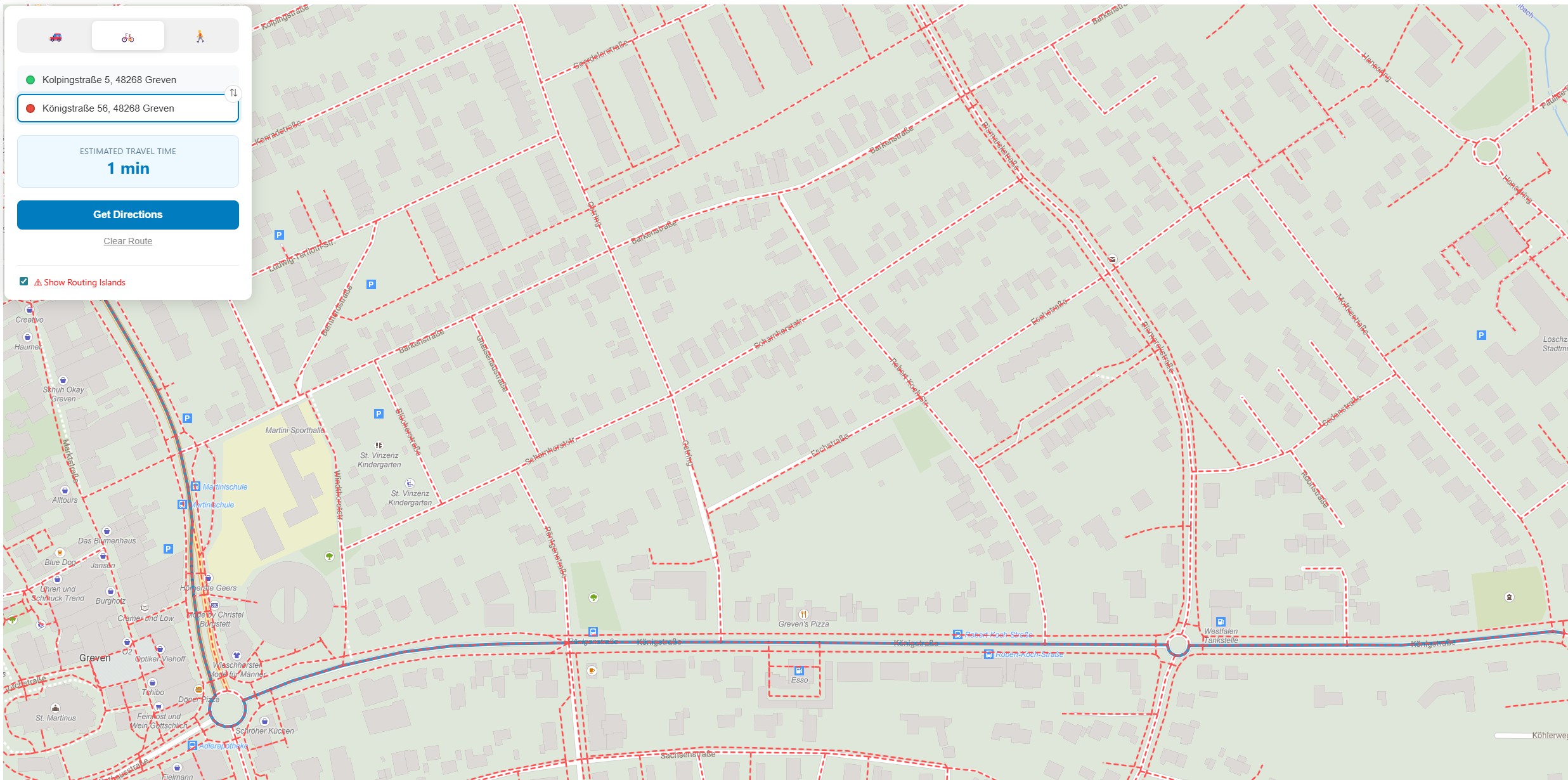
Screenshot: Network Analysis (Routing Islands)