
Effective code review catches bugs before they’re deployed, improves code consistency, and helps educate new developers. We’re adding new features to make code review on GitHub faster and more flexible.
Find what you’re looking for, faster
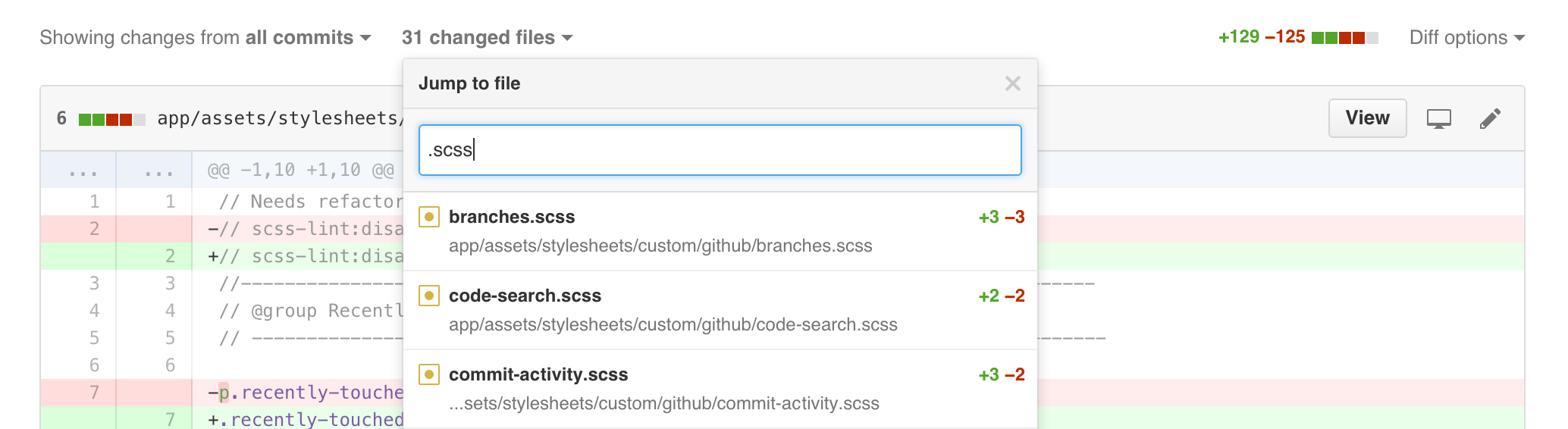
Pull requests with many changes sometimes require review from several people with different areas of expertise. If you’re a Ruby expert, for example, you might want to focus just on the Ruby code and ignore any changes made to HTML and CSS files. You can use the new files list to search by extensions like .rb, .html, etc. You can also filter by filename if you know what you’re looking for.
More flexible review
Not all teams review code the same way. The most popular style on GitHub is reviewing all changes in a pull request at once, making the pull request the unit of change. Some teams choose to use a commit-by-commit workflow where each commit is treated as the unit of change and is isolated for review.
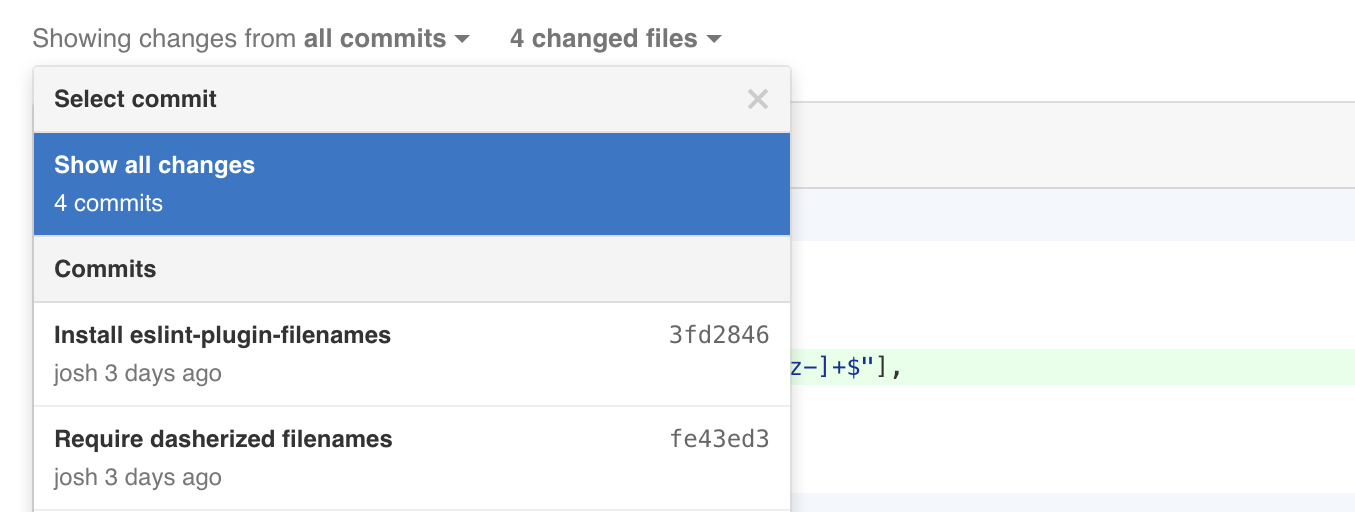
For teams using this style, you’ll now have access to the new commits list in the review bar which can help you quickly find the commit you want to review. We’ve also added pagination and new keyboard shortcuts to make navigating through commits in a pull request even easier. Use the ? key when viewing a pull request to view the list of keyboard shortcuts.

Every day, developers have interesting conversations and debates about code during the review process. These conversations can help new and future developers gain context quickly and better understand how and why a codebase has evolved over time. To ensure these conversations and the accompanying diffs are never lost we’ve made it easier to get deeper context on any line comment, even if it has been outdated by newer changes.

Pick up where you left off
While code review is essential for high quality code, it can be a long and tiring process, especially for projects with many incoming pull requests. It’s often most helpful to view just the new changes that have occured after you have reviewed a pull request, so we’ve added a timeline indicator to help you get to those changes, faster.

Today’s changes are all about making code review on GitHub faster and more flexible for you and your teams. Check out the documentation for more information on working with pull requests. As always, get in touch with us for any questions or feedback. We’d love to hear how we can make code review even better.
Written by
Related posts
Explore more from GitHub


GitHub
Build what’s next on GitHub, the place for anyone from anywhere to build anything.


GitHub Universe 2026
Join us October 28-29 in San Francisco or online for GitHub Universe, our flagship developer event uniting people, agents, and the world’s code.