
Good news for folks who want to get their web-based GitHub Flow on while remaining
cloaked in secrecy: Today we’re
Until today, all web-based GitHub Flow used your primary email address.
This included creating, editing, and deleting files, as well as merging pull requests.
But now you can keep your email address private. To do so, visit your email settings page:
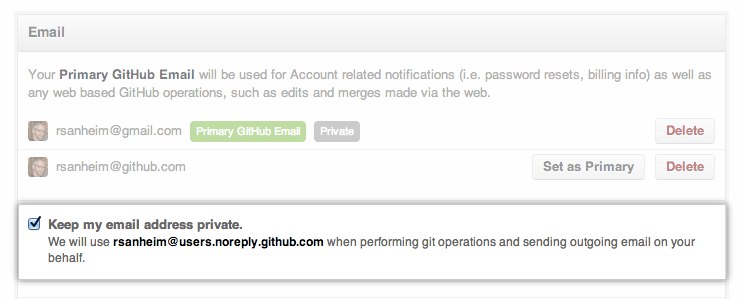
With this turned on, web-based operations will use a username@users.noreply.github.com email address.
Think of this as git config user.email for the website. You should still use git config
for configuring your email address for commits done via the command line, though.
For more information, see the help document.
Big
Written by
Related posts
Explore more from GitHub


GitHub
Build what’s next on GitHub, the place for anyone from anywhere to build anything.


The GitHub Podcast
Catch up on the GitHub podcast, a show dedicated to the topics, trends, stories and culture in and around the open source developer community on GitHub.