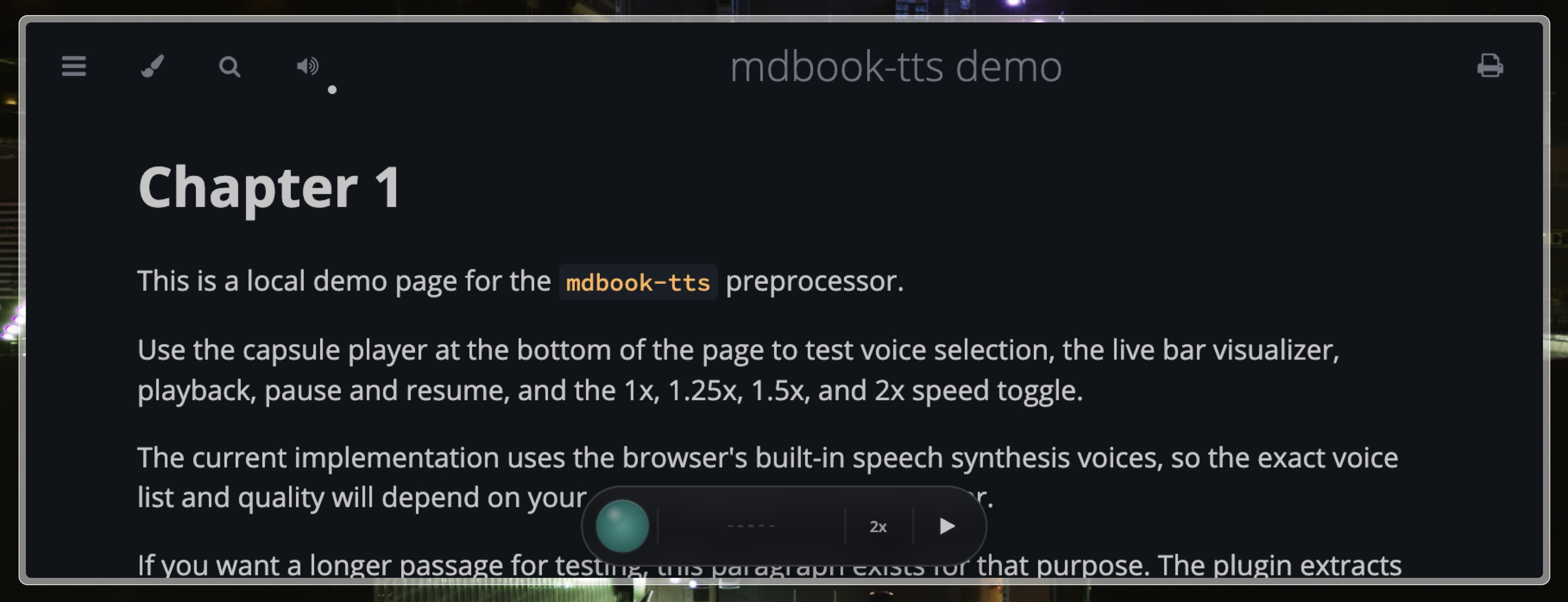
mdbook-tts turns an mdBook into a listenable book. It injects a floating chapter player into every HTML page and can either stream pre-generated provider audio or fall back to the browser's built-in speech synthesis.
What it does
Build-time chapter audio - Generate MP3 chunks during the build, publish manifests beside the rendered book, and let the player stream those chunks chapter-by-chapter.
Provider-agnostic pipeline - Kokoro, OpenAI, Grok, and ElevenLabs all plug into the same cache and publishing flow. Switching providers is a config change, not a code change.
Browser API fallback - If a chapter has no generated manifest, the player falls back to window.speechSynthesis and uses the voices available in the current browser and OS.
Stable chunk caching - Audio is cached per chunk x provider x model x voice, so a typo fix in one paragraph only invalidates the affected chunk.
Drop-in integration - CSS and JS are injected by the preprocessor. There is no extra theme asset installation step.
Installation
Install the binary:
If you are working from this repo directly, building locally is enough:
For a repo-local binary, point command in book.toml at the built executable, for example:
[preprocessor.tts]
command = "/absolute/path/to/mdbook-tts/target/debug/mdbook-tts"
renderers = ["html"]
max-voices = 4
default-rate = 1.0
If the binary is installed in PATH, use:
[preprocessor.tts]
command = "mdbook-tts"
renderers = ["html"]
max-voices = 4
default-rate = 1.0
Quick Start
1. Add the shared audio config
Put this in your book's book.toml:
[preprocessor.tts]
command = "mdbook-tts"
renderers = ["html"]
max-voices = 4
default-rate = 1.0

[preprocessor.tts.audio]
enabled = true
provider = "openai"
cache-dir = ".mdbook-tts/cache"
public-dir = "tts"
format = "mp3"
parallelism = 4
partial-publish = true
2. Set provider prerequisites
Remote providers need an API key in your shell or .env. Local Kokoro builds need espeak-ng, and they need ffmpeg when audio.format = "mp3". The binary loads .env from the current working directory and then walks parent directories until it finds one. Existing shell environment variables win over .env.
3. Add one provider section
Only one provider is active per build. Pick one of the sections below and add it to book.toml.
4. Build with provider audio
Run the wrapper build:
If you are using the local repo binary:
This is the important part: mdbook-tts build . generates provider audio first and then runs mdbook build.
Plain mdbook build still works, but it does not generate provider MP3 files. It only gives you the injected player plus browser speech fallback.
Provider Usage
Kokoro
Prerequisites:
# macOS
brew install espeak-ng ffmpeg

# Linux
# install espeak-ng and ffmpeg with your package manager
mdbook-tts manages the Kokoro Python runtime for you. It prefers uv, falls back to python3, and then to python. The first run downloads the configured Hugging Face repo into hf-cache-dir; later runs reuse the cached model files.
book.toml:
[preprocessor.tts.audio]
enabled = true
provider = "kokoro"
format = "mp3"

[preprocessor.tts.providers.kokoro]
repo-id = "hexgrad/Kokoro-82M"
voices = ["af_heart", "af_sky"]
lang-code = "a"
hf-cache-dir = ".mdbook-tts/hf-cache"
runtime-dir = ".mdbook-tts/kokoro"
compression = "ffmpeg-mp3"
ffmpeg-bin = "ffmpeg"
uv-bin = "uv"
python-bin = "python3"
espeak-ng-bin = "espeak-ng"
Notes:
audio.format = "mp3"pluscompression = "ffmpeg-mp3"is the default local path.- To opt out of MP3 compression, set
audio.format = "wav"andcompression = "none". revisionis optional and pins the Hugging Face repo revision when set.- If
python-binis missing,mdbook-ttsfalls back topython. - Missing
espeak-ngorffmpegfails the build with install instructions instead of trying to install system packages for you.
Build:
Kokoro sample:
mdbook-tts speak --provider kokoro --text "Testing Kokoro from mdbook tts."OpenAI
Environment variable:
export OPENAI_API_KEY=your_key_herebook.toml:
[preprocessor.tts.audio]
enabled = true
provider = "openai"

[preprocessor.tts.providers.openai]
model = "gpt-4o-mini-tts-2025-12-15"
voices = ["alloy", "nova", "echo", "shimmer"]
Use this when you want the simplest hosted setup in this repo. The OpenAI path is the one currently exercised by the direct smoke test command:
mdbook-tts speak --text "Testing OpenAI text to speech from mdbook-tts."That command writes target/mdbook-tts/openai-sample.mp3. It is a one-shot OpenAI smoke test and is separate from the full book build.
Grok
Environment variable:
export XAI_API_KEY=your_key_herebook.toml:
[preprocessor.tts.audio]
enabled = true
provider = "grok"

[preprocessor.tts.providers.grok]
model = "<grok-tts-model>"
voices = ["<voice-id-1>", "<voice-id-2>"]
Notes:
voicesare sent as Grokvoice_idvalues.modelshould be the xAI TTS model you want to use for the build.
Build:
ElevenLabs
Environment variable:
export ELEVENLABS_API_KEY=your_key_herebook.toml:
[preprocessor.tts.audio]
enabled = true
provider = "elevenlabs"

[preprocessor.tts.providers.elevenlabs]
model = "<elevenlabs-model-id>"
voices = ["<voice-id-1>", "<voice-id-2>"]
Notes:
modelis sent as ElevenLabsmodel_id.voicesshould be ElevenLabs voice IDs, not display names. The adapter uses each voice directly in the/v1/text-to-speech/{voice}request path.
Build:
Browser API Fallback
If you want a zero-provider setup and are okay with browser and OS voices, disable build-time audio:
[preprocessor.tts.audio]
enabled = false
Then run:
In this mode:
- no provider MP3 files are generated
- no chapter manifests are published
- the same injected player still appears
- playback uses
window.speechSynthesis - available voices depend on the user's browser and operating system
The player also falls back to browser speech automatically when a chapter does not have a published audio manifest.
Output Layout
Build-time audio uses three path groups:
- Cache:
.mdbook-tts/cache/<provider>/<voice>/<hash>.<extension> - Published audio:
book/tts/audio/<provider>/<voice>/<hash>.<extension> - Published manifests:
book/tts/manifests/<chapter-id>.json
This keeps the cache reusable across builds while only copying referenced assets into the final book output.
Demo
This repo includes a demo book in demo/.
Build it with provider audio:
Open the rendered page in:
demo/book/chapter_1.htmldemo/book/tts/manifests/demo/book/tts/audio/
Notes
max-voiceslimits how many configured voices are exposed to the UI and built into manifests.partial-publish = trueallows the build to continue even if some voices or chapters fail.partial-publish = falsemakes incomplete provider generation fail the build.- There is no word-level highlighting yet.
- Chunk playback is streamed as a playlist, not merged into one chapter-length file.
- Inline player assets are injected per page by the preprocessor.
Development
Run tests:
Try the OpenAI smoke test:
cargo run -- speak --text "Testing OpenAI text to speech from mdbook-tts."Try the built-in Kokoro smoke test:
cargo run -- speak --provider kokoro --text "Testing Kokoro from mdbook tts."That command writes target/mdbook-tts/kokoro-sample.mp3 by default.
For a lower-level runtime check, the repo also keeps a standalone script:
python scripts/kokoro_smoke_test.py