This is a telegram bot that can command line commands and some utilities.
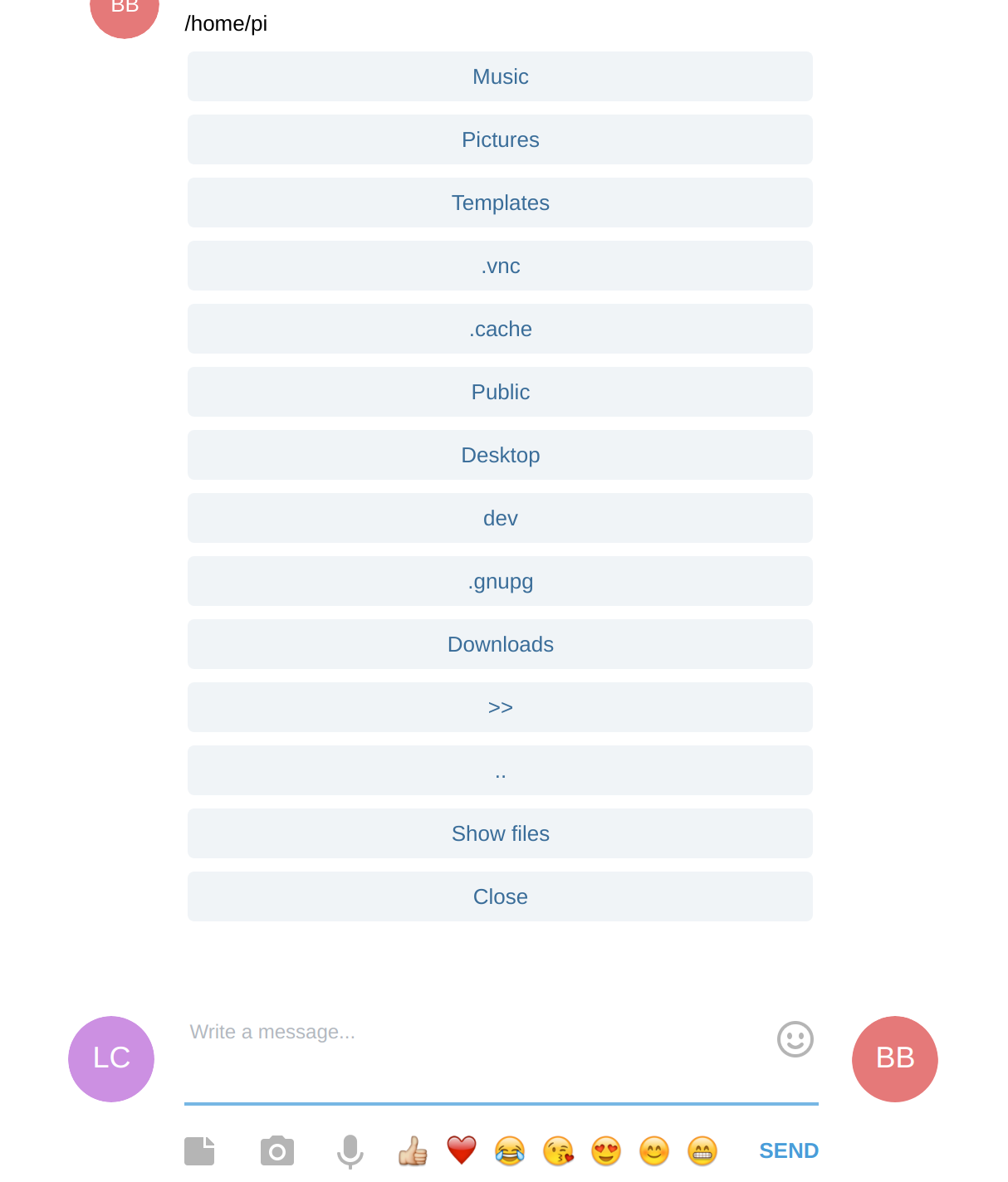
Running this on any machine you can also upload and download files with the inline keyboard explorer.
Printing is also available through pycups.
Basic permissions can be configured using the bot.properties file.
File explorer with inline keyboard:
Setup
This bot needs python 3.6 or higher
Install the dependencies:
sudo apt install python3-pip
pip3 install python-telegram-bot --upgrade
pip3 install requests

# Optional

sudo apt-get install libcups2-dev
pip3 install pycups
Create a bot using the botfather
Run using the TOKEN:
python3 run_bot.py 'TOKEN GOES HERE' mybot
Or create a bot.properties file, use the bot.properties.example to see available options:
Then send a command /start to the bot to get admin rights, all other users are ignored.
Commands
/help
Prints this readme.
/explore
Browses the file system using inline keyboard. It is possible to download files or set the current directory to upload by sending documents.
/cmds
Prints all commands in the format required by botfather for autocomplete.
/ip
Gets the local ip.
/webip
Gets the external ip.
/logo
Sends back an image (for testing purposes)
/start
Gets admin rights if no admin is already registered. If you were added as admin, updates the chat id associated with the user.
/whoami
Returns your user id
/chatid
Returns your chat id
Prints the last document sent to the machine printer using cups.
/exec shell command
Executes a shell command.
example:
/execa shell command
Executes a shell command async.
example:
/exec wget http://www.example.com/foo.zip
/img image path
Sends back the image on path
example:
/img /home/user/image.png
/broadcast message
Send a message to all admins
example:
/sql query
Runs a sql query on bot sqlite db.
example:
sql SELECT * FROM msg_received
/get url
Does a get request and prints the returned body.
Protocol (http or https) is required
example:
/get https://icanhazip.com/
/down
Gets a file from a path or from current dir example:
/down /home/user/foo.txt
/down foo.txt
/store key value and /value key
Stores and recovers values from a map.
example:
/store foo hello world
/value foo
Add more Admins
Every contact sent by an admin also becomes an admin
Send and Receive files
Every file is saved on the "current dir" folder. To get the file use command /down