The Touch ID secrets manager for macOS dev environments.
Download the latest release DMG here.
Features
- Unlock GPG and SSH keys with Touch ID instead of entering passwords
- Protect API tokens and passwords with Secure Enclave encryption
- Inject secrets into files and env variables
- Use
ageencryption with keys stored in Secure Enclave - Full-featured command-line interface
- Free and open source
Screenshots
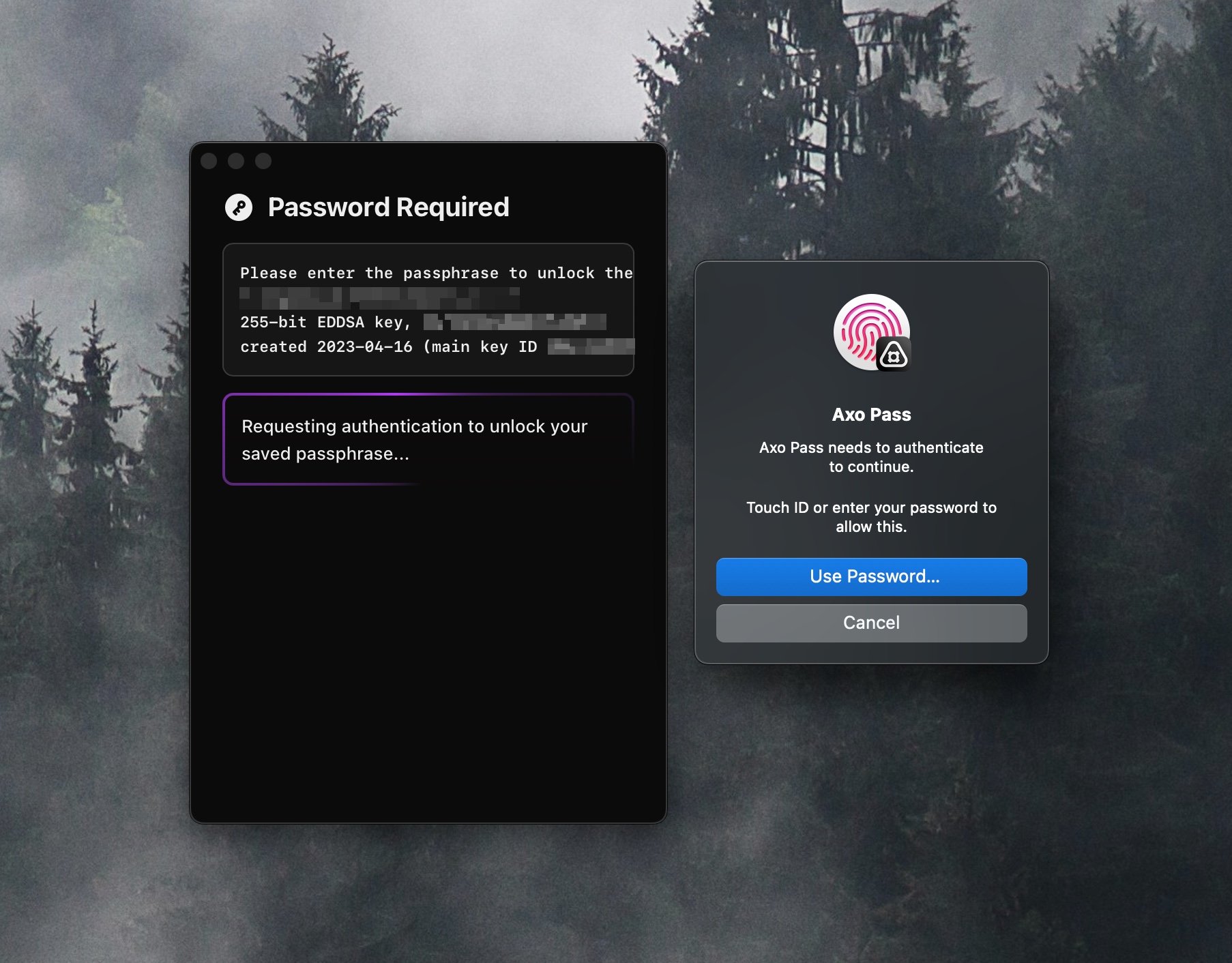
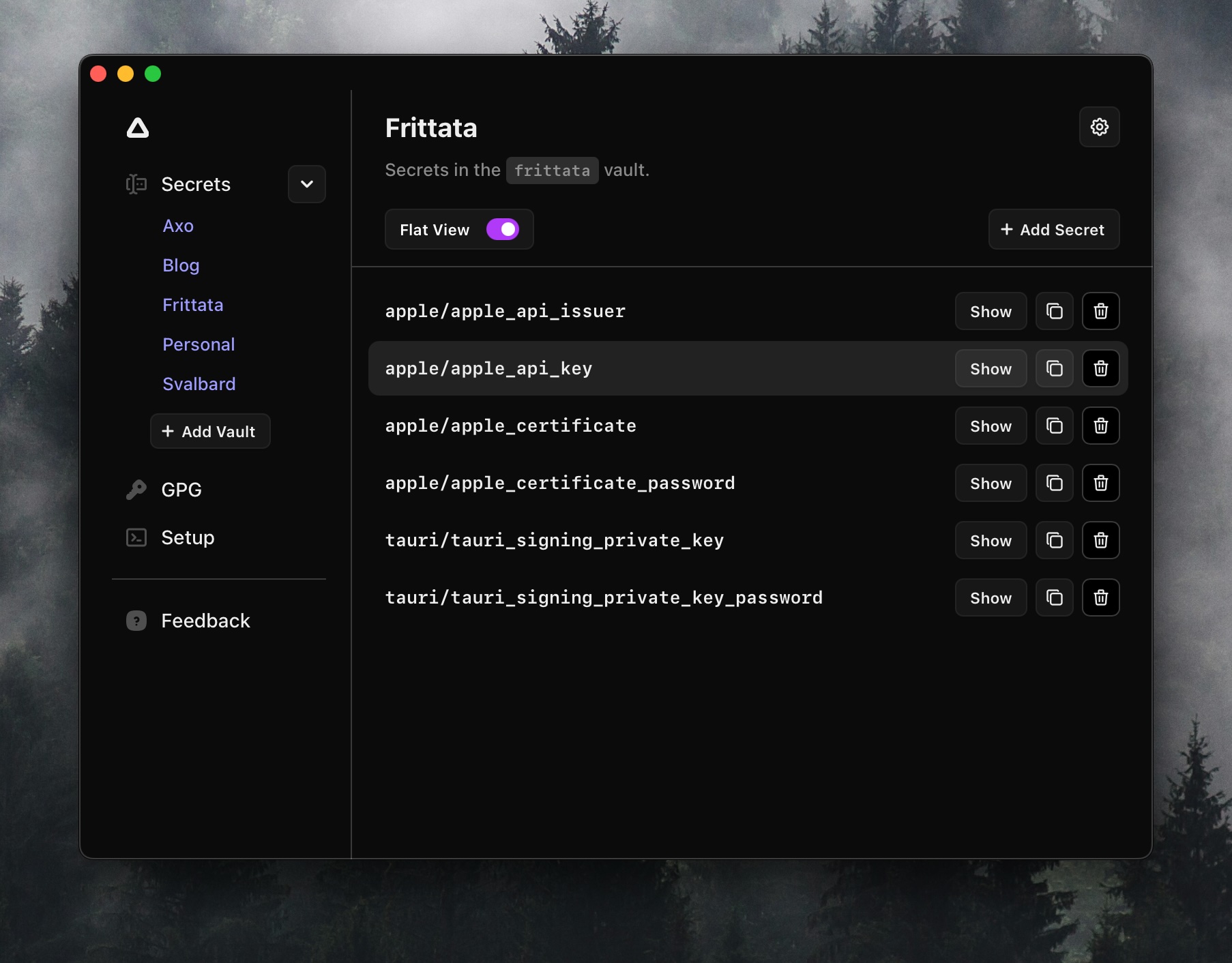
Setup
GPG Integration
Add the following to ~/.gnupg/gpg-agent.conf:
pinentry-program /Applications/Axo Pass.app/Contents/bin/ap-pinentry
SSH Integration
Add the following to your shell configuration (e.g. .zshrc or .bashrc):
export SSH_ASKPASS="/Applications/Axo Pass.app/Contents/bin/ap-ssh-askpass"
export SSH_ASKPASS_REQUIRE=force
SSH keys
The Axo Pass ssh-agent supports several kinds of ssh key storage. The use of ssh keys requires approval with Touch ID or your password, except where noted below.
| Key | Private key location | Approval | Allowed Apps |
|---|---|---|---|
| Secure Enclave key | Secure Enclave, cannot be exported | Every use, enforced by Axo Pass | Yes |
| Secure Enclave key, user presence | Secure Enclave, cannot be exported | Every use, enforced by Secure Enclave | No |
Auto-loaded ~/.ssh key |
Your key file, read into the agent on first use | Every use | Yes |
Key added with ssh-add -c |
Agent memory | Every use | No |
Key added with ssh-add |
Agent memory | Never | N/A |
Secure Enclave keys. Create one with "Create Key" in the SSH pane. The public key is written to ~/.ssh/id_se_<id>.pub. A User Presence key can be created by holding option in the Create Key window, which will force the Secure Enclave to request authentication on every use of the key (this disables the Allowed App feature on this key, because Axo Pass will no longer be able to manage access itself).
Auto-load. Automatically load a ~/.ssh key on app start. The first use of the key will read the key file, and if passphrase protected Axo Pass will prompt you to unlock the key file. The decrypted key stays in the agent until it restarts or you remove it with ssh-add -D. Every subsequent use will still asks for approval.
ssh-add -c. A key added with -c asks for approval on every use, superseding any Allowed App configuration.
Allowed Apps. When an app asks to sign, the prompt offers "Allow to use this key for" a duration: 30 seconds, 5 minutes, 1 hour, 12 hours, or no expiration. While the grant lasts, that app signs with the key without a prompt and you get a notification instead. See and remove grants under Allowed Apps in the key's details. Limitations:
- An app is identified by its team ID and bundle ID, so the grant survives app updates.
- Anything the app runs, such as git hooks, can also use the key.
- Only signed apps with a team ID can be allowed. Apple's apps, including Terminal.app, have none, so
sshfrom Terminal.app always prompts. - Every process in the request must have a verified code signature.
- Grants are stored in the app's data protection keychain, which other processes cannot edit.
- For keys held by the agent, grants apply only while auto-load is on. Turning auto-load off keeps the grants for later.
age encryption
See the ap section below.
ap command
Run the following to make the ap command available in your shell.
ln -s "/Applications/Axo Pass.app/Contents/bin/ap" /usr/local/bin/apUsage: ap vault list
ap item list [--vault <vault>]
ap item get [OPTIONS] <ITEM_REFERENCE>
ap item read [OPTIONS] <ITEM_REFERENCE>...
ap item set [OPTIONS] <ITEM_REFERENCE> [SECRET_VALUE]
ap read [--delimiter|-d <DELIMITER>] <ITEM_REFERENCE>...
ap inject [--input|-i <PATH>] [--output|-o <PATH>]
ap age encrypt --recipient|-r <RECIPIENT> [PATH]
ap age decrypt --recipient|-r <RECIPIENT> [PATH]
ap age keygen <RECIPIENT> [--show]
ap age recipients
ap age delete <RECIPIENT>
ap info
Vault Spec
Vault files are stored as JSON in ~/Library/Application Support/Axo Pass/vaults.
Each vault has a file_key, which is a AES-256 GCM key encrypted with by an
ECIES key stored in the Secure Enclave.
This file key is used to encrypt credential values in the file. Credential values are base64 encoded, start with a 96-bit nonce, and the path of credential is used as additional authenticated data. This design was inspired by SOPS.
Below is an example of a vault json file.
Development
Todo. This app requires codesigning (and notarization for distribution), and Touch ID will not work without codesigning. If you're interested in hacking on this, reach out to me (octavore) on the Discord.