HTTP Snippet port for java. See the original node port. Supports many languages & tools including:
cURL,HTTPie,Javascript,Node,C,Java,PHP,Objective-C,Swift,Python,Ruby,C#,Go,OCamland more!
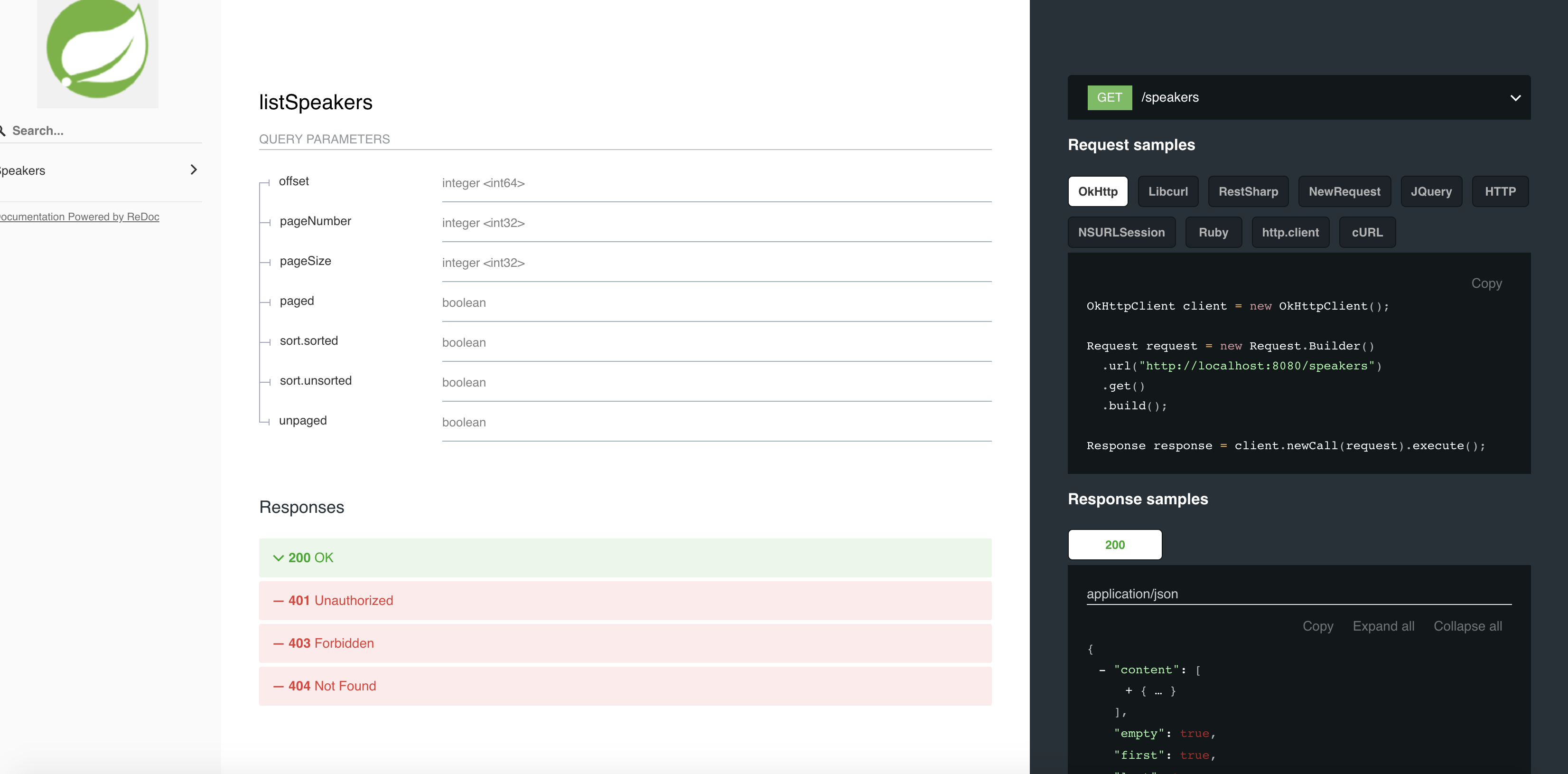
The motivation behind porting this is using it for generating snippets in swagger and redocs. The project is still in development phase.
- Documentation
- Tests
- Releasing to maven
Usage
Enable maven snapshots in ~/.m2/settings.xml
<profiles>
  <profile>
     <id>allow-snapshots</id>
        <activation><activeByDefault>true</activeByDefault></activation>
     <repositories>
       <repository>
         <id>snapshots-repo</id>
         <url>https://oss.sonatype.org/content/repositories/snapshots</url>
         <releases><enabled>false</enabled></releases>
         <snapshots><enabled>true</enabled></snapshots>
       </repository>
     </repositories>
   </profile>
</profiles>
Then add this dependency to pom.xml
<dependency>
     <groupId>io.github.atkawa7</groupId>
     <artifactId>httpsnippet</artifactId>
     <version>0.0.1-SNAPSHOT</version>
</dependency>
Here is the code for generating snippet
public class Main {
     public static void main(String[] args) throws Exception {
         List<HarHeader> headers = new ArrayList<>();
         List<HarQueryString> queryStrings = new ArrayList<>();

         User user = new User();
         Faker faker = new Faker();
         user.setFirstName(faker.name().firstName());
         user.setLastName(faker.name().lastName());


         HarPostData harPostData =
                 new HarPostDataBuilder()
                         .withMimeType(MediaType.APPLICATION_JSON)
                         .withText(ObjectUtils.writeValueAsString(user)).build();

         HarRequest harRequest =
                 new HarRequestBuilder()
                         .withMethod(HttpMethod.GET.toString())
                         .withUrl("http://localhost:5000/users")
                         .withHeaders(headers)
                         .withQueryString(queryStrings)
                         .withHttpVersion(HttpVersion.HTTP_1_1.toString())
                         .withPostData(harPostData)
                         .build();

         //Using default client
         HttpSnippet httpSnippet = new HttpSnippetCodeGenerator().snippet(harRequest, Language.JAVA);
         System.out.println(httpSnippet.getCode());

         //Or directly using
         String code   = new OkHttp().code(harRequest);
         System.out.println(code);

     }

     @Data
     static class User {
         private String firstName;
         private String lastName;
     }
 }
The result
HttpResponse<String> response = Unirest.get("http://localhost:5000/users")
  .body("{\"firstName\":\"Burton\",\"lastName\":\"Greenholt\"}")
  .asString();
Running the demo application
mvn clean install
java -jar httpsnippet-demo/target/httpsnippet-demo-0.0.1-SNAPSHOT.jar
After running the demo here are the results