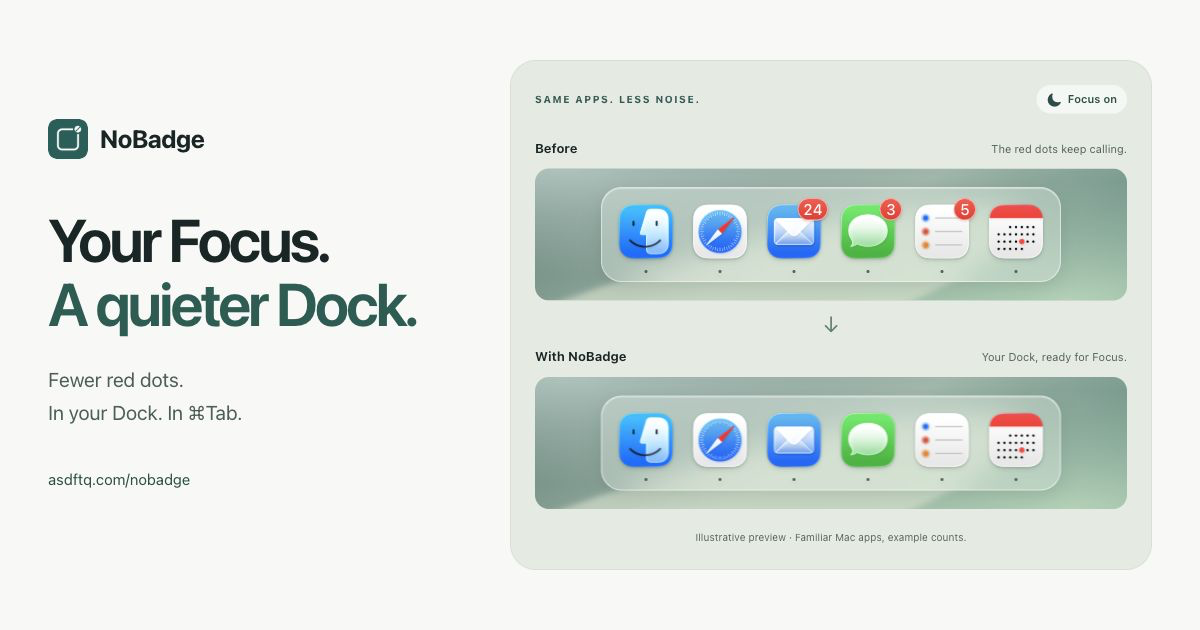
Hide supported Dock badges while macOS Focus is on. Bring your previous badge settings back when it ends.
Get the signed Mac app — $2.99 once · Setup and compatibility · Why not the Mac App Store?
The website version is a ready-to-install, signed and notarized download with in-app updates. One purchase covers up to 3 Macs. If you prefer to build it yourself, the source is MIT licensed and the source build needs no purchase key.
What it does
- Follow any Focus, or only the modes you choose.
- Hide supported badges in the Dock and app switcher.
- Hide the separate System Settings Dock badge on macOS 27, with the same exceptions and restoration.
- Keep badges visible for individual apps.
- Show badges for 15 minutes without switching Focus off.
- Restore the badge settings NoBadge changed when Focus ends.
Version 0.1.45 checks Focus every 1 second by default. Change General → Focus sync interval to 1, 2, 5, 10 or 30 seconds; the choice applies immediately, persists across restarts, and also controls temporary recovery retries. Existing installations use the 1-second default. File-change events can trigger earlier checks; the interval is a check cadence, not a guaranteed time for macOS to finish updating a badge. NoBadge retries temporary restoration failures automatically and keeps recovery pending until the macOS refresh is verified. It also completes unfinished refreshes left by older releases without replaying old settings over later user changes. Keep Hide automatically during Focus enabled and choose Any Focus for normal on/off syncing. No manual restore is needed when Focus ends. The menu bar icon stays steady during background checks and changes when hiding or restoration finishes; attention states still appear immediately. Restore previous settings temporarily shows badges for 15 minutes; Resume now ends that pause early.
Before you run it
Compatibility: Apple Silicon on macOS 26.5.1 or later in macOS 26, and macOS 27. NoBadge selects the adapter for your OS family and checks the settings format before changing badges. Stable minor and patch updates within these families do not need a new build-number approval. macOS 28 and later, beta builds, Intel Macs and older macOS versions need a compatible release.
Directly verified builds: macOS 26.5.1 (25F80), 26.6 (25G72) and 27.0.1 (26A434). A supported family is not a claim that every build has been tested. If Apple changes the settings format, NoBadge pauses changes and keeps recovery information.
NoBadge requires Full Disk Access because it reads private macOS Focus settings and changes notification preferences. This is a broad permission. The app does not read messages or documents, and badge/Focus processing stays on your Mac. Some apps draw their own badges and may not respond.
Quit any running NoBadge copy before using another build. Use Restore & Quit before removing or replacing it. If it is force-quit, reopen it to restore pending settings.
Badge support
| Badge path | macOS 26.5.1+ within 26 | macOS 27 |
|---|---|---|
| Registered notification badges | Supported | Supported |
| System Settings Dock attention badge | Not supported | Supported since 0.1.41 |
| Other custom app-drawn badges | Not guaranteed | Not guaranteed |
System Settings uses a separate, journaled adapter. Version 0.1.41 fixes a storage-selection bug in 0.1.40 that could leave its Dock badge visible. It follows Focus, Show badges, app exceptions and safe exit/update restoration. It preserves current external attention entries; it does not resolve the underlying system requests or hide notices inside System Settings. Supported adapters are declared per OS family. Unknown settings formats pause changes rather than reporting a successful hide.
Why not the Mac App Store?
NoBadge's current implementation reads private macOS Focus files and changes other apps' notification preferences outside its own app container. Its notification adapter also uses a private macOS preferences API.
Apple requires Mac App Store apps to be sandboxed and use only public APIs (App Review Guideline 2.5.1). These requirements rule out NoBadge's current implementation, so it is distributed directly as a signed and notarized download. An App Store version would need a different implementation that meets those requirements.
Build from source
You need a Mac with a current Xcode installation and Python 3.
git clone https://github.com/asdftq/NoBadge.git
cd NoBadge
./scripts/build-source.sh
The app is written to:
build/SourceData/Build/Products/Release/NoBadge.app
The script generates the Xcode project with NOBADGE_SOURCE_BUILD and signs locally with an ad hoc signature. It does not need our signing certificate, notarization credentials, or a purchase key. After building, you can also open NoBadge.xcodeproj in Xcode.
Source builds do not read purchase credentials or check the commercial update feed. To update, pull the latest source and build again. For the signed, notarized download and in-app updates, use the website.
Development
The app uses SwiftUI/AppKit. Badge transactions, restoration journals, Focus decoding and compatibility policy live in the local NoBadgeCore Swift package.
swift test --package-path Packages/NoBadgeCoreTests use temporary fixtures. Do not experiment with writes to your real notification database or publish Focus files, recovery journals, license keys, or private diagnostics in issues.
License and credits
Inspired by FocusNoBadges and FocusPlsNoBadges. No upstream source or artwork was imported. Sparkle retains its own license; see third-party notices.