🌈 ShadeOfColor
Turn any file into an image, and back again.
A simple cross-platform tool to hide files inside PNG images.
✨ What is ShadeOfColor?
Have you ever wanted to:
- 📧 Send a file by email that the provider does not allow?
- ☁️ Store restricted file types on cloud services that only accept images?
- 🕵️ Add an extra layer of privacy when sharing files publicly?
- ✒ Are you a journalist in a totalitarian state and need to release a file?
- 🔒 Exfiltrate data into systems that monitor suspicious files?
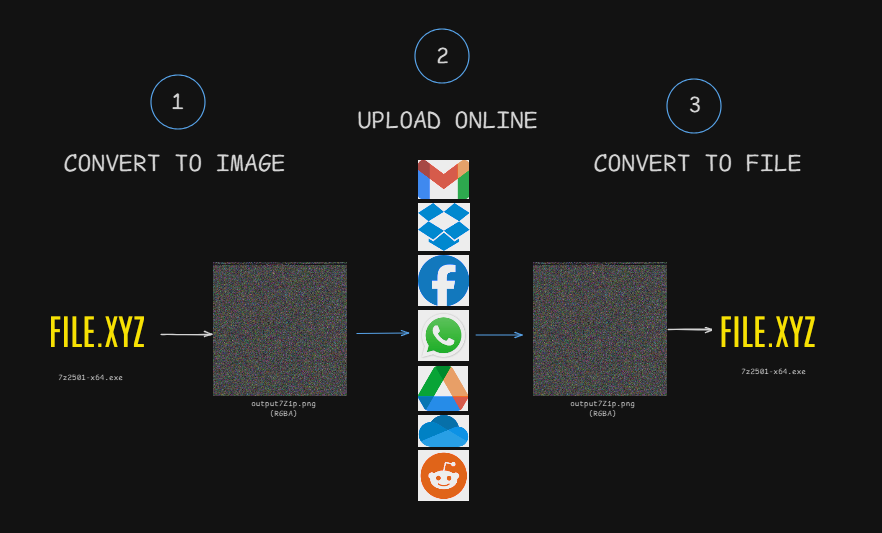
With ShadeOfColor, you can convert any file into an image (-crypt) and later recover the original file (-decrypt).
The output looks like a normal PNG, but it actually carries your data inside its pixels.
Process
🖥️ Screenshot
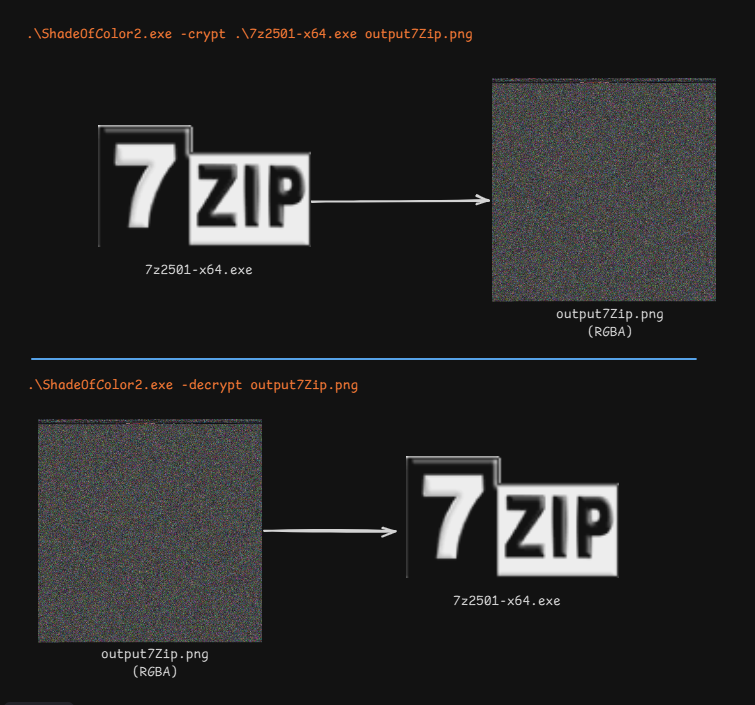
FileToImage
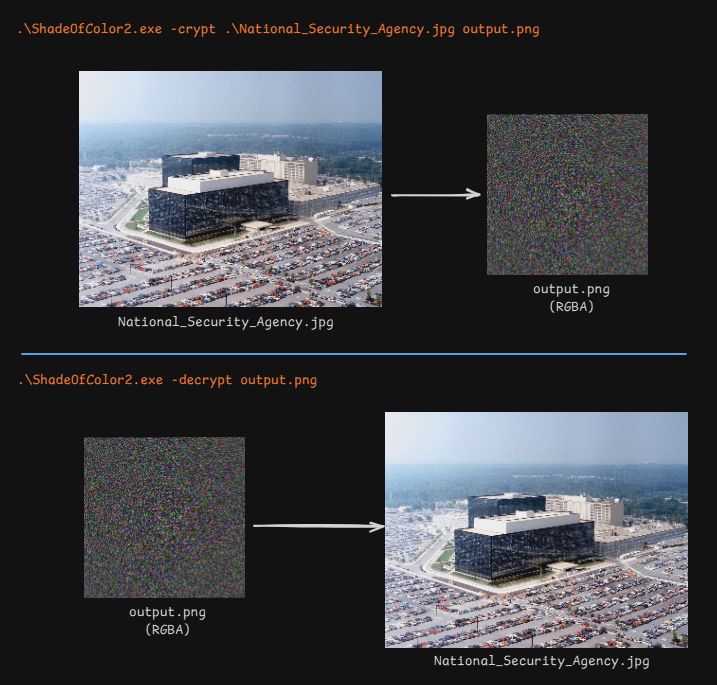
ImageToImage
🚀 Features
-
🔄 Two-way conversion:
-crypt: transform a file into a PNG image.-decrypt: restore the original file from the PNG.
-
📝 Embedded metadata:
- Signature
"ER" - Original file size
- Original filename
- SHA1 hash for integrity check
- Signature
-
🖼️ Cross-platform: uses SixLabors.ImageSharp. Works on Windows, Linux, macOS.
-
✅ Integrity check: ensures the file is not corrupted or tampered with.
📦 Usage
Install
Install-package SixLabors.ImageSharp
Encrypt a file into an image
With executable (download release)
./ShadeOfColor2.exe -crypt myfile.exe output.png
Alternative
dotnet run -crypt FileToImage.cs out.png
Decrypt an image back into the original file
With executable (download release)
./ShadeOfColor2.exe -decrypt output.png
Alternative
dotnet run -decrypt out.png
🔒 Future Improvements
AES encryption of the input file before embedding.
Support for multiple encryption algorithms and user-defined keys.
Command -info to quickly display metadata without extracting the file.
Steganographic modes (make the output image look more “natural”).
⚠️ Disclaimer
ShadeOfColor is a tool for privacy and experimentation. It is not intended to be used for illegal purposes. Please respect the terms of service of the platforms where you use it.
❤️ Contribute
Ideas, issues, and pull requests are welcome! Help us make ShadeOfColor even more powerful and versatile.
📜 License
MIT License – feel free to use, modify, and share.