Weaver
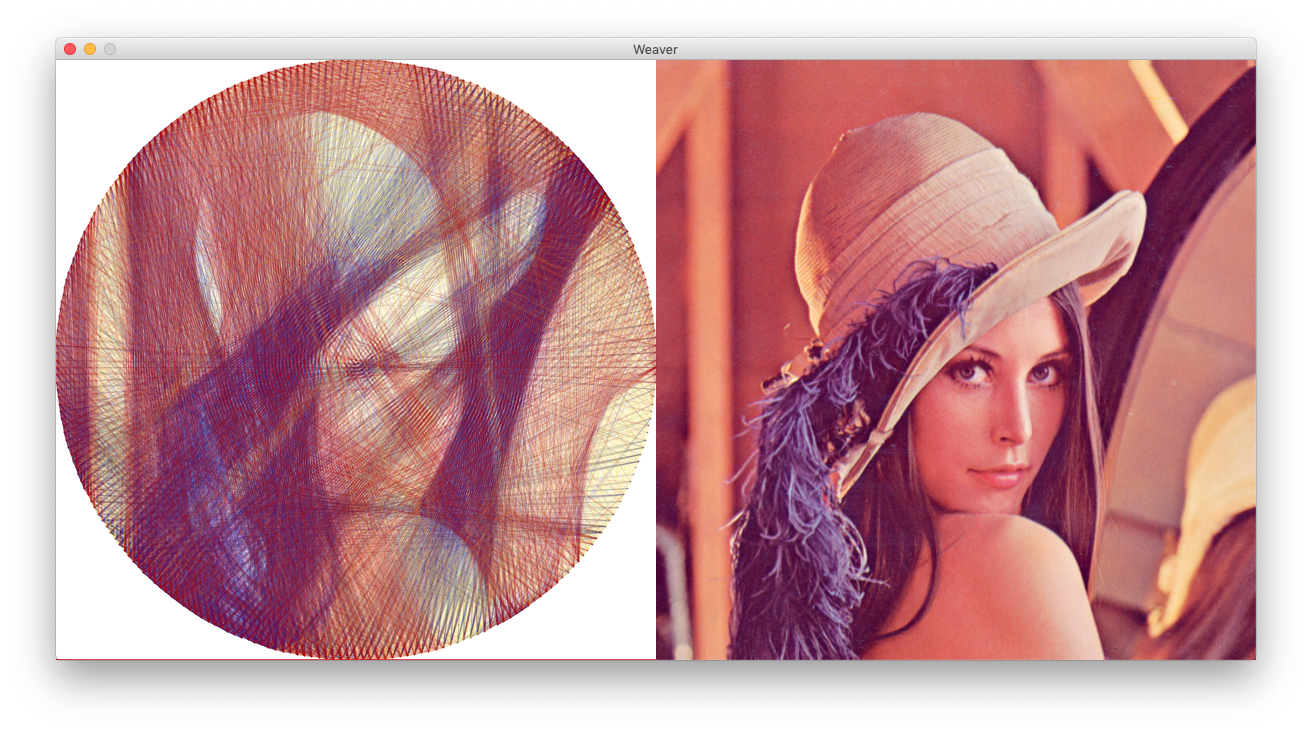
The idea is to take an image and come up with data to weave it using a single thread on a circular rim.
Basically this: A picture is worth a thousand words.

Actual result
| Output | Input |
|---|---|
 |
 |
No. of pins: 254
No. of lines: 4000 (Approx. 1.75 km thread)
Credit: @larryisgood
Screenshots
Multiple colors
Grayscale


Basic algorithm
This piece of software requires 3 inputs from the user:
- A picture to be drawn
- Total points/nails on a circular rim,
P - Total lines to be drawn,
L
All three inputs are crucial on how the final result is going to look. The program does the following:
- Converts the color picture to grayscale.
- The picture is then cropped to a square.
- Places a virtual circular rim with
Pequidistant points on it. - Takes the first point (
p = 0) as the starting point. - Finds the next point
p'to draw a line from pointpby finding the highest intensity line.- The intensity of a line is calculated by adding up the all the pixel values of a line from
ptop'.
- The intensity of a line is calculated by adding up the all the pixel values of a line from
- A new line is drawn from
ptop'on the circular rim. - The original image is modified such that the pixels under the line from
ptop'are lightened* so that the same line is not drawn next time. p'is set as the new starting pointpand then the steps from5is repeated untilLlines are drawn.
* The amount by which a line should be lightened can also be configured.
How to run?
- You'll need to download Processing. It's available for Windows / Mac / Linux.
- Open up
Weaver.pdeusing Processing. - Hit
Runor pressCTRL+Rto execute the application. - Click anywhere on the application to start processing.
- Click again to pause.
- After the process is complete, a text file will be generated. This file contains the positions of each point where the thread should be knitted next.
Note: Those of you who are downloading the repository as .zip file, you must rename the folder Weaver-master to Weaver before opening on Processing.
Configuration
The setup() function in Weaver.pde chooses one of the example configurations. Check the example.pde to modify the configuration of each example.
Credits
Kudos to i-make-robots for originally writting this algorithm.
I changed it a little bit to clean up the code, improve GUI and add some extra features.