Elbavol : Lovable Clone but with K8S
Architecture Draw

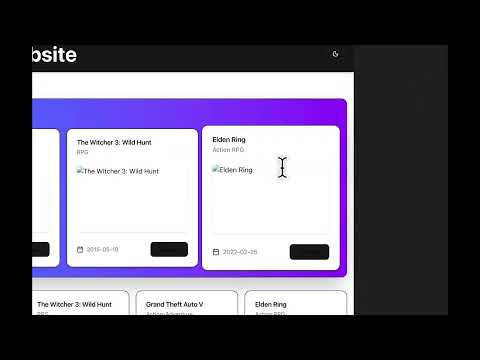
Demo Video version 0
Agent Flow of Execution
START
  │
  ▼
check_prompt (userGivenPromptCheckerNode: validate prompt safety)
  │
  ▼
get_context (read existing project files)
  │
  ▼
analyze (smartAnalyzer: analyze intent, complexity)
  │
  ▼
enhance (enhancePromptNode: enhance prompt with LLM)
  │
  ▼
plan (planerNode: create detailed execution plan)
  │
  ▼
execute (run tool calls in parallel with SSE updates)
  │
  ▼
validate (check build status)
  │
  ├─buildStatus === "success"?
  │   │
  │   ▼
  │ test_build
  │   │
  │   ├─buildStatus === "tested"?──► push ──► save ──► run ──► END
  │   │
  │   └─errors?──► fix_errors ──┐
  │                             │
  └─buildStatus === "errors"?   │
      │                         │
      ▼                         │
   fix_errors ──────────────────┘
      │
      └──► execute (re-run tools with fixes)
🚀 Running the Application
Prerequisites
- Docker & Docker Compose (for local development)
- Bun (v1.3.1+) - for TypeScript applications
- Go (v1.21+) - for backend services
- kubectl - Kubernetes CLI
- minikube or kind - for local Kubernetes (optional)
Option 1: Local Development with Docker Compose
The fastest way to run all services locally:
# Start all services (Kafka, Zookeeper, MinIO, and backend services)
docker-compose up -d

# View logs
docker-compose logs -f

# Stop all services
docker-compose down
Services Available:
- MinIO Console: http://localhost:9001 (minioadmin/minioadmin)
- Prime API: http://localhost:8082
- Orchestrator: http://localhost:8081
Option 2: Local Backend Development (Without K8s)
Run only infrastructure in Docker and backend services locally:
# Start infrastructure (Kafka, Zookeeper, MinIO)
docker-compose up -d kafka zookeeper minio

# Run all backend services
./start-all.sh
This script starts:
- 2 TypeScript apps (control-pod, serve-pod) using
bun start - 3 Go apps (ingress, orchestrator, prime) using
go run
Benefits:
- Fast iteration during development
- See combined logs from all services
- Ctrl+C stops everything and frees all ports
Option 3: Local Kubernetes with Minikube
Full Kubernetes deployment on your local machine:
Setup Minikube
# Start minikube
minikube start --cpus=4 --memory=8192

# Enable LoadBalancer support
minikube tunnel  # Run in separate terminal
Build and Load Images
# Build Docker images
docker-compose build

# Load images into minikube
minikube image load aivalacoder/elbavol-orchestrator:latest
minikube image load aivalacoder/elbavol-prime:latest
minikube image load aivalacoder/elbavol-ingress:latest
Deploy to Minikube
cd ops/local-k8s

# Deploy all services (includes secrets, kafka, minio, etc.)
chmod +x dev.sh
./dev.sh

# Create Kafka topics
chmod +x create-kafka-topics.sh
./create-kafka-topics.sh

# Check deployment status
kubectl get pods
kubectl get services
Access Services
# Get service URLs
minikube service list

# Access Prime API
minikube service prime --url

# Access MinIO Console
minikube service minio --url

# Or use port-forward
kubectl port-forward svc/prime 8080:8080
kubectl port-forward svc/minio 9000:9000 9001:9001
Option 4: Local Kubernetes with Kind
Alternative to minikube using Docker containers:
Setup Kind
# Create cluster
kind create cluster --name elbavol

# Load Docker images
kind load docker-image aivalacoder/elbavol-orchestrator:latest --name elbavol
kind load docker-image aivalacoder/elbavol-prime:latest --name elbavol
kind load docker-image aivalacoder/elbavol-ingress:latest --name elbavol
Deploy to Kind
cd ops/local-k8s

# Deploy all services
./dev.sh

# Create Kafka topics
./create-kafka-topics.sh

# Verify deployment
kubectl get pods -w
Access Services
# Use port-forward (Kind doesn't support LoadBalancer by default)
kubectl port-forward svc/prime 8080:8080
kubectl port-forward svc/minio 9000:9000 9001:9001
kubectl port-forward svc/orchestrator 8081:8080
Option 5: Production Deployment (GKE/EKS/AKS)
Prerequisites
- Build and Push Images
# Tag images for your registry
docker tag aivalacoder/elbavol-orchestrator:latest YOUR_REGISTRY/elbavol-orchestrator:latest
docker tag aivalacoder/elbavol-prime:latest YOUR_REGISTRY/elbavol-prime:latest
docker tag aivalacoder/elbavol-ingress:latest YOUR_REGISTRY/elbavol-ingress:latest

# Push to registry
docker push YOUR_REGISTRY/elbavol-orchestrator:latest
docker push YOUR_REGISTRY/elbavol-prime:latest
docker push YOUR_REGISTRY/elbavol-ingress:latest
- Update Image References
Edit ops/*.yaml files to use your registry:
image: YOUR_REGISTRY/elbavol-orchestrator:latest
imagePullPolicy: Always  # Important for production
- Configure Secrets
# Edit secrets with actual credentials
vim ops/secrets.yaml

# Update with real values:
# - MinIO credentials
# - Google API key
# - OpenRouter API key
Deploy to Production
# Connect to your cluster
kubectl config use-context YOUR_CLUSTER

# Deploy to production
cd ops
./deploy.sh

# Create Kafka topics
./create-kafka-topics.sh

# Monitor deployment
kubectl get pods -w
kubectl logs -f deployment/orchestrator
kubectl logs -f deployment/prime
Production Checklist
- Use strong, unique credentials (not defaults)
- Configure resource limits appropriately
- Set up persistent volumes for Kafka
- Configure ingress for external access
- Set up monitoring (Prometheus/Grafana)
- Configure backups for MinIO
- Set up log aggregation
- Configure autoscaling policies
- Use managed services (Kafka, object storage) if available
🔍 Verification & Troubleshooting
Check Service Health
# Docker Compose
docker-compose ps
docker-compose logs service-name

# Kubernetes
kubectl get pods
kubectl get services
kubectl describe pod POD_NAME
kubectl logs POD_NAME

# Check Kafka topics
kubectl exec kafka-0 -- kafka-topics --list --bootstrap-server localhost:9092

# Test MinIO connection
curl http://localhost:9000/minio/health/live
Common Issues
Pods not starting:
kubectl describe pod POD_NAME
kubectl logs POD_NAME --previous
Image pull errors (minikube/kind):
# Verify images are loaded
minikube image ls | grep elbavol
kind load docker-image IMAGE_NAME --name elbavol
Kafka connection issues:
# Test from within a pod
kubectl exec -it POD_NAME -- nc -zv kafka 9092
📁 Repository Structure
elbavol/
├── docker-compose.yml          # Local development with Docker
├── start-all.sh               # Run all backend services locally
├── ingress/                   # Caddy reverse proxy (Go)
├── orchestrator/              # K8s & Kafka orchestration (Go)
├── prime/                     # Main HTTP API (Go)
├── runable/                   # TypeScript applications
│   ├── apps/
│   │   ├── control/          # AI agent & LLM processing (Bun)
│   │   └── serve/            # Project serving (Bun)
│   └── packages/             # Shared packages
├── ops/                       # Production K8s manifests
│   ├── deploy.sh             # Production deployment script
│   ├── *.yaml                # K8s manifests for GKE/EKS
│   └── local-k8s/            # Local K8s manifests
│       ├── dev.sh            # Local deployment script
│       └── *.yaml            # Manifests for minikube/kind
└── shared/                    # Shared Go code
Todos
- create a chat ui
- files and folders fetching trijectory
- rendering files and folders in the ui on code editor
- CICD for k8s deployment
- refactoring AGENT code + system prompts
- a lot can be done man