Human Hindsight
The prompt you'd write if you knew then what you know now.





Human Hindsight mines your coding-agent session history (Claude Code, Codex, Kiro, OpenCode) into two things you can use tomorrow morning:
- A oneshot prompt library. For each real task you've done, the realistic ideal first prompt: everything you knew and wanted at t=0 but didn't say, written in your own voice.
- A distilled preference set. The things you keep re-telling your agent
("diagnose before acting", "pin the versions", "be terse"), surfaced as a
paste-ready
CLAUDE.mdorAGENTS.mdblock so every future session starts aligned.
Previously published as cc-hindsight. The cc-hindsight npm package is now a
deprecated compatibility command that forwards to the matching Human Hindsight
release. Existing libraries, edits, ratings, and checkpoints remain usable.
Upgrading from cc-hindsight
npx human-hindsight@latest gui
# Or install the new command globally:
npm install -g human-hindsight
No data move or re-distillation is required. Data-directory precedence is:
--home → HUMAN_HINDSIGHT_HOME → legacy CC_HINDSIGHT_HOME → an existing
~/.human-hindsight → an existing ~/.cc-hindsight → ~/.human-hindsight for
a fresh installation. If both directories exist, the new one wins; use
--home to choose explicitly. Directories are never merged automatically.
Updating the old npm package installs the small compatibility wrapper, so
npx cc-hindsight@latest gui also works. Both global commands can coexist:
the main package owns human-hindsight, and the wrapper owns cc-hindsight.
The GitHub repository was renamed in place; old repository links redirect.
The t=0 problem
You get better results the more context you front-load into your first prompt, yet we underspecify at t=0 and spend the session steering: correcting course, restating preferences, answering questions the agent shouldn't have had to ask.
And the cost repeats every session. Your working preferences are stable facts about how you like to work, yet you re-derive and re-type them project after project instead of stating them once, upfront, where every future session reads them from the first message.
All the evidence of what you should have said is already on disk. Claude Code
saves session JSONL under ~/.claude/projects/; Codex keeps rollouts under
~/.codex/sessions/ and ~/.codex/archived_sessions/; kiro-cli keeps its
own store under ~/.kiro/sessions (both the flat cli/<uuid>.jsonl layout and
the newer per-session <hash>/sess_<uuid>/messages.jsonl layout). OpenCode keeps
its SQLite history under ~/.local/share/opencode/. Plenty of
tools read that data for
dashboards and transcripts. Nobody closes the loop from history back to
better prompting.
Before (what you actually typed at t=0):
help me script blocking a device on my home router
After (what human-hindsight distilled from how that session actually went):
I want to automate my home router, starting with blocking a device. Get API access working first, and store any credentials securely instead of asking me to paste them in the clear. Anything that changes the network should be safe by default: show me what it'll do and let me confirm before it runs. Then prove it end-to-end on a real device. Research how others have done this first, and keep the setup written down so I can reproduce it.
The second prompt was knowable at t=0. You just hadn't written it yet.
Quickstart
Start the guided terminal workflow:
npx human-hindsight@latest
After scanning, the CLI suggests export and asks whether to run it.
Type y to continue. Export offers distill, and a successful distillation
offers the browser library. Your library directory, source, project filter,
runner, and model stay selected through the handoffs.
Distillation still shows its model-call plan and asks for spending consent.
Follow-up offers default to No and appear only in an interactive terminal.
Use --no-follow-up for one command at a time; pipes, dry runs, and scripted
--yes invocations never start these follow-up commands automatically.
You can also start directly with distillation:
npx human-hindsight distill    # offers to export first, then digest → cluster →
                            # author (asks before any runner call), then shows
                            # offers the finished library in your browser
Prefer to drive each stage yourself? The pipeline is just three verbs:
npx human-hindsight            # 1. scan: inventory your projects (read-only)
npx human-hindsight export     # 2. export: human-only markdown per session
npx human-hindsight distill    # 3. distill: digest → cluster → author (asks first)
Then browse and curate the results:
npx human-hindsight list                # your library (✎ edited / ▲▼ rating badges)
npx human-hindsight gui                 # browse, search, and copy in your browser
npx human-hindsight show <slug>         # read a oneshot
npx human-hindsight copy <slug>         # → clipboard, paste into a fresh session
npx human-hindsight edit <slug>         # open in $EDITOR; your edits are protected
npx human-hindsight rate <slug> up      # record a verdict (up|down)
npx human-hindsight prune               # remove orphaned entries (asks first)
npx human-hindsight preferences         # → CLAUDE.md block
npx human-hindsight status              # pipeline funnel + orphan/skip flags
npx human-hindsight retention           # optional: preview longer local retention
Requires Node 22.13+ on Node 22, or Node 23.4+ on newer releases, on macOS or Linux (Windows is untested and currently
unsupported). scan and export are fully deterministic: no LLM, no
network. distill uses your installed claude, codex, kiro-cli, or opencode,
with a consent prompt (or your explicit --yes).
A small local library viewer
npx human-hindsight gui                    # start locally and open your browser
npx human-hindsight gui --no-open          # print the address without opening it
npx human-hindsight gui --port 3210        # choose a port (default: any available port)
npx human-hindsight gui --home /path/to/library-home
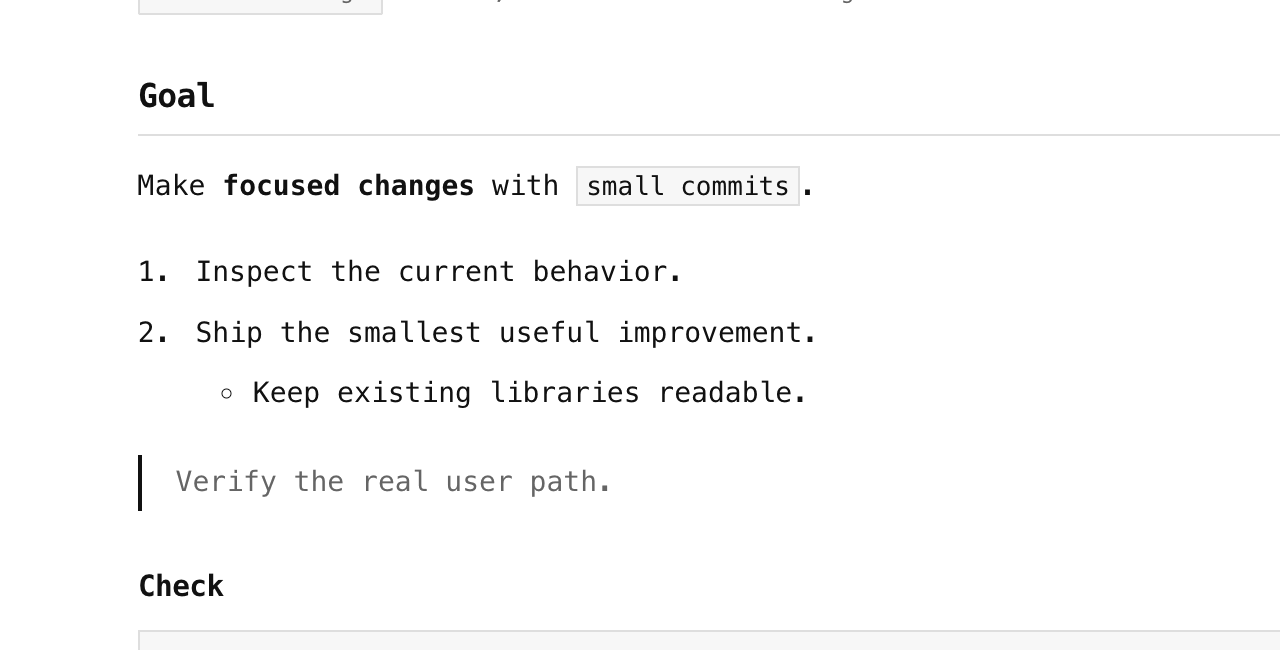
Search titles and text, filter by domain, sort, and copy prompts with one click. Preview renders Markdown headings, lists, tables, links, blockquotes, task lists, and code blocks. Markdown shows the original source. Copy always uses that original Markdown, including when the preview is selected.
The viewer uses a minimal black-and-white palette and system monospace fonts.
Light and dark appearance follow your system setting. Local edits, ratings,
and session counts remain visible. Use Refresh after changing files and
press / to focus search.
The GUI uses Node's built-in HTTP server and bundled HTML/CSS/JavaScript:
no frontend framework, database, font download, or external assets.
Markdown parsing and sanitization ship inside the bundle. Raw HTML stays
inert and remote images are represented by their alt text, without fetching them.
It listens only on 127.0.0.1, serves a read-only library API, and stops with
Ctrl+C. The GUI doesn't invoke an agent or modify your library.
Multiple backends (Claude Code + Codex + Kiro + OpenCode)
Every command takes --source claude|codex|kiro|opencode|auto (default auto: read
whichever stores exist). Select the source after the subcommand. Directory
flags work before or after it:
| Source | Directory flag | Environment variable | Default |
|---|---|---|---|
| Claude Code | --claude-dir |
CLAUDE_CONFIG_DIR |
~/.claude |
| Codex | --codex-dir |
CODEX_HOME |
~/.codex |
| kiro-cli | --kiro-dir |
KIRO_CONFIG_DIR |
~/.kiro |
| OpenCode | --opencode-dir |
HUMAN_HINDSIGHT_OPENCODE_DIR, then XDG_DATA_HOME |
~/.local/share/opencode |
For OpenCode, --opencode-db selects a database explicitly; relative names
resolve under the data directory. It overrides HUMAN_HINDSIGHT_OPENCODE_DB
and OpenCode's OPENCODE_DB, with opencode.db as the default. An in-memory
database has no persisted history to read. Configuration is separate:
OPENCODE_CONFIG_DIR or the XDG config directory, normally ~/.config/opencode.
Human Hindsight's directory/database flags select source history; the OpenCode
runner uses the CLI's normal data location and authentication.
Multiple stores merge into one library; the manifest tags each session's
origin and the export summary breaks the count down. Codex discovery includes
active and archived rollouts from the CLI, IDE extension, and app, grouped by
their working directory. Mirrored user/assistant events are paired, injected
context and subagent sessions are excluded, and human decisions and images
survive extraction. The kiro backend
reads both on-disk store layouts (the flat v2 store and the newer v3 per-session
store), preferring the v3 copy when a session was migrated into both.
distill --runner claude|codex|kiro|opencode|auto chooses which CLI does the distilling,
independently of --source. auto prefers the CLI matching an explicit source,
then falls back in the order Claude → Codex → Kiro → OpenCode. Models are passed through
with --model; without it, the chosen CLI uses its configured default.
npx human-hindsight export --source codex
npx human-hindsight distill --source codex --runner codex
npx human-hindsight distill --source claude --runner codex
npx human-hindsight preferences --target codex  # AGENTS.md; alias of --target agents
npx human-hindsight export --source opencode
npx human-hindsight distill --source opencode --runner opencode
npx human-hindsight distill --source claude --runner opencode --model provider/model
npx human-hindsight preferences --target opencode  # AGENTS.md
preferences --target claude|codex|kiro|opencode|agents emits a CLAUDE.md block,
an AGENTS.md section, or a block for ~/.kiro/steering/. An explicit Codex
source defaults to AGENTS.md. The Codex runner uses codex exec with a JSON
schema, a read-only sandbox, and ephemeral sessions; generated distill sessions
do not become new source history. Claude supports current structured_output
results as well as legacy result objects/strings and verbose event arrays.
It disables session persistence when the installed CLI advertises the flag.
OpenCode 1 and 2
OpenCode support covers both current release families: opencode-ai 1.19
(verified with 1.19.4) and @opencode/cli 2.1 (verified with 2.1.3).
Both install an opencode command. Source discovery does not need the CLI.
The reader handles OpenCode 1's session/message/part SQLite tables, OpenCode 2's
ordered message records, and recognized older storage/session, storage/message,
and storage/part JSON directories. It includes archived sessions, preserves
question answers and attachment markers, and excludes generated subagent and
distillation sessions. Completed compaction resets short-reply context;
explicit execution failures are included in the outcome evidence.
Read-only SQLite connections include committed WAL data. Human Hindsight never migrates the source database. An unreadable, busy, unsupported, or incompletely migrated OpenCode database stops export before replacing the manifest or pruning existing exports. If migrated copies coexist, matching human turns are deduplicated; divergent older copies keep distinct export names. Reverted tails are excluded. Only committed conversation messages are read, not pending inbox items.
The OpenCode runner uses JSON events, validates the final answer, and permits one corrective retry. It copies provider/model settings from JSON or JSONC into an owner-only temporary configuration, while OpenCode continues to handle credentials. Project instructions, external agent plugins, and MCP configuration are not copied. A dedicated agent denies tools; OpenCode 2 uses an owned private server. Providers that require external agent plugins may need a built-in or compatible provider configuration for this runner.
Generated sessions are marked and excluded from future exports. After the run, cleanup deletes only captured IDs whose title and working directory prove they belong to that run. Interrupted runs or cleanup failures can leave marked sessions behind. User settings and unrelated sessions are preserved.
OpenCode preferences can go into the project's AGENTS.md, or the global
AGENTS.md under your OpenCode config directory.
Optional: keep more local history
npx human-hindsight retention                    # read-only preview
npx human-hindsight retention --apply            # preview, then confirm
npx human-hindsight retention --apply --yes      # explicit opt-in for scripting
npx human-hindsight retention --source codex --apply
The default reviews existing tool directories. An explicit --source can
create that tool's settings file. --yes alone never applies changes, and
--dry-run always keeps the command read-only.
- Claude Code: raises
cleanupPeriodDaysto 365,000 days (about 1,000 years), preserving an already longer value. Claude requires a positive whole number;0is invalid. If desktop cleanup is capped, setsdesktopSessionCleanupPeriodDaysto0, its supported no-age-limit value. An absent desktop setting already has no age limit. - Codex: sets
[history] persistence = "save-all"and removeshistory.max_bytes, leaving prompt history uncapped. This controlshistory.jsonl; full session rollouts are stored separately. Avoid--ephemeralfor your own sessions you want to retain. - kiro-cli: explains automatic persistence and
/chat save <path>for additional copies. Its public settings reference does not document a retention-limit switch, so no configuration key is invented. - OpenCode: reports the local data/config locations and archival guidance.
No supported full-session age/size retention setting is documented. OpenCode 2
keeps earlier messages after compaction and ignores the older
compaction.prunesetting. Temporary overflow tool-output files have separate cleanup (seven days in 2.1); output-size limits do not change that lifetime. This integration is advisory and leaves compaction settings untouched. For an extra copy, useopencode session export <id>on OpenCode 2 oropencode export <id>on OpenCode 1.
Applying creates owner-only backups next to existing configuration files, then replaces each file atomically. Other settings are preserved; common Codex TOML layouts retain comments, while unusual layouts may be reformatted after a preview notice. Malformed configurations are left untouched.
Longer retention keeps prompt contents on disk longer and can use more space. Restart running tools after applying settings. Project settings, profiles, managed policy, and startup flags can override user defaults; this command does not change those controls, remote retention, or telemetry. It cannot recover already deleted history.
Setting references: Claude retention, Codex configuration, and Kiro conversation persistence. OpenCode references, pinned to the supported v2 release: compaction, migration, and session commands.
Privacy & trust
For a tool that reads your entire conversation history, auditability is the product:
- Local-only. Everything is read from your disk and written to your disk
(
~/.human-hindsight). No hosted service, accounts, or telemetry. The only network traffic is through your chosen agent CLI during consented distillation or preference consolidation. - One self-contained npm package. JavaScript libraries are bundled into
the CLI; the published package has no npm dependencies or installation
scripts. SQLite comes from Node. Starting the app does not install compilers,
platform bindings, or build tools. The development dependency tree is pinned
in the repository's
package-lock.json, which is not published. Bundled libraries include citty, Zod, Clack, smol-toml, jsonc-parser, Marked, and DOMPurify; their license texts ship indist/THIRD_PARTY_NOTICES.txt. - Consent-gated LLM use.
distillstates the exact invocation count and waits for[y/N]before anything runs on your subscription/credits.--dry-runshows the full plan for free. If you decline, it exits without invoking anything (exit code 2). - Plain statement: exports contain your raw prompts, including anything
sensitive you ever pasted into a session (keys, internal names, that one
angry message). They live in your home directory with your permissions, and
nothing ships them anywhere. A
--redactoption is on the roadmap.
How it works
flowchart TD
    A["~/.claude/projects/**/*.jsonl"] -->|"scan (read-only)"| B["inventory"]
    X["~/.codex/{sessions,archived_sessions}/**/rollout-*.jsonl"] --> B
    K["~/.kiro/sessions/"] --> B
    O["~/.local/share/opencode/opencode.db"] --> B
    A -->|"export (deterministic)"| C["exports/*.md + manifest.json"]
    X --> C
    K --> C
    O --> C
    A -->|"anaphora + outcome evidence"| D["anaphora.json + outcomes.json"]
    X --> D
    K --> D
    O --> D
    C --> E
    D --> E
    subgraph distill ["distill: opt-in, consent-gated, resumable"]
        E["digest: 1 runner call / session"] --> F["cluster: 1 call"]
        F --> G["author: 1 call / task"]
    end
    G --> H["library/<slug>/ oneshot + provenance"]
    H --> I["list / show / copy / status"]
    H --> J["preferences → CLAUDE.md / AGENTS.md / Kiro steering"]
The extraction layer is a fidelity contract: eleven audited rules decide what
counts as human input (attachments typed while the agent was busy, recovered
slash commands, [decision] lines from option picks, [image pasted]
markers), with a regression fixture per rule. Fork/resume duplicates are
deduped globally. Short replies like "yes" and "option 2" get their antecedent
attached so the author stage knows what you approved. Sessions carry an
outcome classification, so a task where nothing ever succeeded gets skipped
instead of becoming a confident prompt that reproduces a failure path.
Authored oneshots pass a "knowable at t=0" test: they front-load intent, constraints, preferences, and quality bars, while leaving out facts you only discovered mid-session (paths, root causes, error messages). And they respect an effort budget, staying around the length a motivated human would actually type rather than ballooning into a 700-word spec.
Every distill stage checkpoints to disk after each unit of work: Ctrl-C loses
nothing, re-running resumes, --fresh resets deliberately, and status flags
library entries orphaned by re-clustering.
How it compares
| Tool | Reads ~/.claude |
Output | Direction |
|---|---|---|---|
| ccusage | ✓ | usage/cost tables | backward (metrics) |
| sniffly | ✓ | analytics dashboard | backward (behavior) |
| claude-code-transcripts | ✓ | shareable HTML transcripts | backward (record) |
| cctrace / exporters | ✓ | markdown/XML exports | backward (archive) |
| human-hindsight | ✓ | oneshot prompt library + CLAUDE.md preferences | forward (better next session) |
Closest kin is Simon Willison's claude-code-transcripts: same local-first
values, same belief that transcripts are undervalued artifacts. The difference
is the direction of gaze: it renders your sessions (backward, for others);
human-hindsight distills them (forward, for you).
FAQ
Does my data leave my machine?
The deterministic commands (scan, export, and retention) never touch the
network. distill and preferences --consolidate send content through your
chosen local agent CLI to its configured provider, using its authentication.
What does distill cost?
Whatever your chosen agent CLI costs you: it runs on your existing subscription or
API credits. The consent prompt states the exact invocation count up front
(one call per session digested, one to cluster, one per task authored), and
--dry-run prints the same plan without running anything. Checkpoints mean an
interrupted run isn't wasted money. Sessions too large for the input budget
(default 400k chars, --input-budget) are refused before anything is
spent. Re-run with --truncate=extreme to cut them (recorded in
provenance) or narrow the scope. Digest and author calls run 3 at a time by
default (--concurrency; 1 = sequential).
Subscription or API?
human-hindsight shells out to claude -p, codex exec, kiro-cli chat, or opencode run;
however your chosen CLI is authenticated is how calls are billed. --model
passes through without pinning a model version.
Why is a session missing from my exports?
Sessions with zero human messages are skipped naturally, --min-messages
filters thin ones, and fork/resume copies are deduped into their original
session. Note that dedupe is global across all projects: with --project, a
message duplicated by fork/resume is attributed to its earliest session even
when that session is outside the filter. Run export --verbose to see every
dropped piece with a reason. If genuine human input was dropped, that's a
bug: file an extraction-fidelity report.
Can I regenerate everything from scratch?
human-hindsight distill --fresh clears the checkpoints (after confirming) and
re-runs. Old library entries from previous generations are flagged as orphans
in status.
Roadmap
- Claude Code plugin packaging for existing marketplaces (for distribution, without standing up a separate marketplace)
- An in-session skill variant ("distill this session as we go")
- Agent SDK orchestration exploration
- parentUuid-aware anaphora (branch-correct antecedents on forked conversations)
--redactpatterns for exports- An opt-in community oneshot showcase
Development
npm install
npm test            # vitest: fixtures only, never reads your agent stores
npm run lint        # biome
npm run typecheck   # tsc --noEmit
npm run build       # tsdown → dist/
See CONTRIBUTING.md, especially the guide to adding a fixture when you hit an unhandled transcript shape.
License
Author
Built by Aditya Singhal. If human-hindsight surfaces a pattern you didn't know you had, I'd love to hear about it.