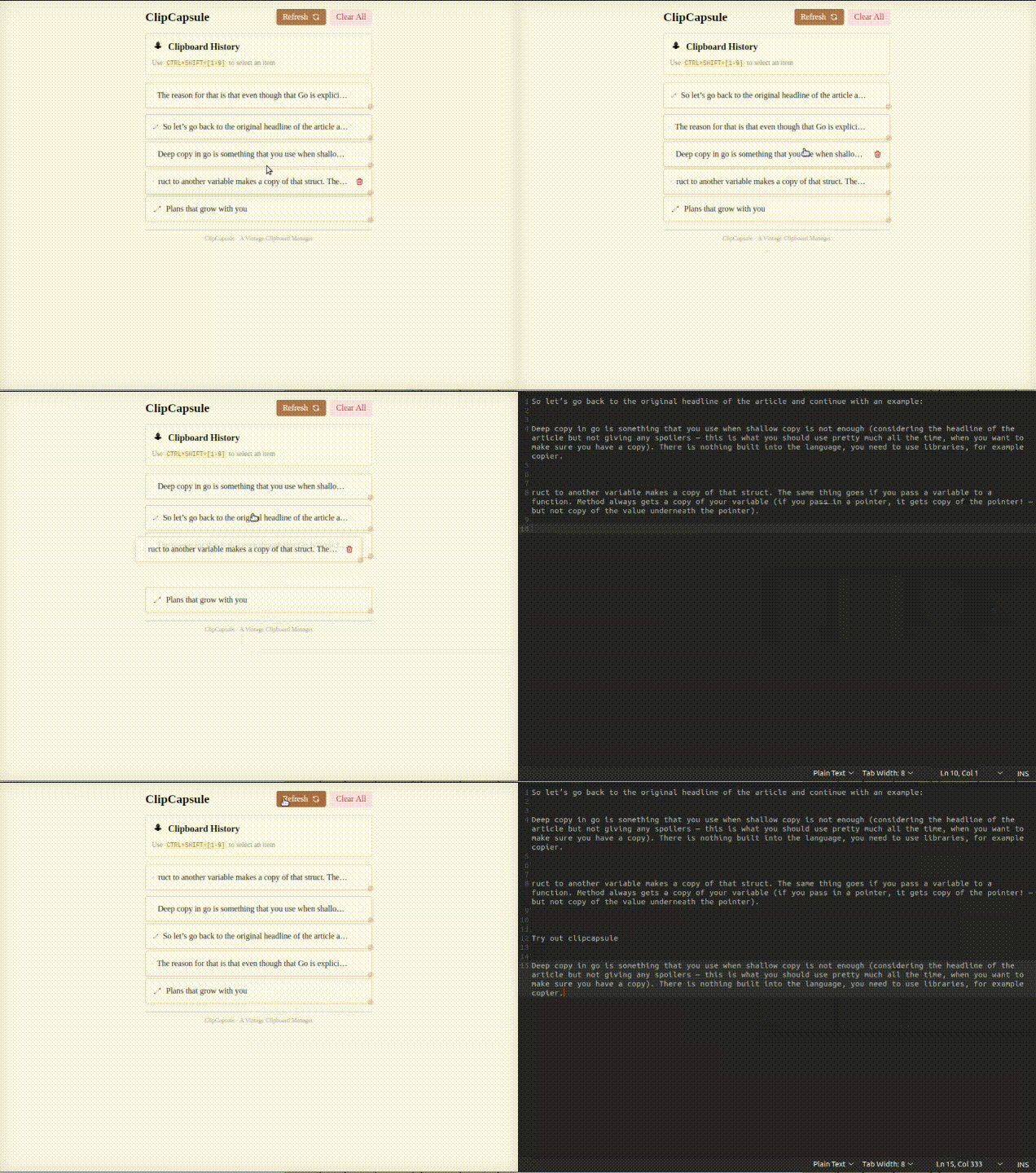
ClipCapsule is a minimalist clipboard manager for Linux, built with Go and WailsJS. It supercharges your productivity by allowing you to manage and switch clipboard entries using only keyboard shortcuts—no mouse or GUI required.
⚠️ This is a work-in-progress project. Currently, the GUI must be open for shortcuts to work, but we're actively working on a background daemon to make the app run seamlessly without launching the interface.
✨ Features
- 🚀 Keyboard-first Workflow: Switch clipboard items instantly with
CTRL + SHIFT + 1~9. - 📜 Clipboard History: Automatically saves your recent copies in an embedded database.
- 🔄 Dynamic Reordering: Selecting an item with a shortcut moves it to the top of the stack.
- 🔐 Local-Only: Your data stays on your machine, no cloud syncing or telemetry.
🖥️ Example Use
When you copy items, the database stores them like this:
| text | pos |
|---|---|
| item1text | 1 |
| item2text | 2 |
| item3text | 3 |
| item4text | 4 |
| item5text | 5 |
| ... | ... |
- The item at
pos = 1is the active clipboard item (what gets pasted onCTRL + V). - Pressing
CTRL + SHIFT + 3:- Moves
item3textto position 1. - Reorders the rest accordingly.
- Moves
⚙️ Installation
1. Clone the repo
git clone  https://github.com/Victor-Evogor/clipcapsule.git
cd clipcapsule
2. Install Wails
Follow instructions from the Wails documentation.
3. Build the application
You'll need to build with elevated privileges to allow the app to listen for global key events:
🛑 Alternatively, give your user access to the keyboard input device path (e.g.
/dev/input/eventX) by adding appropriate udev rules or group permissions.
Example (for testing):
sudo chmod a+r /dev/input/eventX
(Replace /dev/input/eventX with your actual keyboard event device.)
⚠️ A proper fix for permissions will be added soon. For now, elevated privileges or manual access setup is required.
⌨️ Keyboard Shortcuts
| Shortcut | Action |
|---|---|
CTRL + V |
Paste current top clipboard entry |
CTRL + SHIFT + 1-9 |
Move selected item to the top of the stack |
🛠️ Development
- Frontend: Wails + JS/TS (see
frontend/) - Backend: Go
- Clipboard access and keyboard interception handled natively
🧱 Tech Stack
🚧 Roadmap
- Core clipboard logic
- Keyboard shortcut mapping
- Clipboard preview UI
- Daemon mode (run in background without GUI)
- Tray icon & preferences
- Configurable shortcuts
- Exclude sensitive entries (e.g., passwords)
🐞 Known Issues
- You need to run the app as
sudoor manually allow access to keyboard input devices. - No daemon yet — GUI must be open for shortcuts to work.
🙌 Contributing
PRs and issues are welcome! If you have ideas or find bugs, open an issue or submit a patch.
📄 License
MIT License — see LICENSE file for details.