

Drag & Drop GUI Creator





Translations
- 简体中文
- Français
- ગુજરાતી
- हिन्दी
- Italiano
- عربية
- Turkish
- Brazil
- Spanish
- मराठी
- Korean
- Tiếng Việt
- বাংলা
- Русский
💡 Introduction
Tkinter Designer was created to speed up the GUI development process in Python. It uses the well-known design software Figma to make creating beautiful Tkinter GUIs in Python a piece of cake 🍰.
Tkinter Designer uses the Figma API to analyze a design file and create the respective code and files needed for the GUI. Even Tkinter Designer's GUI is created using Tkinter Designer.

📢 Announcement
🎉 Multi frame support is here! 🎉
You can now create multiple frames in a single design file and Tkinter Designer will create the respective code and files for each frame. This is a huge step for Tkinter Designer and I'm really excited to see what you guys create with it.
Feel free to share your creations with the community on Discord.
If you encounter any bugs or have any suggestions, please create an issue here.
☄️ Advantages of Tkinter Designer
- Interfaces with drag and drop.
- A great deal quicker than writing code by hand
- Produce more gorgeous interfaces
⚡️ Read the instruction here
View the YouTube video or read the instructions below.


Requirements
Tkinter Designer supports Python 3.9 and newer. Install it with:
The CLI accepts both current figma.com/design/... links and legacy figma.com/file/... links. If you select a specific frame before copying the Figma link, Tkinter Designer will generate that selected frame.
Always wrap Figma URLs in quotes when running from a shell, because Figma links often include ? and & query parameters.
tkdesigner "$FILE_URL" "$FIGMA_TOKEN"
To generate a class-based Tkinter app:
tkdesigner --template class $FILE_URL $FIGMA_TOKEN
To generate one app with Back/Next navigation across multiple Figma frames:
tkdesigner --template pages $FILE_URL $FIGMA_TOKEN
Generated apps can also apply a ttk theme:
tkdesigner --theme clam $FILE_URL $FIGMA_TOKEN
Generated gui.py files can be imported from another Python file without starting mainloop() automatically, so you can attach commands separately and regenerate the UI later. Use -f when you want the CLI to clear and regenerate an existing build directory.
🦋 Supporting Tkinter Designer
Consider making a donation to the Tkinter Designer project if you or your business have benefited from it. This will accelerate Tkinter Designer's development! Making coffee is simple; I'll be happy to enjoy one.


🔵 Discord server & Linkedin
Click the button below to join the discord server or Linkedin


📐 How it Works
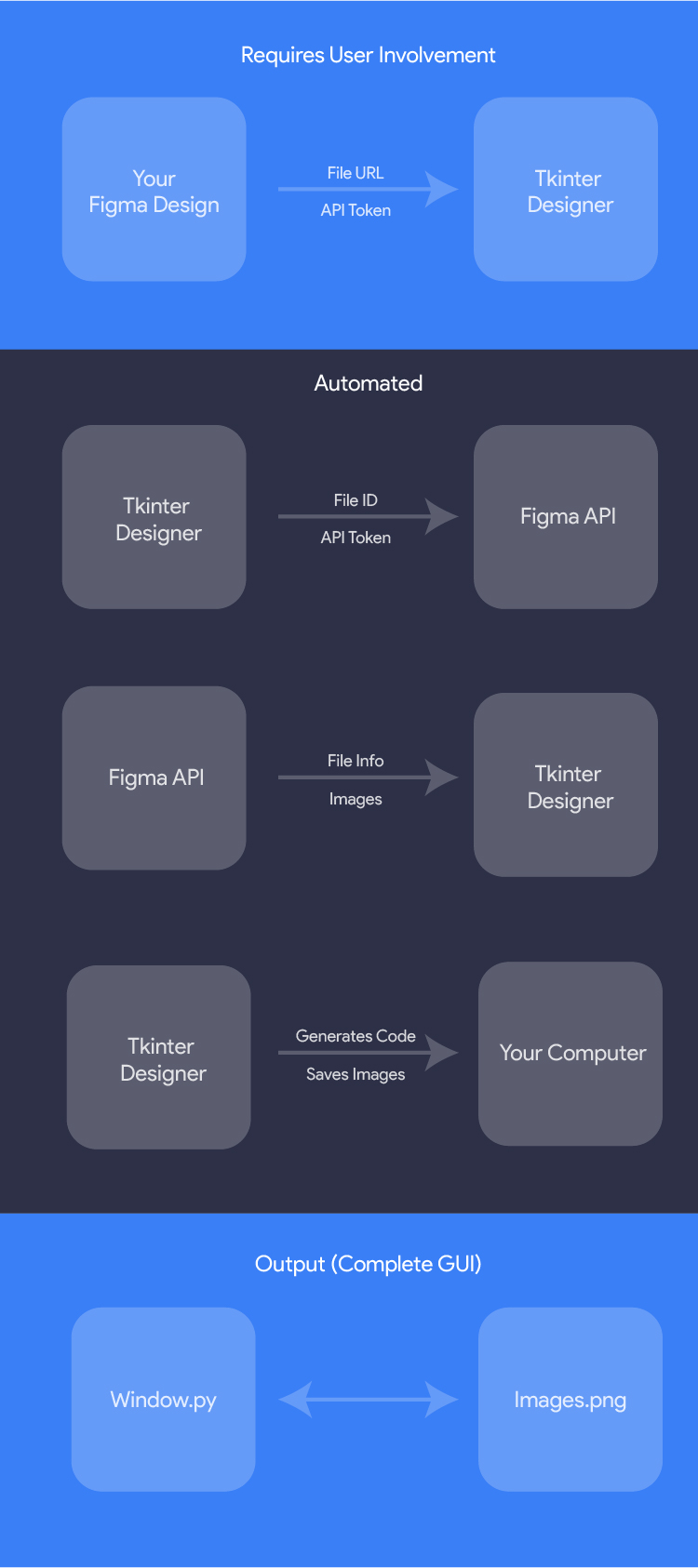
The only thing the user needs to do is design an interface with Figma, and then paste the Figma file URL and API token into Tkinter Designer.
Tkinter Designer will automatically generate all the code and images required to create the GUI in Tkinter.
🎯 Examples
The possibilities are endless with Tkinter Designer, but here are a couple of GUIs that can be perfectly replicated in Tkinter.
The following are not my creations.
HotinGo (More Info)

CodTubify (More Info)

BeAnonymous (More Info)

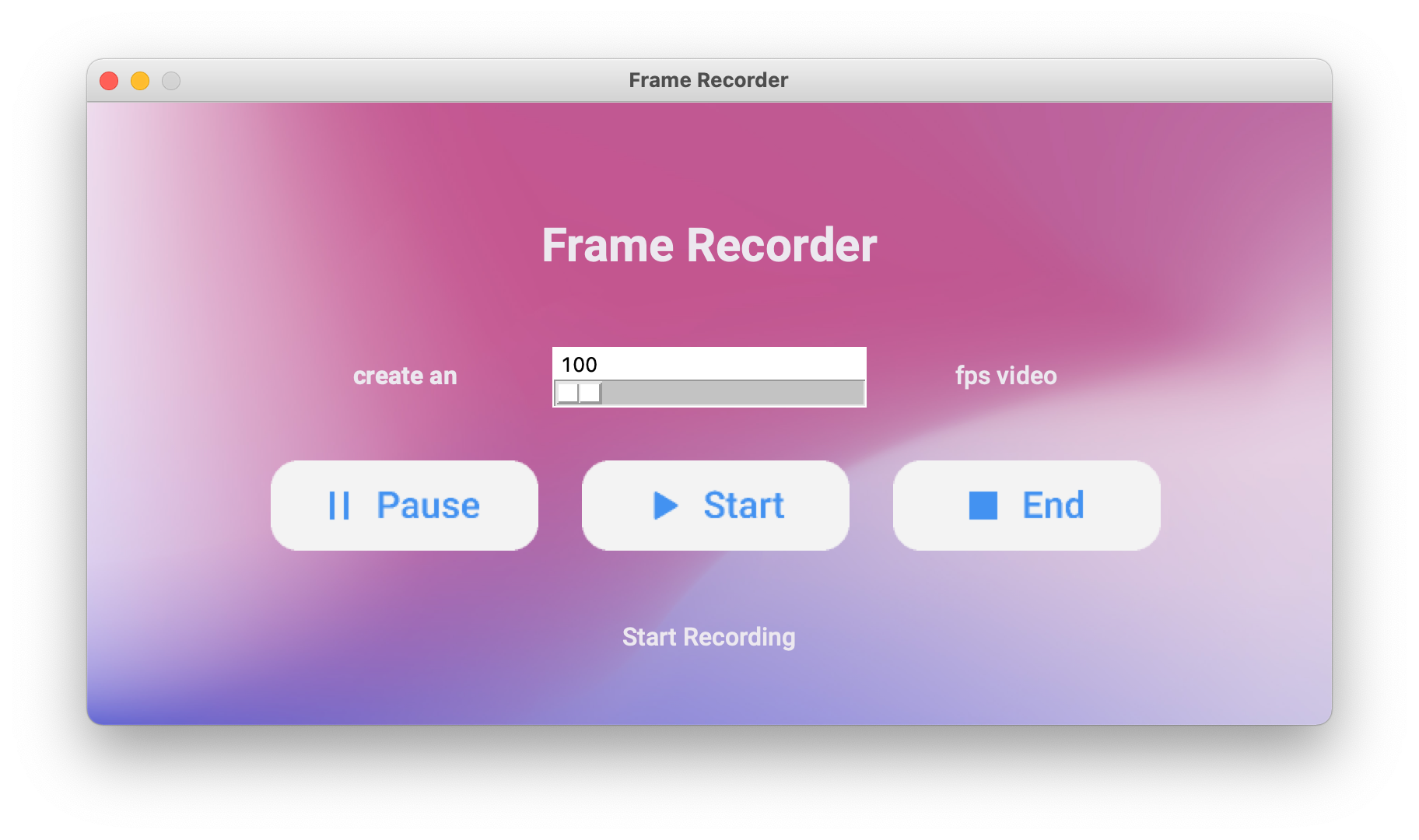
Frame Recorder (More Info)
WhatBulk (More Info)

Atarbals-Modern-Antivirus (More Info)

🔥 Showcase
Please let me know if Tkinter Designer was used to create your app. More illustrations will be beneficial for other people!
(See: Contact Me) or use Show and Tell section in Discussions.
📄 License
Tkinter Designer is licensed under the BSD 3-Clause "New" or "Revised" License.
View Here.
| Permissions | Restrictions | Conditions |
|---|---|---|
| ✓ Commercial Use | × Liability | 🛈 License and Copyright Notice |
| ✓ Modification | × Warranty | |
| ✓ Distribution | ||
| ✓ Private Use |
Contribute
All contributions from the open-source community, individuals, and partners are welcomed. Our achievement is a result of your active participation.
Connect with me on