gitv


Note
Following in the footsteps of the global regex expression print grep, I introduce to you github issues tui viewer gitv.
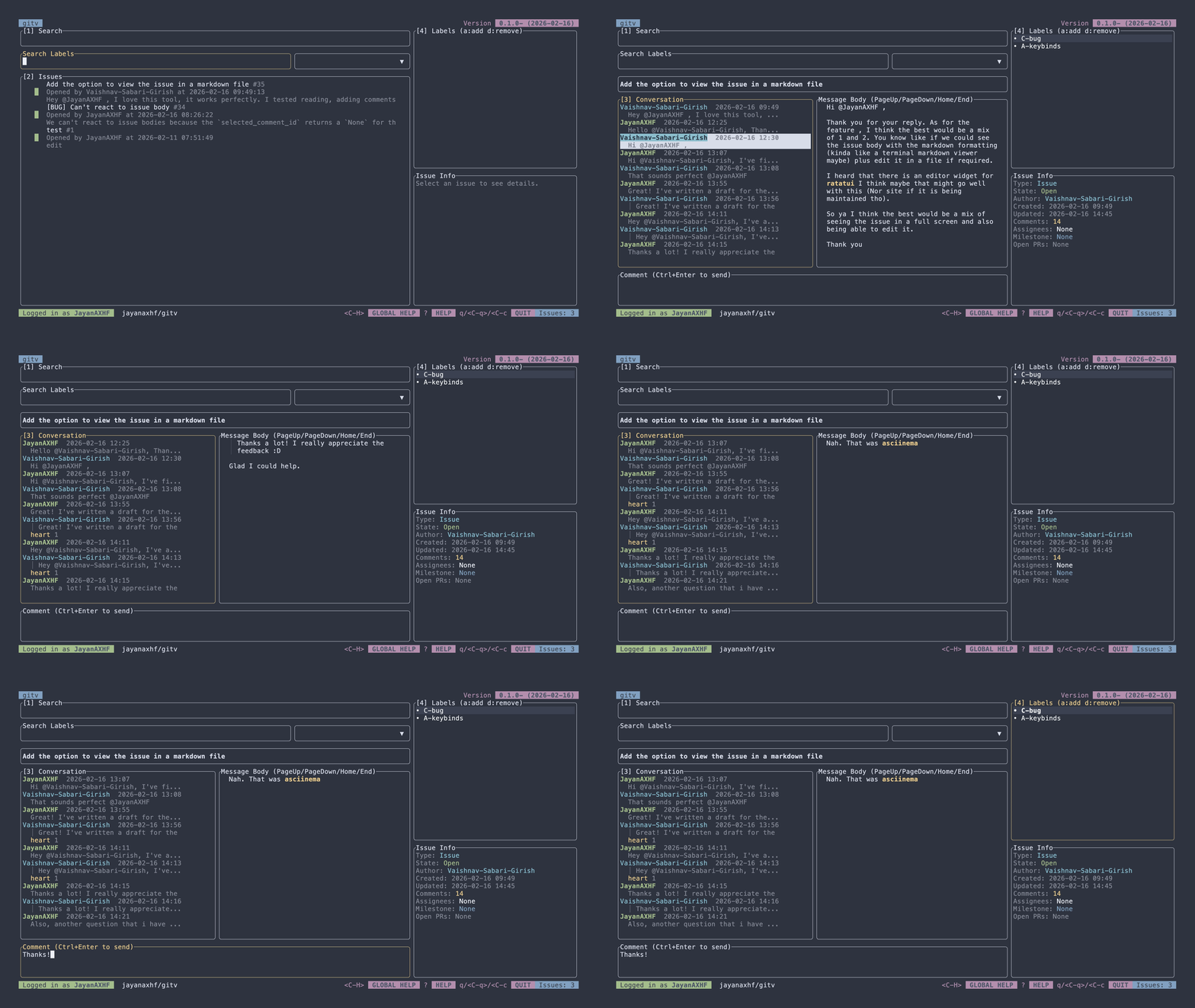
gitv is a terminal-based viewer for GitHub issues. It allows you to view and manage your GitHub issues directly from the terminal.
Features
- View issues from any GitHub repository
- View issue conversations, including parsed markdown content
- Full support for adding and removing reactions
- Regex search for labels, plus the ability to create, edit, add, and remove labels from issues
- Commenting on issues, with support for markdown formatting and quoting comments
- Editing comments
- Closing issues
- Assigning and unassigning issues to users
- Creating new issues
- Syntax highlighting for code blocks in issue conversations
Installation
Using Cargo
cargo install --locked gitv-tui
From Source
- Clone the repository:
git clone https://github.com/jayanaxhf/gitv.git
- Navigate to the project directory:
- Build the project:
Usage
Usage: gitv [OPTIONS] [OWNER] [REPO]

Arguments:
  [OWNER]
          GitHub repository owner or organization (for example: `rust-lang`).

          This is required unless `--print-log-dir` or `--set-token` is provided.

  [REPO]
          GitHub repository name under `owner` (for example: `rust`).

          This is required unless `--print-log-dir` or `--set-token` is provided.

Options:
  -l, --log-level <LOG_LEVEL>
          Global logging verbosity used by the application logger.

          Defaults to `info`.

          [default: info]
          [possible values: trace, debug, info, warn, error, none]

  -p, --print-log-dir
          Prints the directory where log files are written and exits

  -s, --set-token <SET_TOKEN>
          Stores/updates the GitHub token in the configured credential store.

          When provided, this command updates the saved token value.

      --generate-man
          Generate man pages using clap-mangen and exit

  -h, --help
          Print help (see a summary with '-h')

  -V, --version
          Print version
See KEYBINDINGS.md for a list of keybindings used in the application.
Token Security
gitv uses the keyring crate to securely store your GitHub token in your system's credential store. This means that your token is encrypted and protected by your operating system's security features, providing a secure way to manage your authentication credentials.
Contributing
Contributions to gitv are welcome! If you have an idea for a new feature or have found a bug, please open an issue or submit a pull request on the GitHub repository.
Tip
Run the init.py initialization script to set up your development environment. It installs a pre-push hook that runs typos and clippy to help maintain code quality and consistency. Ensure that you have the typos-cli installed and available in your PATH for the pre-push hook to work correctly. You can install it using cargo install typos-cli.
License
gitv is dual-licensed under the MIT License and the Unlicense, at your option. See the MIT and Unlicense for more information.