
ZigDiggity Version 2
Introducing ZigDiggity 2.0, a ZigBee penetration testing framework created by Matt Gleason & Francis Brown of Bishop Fox. Special thanks to Caleb Marion!
ZigDiggity version 2 is a major overhaul of the original package and aims to enable cybersecurity professionals, auditors, and developers to run complex interactions with ZigBee networks using a single device.
2019 - Black Hat USA 2019 & DEF CON 27 - links, slides, and videos
- Black Hat USA 2019 - ARSENAL LAB - ZigBee Hacking: Smarter Home Invasion with ZigDiggity - Aug 7-8, 2019
- https://www.defcon.org/html/defcon-27/dc-27-demolabs.html#ZigDiggity

Videos
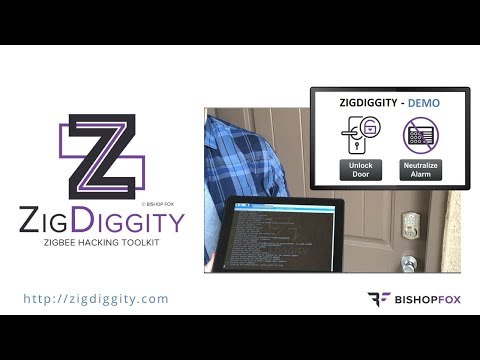
- YouTube - Zigbee Hacking: Smarter Home Invasion with ZigDiggity - 58sec DEMO - 20Aug2019
- Defeating Zigbee smart locks & home alarm sensors; demonstrating effective IoT product security evaluations using ZigDiggity 2.0 - the new open-source Zigbee pentest toolkit from Bishop Fox.
Slides
- https://www.slideshare.net/bishopfox/smarter-home-invasion-with-zigdiggity-165606623
- https://www.bishopfox.com/files/slides/2019/Black_Hat_USA_2019-Zigbee_Hacking-Smarter_Home_Invasion_with_ZigDiggity-08Aug2019-Slides.pdf
ABSTRACT:
Do you feel safe in your home with the security system armed? You may reconsider after watching a demo of our new hacking toolkit, ZigDiggity, where we target door & window sensors using an "ACK Attack". ZigDiggity will emerge as the weapon of choice for testing Zigbee-enabled systems, replacing all previous efforts.
Zigbee continues to grow in popularity as a method for providing simple wireless communication between devices (i.e. low power/traffic, short distance), & can be found in a variety of consumer products that range from smart home automation to healthcare. Security concerns introduced by these systems are just as diverse and plentiful, underscoring a need for quality assessment tools.
Unfortunately, existing Zigbee hacking solutions have fallen into disrepair, having barely been maintained, let alone improved upon. Left without a practical way to evaluate the security of Zigbee networks, we've created ZigDiggity, a new open-source pentest arsenal from Bishop Fox.
Our DEMO-rich presentation showcases ZigDiggity's attack capabilities by pitting it against common Internet of Things (IoT) products that use Zigbee. Come experience the future of Zigbee hacking, in a talk that the New York Times will be hailing as "a veritable triumph of the human spirit." ... ya know, probably
Installation
Using a default install of Raspbian (GUI install, not headless), perform the following steps:
- With your Raspberry Pi powered off, plug your Raspbee into your Raspberry Pi
- Clone this repository onto your Raspberry Pi and cd into the ZigDiggity directory
- Enable serial using the
sudo raspbi-configcommand- Select "Advanced Options/Serial"
- Select NO to "Would you like a login shell to be accessible over serial?"
- Select YES to enabling serial
- Restart the Raspberry Pi
- Install GCFFlasher available Here
wget http://deconz.dresden-elektronik.de/raspbian/gcfflasher/gcfflasher-latest.debsudo dpkg -i gcfflasher-latest.debsudo apt updatesudo apt -f install
- Flash the Raspbee's firmware
sudo GCFFlasher -f firmware/zigdiggity_raspbee.binsudo GCFFlasher -r
- Install the python requirements using
pip3 install -r requirements.txt - Patch scapy
sudo cp patch/zigbee.py /home/$USER/.local/lib/python3.7/site-packages/scapy/layers/zigbee.py - Install wireshark on the device using
sudo apt install wireshark- be sure to add your user to the wireshark group (e.g.
sudo usermod -a -G wireshark $USER). Log out and back in again for the changes to take effect.
- be sure to add your user to the wireshark group (e.g.
Hardware
The current version of ZigDiggity is solely designed for use with the Raspbee
Usage
Currently scripts are available in the root of the repository, they can all be run using Python3:
python3 listen.py -c 15
When running with wireshark, root privileges may be required.
Scripts
ack_attack.py- Performs the acknowledge attack against a given network.beacon.py- Sends a single beacon and listens for a short time. Intended for finding which networks are near you.find_locks.py- Examines the network traffic on a channel to determine if device behavior looks like a lock. Displays which devices it thinks are locks.insecure_rejoin.py- Runs an insecure rejoin attempt on the target network.listen.py- Listens on a channel piping all output to wireshark for viewing.scan.py- Moves between channels listening and piping the data to wireshark for viewing.unlock.py- Attempts to unlock a target lock
Notes
The patterns used by ZigDiggity version 2 are designed to be as reliable as possible. The tool is still in fairly early stages of development, so expect to see improvements over time.