Command line
Post, schedule, and manage every account from your terminal. Install it, log in with one workspace API key, and publish to every connected account from the terminal you already work in.
$ npm install -g socialclaw

$ socialclaw login --api-key sc_live_your_key
Connected to SocialClaw at https://getsocialclaw.com
Workspace: North Loop Cafe

$ socialclaw apply -f launch.yaml --json
Run run_7k2md9pz created (2 post(s), model=posts_v1)
Everything is scriptable
The CLI is built for pipes, scripts, CI pipelines, and AI agents, not just humans typing commands.
JSON everywhere
Every command takes a json flag for output a script can read easily. Pipe it, or hand it straight to an agent.
Schedules as code
Campaigns are plain YAML or JSON files. Keep a week of content in git with a review diff, not twenty browser sessions.
Validate before publish
Validate runs the whole campaign through the same checks publishing uses. A forty post schedule passes as a batch or fails loudly before anything goes live.
Safe reruns
Applying with an idempotency key means running the same script again cannot publish the same post twice. Cron jobs and retry loops stay safe.
Media upload and hosting
Upload once, get a hosted link back, and reuse it across as many posts and platforms as you like.
Delivery you can check
Status, attempts, and analytics tell you what actually published, what failed, and how it performed.
One command, every platform
Because it is just a command, posting fits anywhere a command runs, your shell, cron, or a release pipeline.
Post to all your socials at once
One schedule file targets every connected account. Validate the batch, then apply, and every platform goes out together.
Terminal
$ socialclaw validate -f week.yaml --json
Schedule valid: 12 post(s) | mode=scheduled | model=posts_v1

$ socialclaw apply -f week.yaml --json
Run run_4d81mzqv created (12 post(s), model=posts_v1)
Put your socials on cron
Drop apply into a crontab with an idempotency key and a weekly post publishes itself. A rerun never posts it twice.
crontab
# every Friday 9am, weekly digest
0 9 * * 5  socialclaw apply \
  -f ~/social/friday.yaml \
  --idempotency-key wk-$(date +%V) --json
Ship the announcement with the release
Post from GitHub Actions the moment you cut a release, so the announcement goes out in the same workflow as the code.
release.yml
- name: Post release
  run: |
    npm i -g socialclaw
    socialclaw apply -f .social/release.yaml
  env:
    SOCIALCLAW_API_KEY: ${{ secrets.SC_KEY }}
One CLI
the whole workflow
Connect accounts, upload media, schedule campaigns, and read the results. Every step has a command, and every command takes a json flag.
socialclaw --help
# AUTH
socialclaw login --api-key <key>

# SCHEDULES AND CAMPAIGNS
socialclaw validate -f <schedule.yaml|json>      dry run before publish
socialclaw apply    -f <schedule.yaml|json>      schedule or publish, --idempotency-key
socialclaw campaigns preview -f <schedule>       see exactly what goes out
socialclaw publish-draft --run-id <id>           release a held draft

# POSTS AND RUNS
socialclaw posts list                            filter by run, status, account
socialclaw posts attempts --post-id <id>         every attempt, error, and retry
socialclaw status  --run-id <id>                 delivery state of a run
socialclaw retry / cancel --post-id <id>

# ACCOUNTS
socialclaw accounts list
socialclaw accounts capabilities                 media shapes and text limits
socialclaw accounts connect --provider <p>

# MEDIA, ANALYTICS, AND WORKSPACE
socialclaw assets upload --file <path>           hosted url for any post
socialclaw analytics post|account|run
socialclaw usage / workspace health

# AGENT INTEGRATIONS
socialclaw install --claude                      wire into Claude Code
socialclaw mcp                                   stdio MCP server
Built for AI Agents
Too
Simply install the skill with this command
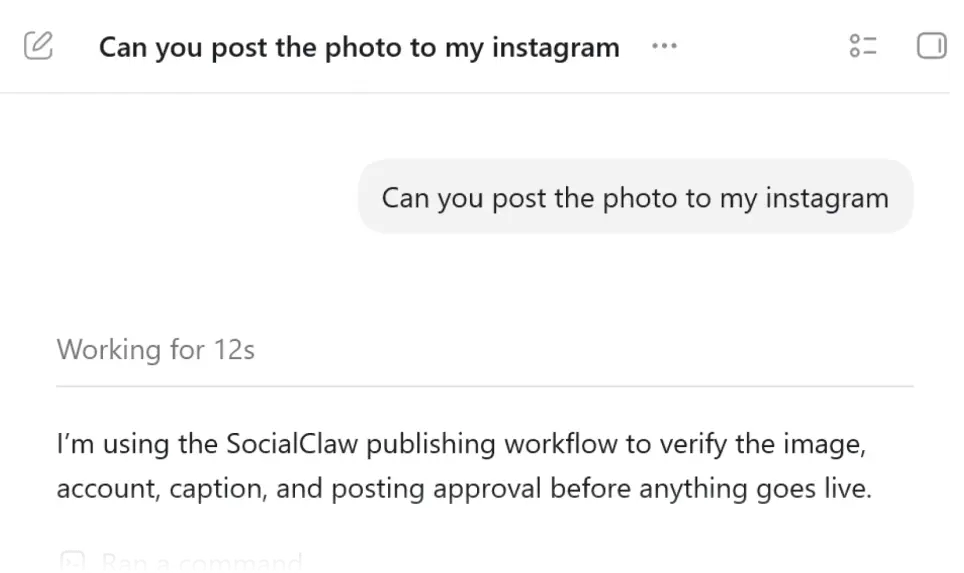
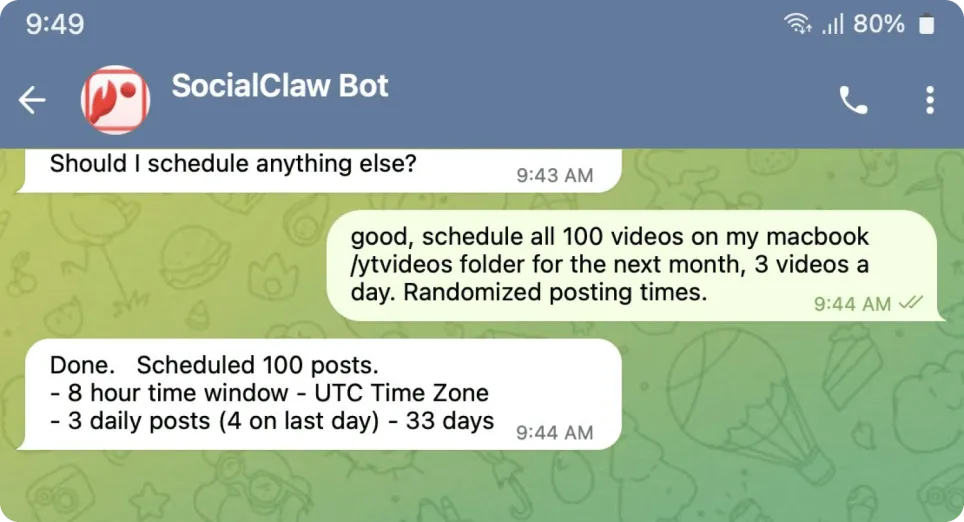
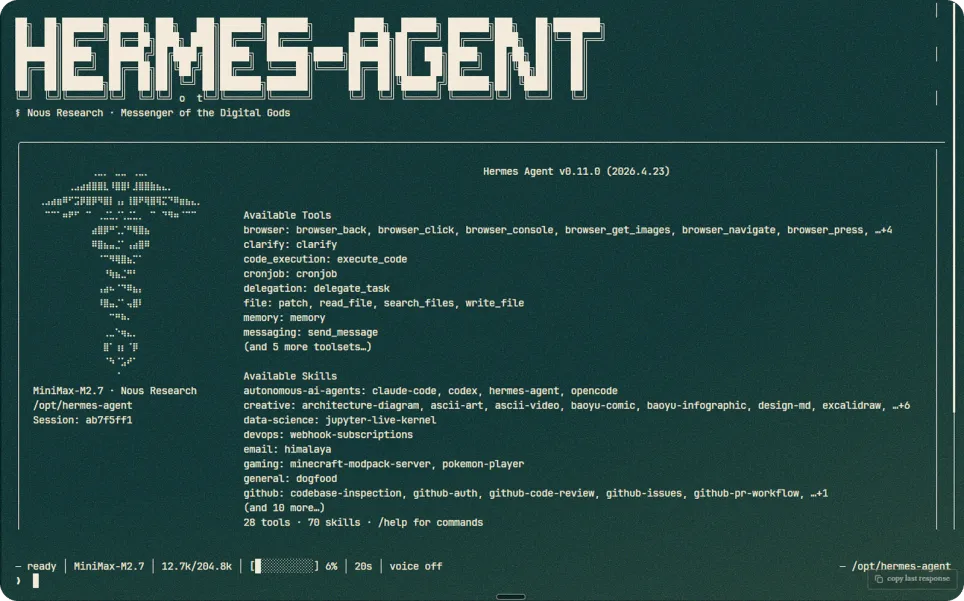
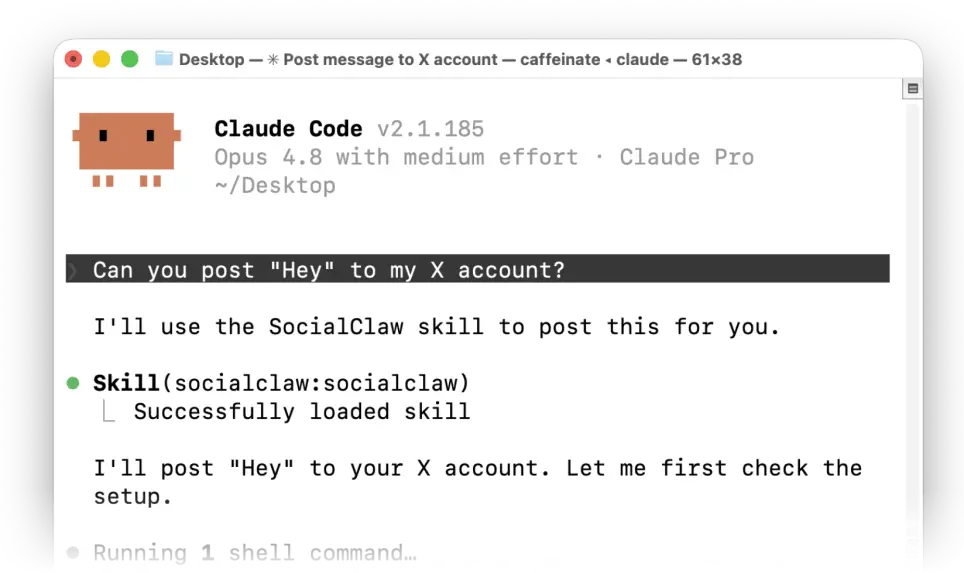
The same commands, run by an agent
JSON output and validate before publish make the CLI an easy thing to hand to Claude, Codex, or OpenClaw.
Claude Code, one command
Wires the CLI into Claude Code, so you can just ask it to post the release notes to every platform.
Terminal
$ socialclaw install --claudeAny MCP client
Runs a stdio MCP server for Claude, Cursor, and other MCP clients, using the same workspace and the same connected accounts.
Ready to grow
your socials?
Every other way in
Same workspace, same connected accounts, on whichever surface fits what you are building.
What builders are saying
Real quotes from Reddit, G2, Trustpilot, and Instagram.
Trustpilot Trustpilot review
“SocialClaw handles the repetitive publishing work: uploading media, managing connected accounts, scheduling posts, publishing them, and retrying when something fails.”
 r/SocialMediaManagers
“I used to use stuff like Buffer etc, but I use SocialClaw with my AI agent. I just tell it to schedule like 100 videos for the next month.”
r/AI_Agents
“It has an OpenClaw skill, or use it via API, CLI, or even the web dashboard.”
r/openclaw
“I have it install the SocialClaw skill, linked my social media accounts, and it actually has approval to post on my socials for me.”
Works with every major platform
Connect once, then schedule and publish everywhere from the same workspace.
Frequently Asked Questions
Run socialclaw login with your workspace API key. It is saved locally and reused by every command after that, so you only enter it once per machine.