for iphone
know what's left.
before it stops you.
one calm view of your codex, claude code, cursor, grok, and antigravity usage, right on your iphone.
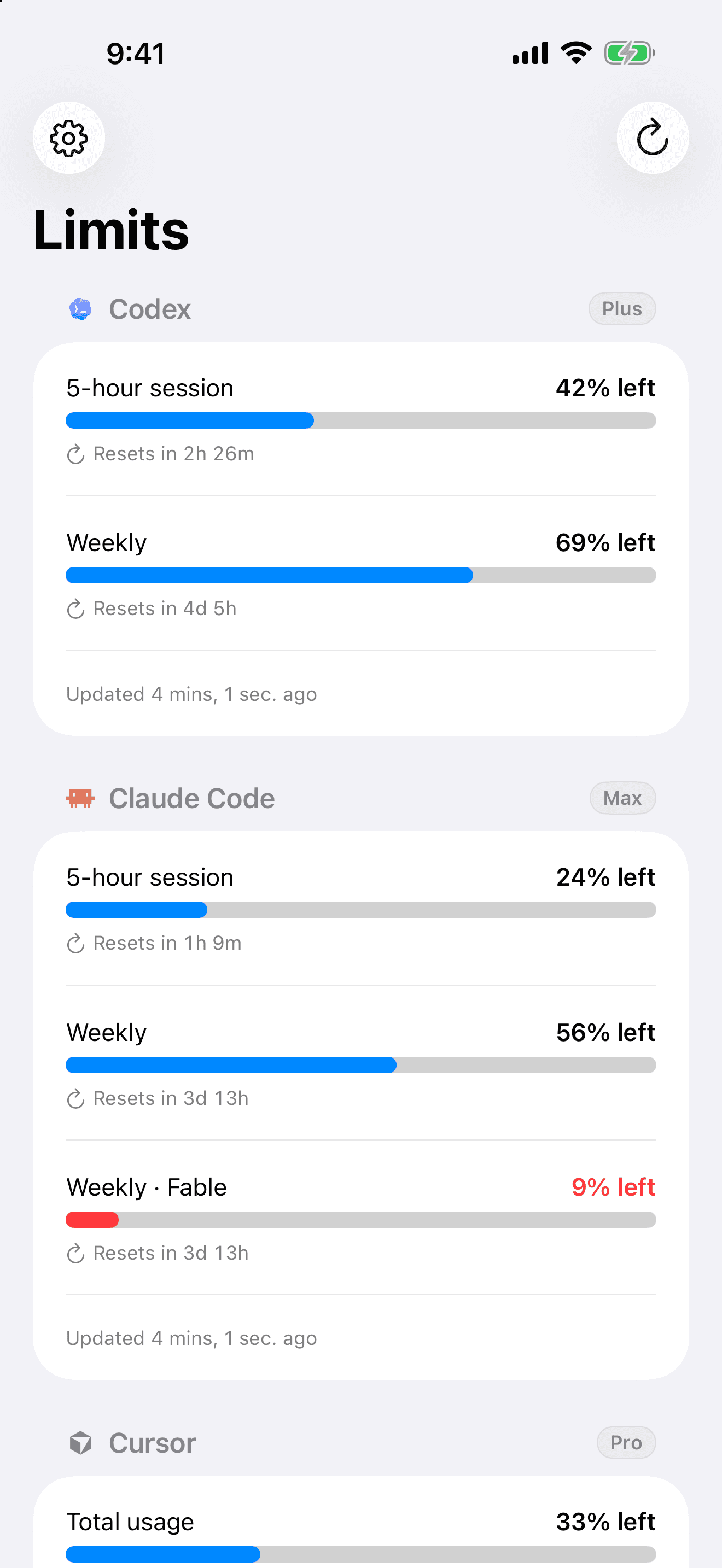
built for the tools you already live in
 Codex
Codex
 Claude Code
Cursor
Grok
Antigravity
stop setting alarms.
we send the notification.
limits keeps the reported reset time in view and can notify you when a fresh usage check confirms the limit is back. no clock app, no manual countdown, no guessing.
glance, don't open.
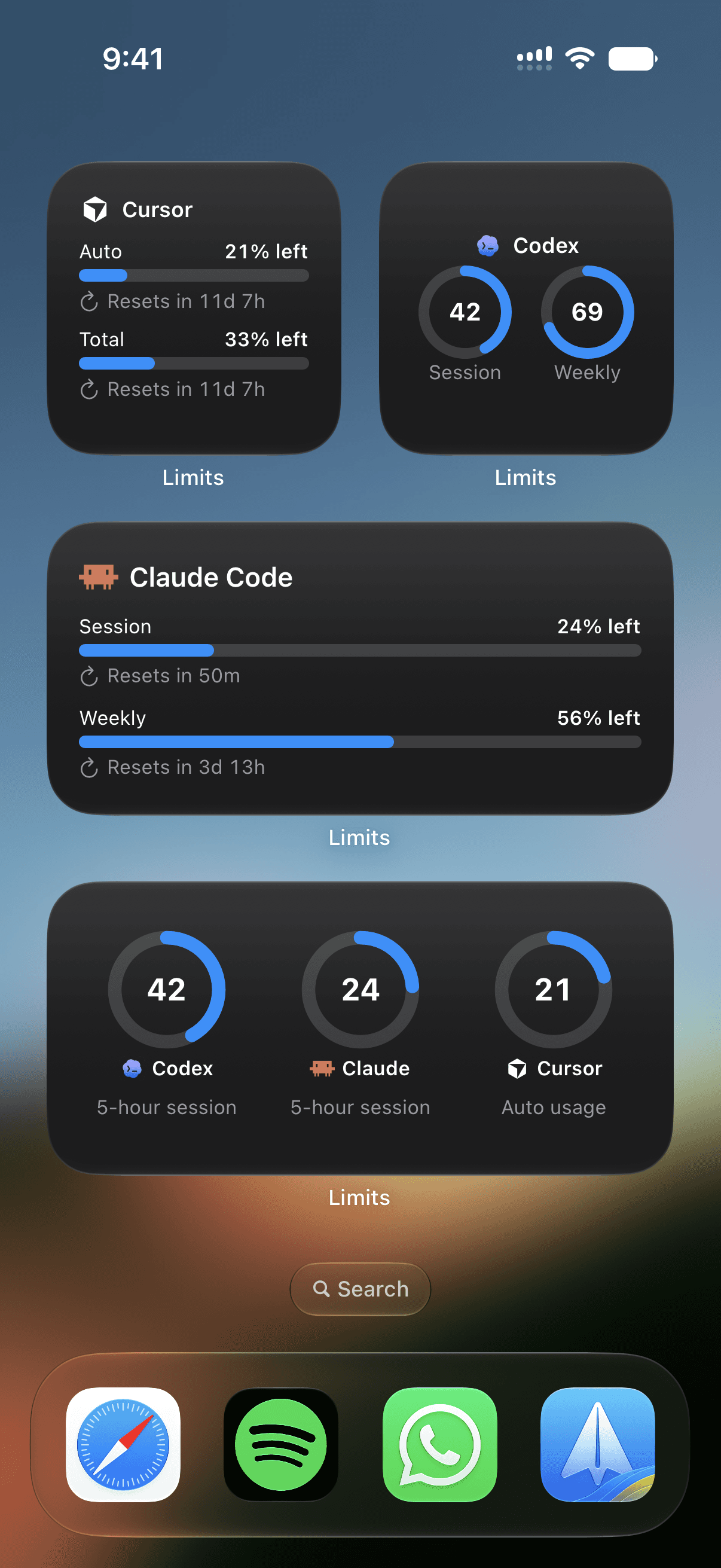
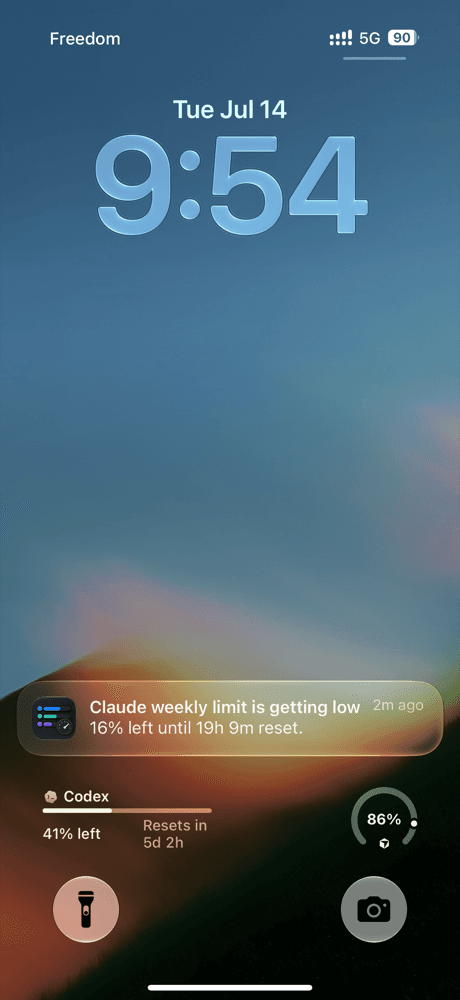
home screen and lock screen widgets keep your remaining usage in view while you build. open the app when you want the full picture.
on your lock screen
keep a provider a glance away, no unlocking, no opening anything.
fresh when ios allows
live countdowns keep ticking between refreshes. ios decides when widgets can fetch updated usage.
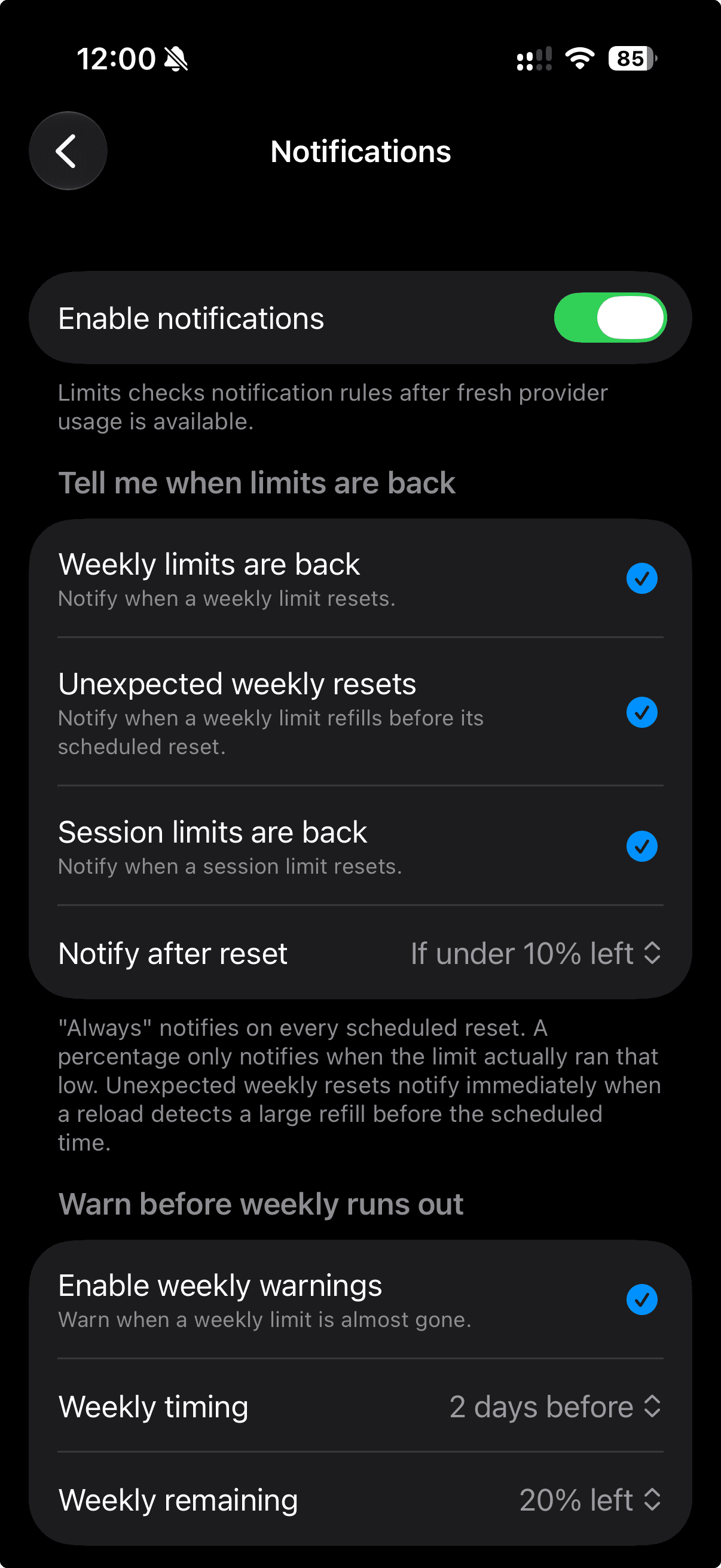
know before you hit the wall.
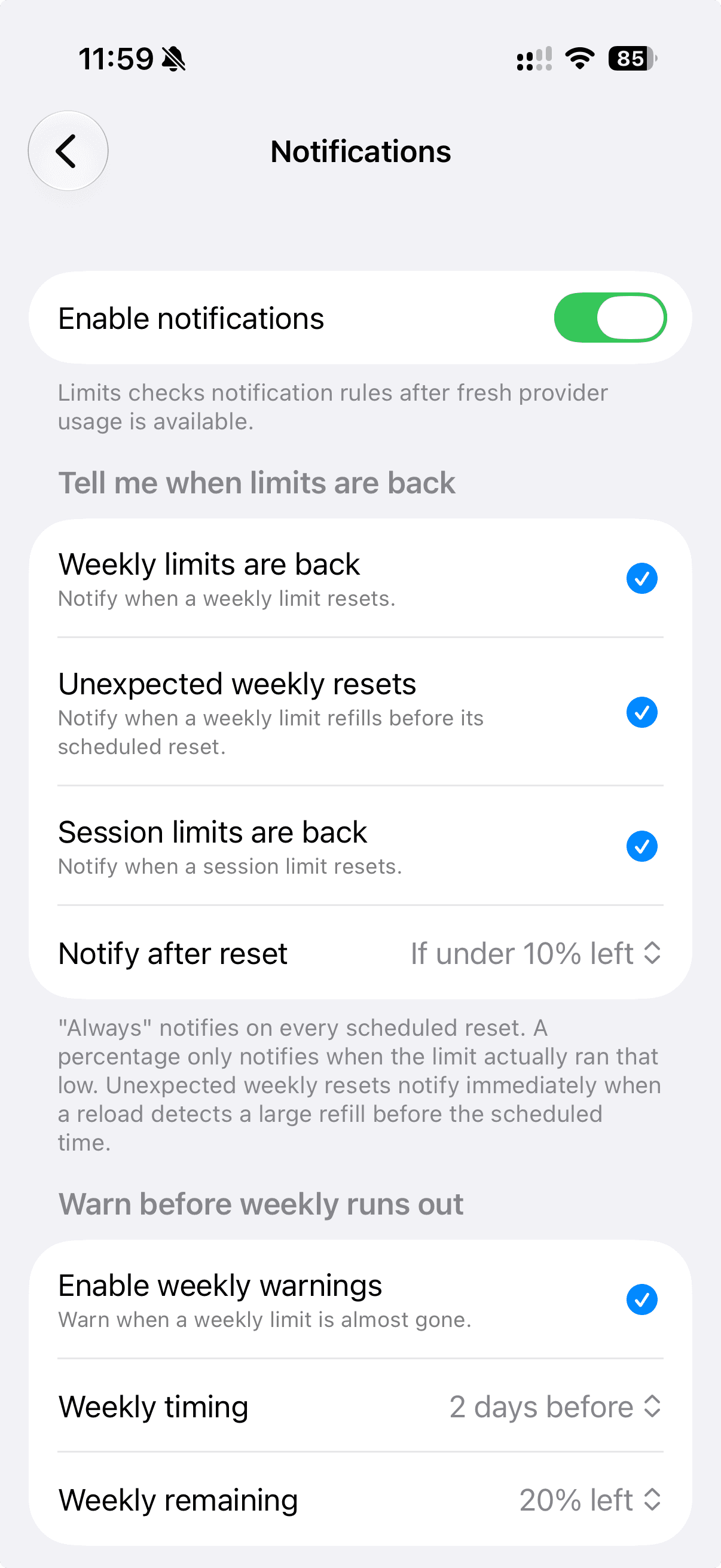
free reset alerts can tell you when a fresh check sees that a session or weekly limit is back. upgrade to Pro and limits reads your pace, then warns you before you run out mid-task.
- free
- reset alerts after limits confirms a refill.
- pro
- predictive warnings before you run dry.
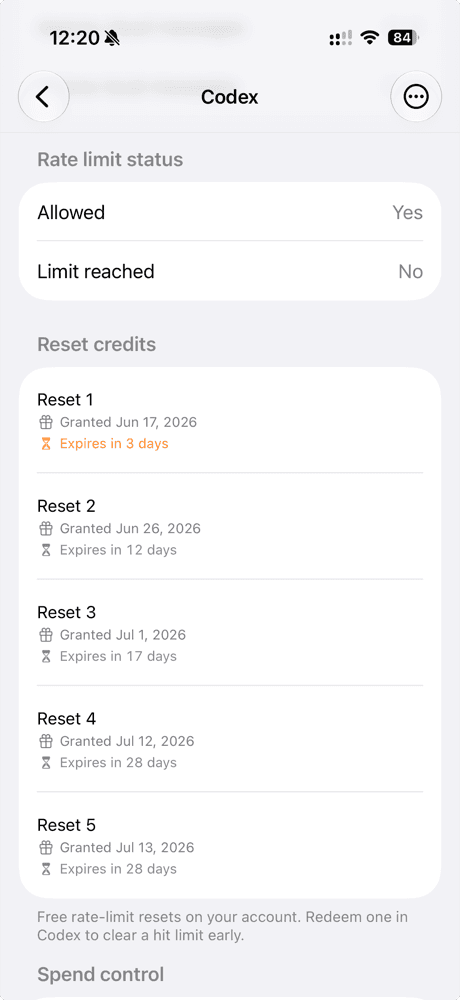
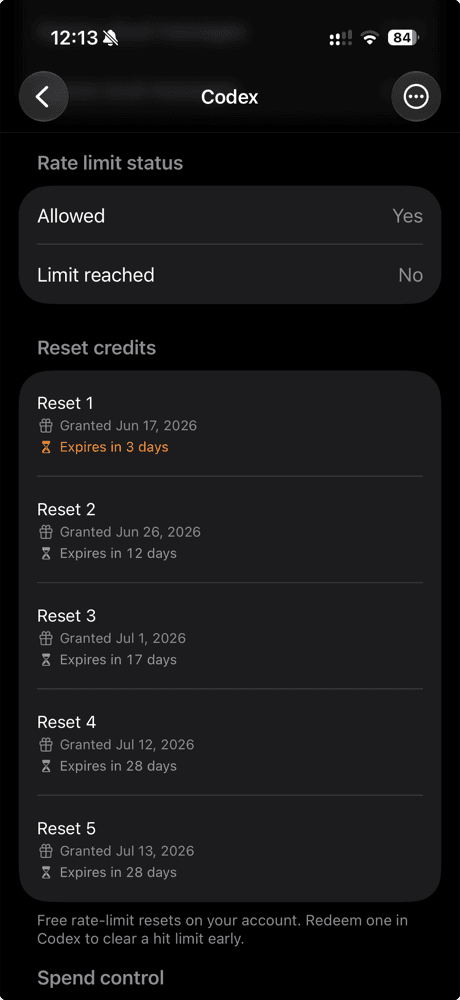
don't let your free
codex resets expire.
codex hands you free rate-limit resets that quietly expire in a few days, and never reminds you. limits lists every one, counts down to expiry, and nudges you to redeem it before it is gone.
from the people using it
what people say about limits.
what people using limits to keep Claude Code, Codex, and Cursor usage visible on their screens have to say.
your accounts stay yours.
limits connects to accounts you already pay for and never asks you to hand anything over.
on your device
usage is read and cached locally so the widgets can show it. nothing routes through a server of mine.
in the keychain
you sign in with your own provider accounts. tokens live in the iOS Keychain, encrypted, on your phone.
no tracking
no analytics, no ad SDKs, no profile. limits is not affiliated with the providers it connects to.
how connecting actually works
i wanted the login to live inside the app in a sandboxed webview, but providers block sign-in there. so limits opens each provider's real login in apple's safari. you type your password into them, never into the app, and limits only ever receives the token they hand back. limits uses the connection only to retrieve usage and basic account information. it never sends prompts, generates content, runs code, or changes your plan.
Claude Code
you authorize the connection on claude's sign-in page in safari, then paste the authorization code back into limits.
org:create_api_keyuser:profile
notably not user:inference, the scope required to generate code. limits can't spend your usage.
 Codex
Codex
you sign in to chatgpt in safari and limits catches the redirect back into the app. these mirror the scopes the codex cli itself uses.
openidprofileemailoffline_accessapi.connectors.readapi.connectors.invoke
used only to read your codex rate-limit usage.
Cursor
you approve the connection in cursor's own login page, which hands back a token.
no scopes requested
no oauth scopes are requested. the token only reads your cursor usage.
Grok
you sign in with your x account on xai's page in safari. limits catches the local redirect after you approve the grok cli oauth flow.
openidprofileemailoffline_accessgrok-cli:accessapi:access
limits uses the connection only to read your grok usage and plan.
Antigravity
you sign in on google's page in safari and approve the installed-app oauth flow used by antigravity. limits catches the local redirect automatically.
https://www.googleapis.com/auth/cloud-platformhttps://www.googleapis.com/auth/userinfo.emailhttps://www.googleapis.com/auth/userinfo.profile
google's cloud-platform scope is broad because antigravity uses it for cloud code. limits only reads your identity, quota, and plan.