Ops and Customer Support AI automation with human supervision
Your Ops and CX people are more valuable than ever supervising and reviewing AI's work
How it works
Prompt-based configuration
You tell
Drafting AI
what to do in different scenarios. There's no risk from it trying to figure out what to do on its own.
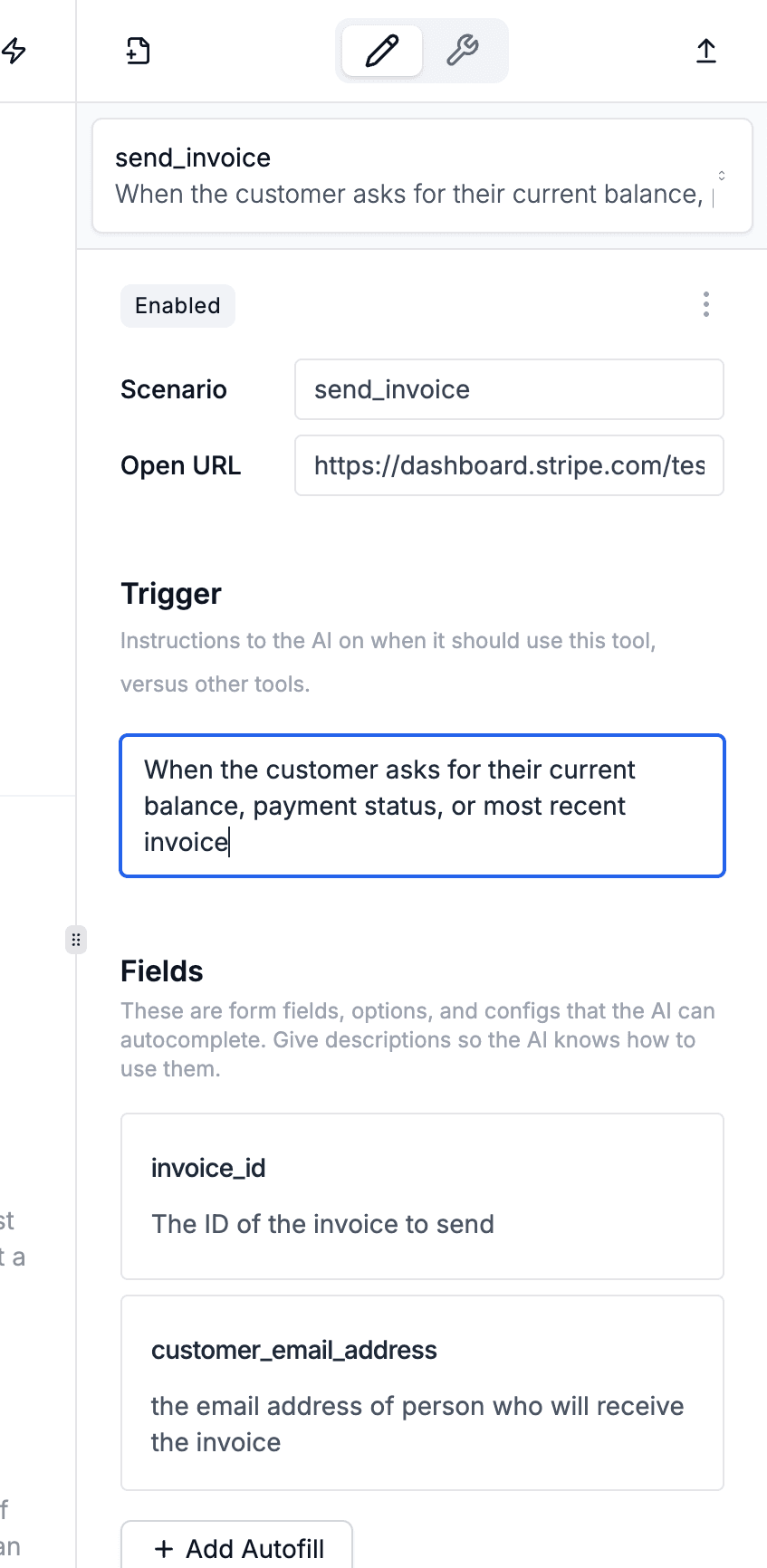
Define workflows
Define a separate workflow per scenario. The AI only acts within the workflows you define.

Workflows have a trigger and an action
- The trigger defines which emails trigger this workflow.
- The action is which URL to open and which form fields to fill when this workflow is triggered.
Draft replies
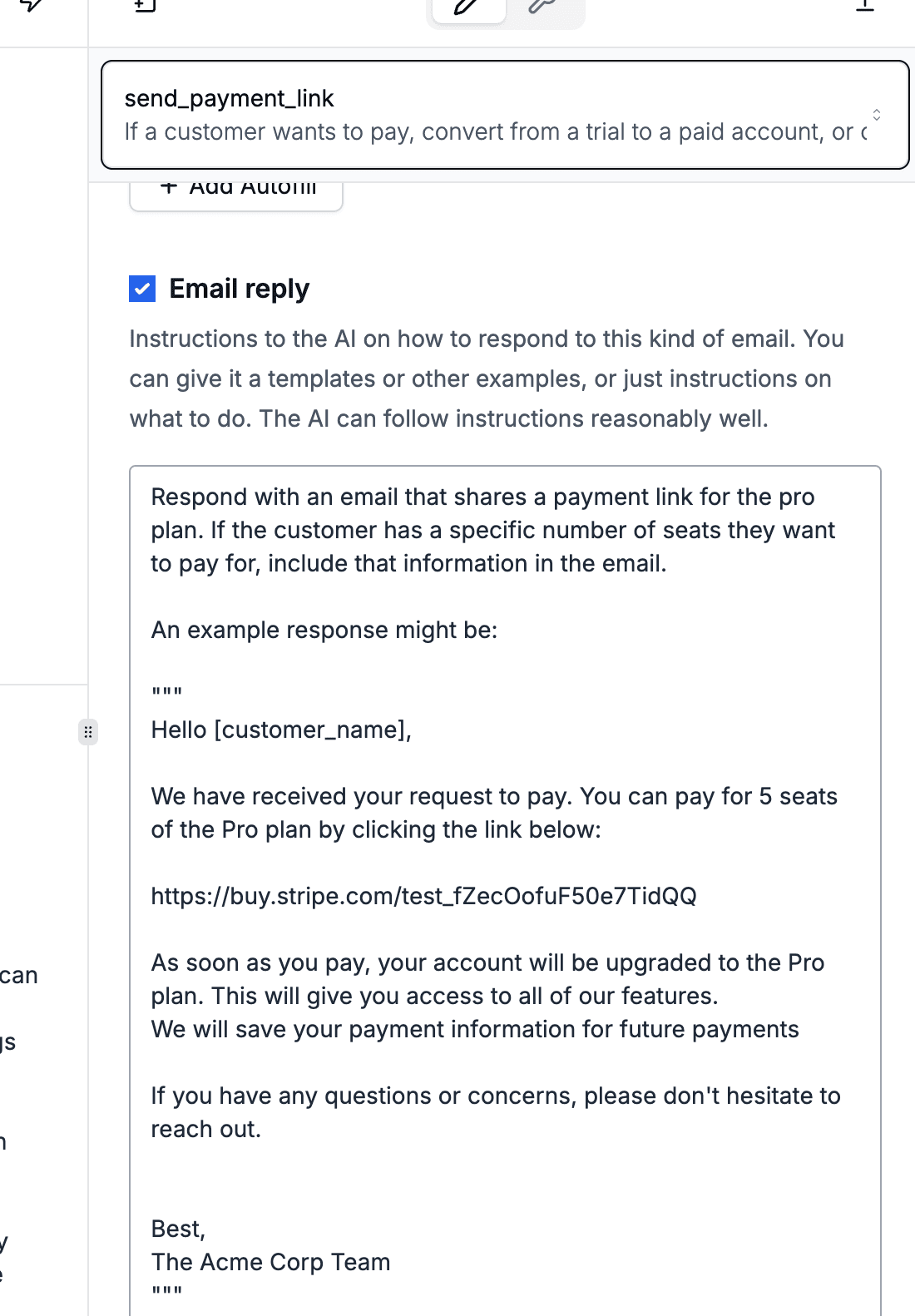
Prompt the AI on how to reply to emails that trigger this workflow.
Prompting is more
flexible than canned responses and AI writes
fluent
English.
The AI only writes the draft. You're in control of reviewing and sending it.
Develop your prompts
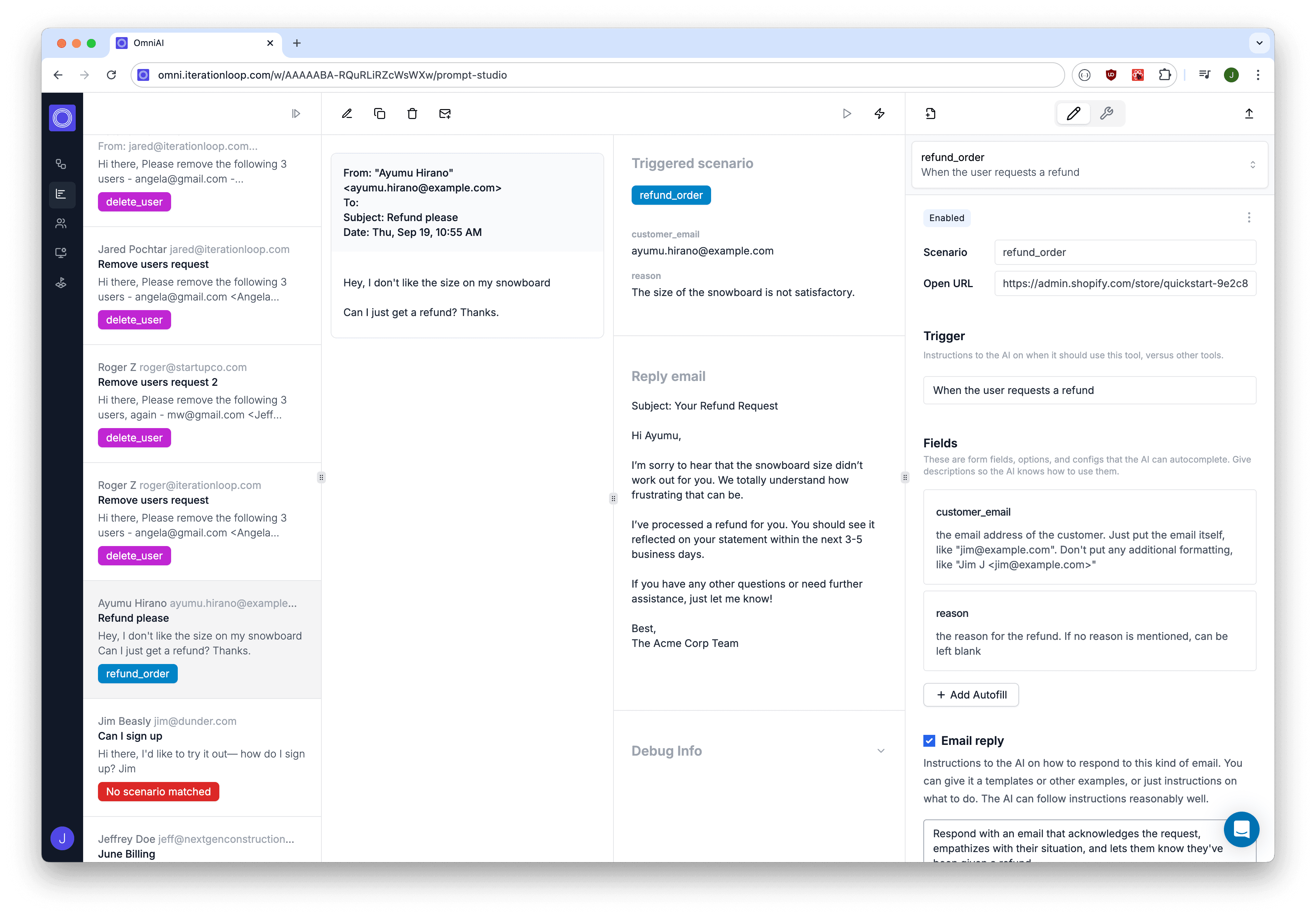
Our
Prompt Studio
lets you try different prompts on your emails. Validate your prompts, and develop better and better ones.
Why human-in-the-loop?
A browser based approach to automation
turns out to have lots of other benefits
Incremental Automation
We help you drive your organization from 0 to AI the right way, with value delivered and clear next steps at every stop along the way.
Partial automation changes the risk/ROI for implementing AI.
Without it, you have to map out an entire workflow and get 100% of the cases right before you can deploy. With partial automation, we suggest starting to automate a workflow by configuring the AI to do just the first few, well defined steps, then handing off to a person to finish. Then, gradually add more scope to the AI as you get real-world data about how your people are completing the task.
Because the AI is being trained to use the same tools as a person, there's no replatforming or rework as you grow it towards full automation.
Typical journey for a single workflow
Each step of incremental automation delivers immediate incremental value.
Want to see how partial automation changes your AI implementation?