The blog post will guide you on how to download the stable version of Microsoft’s new Edge browser based on Chromium right now officially.
For the last few months, the development of Microsoft’s Chromium-based Edge browser has been going on. Interested users who enrolled in the Edge Chromium insider program also received preview builds in Canary, Dev, and Beta Channels. You can grab the latest builds on different channels on this page.
Starting today, the company has offically released the stable version of the Chromium-based Microsoft Edge. It is available for download on Windows 10, Windows 8.1, Windows 8, Windows 7, and macOS.
If you can’t wait to try Microsoft’s new Edge browser based on Chromium, then here’s what you need to do:
1. Visit the Official Download Page for Microsoft Edge. Click on the Download for Windows 10 button.

You can also click on the down arrow in the button to select other platforms.
2. In the Download the New Microsoft Edge dialog box, click on the Accept and Download button.

3. The Thank you dialog box will appear and the Microsoft Edge online installer will be downloaded to your computer.

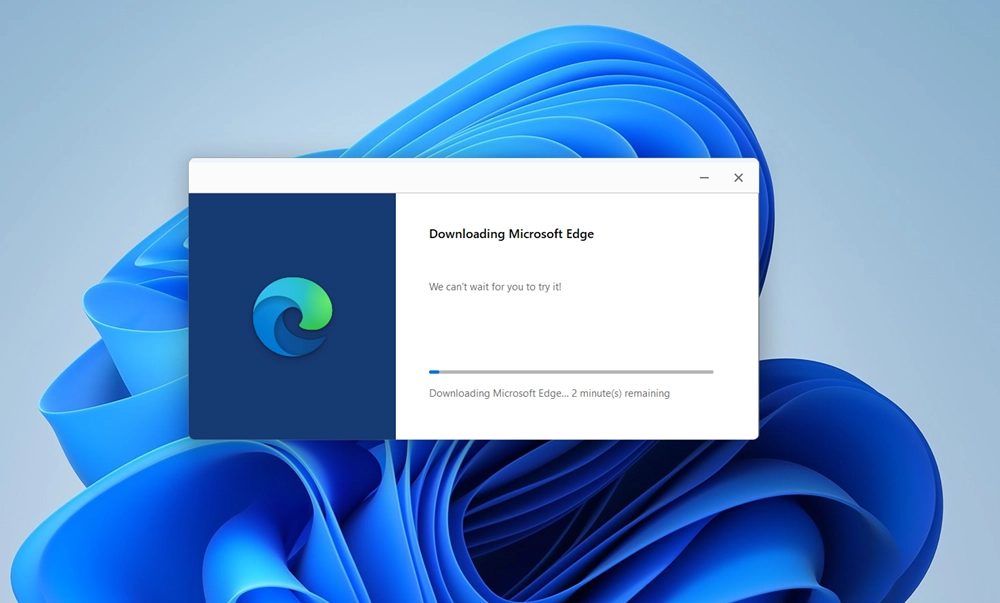
Once you run the setup file, the Edge Chromium online installer will start downloading the required files and complete the installation.
You can start using the latest version of the Microsoft Chromium Edge browser. This is how the startup page of the new browser looks like:

In case, you want a direct link to download Microsoft Edge, then you can use this (direct link), Microsoft Edge online installer will be downloaded to your computer.
Interested users can also learn how to Download Microsoft Edge Chromium MSI Installer
What are your thoughts about Microsoft’s Chromium Edge browser? Are you going to try a
Check out Tutorials Related to Microsoft Edge:
- How to Set Google as Default Search Engine in Microsoft Chromium Edge
- How to Enable Collections in Microsoft Edge Chromium
- How to Add Favorite Button to Microsoft Edge Chromium Toolbar
- How to Enable Caret Browsing in Microsoft Edge Chromium
- How to Customize Home Button in Microsoft Edge Chromium
- How to Clear Browsing Data Everytime you Close Chromium Edge
- How to Switch Theme in Microsoft Edge Chromium
- How to PIN Sites to Taskbar using Microsoft Edge Chromium
- How to Report Unsafe Sites with Microsoft Edge Chromium
- How to Enable Grammer Tool in Reading View in Chromium Edge
- How to Update Microsoft Edge Browser
- How to Install Themes in Microsoft Edge Chromium
- How to Reset Microsoft Edge Browser
- How to Enable Lazy Image Loading in Edge Chromium
- How to Enable Focus Mode in Microsoft Edge Chromium
- How to Install Chrome Extensions in Microsoft Chromium Edge
- How to Enable PiP Mode in Microsoft Edge Chromium
