Introducing the first beta for Friction 1.0. This version includes several new features and many UI/UX improvements.
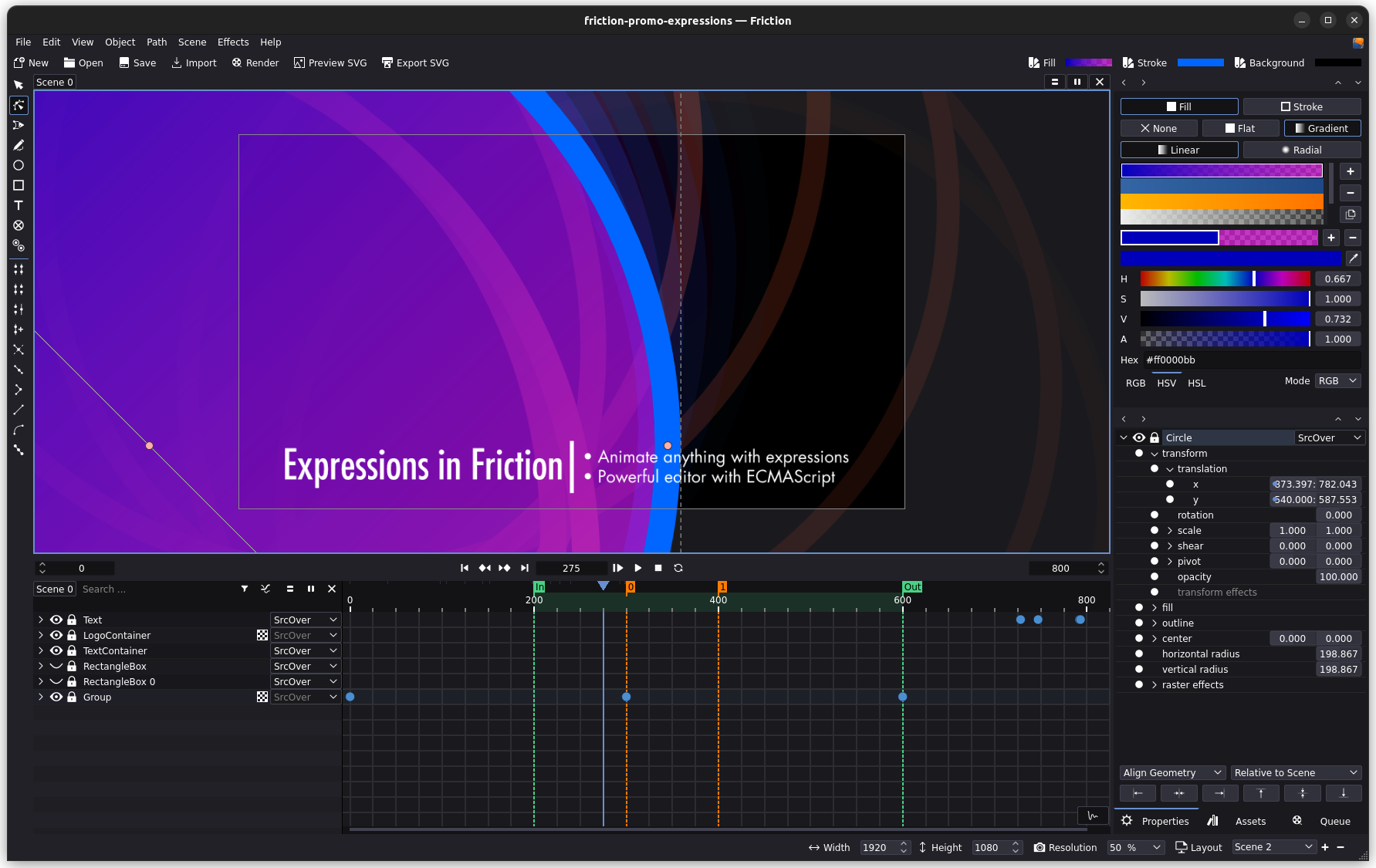
After over a year of development, Friction has reached a significant milestone: version 1.0 🥳
All features planned for version 1.0 are now considered usable, no new features will be added. UI/UX changes might still happen until release candidate.
Please test and give us feedback before the final release.
Warning! Project files created/saved in this version cannot be opened in older versions of Friction. Always back up your work and avoid using beta versions for production projects.
New Features
- Color Toolbar
- Easing support on timeline and graph
- New Theme/Style with many UI/UX changes
- Support for Split Clip
- Support for Markers
- Support for Frame In/Out
- Support for Command Palette
- Experimental support for interactive SVG transforms
- Support for optimized SVG on export
- Support adjust scene to first clip added
- New Portable Mode
- Proper support for timecodes in timeline
Note: Release notes are still in draft mode until release candidate or release.
Friction now has a new color toolbar with quick access to fill, stroke and background color properties.
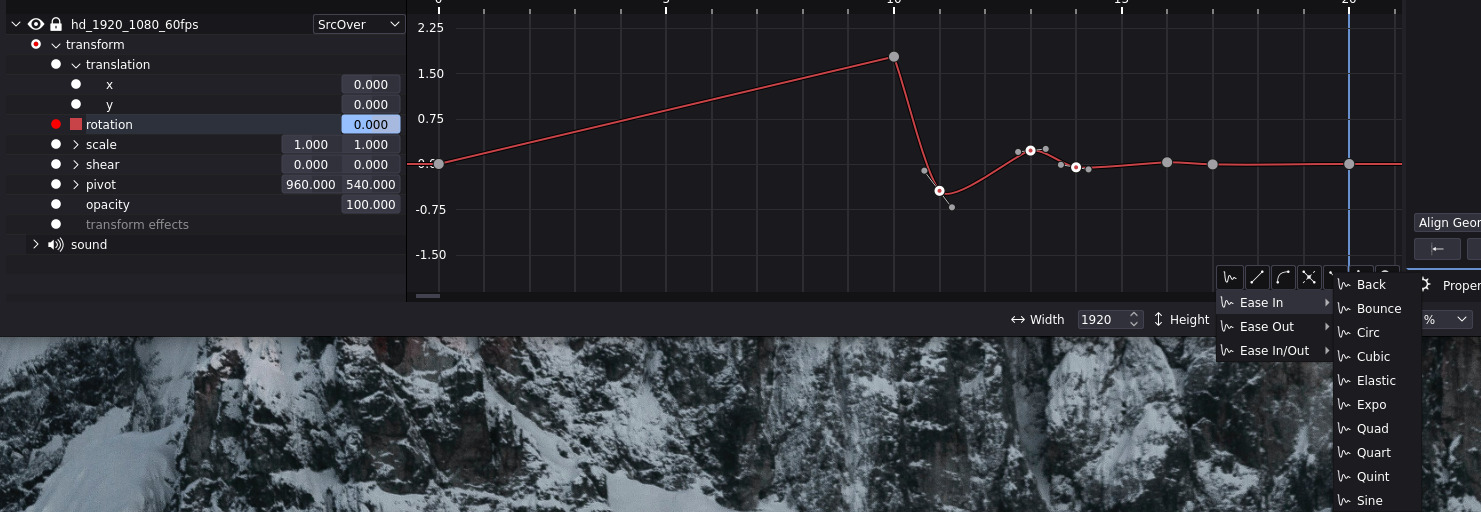
Easing support
Easing has been traditionally restricted to the expression editor (has a dedicated easing tab), requiring advanced user knowledge. We’ve simplified this by introducing user-friendly easing options in the timeline and graph. Simply select your keyframes and choose the desired easing option.
New Theme/Style (UI/UX)
Significant improvements have been made to the UI/UX for this version, though further refinements are planned before the final release.
Given the extensive changes, a detailed changelog is not yet available. More information will be provided in the upcoming beta or release candidate.
Split Clip
Friction now offers split clip functionality. Quickly split clips using the shortcut K on the timeline or by right-clicking on a clip or the timeline scrollbar.
Markers
Friction now includes basic marker support for the timeline. Quickly add markers using the shortcut M or by right-clicking on the timeline scrollbar.
Note: If a marker already exists it will be removed. Clear all markers is available in the timeline scrollbar context menu.
Frame In/Out
Friction now supports setting frame in and out points on the timeline. Use the shortcuts I for in and O for out, or access these options through the timeline scrollbar context menu.
Note: If a in/out already exists it will be removed. Clear in/out is available in the timeline scrollbar context menu.
Command Palette

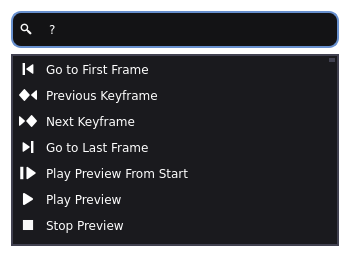
The command palette (Ctrl+Space) is a new UX feature. It works similar to other applications, giving you quick access to most actions.
?- List all actions.- Press
Upto access last used command(s)
Special commands
:TIME- Move toTIME(X/Xs/Xm):10- Move to frame 10:10s- Move to frame at 10 sec:10m- Move to frame at 10 min
+/-TIME- Move +/-TIME(X/Xs/Xm)-10- Move to current frame - 10+10- Move to current frame + 10+10s- Move to current frame + 10 sec+10m- Move to current frame + 10 min
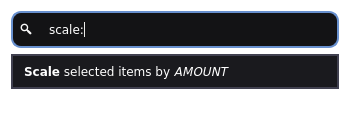
rotate:- Rotate selected bydoublescale:- Scale selected bydoublemove:- Move selected byXxYmarker:- Add marker(s) atTIME(X/Xs/Xm) and optionalTITLEmarker:5- Add marker at frame 5marker:10 foo bar- Add marker at frame 10 with title “foo bar”marker:20,30,40,50- Add marker at frame 20, 30, 40, 50marker:60,30s Foo,1m Bar- Add marker at frame 60, at 30 sec with title “Foo”, at 1 min with title “Bar”
in:- Set frame In toTIME(X/Xs/Xm)in:10- Set frame In at frame 10in:30s- Set frame In at 30 secin:1m- Set frame In at 1 min
out:- Set frame Out toTIME(X/Xs/Xm)out:10- Set frame Out at frame 10out:30s- Set frame Out at 30 secout:1m- Set frame Out at 1 min
Special commands can be batched with &&:
:10 && rotate:45 && +100 && rotate:0
(Move to frame 10 and rotate selected to 45, move + 100 frames and rotate selected to 0)
Interactive SVG transforms
Friction can now export SVG transforms with begin and end events, this makes it possible to start and/or stop transforms based on user input.
Can be enabled on transforms with the new SVG Properties, the properties include begin event and end event.
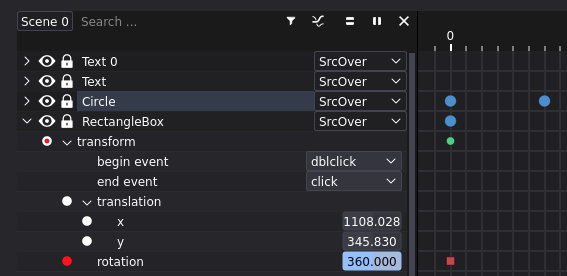
Supported events:
clickdblclickmousedownmouseentermouseleavemousemovemouseoutmouseovermouseup
Note: Events only work for inline SVG’s. Interactive SVG is an experimental feature, further development is needed.
Example
Optimize SVG
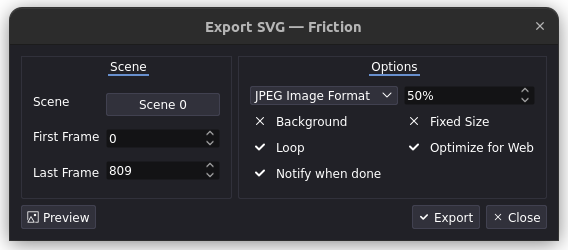
Friction can now export optimized SVG’s, powered by SVGO. Enable the “Optimized for Web” checkbox on export.
Only included with the Windows installer, available as a separate download:
- Windows: Download and copy
svgo-win.exewherefriction.exeis located. - Linux: Download and copy
svgo-linuxwherefrictionis located. Fallback issvgofrom system path.
Adjust scene to first clip
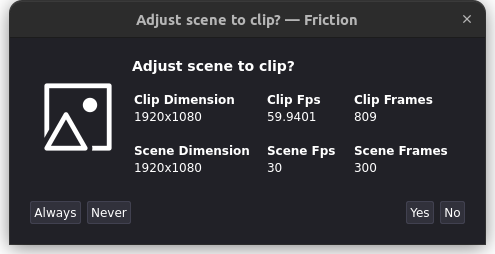
Friction now support adjusting the scene properties to the first clip added.
Portable Mode
Windows and Linux portable versions now store their configuration files in the same directory as Friction, offering “true” portable mode.
Other
- Improved XDG (desktop) integration for Linux binaries
- Improved HiDPI support on Windows
- Qt upgraded to 5.15.15
- Various bug fixes compared to v0.9.6.1 (and probably some new)
And more, will be updated before final release.
Known Issues
Friction is currently in active development, and as such, you may encounter issues or missing features. Please note the following:
- SVG Gradients: There are limitations in importing SVG gradients.
- HiDPI: While most HiDPI issues has been addressed, some minor issues may still persist.
- Shader Effects: Shader effects are still in an experimental phase and may have limitations and can introduce instability.
- GPU Accelerated Path Support: Radeon GPUs may experience compatibility issues with GPU-accelerated path support.
- Flickering: Some GPUs might exhibit flickering during playback or video export, particularly when opacity is involved.
- Ubuntu: SVG preview and optimize will not work with applications installed through snap (like Firefox and SVGO). Consult snap permission documentation/utilities (if any).
For a more comprehensive list of known issues and ongoing development, please refer to our issue tracker.
Support
- If you find an issue with the application please report it on our issue tracker (requires a GitHub account).
- For general discussion use our forum (requires a GitHub account).
We are also on Codeberg.
For other inquiries use support at friction dot graphics.
System Requirements
Minimum hardware
- 4GB RAM
- AVX x86_64 compatible dual core CPU
- Intel Sandy Bridge Core i3/i5/i7
- AMD Bulldozer
- OpenGL 3.3 compatible GPU and driver
- NVIDIA GeForce 8 series (G8x/Tesla)
- AMD Radeon HD 2000 series (R600/TeraScale 1)
- Intel HD Graphics 4000 (Ivy Bridge)
- Audio device supporting WASAPI on Windows and PulseAudio on Linux
Recommended hardware
- 32GB RAM
- CPU
- Intel Kaby Lake Core i5/i7 or newer
- AMD Ryzen 1000 series or newer
- GPU
- NVIDIA GeForce GTX 1050 or newer
- AMD Radeon RX 560 or newer
- Intel UHD Graphics 620 or newer
Supported systems
- Microsoft Windows (N) 10/11 x64
- Visual C++ Redistributable 2017 or higher is needed on Windows 10
- Red Hat Enterprise Linux 7.9/8.x/9.x x86_64 and compatible
- Generic Linux with X11/XWayland, PulseAudio and glibc 2.17+ should work
Published 16 October 2024.