To celebrate the initial release of Fregata, all trial license keys will remain valid until October 31, 2026! 🎉
Native NVR for Apple Silicon
Your cameras. Your Mac. No cloud.
Fregata is a private, local-first network video recorder for macOS built on the fantastic open source Frigate NVR. Object detection on the Apple Neural Engine. Hardware accelerated decode and encode through VideoToolbox. One app - drag to Applications, done.
30-day free trial · One-time payment · No subscription · Works offline
localhost:8971
LiveReviewExport
Default 11 / 12 live · 1.6 ms/frame
REC
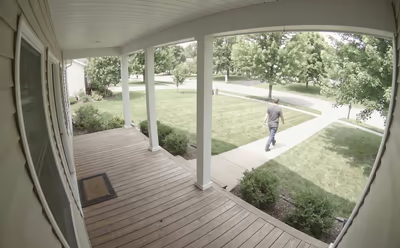
Front Porch
2160p · 30fps
person · 0.94
REC
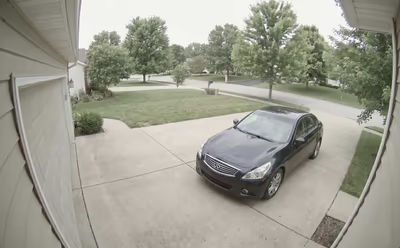
Driveway
1440p · 20fps
car · 0.93
REC
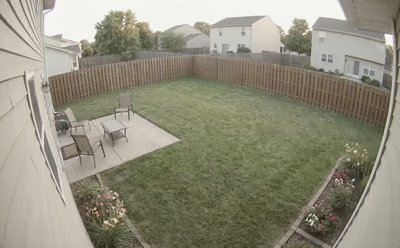
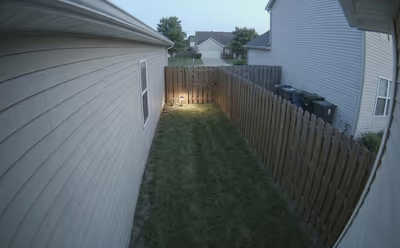
Backyard
1080p · 15fps
REC
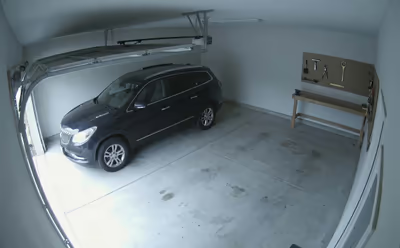
Garage
1080p · 15fps
car · 0.97
REC
Side Gate
1080p · 15fps
At a glance
01
Fully local
Video, object detection, recordings - none of it leaves your Mac. No Fregata account exists to hand your data to.
02
Apple Silicon native
Detection runs on the Neural Engine via CoreML. Video Decode and encode run on the dedicated Media Engine via VideoToolbox.
03
Pay once, own it
$10 one-time. A full year of updates that never stop working even if your license expires. No subscription, no price per camera, no features hidden behind paywalls.
Setup
3 steps and you're running
1
Connect cameras
Any RTSP-capable camera - Reolink, Amcrest, Hikvision, Unifi, Dahua. Fregata also speaks WebRTC and MSE for low-latency live view.
rtsp://192.168.1.42:554/stream
connected · 2160p · 30fps
connected · 1440p · 20fps
connected · 1080p · 15fps
2
Configure once
Point Fregata at a recordings folder. Define zones and detection rules in YAML, or define them in the web UI.
Open the menu bar icon. Click Open Web UI, or hit localhost:8971 from any device. Multi-camera scrubbing, event timeline, motion masks - the works.
Local LAN192.168.X.X:8971
Browser - Externalfregata.yourdomain.com
Home Assistantvia Frigate HACS
Built for M-Series Apple Silicon
Every frame accelerated by Apple Silicon
Apple Neural Engine - CoreML
Object detection runs on the Apple Neural Engine via a custom CoreML detector written in Rust - not your CPU, not your GPU. Lower latency, lower power, cooler fans.
Bundled model: YOLOv9-tiny, 320×320. Drop in your own ONNX model anytime - including full support for Frigate+ models.
Media Engine - VideoToolbox
Hardware accelerated H.264 and HEVC decode and encode on the dedicated media engine, no low-resolution detection sub-streams required. Your CPU stays free for other apps.
4K@15fps · <2% CPU
per camera, M4, decode + detect pipeline
Auto-detected at first launch - no codec configuration, no accelerator planning, no external GPU.
Drag to Applications. Menu bar icon. No Docker, no VMs, no terminal.
FrigateDocker on Mac
Performance on Apple Silicon
Docker Desktop’s Linux VM blocks access to the Neural Engine and VideoToolbox. Coral USB helps but can be hard to configure on Mac.
Ease of use on macOS
Docker Desktop running a Virtual Machine, hardware planning for accelerators, manual model setup.
Scrypted
Performance on Apple Silicon
Runs natively on macOS; the CoreML plugin uses the Apple Neural Engine. Recording requires the separate paid Scrypted NVR subscription.
Ease of use on macOS
Homebrew install or a native desktop app. HomeKit Secure Video bridging is the strong point.
Blue Iris
Performance on Apple Silicon
Windows-only. No native path on Apple Silicon Macs — access is via a web UI pointed at a separate Windows PC.
Ease of use on macOS
Requires a separate Windows PC running Blue Iris. The web UI is accessible from any Mac browser.
SynologySurveillance Station
Performance on Apple Silicon
Runs on the Synology NAS, not on the Mac. Performance is bound to NAS hardware.
Ease of use on macOS
Setup requires configuration in the Synology UI. However the Web UI is perfectly accessible from macOS.
Fregata
Frigate Docker
Scrypted
Blue Iris
Synology
Native macOS app
✓ Signed .app
✗ Docker only
✓ Desktop app / Homebrew
✗ Windows only
✗ Runs on NAS
Apple Neural Engine (CoreML)
✓ Built-in
✗ Blocked by Docker VM
— Via CoreML plugin
✗
✗
VideoToolbox decode/encode
✓ Auto-detected
✗ Blocked by Docker VM
— Via ffmpeg
✗
✗
No detection sub-streams required
✓ Full-res detection
✗ Sub-stream needed
✗ Sub-stream needed
✗ Sub-stream needed
✗ Sub-stream needed
Custom Trained AI Models
✓ (Frigate+)
✓ (Frigate+)
— Via ONNX plugin
✗
✗
RTSP camera support
✓
✓
✓
✓
✓
Local-only / no cloud required
✓
✓
✓
✓
✓
Open-source core
✓ Frigate upstream (MIT)
✓ MIT
— Core only; NVR plugin paid & proprietary
✗ Proprietary
✗ Proprietary
Home Assistant integration
✓ Frigate HACS
✓ Frigate HACS
✓ Plugin
✓ via MQTT
✗ Community via Scrypted
HomeKit Live View
✓ Via go2rtc HAP
✓ Via go2rtc HAP
✓ +HKSV
✗
✗
Pricing
$10 one-time
Free
$10 per cam per year NVR subscription
$39.95–99.95 + $44.95/yr for updates
2 cameras free, then ~$50–60 / camera
Best for
Mac users who want Frigate with extreme performance and without Docker
Linux users with Coral or NVIDIA hardware
HomeKit-first households unifying many brands
Windows users with large deployments
Existing Synology NAS owners
Fregata
Native macOS app
✓ Signed .app
Apple Neural Engine
✓ Built-in
VideoToolbox decode/encode
✓ Auto-detected
No detection sub-streams required
✓ Full-res detection
Custom Trained AI Models
✓ (Frigate+)
RTSP camera support
✓
Local-only / no cloud
✓
Open-source core
✓ Frigate upstream (MIT)
Home Assistant
✓ Frigate HACS
HomeKit Live View
✓ Via go2rtc HAP
Pricing
$10 one-time
Best for
Mac users who want Frigate without Docker
Frigate Docker
Native macOS app
✗ Docker only
Apple Neural Engine
✗ Blocked by Docker VM
VideoToolbox decode/encode
✗ Blocked by Docker VM
No detection sub-streams required
✗ Sub-stream needed
Custom Trained AI Models
✓ (Frigate+)
RTSP camera support
✓
Local-only / no cloud
✓
Open-source core
✓ MIT
Home Assistant
✓ Frigate HACS
HomeKit Live View
✓ Via go2rtc HAP
Pricing
Free
Best for
Linux users with Coral or NVIDIA hardware
Scrypted
Native macOS app
✓ Desktop app / Homebrew
Apple Neural Engine
— Via CoreML plugin
VideoToolbox decode/encode
— Via ffmpeg
No detection sub-streams required
✗ Sub-stream needed
Custom Trained AI Models
— Via ONNX plugin
RTSP camera support
✓
Local-only / no cloud
✓
Open-source core
— Core only; NVR plugin paid & proprietary
Home Assistant
✓ Plugin
HomeKit Live View
✓ +HKSV
Pricing
$10 per cam per year NVR subscription
Best for
HomeKit-first households unifying many brands
Blue Iris
Native macOS app
✗ Windows only
Apple Neural Engine
✗
VideoToolbox decode/encode
✗
No detection sub-streams required
✗ Sub-stream needed
Custom Trained AI Models
✗
RTSP camera support
✓
Local-only / no cloud
✓
Open-source core
✗ Proprietary
Home Assistant
✓ via MQTT
HomeKit Live View
✗
Pricing
$39.95–99.95 + $44.95/yr for updates
Best for
Windows users with large deployments
Synology Surveillance Station
Native macOS app
✗ Runs on NAS
Apple Neural Engine
✗
VideoToolbox decode/encode
✗
No detection sub-streams required
✗ Sub-stream needed
Custom Trained AI Models
✗
RTSP camera support
✓
Local-only / no cloud
✓
Open-source core
✗ Proprietary
Home Assistant
✗ Community via Scrypted
HomeKit Live View
✗
Pricing
2 cameras free, then ~$50–60 / camera
Best for
Existing Synology NAS owners
If you’re already happy on Frigate, Scrypted, Blue Iris, or Synology - keep what works. Fregata exists for Mac owners who want the Frigate engine, hardware accelerated by Apple Silicon and packaged the way macOS apps should be packaged.
Signed & notarized by Apple Stripe checkout Made on a Mac
FAQ
Things people ask
What’s the difference between Fregata and Frigate?
Frigate is the open-source, Docker-based NVR project. Fregata is a commercial native macOS port of Frigate, repackaged as a signed, notarized .app that runs natively on Apple Silicon with extreme performance - no Docker, no VMs, no terminal setup. (New here? See how to run Frigate on a Mac.)
Fregata adds Apple Neural Engine detection, VideoToolbox hardware accelerated video decode/encode, and hundreds of other performance optimizations for Apple Silicon (see docs.fregata.app for more). The Frigate Python core is open source; the macOS runtime port, Apple Silicon optimizations, and the Fregata brand are proprietary.
Why pay $10 if Frigate is free?
You’re paying for the performance and ease of use of the macOS port, the bundle, the Apple Silicon work - a custom CoreML detector written in Rust, VideoToolbox integration for hardware accelerated video decoding and encoding, a native process supervisor, hardware accelerated frame crop and zoom for object detection - and ongoing maintenance and updates.
If you’d rather run Docker, Frigate is free and excellent - go to frigate.video.
What hardware do I need to run Fregata?
An Apple Silicon Mac (M1 or later) running macOS 13 (Ventura) or newer. Fregata does not support Intel Macs - the whole point of the port is leveraging the Apple Neural Engine and the hardware accelerated video decoding/encoding provided by Apple Silicon.
What cameras work with Fregata?
Anything that speaks RTSP - that’s almost every IP camera on the market today, including Reolink, Amcrest, Hikvision, Dahua, and Unifi Protect. The bundled go2rtc proxy also handles WebRTC, ONVIF, RTMP, and HLS, plus cloud-API cameras directly: Ring, Google Nest, Wyze, Tapo / TP-Link, Tuya, and HomeKit-paired cameras all work without RTSP. The full source-type list is on go2rtc’s README.
Does Fregata work offline?
Yes. Fregata performs a license check periodically, but can operate without any contact with our license servers once the license is validated on startup. All detection, recording, and playback happens entirely on your Mac.
What does Fregata send to your servers?
License validation pings only. We never see your video, your camera URLs, or your detection events. There is no Fregata cloud account.
Is Fregata compatible with Frigate+?
Yes, Fregata uses Frigate as its core and is fully compatible with Frigate+ and Frigate+ custom trained models. For more information about Frigate+, see https://frigate.video/plus/
Does Fregata require low-resolution detection sub-streams like other NVRs?
No. Due to the performance of Apple Silicon, a Mac can easily decode full-resolution streams from your cameras and run object detection on the full-resolution frames allowing object detection to run with greater accuracy and capture small or distant objects. In our testing, Fregata can easily handle object detection on 8x (or more) 4K cameras using only a base M4 Mac Mini.
Can I use my own detection model with Fregata?
Yes. Drop any compatible ONNX model into your config directory and point Fregata at it. The bundled default is YOLOv9-tiny at 320×320, optimized for the Neural Engine. Fregata also works with Frigate+ models natively.
Can I move my Fregata license to a different Mac?
Yes. A license activates on one Mac at a time, and you can transfer it between Macs up to 3 times per 30 days from your license page - no support ticket required. For larger or fleet deployments, get in touch.
Is Fregata on the Mac App Store?
No. App Store sandboxing forbids spawning child processes like we need to - Fregata needs to run ffmpeg, nginx, and go2rtc as subprocesses to do its job. We also need to manage the RAM disk and shared memory in a way App Store apps cannot. Direct DMG distribution with Apple notarization is the right model for software like this.
What happens after the 1-year update window?
Your installed version keeps working forever. You stop receiving new updates unless you renew for another year of updates (also $10) - but nothing breaks, no features are remotely disabled, and your existing recordings remain fully accessible.
How do I get support for Fregata?
Community discussion and bug reports happen on GitHub Discussions. Paid customers also get email support - reply to your license email for direct support.
Does Fregata work with Home Assistant?
Yes. Fregata is fully compatible with the official Frigate Home Assistant integration. Install it from HACS, point it at your Mac’s IP, done.
A note on the name
Why “Fregata”?
Frigate is the open-source NVR project by Frigate, Inc. that this software is built on. Frigate relies on a Docker-based system and has set the standard for local, AI-powered camera recording.
Fregata is a native macOS port of Frigate and the docker runtime that manages the external process supervisor, RAM disk, shared memory system and much more. All redesigned and optimized to run as a self-contained .app bundle and unlock the raw power of Apple Silicon - no Docker, no Virtual Machines, no terminal required.
Fregata is the scientific genus that frigatebirds belong to. They have the highest wing-to-body weight ratio of any bird, soar for weeks without landing, always watching for prey.
Frigate® and the Frigate NVR brand are trademarks of Frigate, Inc. Fregata is an independent derivative - not affiliated with or endorsed by Frigate, Inc.
Ready when you are
Try it free for 30 days
macOS 13 or later · Apple Silicon · Signed by Apple
 Fregata