Lightweight by design
Use only 20–140 MB of RAM instead of the 800 MB or more common in similar email clients.
· Flectar
A native Rust email client built for extreme speed and efficiency, instant startup, tiny memory usage, and no browser engine weighing it down.
Download Flectar MailView on GitHub
As little as 20 MB RAM · Native Rust · No WebViews
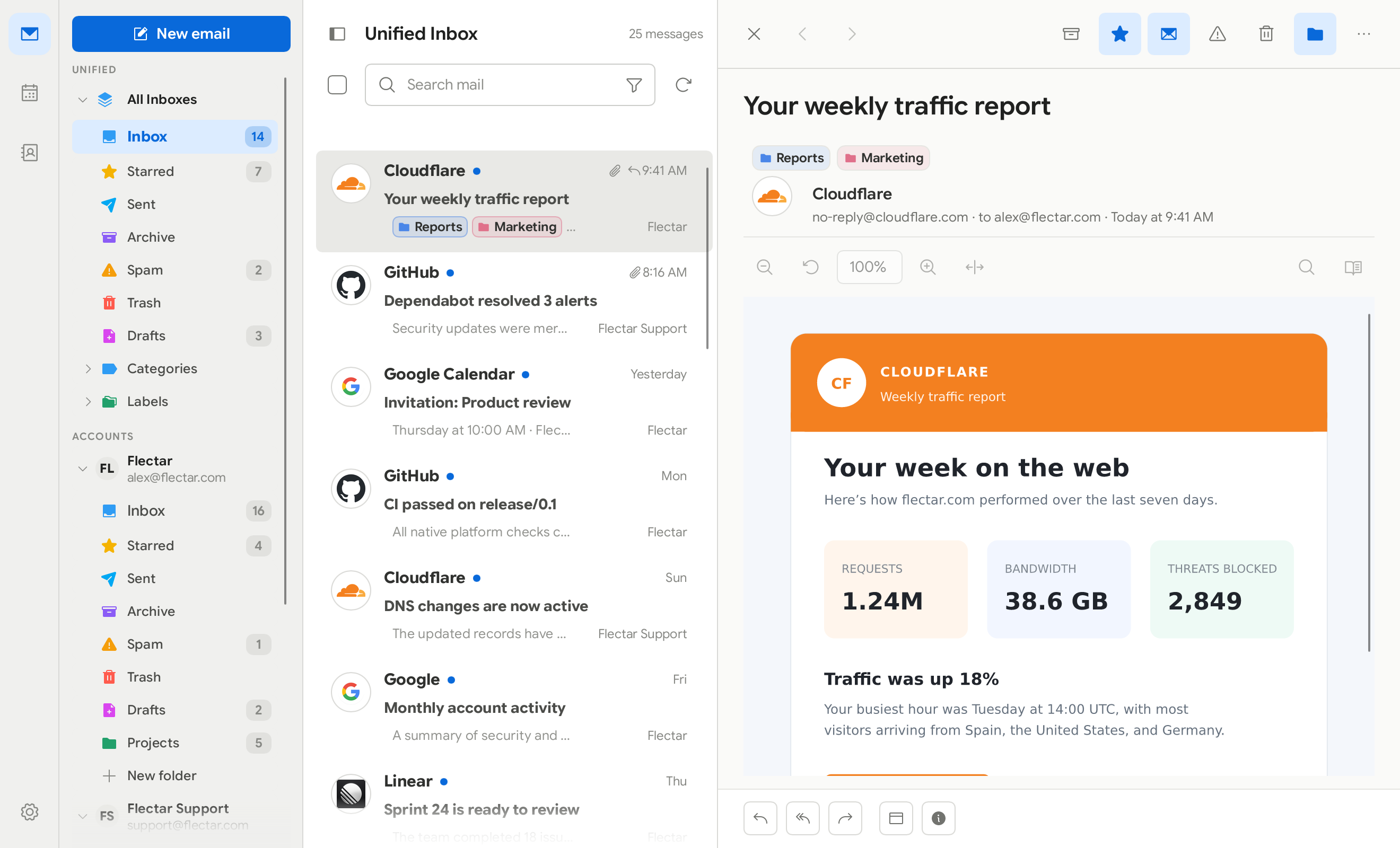
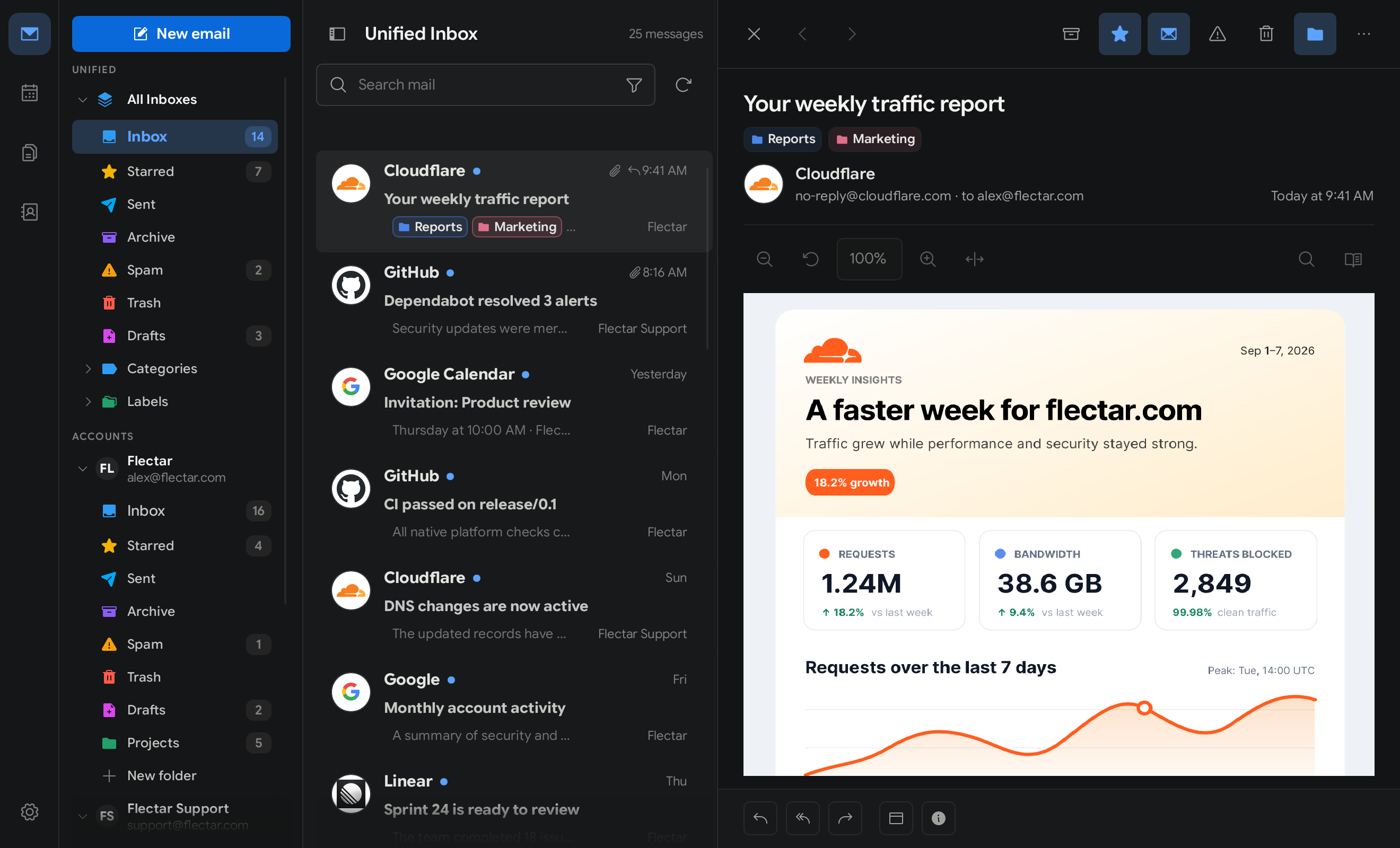
Performance without compromise
A native, fully Rust codebase gives Flectar Mail the speed, efficiency, and control web-based clients cannot match.
Use only 20–140 MB of RAM instead of the 800 MB or more common in similar email clients.
Open source for desktop and mobile, with an instant native experience powered by a fully Rust codebase.
No embedded webviews. Flectar Mail uses its own Rust HTML and CSS renderer, reducing the application’s attack surface by design.
Use the accounts you already have, with provider integrations and open standards for mail, calendars, contacts, and files.
Connect Gmail, Google Calendar, and Google Contacts without giving up a fast native desktop experience.
GmailGoogle CalendarGoogle Contacts
Keep Outlook and Microsoft 365 mail, calendars, and contacts together in the same focused workspace.
OutlookMicrosoft 365CalendarContacts
Professional business email from Flectar Base, with mailboxes on your custom domain, shared addresses, aliases, and dependable delivery.
Custom domainsShared addressesAliases
Connect standards-based providers and self-hosted services instead of being locked to a single ecosystem.
IMAPSMTPJMAPCalDAVCardDAVWebDAV
Move through the parts of your day without switching between separate apps. Synced data stays close at hand, even when your connection does not.
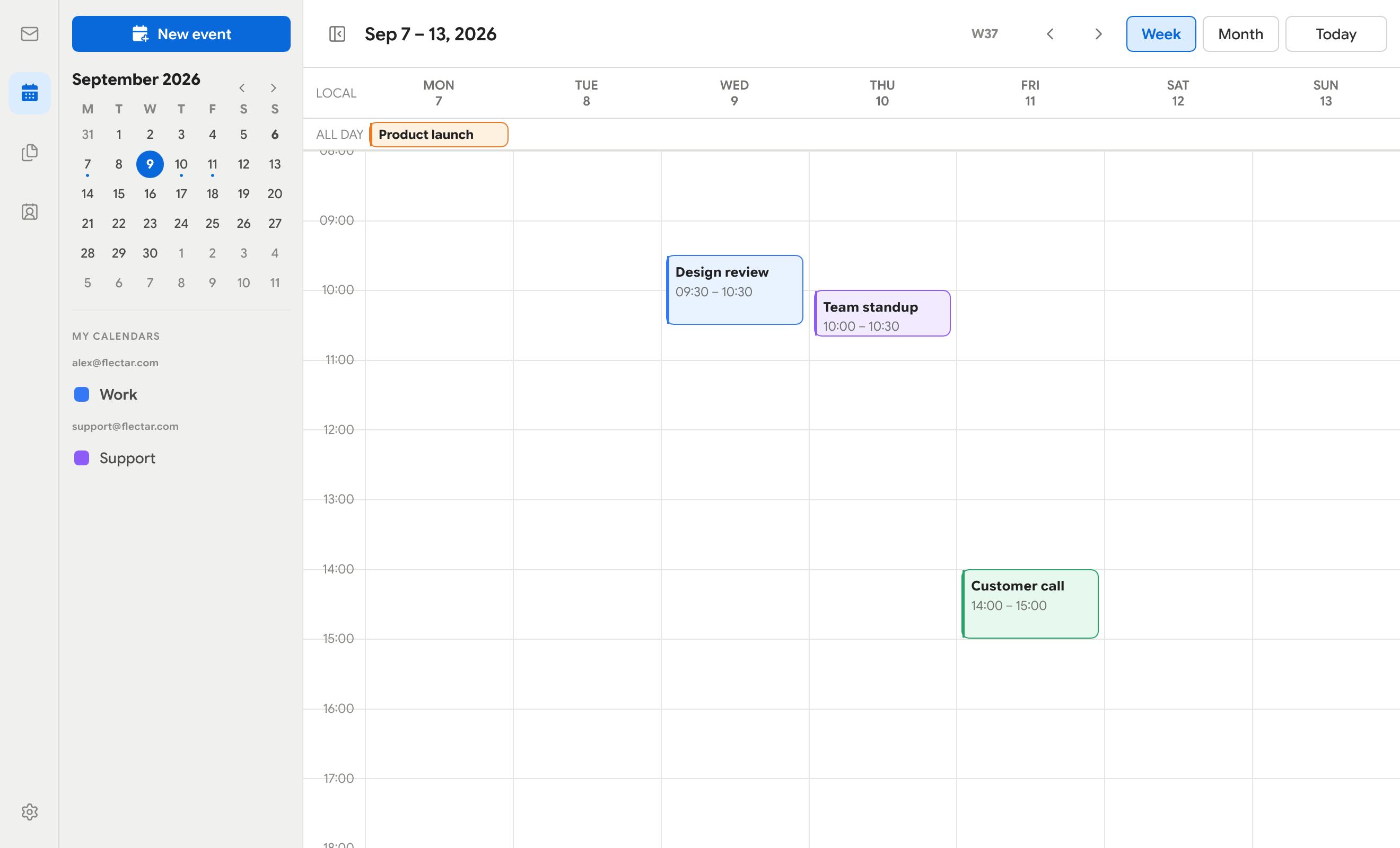
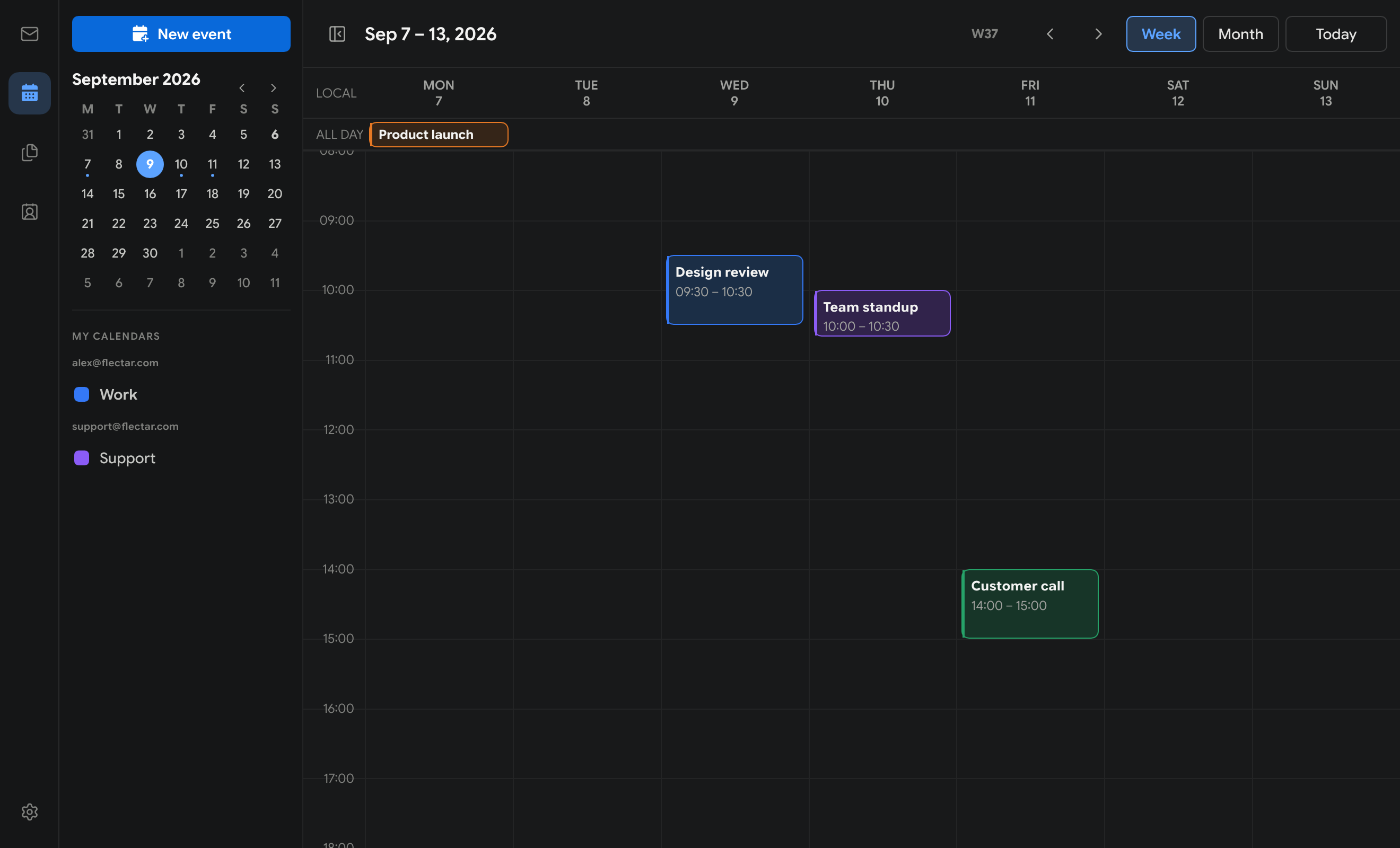
Keep schedules and events beside your inbox with CalDAV-backed calendar sync.
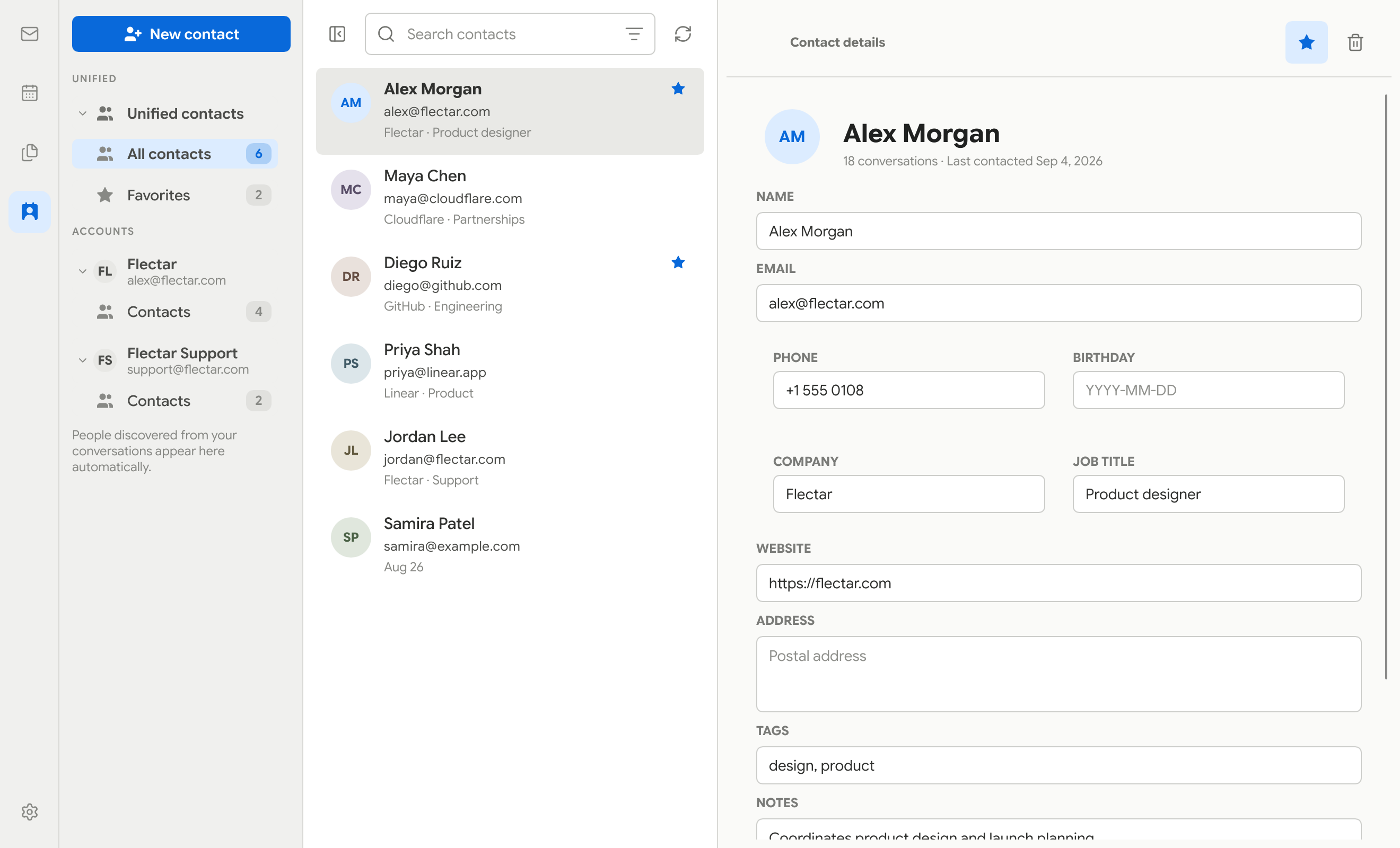
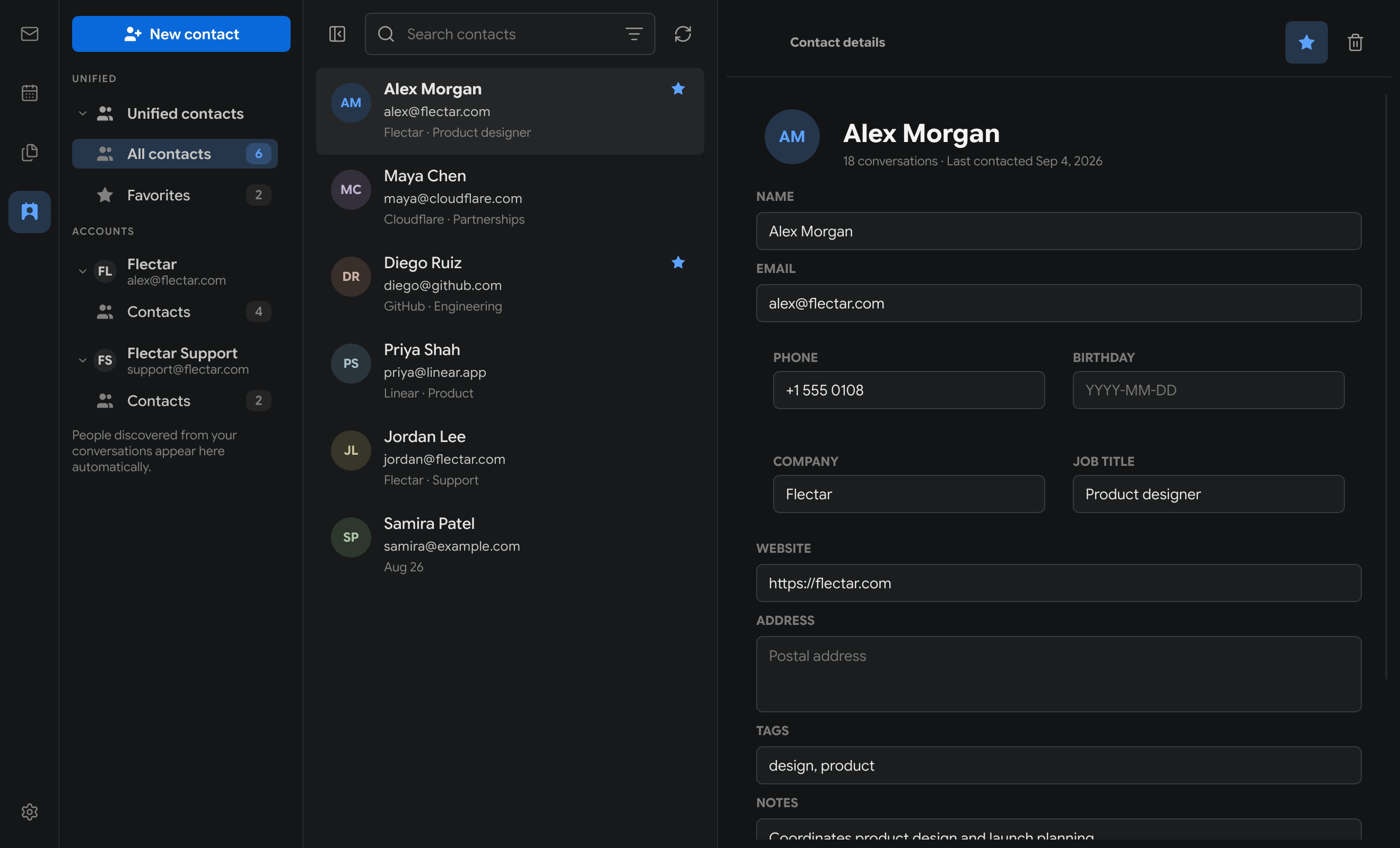
Find the people you work with through connected address books and CardDAV.
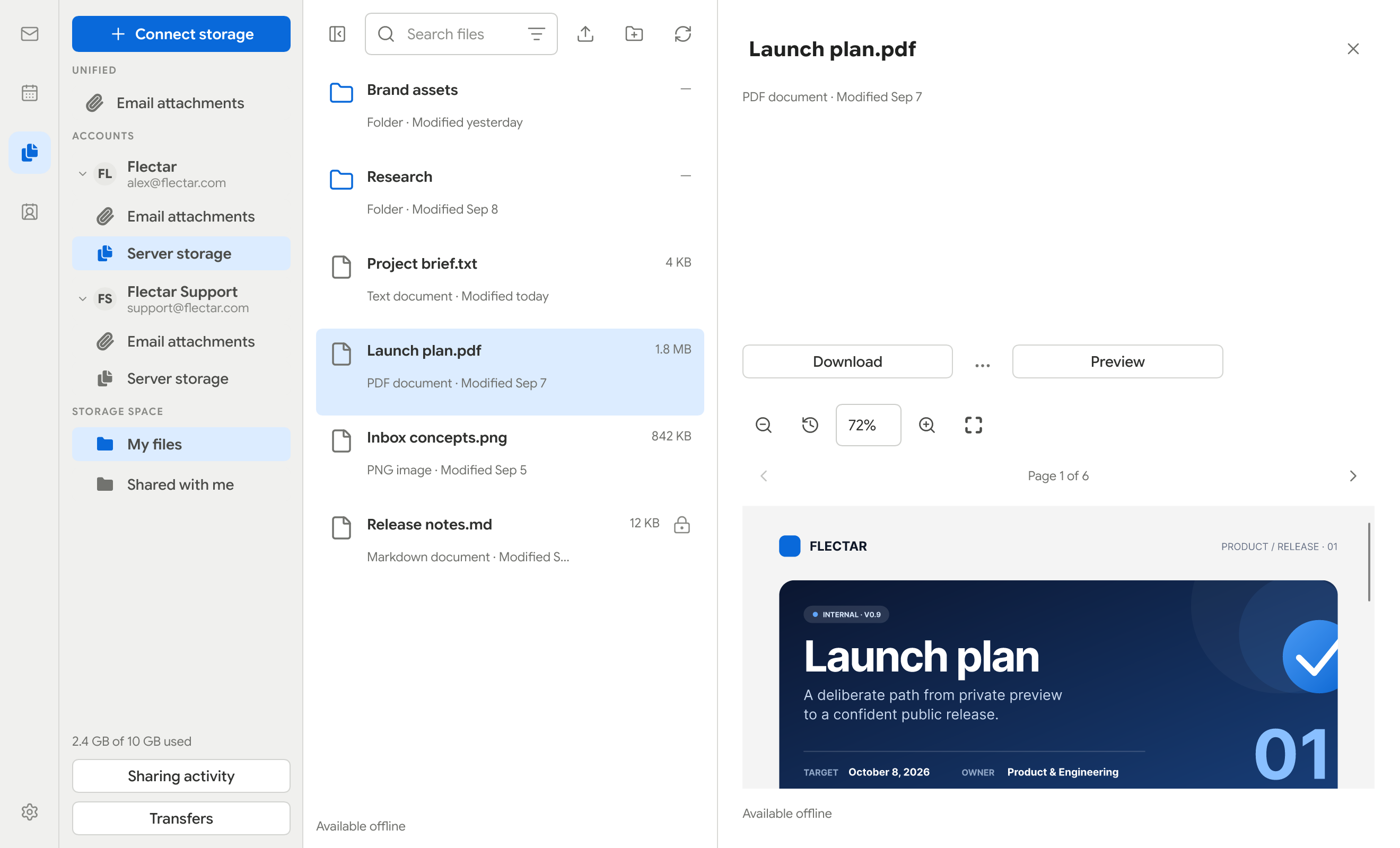
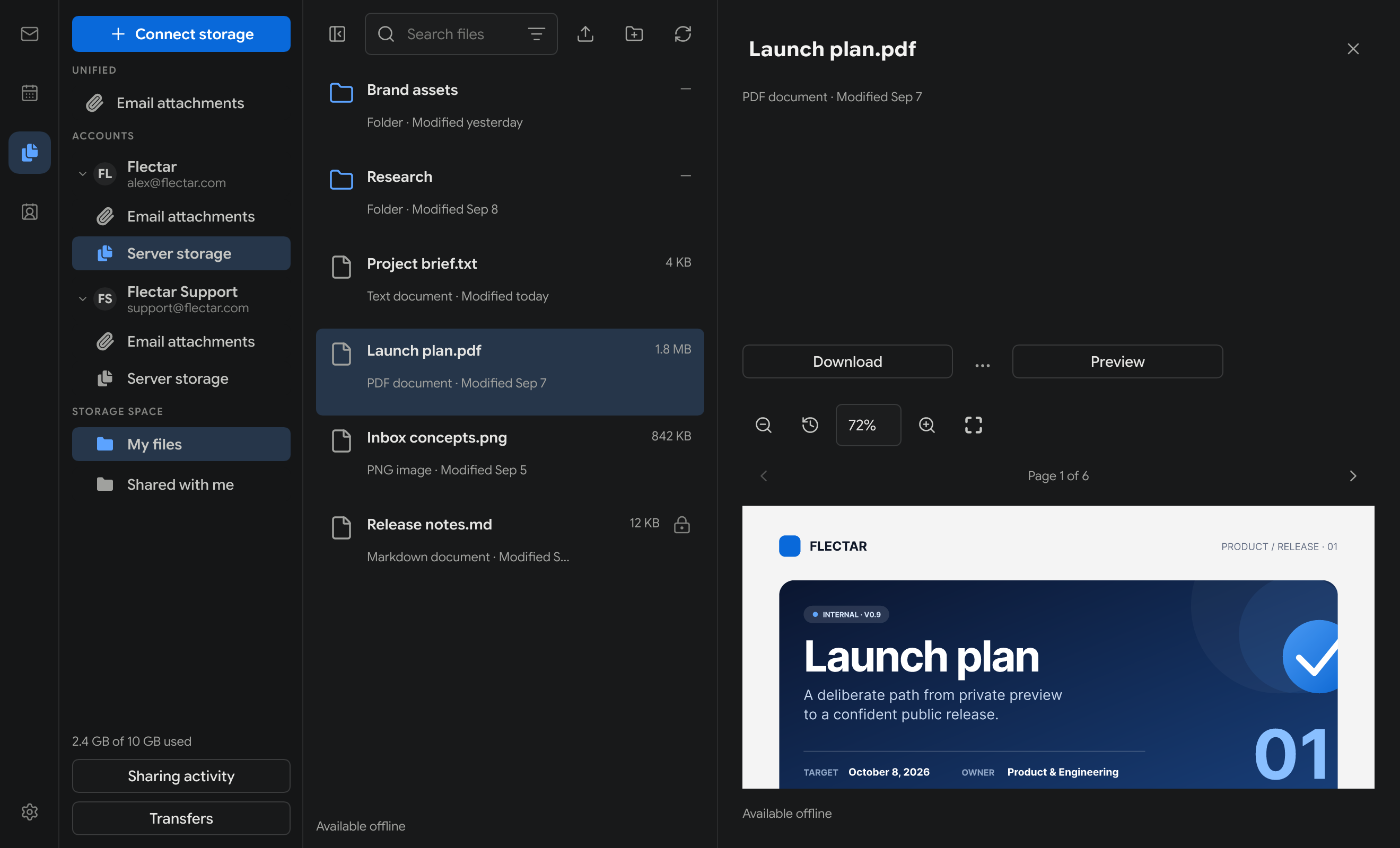
Browse JMAP and WebDAV storage, search attachments, and preview common file types.
Mail and calendar data are stored locally so synced information stays useful without a connection.
Remote images are blocked until you allow them, helping stop tracking pixels from reporting a read.
Sign and encrypt mail through GnuPG 2.x, with protected drafts kept local until they are sent.
Compare the technology behind the clients, not just their inboxes.
| Email client | Typical RAM use | Application architecture | UI runtime / WebView | Platforms |
|---|---|---|---|---|
| Flectar Mail | 20–140 MB | Rust app + custom renderer | No WebView | Windows, macOS, Linux, iOS, Android |
| Gmail in one Chrome tab | ≈300 MB | Browser-based web app | Chrome / Chromium | Web |
| Thunderbird | ≈850 MB | Gecko-based desktop app | Gecko rendering engine | Windows, macOS, Linux, Android |
| Outlook for Windows | ≈800 MB | Windows shell + WebView UI | Microsoft Edge WebView2 | Windows |
| Aerion | ≈450 MB | Go shell + WebView UI | Wails · system WebView | Windows, macOS, Linux |
| Spark | ≈650 MB | Electron shell + web UI | Electron / Chromium | macOS, Windows, iOS, Android |
RAM figures are indicative observations, not a controlled benchmark. Usage varies with the operating system, mailbox size, extensions, active accounts, and activity.
Try the latest preview builds for Windows, Linux, macOS, and Android. Flectar Mail is still in active alpha development.
Choose the setup installer or a portable build.
EXEZIP
Get Flectar MailChoose the package format that fits your distribution.
DEBRPMFlatpakAppImage
Get Flectar MailPreview builds for Apple silicon and Intel on macOS 14+.
DMGZIP
Get Flectar MailAn experimental test build for arm64 devices on Android 8.0+.
APK
Get Flectar MailThe iPhone and iPad release is coming soon.
Keep the detailed three-pane layout or switch to a streamlined minimal view. Choose light or dark mode, select a built-in color palette or create a custom one, and show or hide sender avatars.
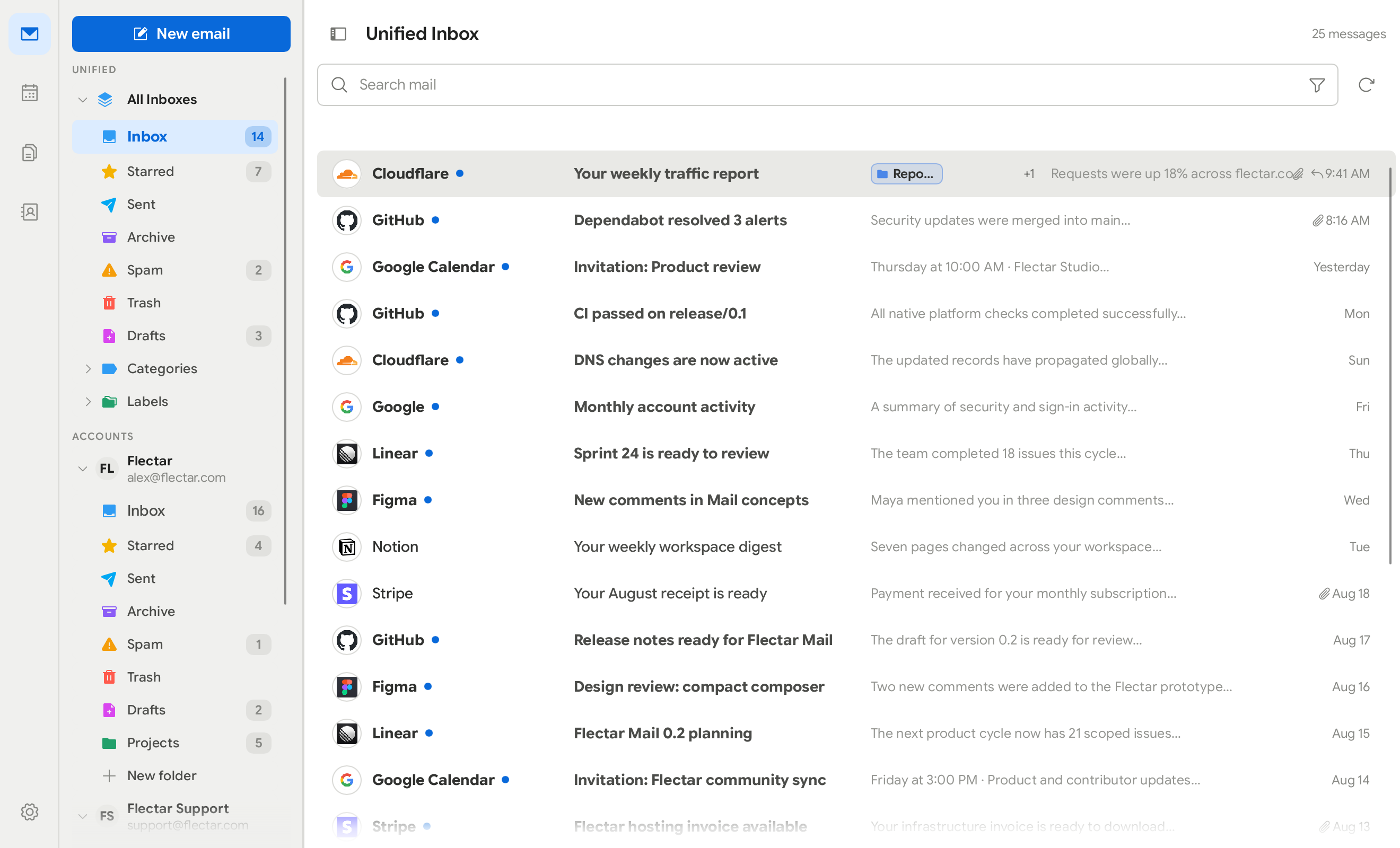
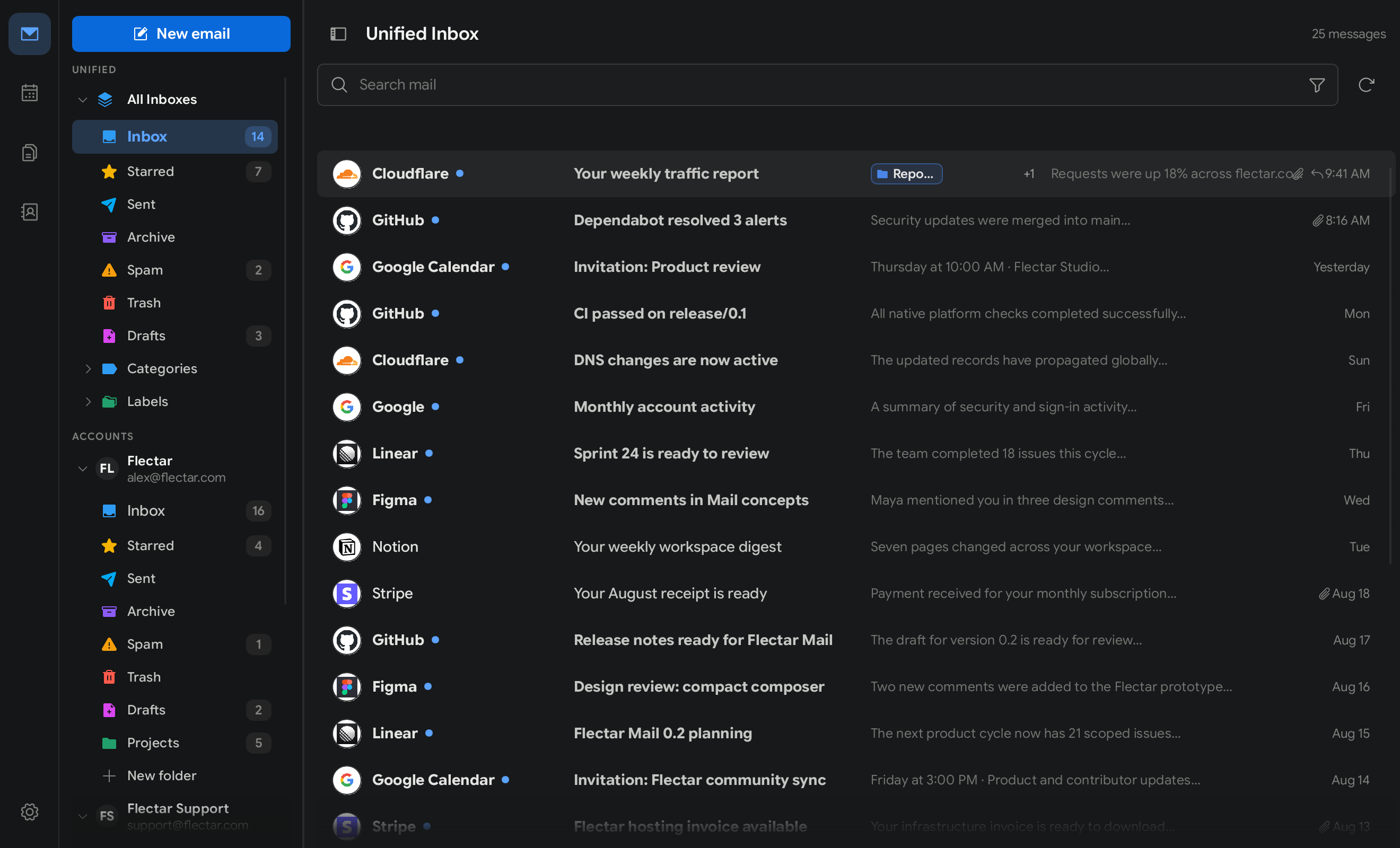
Keep folders, messages, and the selected email visible together, or reduce visual noise and give each part of your inbox more room.
Match your workspace to the time of day and the way you prefer to read, with either theme available across both layouts.
Start with a built-in teal, green, or purple palette, then create a custom color palette of your own.
Built-in palettes are available in light and dark mode, alongside a custom palette for a workspace that is distinctly yours.
© 2026 Flectar. All rights reserved.
Headquartered in Málaga, Spain.