Desktop app
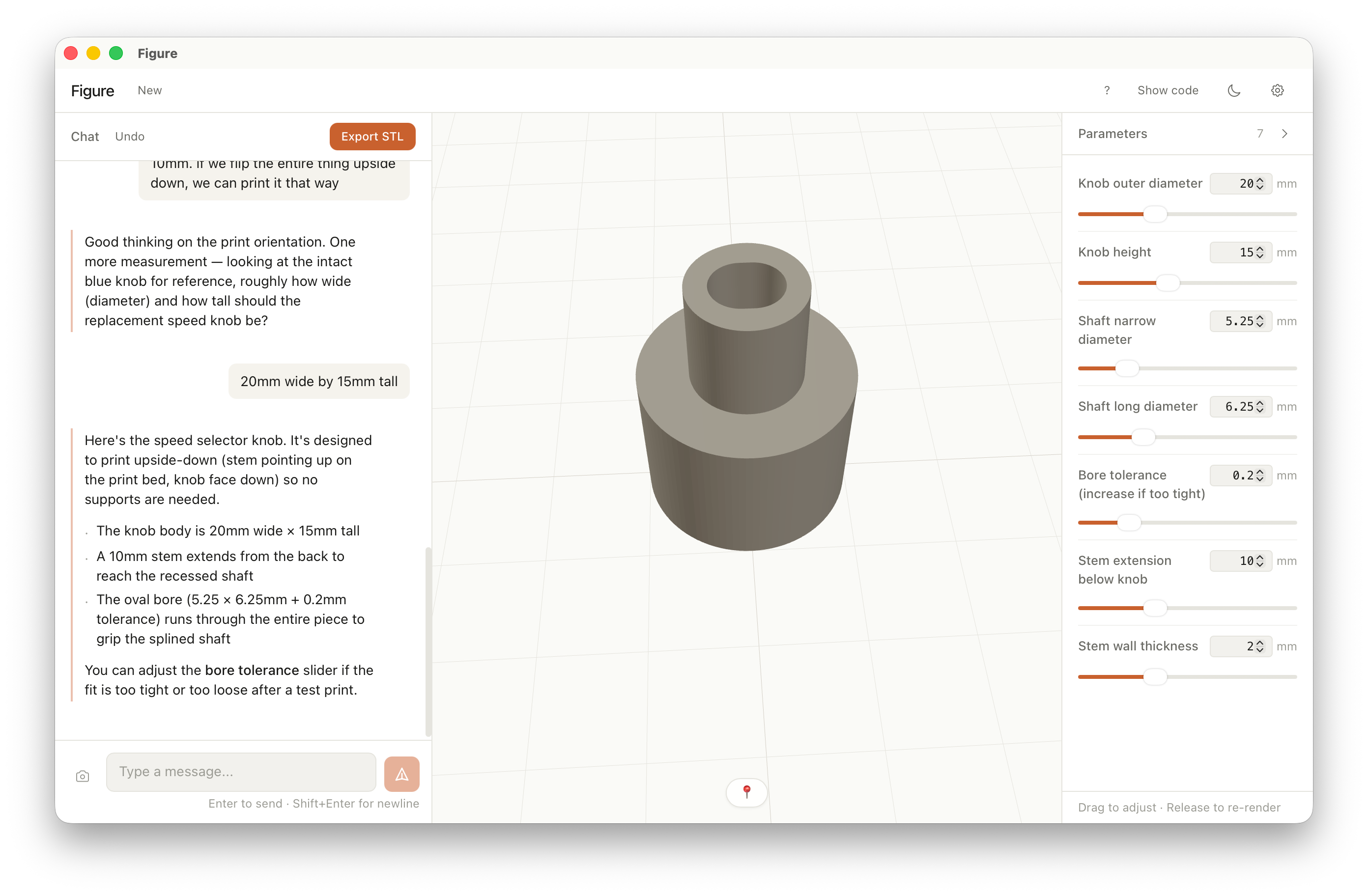
Figure is a desktop app for designing printable parts. Describe what you need, tweak the sliders, export the STL. The geometry is generated locally — OpenSCAD runs underneath.
How it works
From a description to a printed part, in three motions.
No CAD to learn. No code to read. The workflow is the conversation; the geometry follows.
Step 01
Describe what broke.
Type it, upload a photo, or drag in an STL. Plain English works — measurements help.
Step 02
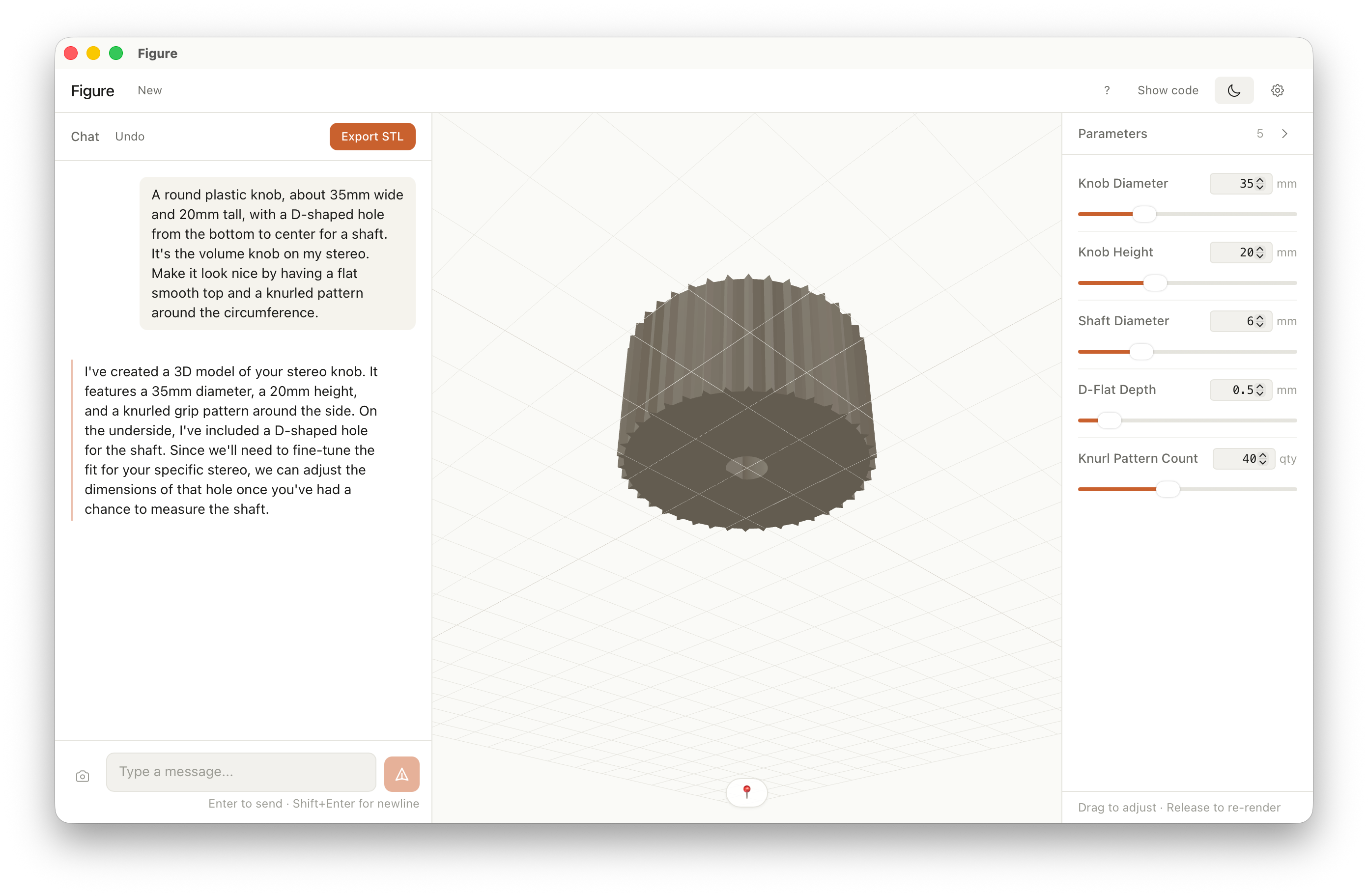
The geometry takes shape.
The model builds from your description. Nudge it with sliders — no CAD, no commands, no code.
Step 03
Export and print.
Hit Export STL. Slice it in your usual tool. Print, fit-check, adjust if needed.
From the wild
Parts people actually printed.
Real outputs from the app — from a photo of a broken part to a one-line request, with room to iterate until it fits.
Example 01 — From a photo
A replacement fan knob.
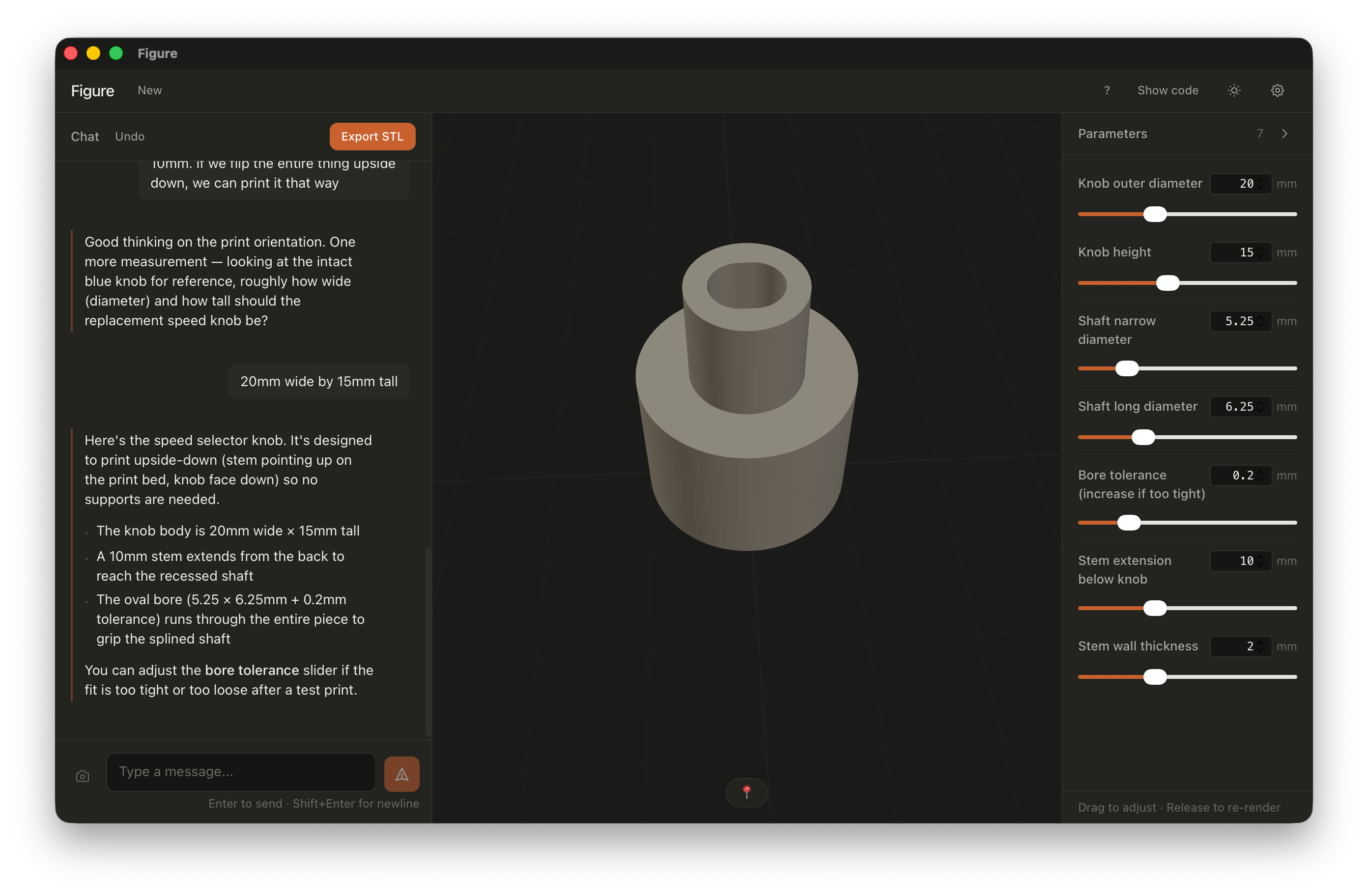
Reconstructed from a photo of the broken original. Measured with calipers, fit-tested on the third try.
"The oval bore (5.25 × 6.25 mm + 0.2 mm tolerance) runs through the entire piece to grip the splined shaft."
Example 02 — From a description
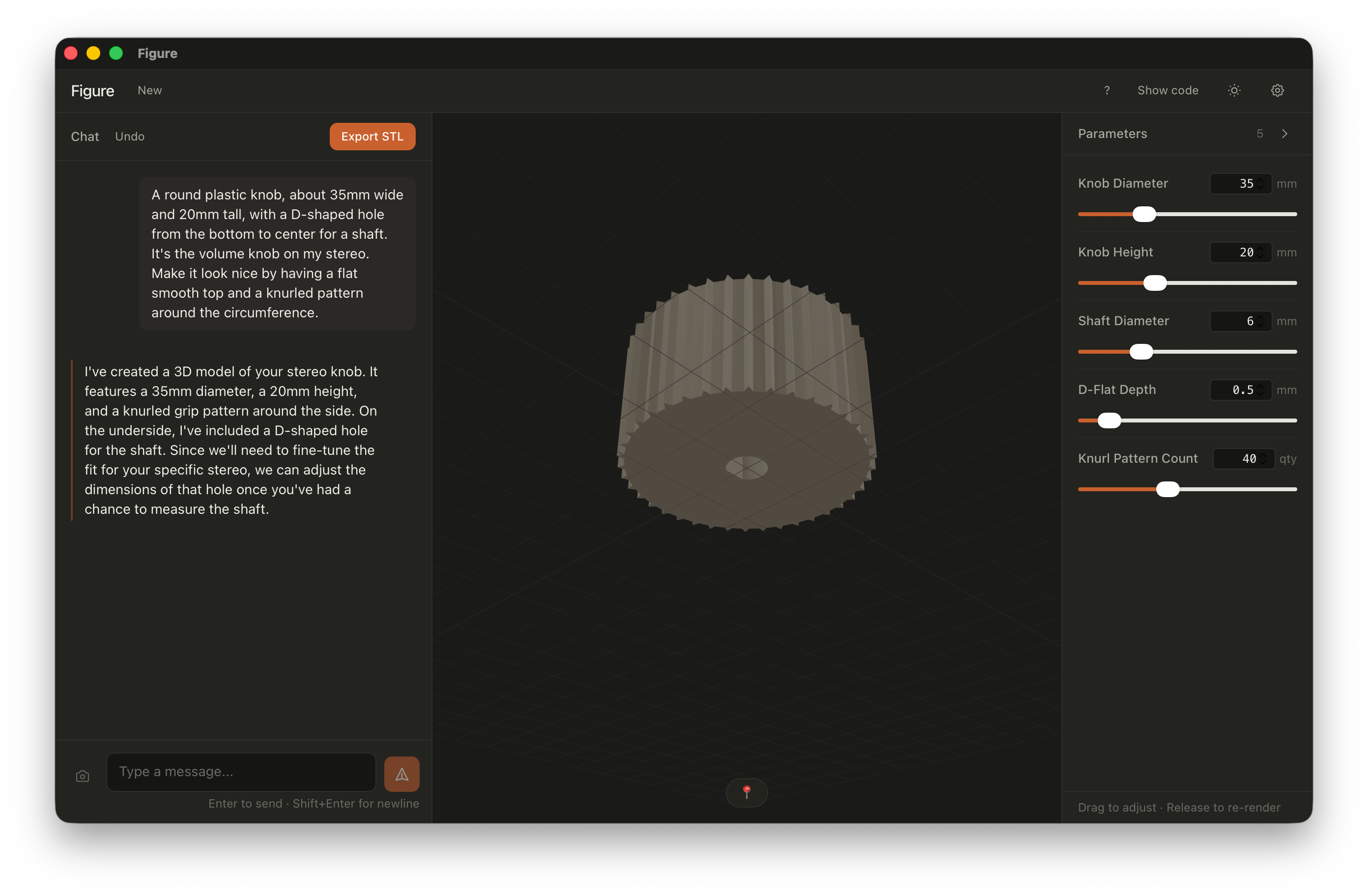
A stereo volume knob.
Built from one paragraph of description. Knurled grip, flat top, D-shaped bore — generated, then tuned to the shaft.
"A round plastic knob, about 35 mm wide and 20 mm tall, with a D-shaped hole from the bottom to center for a shaft. Make it look nice — flat top, knurled around the circumference."
Example 03 — From iteration
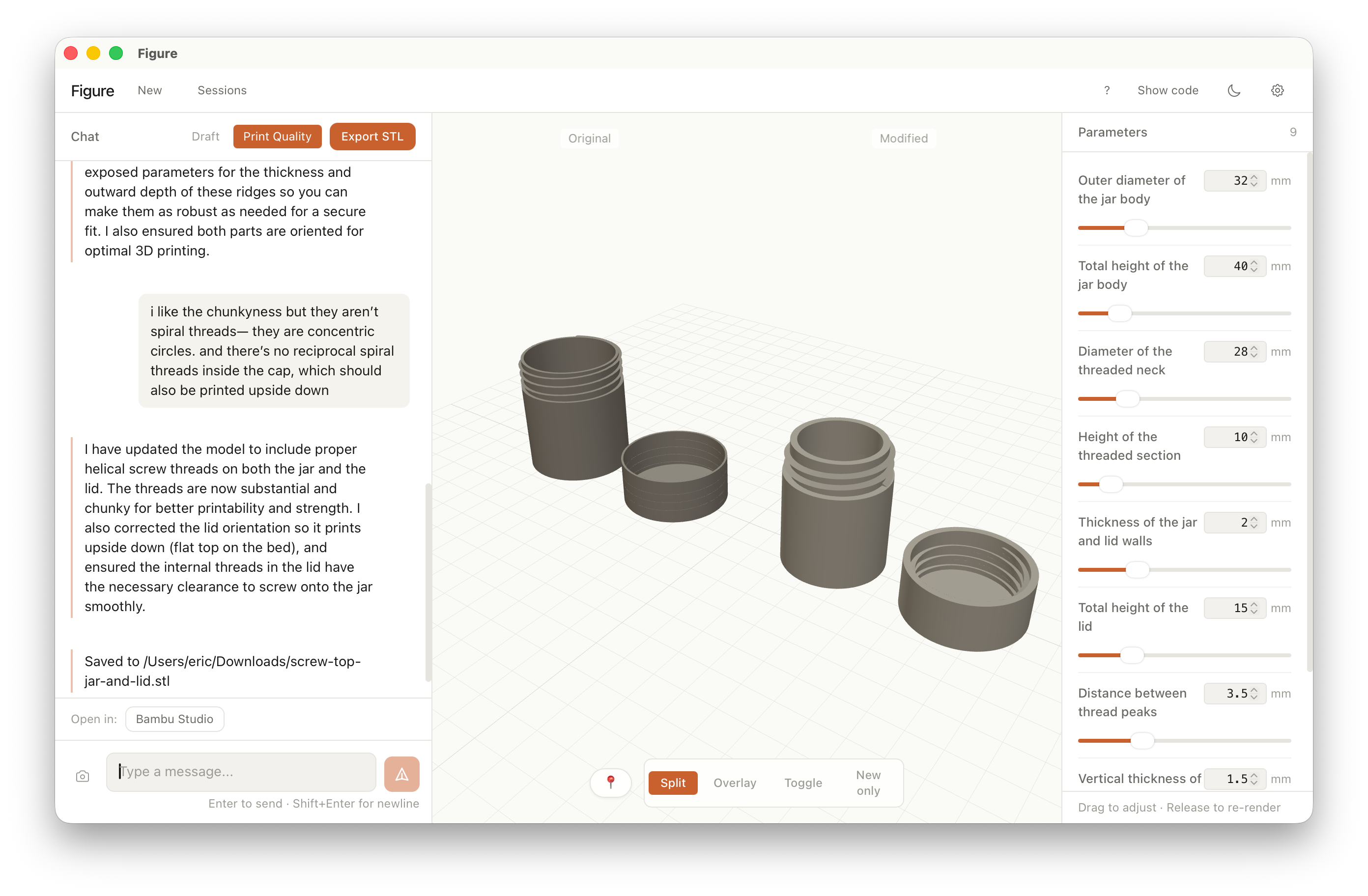
A screw-top jar and lid.
Started with a rough jar shape, then refined the threads and print orientation through back-and-forth in chat — helical threads, not concentric rings.
"The threads are concentric circles instead of spiral threads. Also the lid is upside down — the flat side should be on the print bed."
Example 04 — From a description
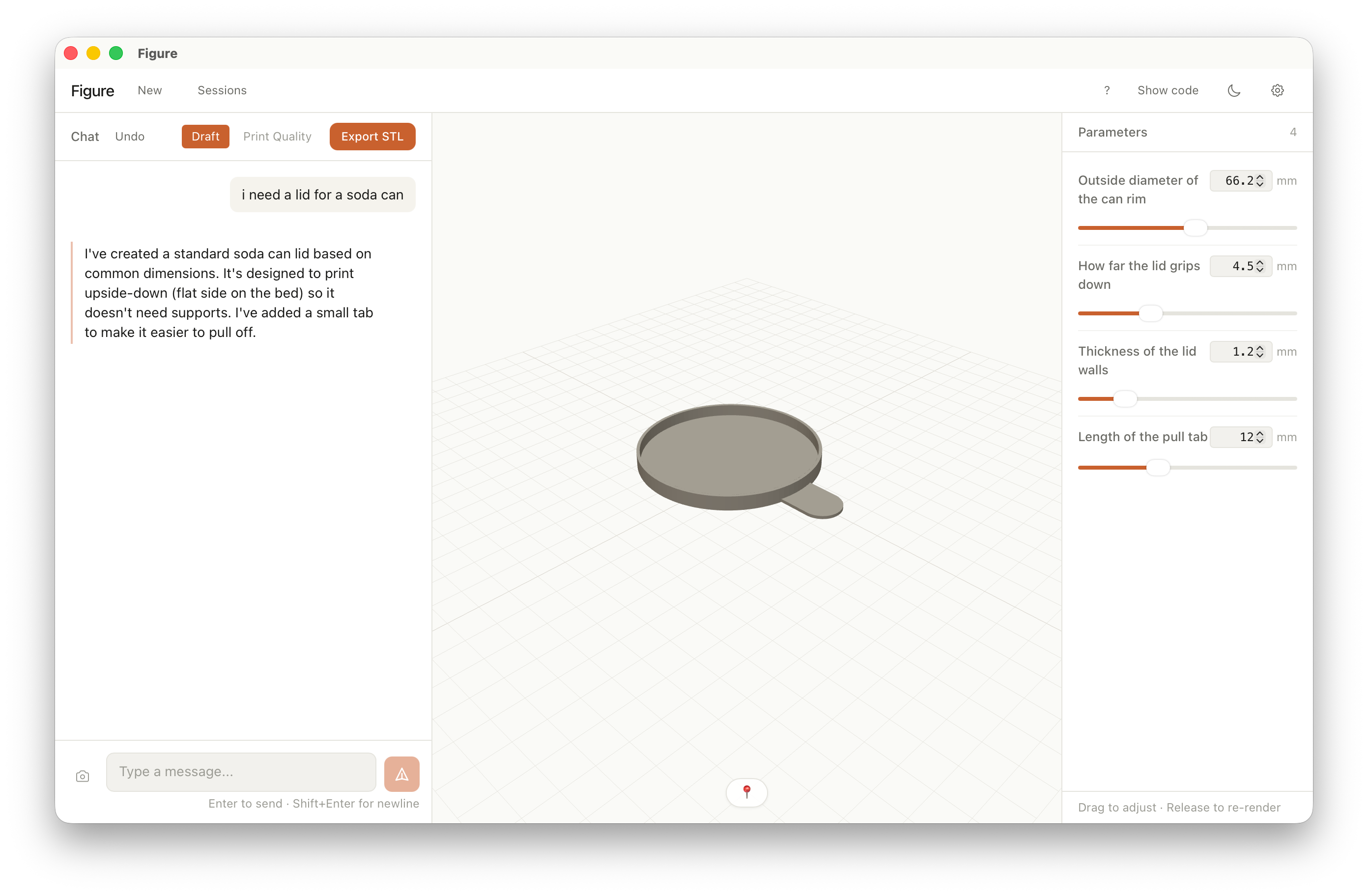
A soda can lid.
One sentence in chat. Standard can dimensions, a pull tab for easy removal, oriented flat-side-down so it prints without supports.
"i need a lid for a soda can"
Example 05 — From a back-and-forth
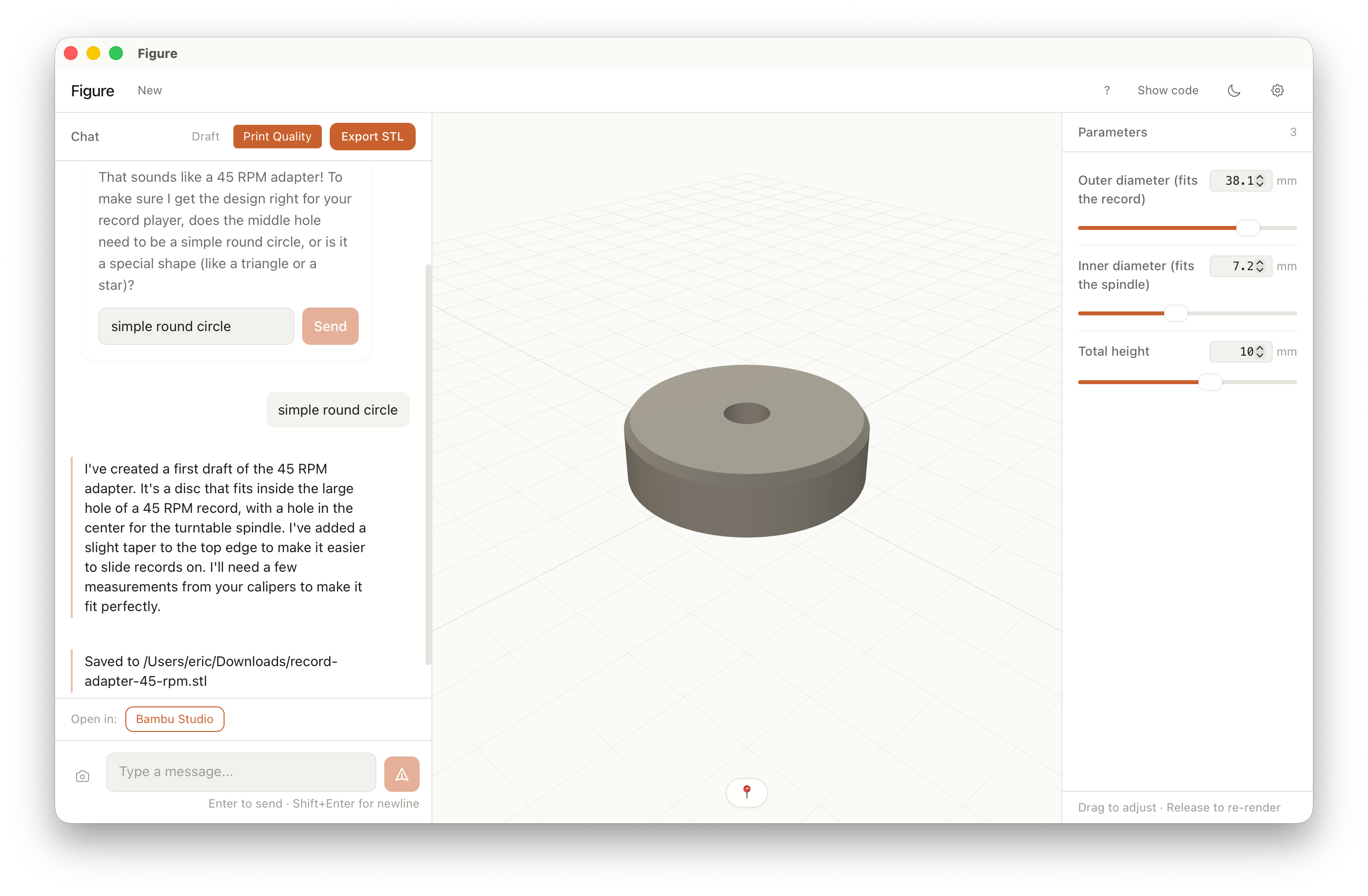
A 45 RPM record adapter.
A disc for the large hole in a 45 — center bore for the spindle, slight taper on top. One clarifying question in chat, then dialed in with sliders.
"Should the middle hole be a simple round circle, or does it need a special shape?" — "simple round circle"
Works with your setup
Your model, your key, your machine.
The app collects zero data and runs no telemetry. Figure connects to the model provider you already pay for. Geometry is generated locally with OpenSCAD — nothing is rendered in a cloud you don't control.
-
Bring your own API key. Stored securely on your device. Never sent to us — we don't run a server.
-
OpenSCAD runs locally. The geometry engine ships inside the app. Your descriptions and STLs stay on your machine.
-
No subscription. No account. You pay your model provider for tokens; that's it.
-
Zero data collection. No telemetry. The app doesn't phone home — no usage tracking, crash reports, or analytics.
Print the part.
Beta available for Mac on Apple Silicon (ARM64) as a disk image. No account required.