·2595 words·13 mins
by: Lari Huttunen
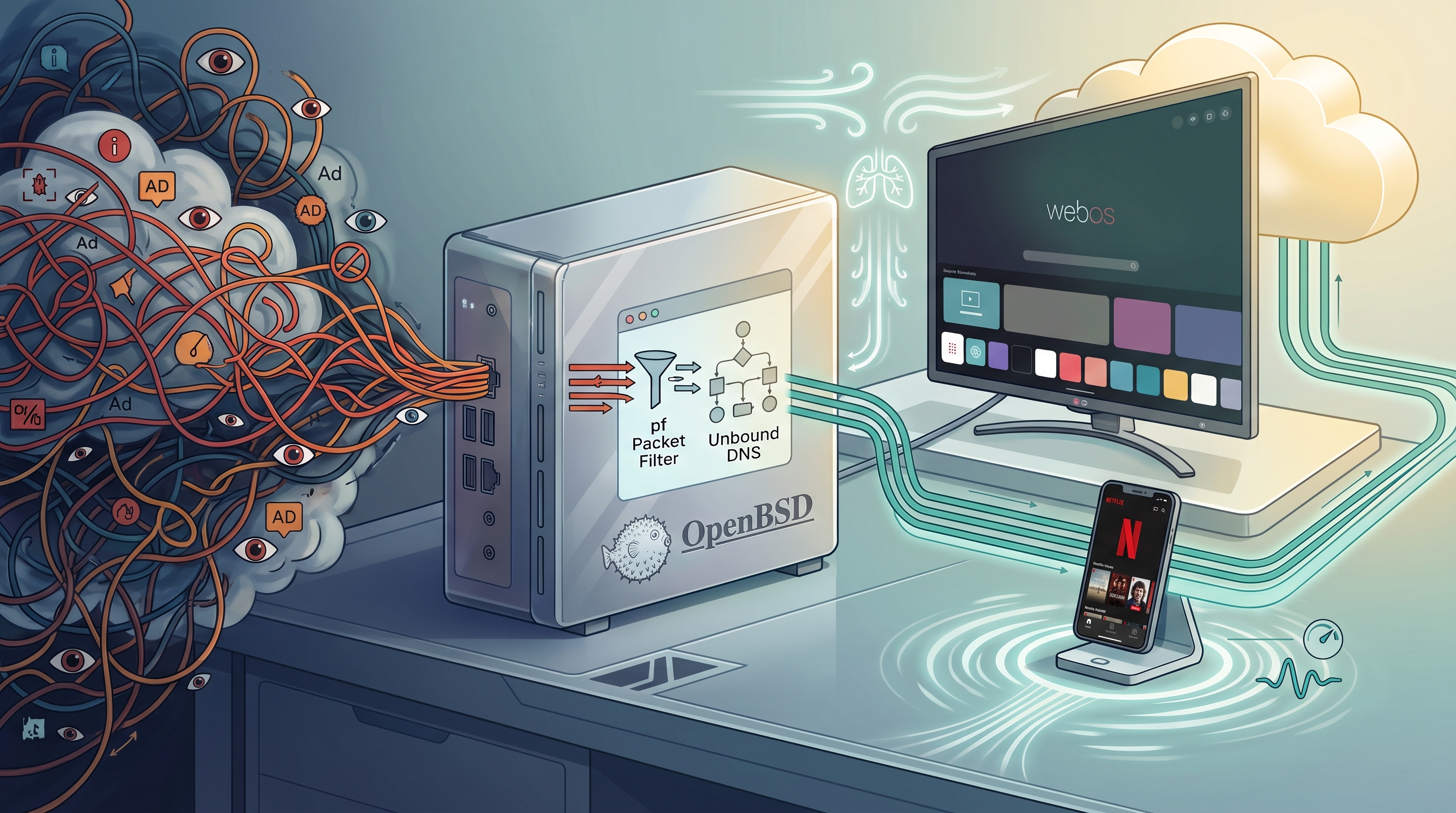
When you buy a modern Smart TV, you are buying a display subsidized by surveillance. Even at high price points, manufacturers make slim margins on physical hardware. To drive post-sale revenue, they track your viewing habits, log your interactions, and serve you targeted ads. Smart TVs, especially LG models running WebOS, have quietly morphed from simple screens into active network spyware appliances.
Clicking through privacy menus to opt out of data collection does almost nothing. Raw packet captures tell a much darker story. Even with every telemetry toggle turned off, the TV still scans your local network, ignores your DNS preferences, and constantly blasts tracking data home to the manufacturer and their ad partners.
You cannot fix bad incentives with software toggles. If you want your TV to act like an honest display again, you have to force it to do so at the network level. By deploying an OpenBSD gateway running Packet Filter (pf) and Unbound, you can build a boundary that chokes off ad networks and tracking endpoints while keeping apps like Netflix and Spotify working flawlessly.
The unexpected bonus boils down to basic hardware limits. Because Smart TV processors are notoriously underpowered, they constantly struggle under the weight of background TLS handshakes and event logging. Muting that chatter gives the CPU real breathing room. The UI stops stuttering, streaming apps launch without delay, and because mobile platforms share these exact same tracking endpoints, every phone and tablet on your network inherits that same performance dividend.
This post is a blueprint for Deshittification as a Service.
The OpenBSD Instrumentation Base #
Enforcing network sovereignty starts well before packets reach your router. It begins at Layer 2, where a separate managed switch enforces port isolation and tags traffic into dedicated VLANs long before it ever hits the OpenBSD gateway at Layer 3. Allowing an untrusted Smart TV or IoT hub to share a broadcast domain with your personal laptop invites immediate risk—rogue devices will attempt lateral port scans, flood the subnet with mDNS queries, and run ARP sweeps across your LAN.
To lock this down, an OpenBSD gateway (homelab) partitions the network into isolated VLANs with strict boundaries:
| Interface | Variable | Subnet | Role / Purpose |
|---|---|---|---|
em0 |
$exif |
Public WAN | External Internet Connection |
em1 |
$mgmt |
10.0.0.0/24 |
Management Network |
em2 |
$home |
10.1.0.0/24 |
Trusted Workstations & Internal Servers |
em3 |
$guest |
10.2.0.0/24 |
Untrusted IoT, Guest Wi-Fi, Smart TVs |
This layout relies on four core security posture choices:
- Disabled IPv6 on IoT: Global IPv6 is disabled on
$guest. Smart TV software frequently uses stateless address autoconfiguration (SLAAC) and temporary IPv6 privacy addresses to contact external tracking endpoints directly, quietly bypassing IPv4 DNS controls. - Instrumented DHCP: The router runs a
dhcpddaemon that hands out tightly controlled lease options to untrusted clients while keeping them isolated from internal network topology. - Packet Filter Enforcement: Packet Filter (
pf) acts as the primary enforcement engine. It silently drops all transit traffic between$guestand internal subnets ($homeand$mgmt) to cut off lateral movement, while intercepting evasive outbound traffic and redirecting it to local services viardr-to. - DNS Neutralization: Local Unbound serves as the absolute DNS arbiter, deciding which queries get clean answers and which telemetry requests get hit with an immediate
NXDomain.
Trapping Evasive Network Traffic with pf.conf #
Smart TV developers know that home network admins run DNS blocklists like Pi-hole, so they build evasive fallbacks directly into their application runtimes. If an app on WebOS fails to resolve a tracking endpoint using your DHCP-provided resolver, it ignores your system settings and sends raw UDP queries out to Google (8.8.8.8) or Cloudflare (1.1.1.1) over port 53. If standard DNS fails entirely, modern apps attempt to spin up encrypted channels via DNS-over-TLS (port 853) or QUIC (UDP port 443) to bypass local inspection altogether.
OpenBSD’s Packet Filter (pf) breaks these evasion tactics using two precise controls: killing encrypted bypass attempts, and forcefully intercepting unencrypted port 53 and port 123 traffic.
First, we shut down QUIC and DoT to force client applications to fall back to standard TCP/TLS web traffic and plain-text DNS:
block return in quick on { $mgmt, $home, $guest } \
    proto udp to any port 443
block return in quick on { $mgmt, $home, $guest } \
    proto tcp to any port 853
Next, we handle hardcoded DNS resolvers and time servers. Instead of dropping outgoing packets (which causes long timeouts while the TV waits for a response), we use pf’s rdr-to directive. Any packet attempting to reach an external DNS or NTP server is intercepted mid-flight and rewritten to target the router’s local interfaces instead:
pass in quick on $mgmt proto { tcp, udp } to ! $mgmt port 53 \
    rdr-to $mgmt port 53
pass in quick on $home proto { tcp, udp } to ! $home port 53 \
    rdr-to $home port 53
pass in quick on $guest proto { tcp, udp } to ! $guest port 53 \
    rdr-to $guest port 53

pass in quick on $mgmt proto udp to ! $mgmt port 123 \
    rdr-to $mgmt port 123
pass in quick on $home proto udp to ! $home port 123 \
    rdr-to $home port 123
pass in quick on $guest proto udp to ! $guest port 123 \
    rdr-to $guest port 123
Why NTP Interception Matters #
NTP might seem like harmless infrastructure protocol, but vendors routinely abuse UDP port 123 as an ambient telemetry channel. Smart TVs and IoT hardware send frequent NTP queries to vendor pools not just to sync clocks, but as unencrypted uptime beacons and connectivity probes. Every external NTP packet leaks device presence, uptime statistics, and network status to outside servers.
By catching port 123 with pf and redirecting it to OpenBSD’s native ntpd, you neutralize these external heartbeats. Your router becomes the single source of time truth across all VLANs, ensuring devices get accurate timestamps for TLS handshakes without leaking network metadata.
How stateful redirection tricks the client #
pf manages connection states dynamically, it automatically rewrites IP headers on return packets.8.8.8.8 for DNS or time.google.com for NTP, pf intercepts the packet, routes it to local unbound or ntpd, and sends the response back tagged as if it came from the original target.
With Layer 2 isolation and Layer 3 redirection locked down, it is time to put this infrastructure to the test against a real-world target. For this setup, our primary lab test subject is an LG OLED TV running WebOS.
WebOS 26, Factory Resets, and the Time Bootstrap Trap #
Upgrading the TV to WebOS 26 followed by a full factory reset exposes an immediate cryptographic trap behind a strict firewall.
Upon resetting, the TV system clock does not revert to Unix epoch time (1970). Instead, it drops back to a hardcoded firmware build date from 2024, when the hardware was manufactured. While 2024 feels recent, it is still far enough in the past to break modern TLS certificate validation.
When WebOS attempts to initialize its system runtime and download essential streaming apps like Netflix or Spotify, HTTPS handshakes immediately fail with SSL_connect certificate errors. To fix its time, the TV attempts unencrypted HTTP calls over port 80 to scrape Date: headers, or fires off raw NTP queries to hardcoded external IP addresses. Because our OpenBSD gateway intercepts or drops these evasive outbound requests, the TV gets stuck, unable to update its clock or validate application certificates.
You do not need to punch holes in your firewall to fix this. The solution is entirely manual:
- Navigate to Settings -> General -> System -> Time & Date.
- Toggle off Set Automatically.
- Manually configure the current date, time, and timezone.
Once the internal clock matches real-world time, TLS certificates validate cleanly. Essential streaming apps install without issue, and your security posture remains completely uncompromised.
Surgical DNS Sinkholing with Unbound #
With time synchronized and core networking established, the actual work of deshittification begins: mapping telemetry endpoints and cutting them off at the pass. This is where we move from baseline network isolation to targeted domain blackholing.
Unbound handles domain neutralization at Layer 7 using local-zone directives configured with always_nxdomain. When a device attempts to resolve a blacklisted endpoint, Unbound answers in under a millisecond with a definitive “domain does not exist” response.
Returning NXDomain instantly is critical. If you simply drop the packet at the firewall, the client runtime hangs while waiting for a timeout. An immediate NXDomain forces client software to abort the tracking attempt, discard its event buffers from memory, and move on without interrupting the user.
Interface Binding and Access Control #
To prevent our router from acting as an open resolver, /var/unbound/etc/unbound.conf listens strictly on loopback and our internal gateway IPs, rejecting any query originating from outside our subnets:
server:
    interface: 127.0.0.1
    interface: 10.0.0.1
    interface: 10.1.0.1
    interface: 10.2.0.1

    # Refuse access by default, allow internal VLANs
    access-control: 0.0.0.0/0 refuse
    access-control: 127.0.0.0/8 allow
    access-control: 10.0.0.0/24 allow
    access-control: 10.1.0.0/24 allow
    access-control: 10.2.0.0/24 allow

    hide-identity: yes
    hide-version: yes
Base WebOS Platform Blocklist #
Rather than applying a massive, unmaintained blocklist, we categorize blackholed endpoints by their specific telemetry mechanism. This keeps /var/unbound/etc/unbound.conf clean and audited. Note that defining an apex domain (such as wiselg.com) automatically sinkholes all of its subdomains in Unbound.
# LG Smart Ads & Ad-Network Layout Coupling
local-zone: "info.lgsmartad.com" always_nxdomain
local-zone: "smartad.lge.com" always_nxdomain
local-zone: "ad.lgsmartad.com" always_nxdomain
These endpoints serve sponsored UI banners, targeted placement tiles, and real-time ad auction requests whenever the home launcher opens. Blocking them strips ads out of the main menu and prevents third-party ad brokers from profiling your viewing session.
Automatic Content Recognition (ACR) & Screen Hashing #
# LG ACR (Automatic Content Recognition) & Screen Hashing
local-zone: "wiselg.com" always_nxdomain
local-zone: "rdx2.lgtvsdp.com" always_nxdomain
How ACR tracking works: Manufacturers often claim they do not upload raw photos or videos from your screen. That is technically true, but misleading. The TV samples on-screen pixels several times a second, runs an algorithm to generate lightweight perceptual hashes (digital fingerprints), and sends those hashes to wiselg.com. Remote servers match those hashes against a master database to log the exact movie, show, video game, or HDMI input source you are watching in real time.
WebOS Launcher & Cloud Tracking #
# WebOS Launcher, Home App, & ThinQ Cloud Tracking
local-zone: "cdplauncher.lgtvcommon.com" always_nxdomain
local-zone: "lgchhomeapp.lgtvcommon.com" always_nxdomain
local-zone: "lgtviot.com" always_nxdomain
local-zone: "aic-ngfts.lge.com" always_nxdomain
This group neutralizes behavioral tracking inside the WebOS launcher. It cuts off clickstream data from home screen interaction, prevents recommendation engine telemetry, and deactivates background ThinQ IoT cloud beacons. Note: When bootstrapping a WebOS TV for the first time after a factory reset, you may need to temporarily pause this block group. The LG Content Store relies on these provisioning endpoints to fetch initial app packages and validate service terms. Once your core apps are installed and registered, re-enable the sinkhole rules to permanently silence the background chatter.
Peripheral Profiling & Hardware Beacons #
# Remote Control Profiling & Hardware Beacons
local-zone: "ueiwsp.com" always_nxdomain
local-zone: "meethue.com" always_nxdomain
These rules block hardware telemetry. ueiwsp.com handles device profiling via Universal Electronics, logging what set-top boxes, AV receivers, or consoles are connected over HDMI-CEC. meethue.com prevents unprompted local smart lighting discovery queries.
Deconstructing the Netflix Telemetry Stack #
Silencing platform-level WebOS tracking is only half the battle. Third-party apps introduce their own telemetry engines. The Netflix app on WebOS is a prime example: even on a locked-down TV, it runs a continuous stream of behavioral analytics alongside video playback.
To block app tracking without breaking DRM or media playback, you cannot use blunt blocklists. You have to observe live traffic on the gateway and isolate telemetry endpoints from content delivery channels.
Running tcpdump on the OpenBSD gateway while navigating Netflix reveals how clean this separation actually is:
# Telemetry Queries Identified
17:26:17.262946 10.2.0.10.46845 > 10.2.0.1.53: A? customerevents.netflix.com.
17:26:17.265803 10.2.0.10.46845 > 10.2.0.1.53: A? ichnaea.netflix.com.

# Legitimate Media Delivery (Must Remain Unblocked)
17:26:17.266044 10.2.0.10.46845 > 10.2.0.1.53: A? cdn-0.nflximg.com.
17:26:17.267075 10.2.0.1.53 > 10.2.0.10.46845: cdn-0.nflximg.com. A 193.229.109.56
Domain-by-Domain Analysis #
Through packet capture analysis, we can map out each apex by its exact function:
ichnaea.netflix.com: Netflix’s UI clickstream logger. It records thumbnail hover durations, scroll speed, and artwork clicks.customerevents.netflix.comandlogs.netflix.com: Real-time analytics sinks and event loggers. They serialize heavy JSON payloads in the background during playback.push.prod.netflix.com: Maintains a persistent background socket for remote wake commands and cross-device sync signals.cdn-0.nflximg.com/assets.nflxext.com/occ-0-*.nflxso.net: Media delivery, catalog artwork, license acquisition, and video stream segments.
Extending the Unbound Ruleset #
With the telemetry endpoints isolated from core streaming infrastructure, we append them to /var/unbound/etc/unbound.conf:
    # =============================================================
    # NETFLIX APP TELEMETRY AND EVENT LOGGING
    # =============================================================
    local-zone: "logs.netflix.com" always_nxdomain
    local-zone: "ichnaea.netflix.com" always_nxdomain
    local-zone: "customerevents.netflix.com" always_nxdomain
    local-zone: "push.prod.netflix.com" always_nxdomain
The Netflix client framework (NRDP) handles failed telemetry connections cleanly. When Unbound returns NXDomain, the app drops its log buffer from memory immediately, keeping the interface fluid while your 4K stream plays without interruption.
Deshittification as a Service: The Performance Dividend #
Blackholing telemetry produces an immediate, measurable boost in UI responsiveness.
Smart TVs run on low-margin, heavily constrained ARM processors. Under stock settings, the CPU spends constant cycles on background administrative overhead:
- Hashing screen frames for ACR analysis (
wiselg.com). - Serializing and JSON-encoding interface hover events.
- Maintaining active TLS sockets to ad platforms and event collectors.
- Executing background reverse-DNS (
PTR) sweeps across the local subnet.
Fail-Fast Mechanics #
When Unbound returns an instant NXDomain (<1 ms), the client network stack halts connection setup immediately. It skips socket allocation, TLS handshakes, and HTTP response waits:
[ Default Setup ]     --> Open Socket --> TLS Handshake --> \
   JSON Payload --> Await 200 OK (High CPU/RAM)
[ Deshittified LAN ]  --> Unbound NXDomain (<1ms) --> \
   Memory Dropped (Zero Overhead)
Because native mobile platforms (iOS, iPadOS, Android) share this underlying client architecture, connecting phones and tablets to your home network yields the exact same boost. App launch times drop, thumbnails render faster, and background battery drain disappears.
Architecture Over Implementation #
OpenBSD with PF and Unbound might not be the right setup for everyone. It requires manual configuration, a hands-on Unix workflow, and a level of comfort with command-line networking that not every home network administrator wants on their primary gateway.
The operating system is just the vehicle. The core take-home lesson is that passive DNS filtering, such as a bare Pi-hole sitting on a flat, unsegmented LAN, is no longer sufficient to contain modern consumer hardware. Contemporary Smart TVs and IoT devices are explicitly engineered to bypass local network policies by using hardcoded resolvers, encrypted fallback channels, and ambient time queries for telemetry.
Whether you build this on OpenBSD, OPNsense, Linux (nftables), or an enterprise firewall, outsmarting these evasion tactics requires the same fundamental design pattern:
- Layer 2 Isolation: Segregate untrusted hardware onto dedicated VLANs at the switch level to eliminate mDNS leaks, ARP sweeps, and lateral network discovery.
- Forced Interception (
rdr-to): Catch outbound UDP/TCP port 53 (DNS) and port 123 (NTP) at the packet filter level and rewrite them to local daemons, neutralizing hardcoded external fallbacks. - Evasion Channel Suppression: Block QUIC (UDP 443) and DoT (TCP 853) to force client applications off encrypted bypass routes and back onto standard, inspectable TCP/TLS web traffic.
- Fail-Fast Layer 7 Blackholing: Answer telemetry queries with an immediate
NXDomainrather than dropping packets. This forces client runtimes to dump log buffers from memory instantly without hanging the user interface or stalling video playback.
You cannot fix broken vendor incentives with software toggles inside a TV menu. Reclaiming your network requires an authoritative boundary that enforces device honesty at the network edge by default.