Export TikTok video comments to CSV or Excel in seconds. Save time reviewing feedback and analyze conversations with a single click.
Everything is fast and secure. You don't need to log into your TikTok account, so there's no risk of getting banned by the platform.
Simply paste your TikTok video URL to get started.
How It Works
Copy and paste any TikTok video link to export its comments.
You can choose how many comments you want to download, pick your preferred file format, and decide whether to include replies.

Copy TikTok Link
Copy any TikTok video URL from your browser or mobile app.
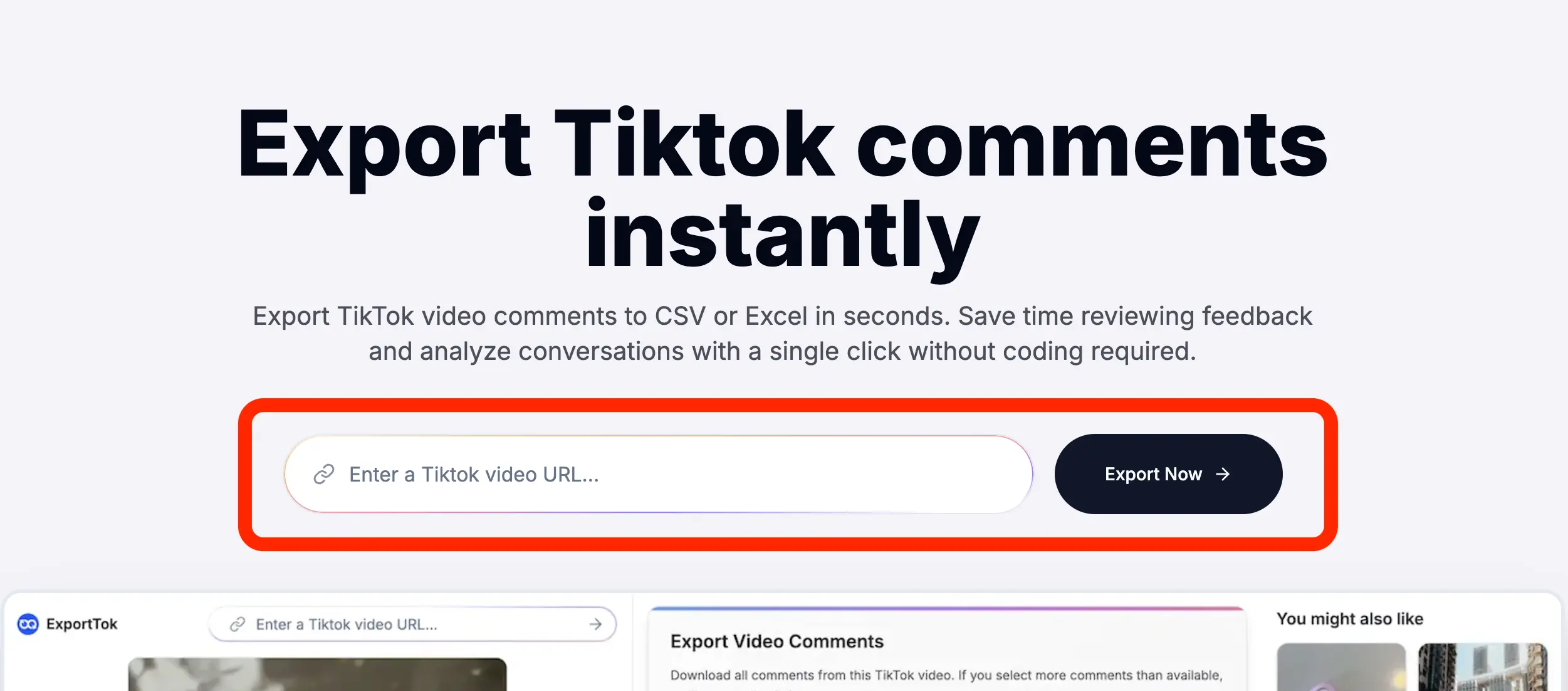
Paste URL
Paste the TikTok link into our search box above.
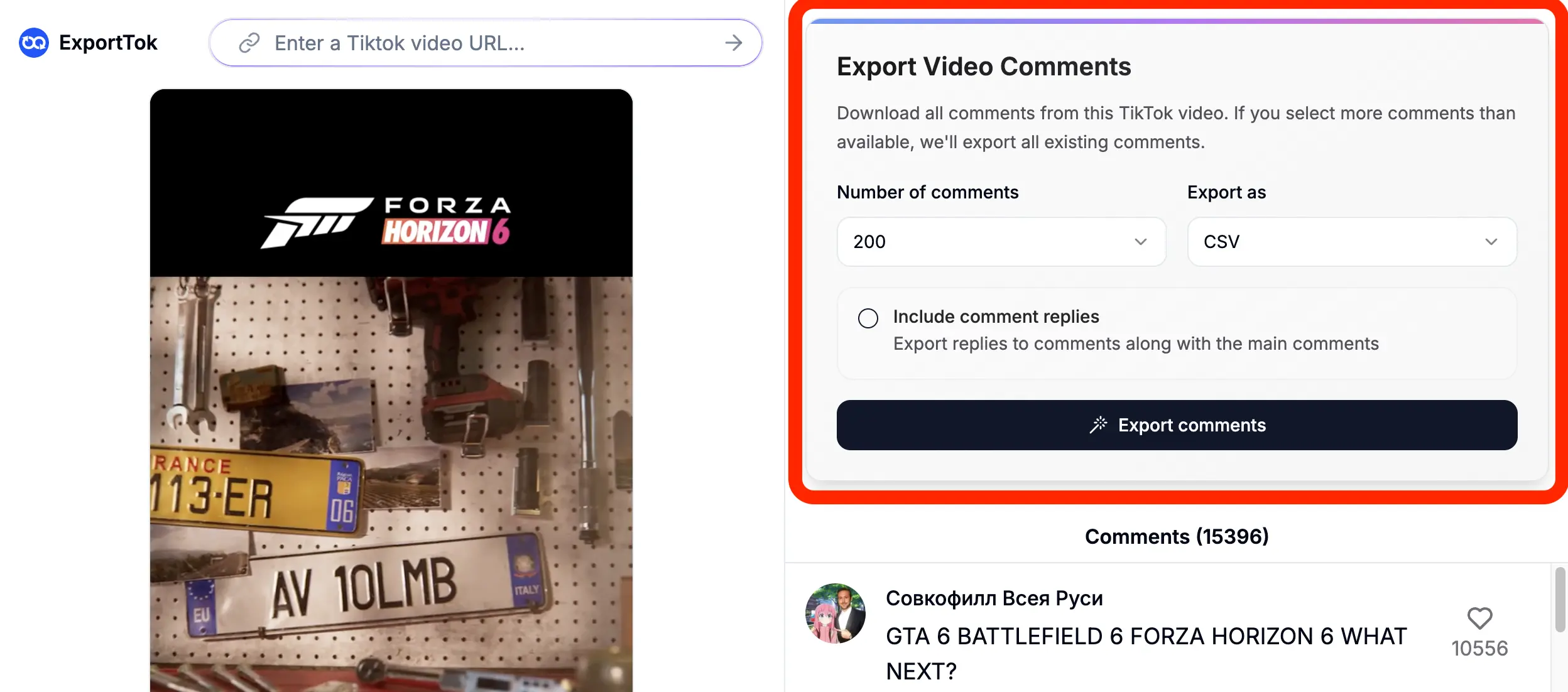
Export Comments
Click the export button to download all comments in CSV or XLSX.
Quick TikTok Export
ExportTok lets you export TikTok video comments fast.
You can bypass official rate limits and handle batch exports with accurate, reliable data.
It also works for comments on photos and other link formats, keeping data consistent with TikTok and up to date.
⚡
One-Click Export
Extract TikTok comments with a single click. No technical setup or coding needed.
🔒
Anonymous Browsing
Download comments without signing into your TikTok account.
📊
Multiple Formats
Save exports to CSV or Excel files for further analysis.

Everything you need to export TikTok comments
It is designed to be flexible and powerful enough to handle any analysis project. Whether you're tracking engagement, researching trends, or analyzing audience feedback, we have you covered.
Export TikTok comments to CSV or Excel format for easy data analysis and content strategy planning.
💬
Complete and Comprehensive
Get user info, timestamps, and full comment threads so you have everything for your analysis.
🔒
Anonymous Browsing
Works without logging in, keeping your identity completely private.
⚡
Lightning Fast
Extract thousands of TikTok comments in seconds with our optimized comment exporter technology.
Simply enter any TikTok post URL and ExportTok handles the rest. No complex configuration needed.
✅
No Account Risk
Export comments safely without a TikTok account - zero risk of bans or restrictions.
What is ExportTok Used for?
Discover how ExportTok helps marketers, creators, and researchers in various scenarios from content strategy to data analysis and community management.
📊
Content Strategy Analysis
Export TikTok comments to analyze audience engagement patterns, identify trending topics, and understand user sentiment for better content strategies.
📈
Marketing Campaign Reports
Marketers export comments to measure campaign impact, gather feedback, and compile comprehensive reports for clients and stakeholders.
👥
Community Management
Manage TikTok comments offline, reply strategically, and identify your most engaged followers to build stronger community relationships.
🎁
Contest Winner Selection
Export contest comments to randomly select giveaway winners from TikTok entries, saving hours compared to manual selection methods.
💭
Sentiment Analysis
Analyze exported comment data for sentiment trends and keywords using Excel to understand audience mood and content preferences.
🔬
Research & Data Studies
Social media researchers export TikTok comments for large-scale studies to identify user behavior patterns and viral content trends.
Choose the Perfect Plan for You
Get 2000 credits for FREE. Purchase a plan for additional credits.
Essential
500,000 credits per month
Zero risk of Tiktok bans or account suspensions
Growth
1,000,000 credits per month
Zero risk of Tiktok bans or account suspensions
Pro
3,000,000 credits per month
Zero risk of Tiktok bans or account suspensions
Trusted by content creators and marketers worldwide
See how professionals are saving time and getting better insights from their social media data.
Comments Exported
2M+
And growing daily
Hours Saved
15,000+
For our users
User Rating
4.9
Out of 5 stars
ExportTok is honestly magic! What used to take me hours of manual screenshot and copy-paste work now takes just minutes. I can export thousands of comments from viral videos to analyze trends for our brand campaigns. It's a total game changer for our social media strategy.
S
Sarah ChenSocial Media Manager
I had a backlog of TikTok videos where I needed to analyze audience feedback for my brand partnerships. I just pasted the URLs into this tool and it exported all the comments instantly. We did in one afternoon what would have taken us weeks of manual work. Incredible!
M
Marcus ThompsonContent Creator & Influencer
The anonymous browsing feature is fantastic! I can research competitor campaigns without revealing our company's interest. The CSV export makes it so easy to run sentiment analysis on thousands of comments. This tool has become an integral part of our market research workflow.
E
Elena RodriguezMarketing Analyst
Managing contests and giveaways used to be a nightmare. Now I just export all the comments and use Excel to randomly select winners. It's completely fair and transparent. No more scrolling through thousands of comments manually. Thank you for making my job so much easier!
D
David ParkCommunity Manager
Frequently Asked Questions
Everything you need to know about extracting and analyzing TikTok engagement data.
Can't find what you're looking for? Contact our customer support team.
What is ExportTok?
ExportTok is a TikTok comment exporter that allows you to export comments into CSV or Excel files for analysis, reporting, or engagement management.
How do I find the video link for exporting?
You can find the video link by clicking the "Copy link" button above the comments or in the "Share" menu on TikTok.
How do I use the TikTok Comment Exporter?
Simply copy the TikTok video link, paste it into our tool, and click export to download the comments file. No registration or installation is required.
What data is exported with the comments?
Exported data includes comment text, comment ID, user ID, username, nickname, comment time, like count, reply count, pinned status, and user profile links.
Why does the exported total not match TikTok's displayed count?
TikTok's displayed comment count is not real-time and has a delay. Comments that are deleted or added within a short time frame can also cause discrepancies between the displayed count and actual exportable comments.
Is the exported data private and secure?
Yes, it processes data locally on your computer without sending exported comments to web servers, ensuring complete confidentiality.
Can I export comments from multiple videos at once?
Yes, ExportTok supports batch exports from multiple TikTok videos simultaneously, saving you time on large projects.
Is there a limit on the number of comments I can export?
We offer a freemium model allowing a certain number of free exports (e.g., 2,000 comments), then require upgrading for higher limits.
Can I cancel my subscription anytime?
Yes, you can cancel your subscription at any time directly from your account page with no penalties or fees.
What file formats can I download?
CSV and Excel (.xlsx) are supported export formats, compatible with popular data analysis tools like Excel, Google Sheets, and statistical software.
Does the tool comply with TikTok's Terms of Service?
Users are advised to use exported data in compliance with TikTok's Terms of Service and local laws. We recommend reviewing TikTok's policies before use.
How do I upgrade my plan for higher limits?
Plan upgrades can be done instantly through your account dashboard, or contact our support team for assistance with premium tier options.
Ready to Export Your First TikTok Comments?
Our TikTok comment exporter saves you hours of manual work by extracting all comments to CSV format with just one click.
- Export TikTok Comments
- CSV & Excel
- Anonymous Browsing