Add superpowers to your project Run local AI Coding Agents in parallel
Assign tasks to AI agents without fear. Rover creates isolated environments with copies of your code, allowing AI Coding Agents to work simultaneously without interfering with your work or each other.
How?
Rover does not change how you work: everything runs locally, under your control.
It uses your already installed tools.
Isolated Environments
Each AI Agent runs in its own isolated sandbox, preventing interference and ensuring system security.
Local Execution
Rover uses your local tools like Git, Docker / Podman and AI Agents from your system. Forget about cloud services.
Agent Agnostic
Use the AI Coding Agents you prefer or even combine them. Rover can work with Claude, Gemini, Codex, and Qwen.
Integrate with Your Workflow
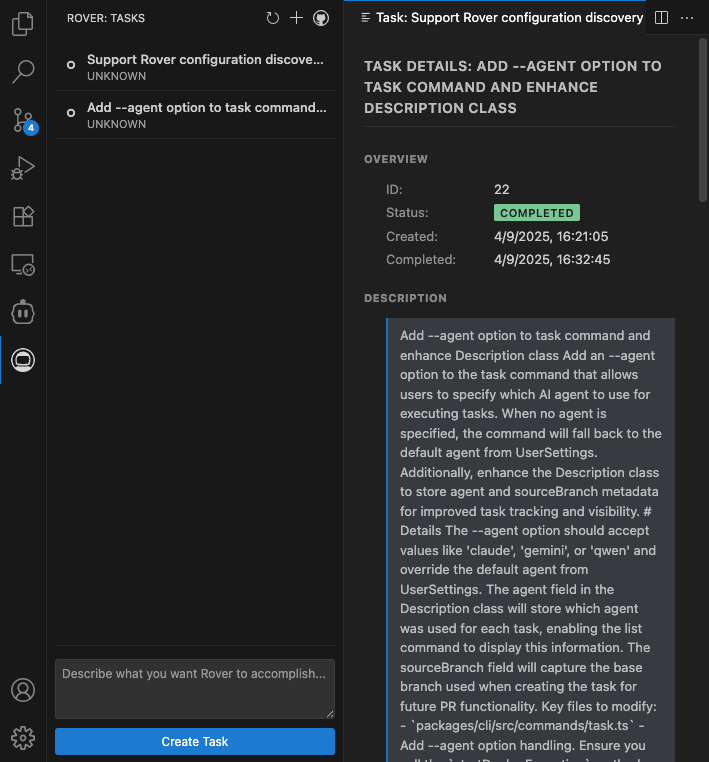
Rover works alongside your existing tools and development practices. Whether you prefer the command line or VSCode, Rover adapts to your workflow — not the other way around. Monitor agent tasks, review outputs, and maintain control without leaving your familiar environment.
Open Source
Built in the Open
Rover is released under Apache 2.0 license. Inspect the code, report issues, and contribute to make it better for everyone.
Try it yourself
Experience the power of Rover directly in your terminal. Run commands, manage agents, and see results in real-time.
1
Install Rover
Get started with a single command
2
Start Assigning Tasks
Launch Rover and create your first agent task
$ rover task
▗▄▄▖  ▗▄▖ ▗▖  ▗▖▗▄▄▄▖▗▄▄▖
▐▌ ▐▌▐▌ ▐▌▐▌  ▐▌▐▌   ▐▌ ▐▌
▐▛▀▚▖▐▌ ▐▌▐▌  ▐▌▐▛▀▀▘▐▛▀▚▖
▐▌ ▐▌▝▚▄▞▘ ▝▚▞▘ ▐▙▄▄▖▐▌ ▐▌
🤖 Rover: hey human! Here you can assign new tasks to an agent.
🤖 Rover: Add detailed instructions for a better result.
? Describe the task you want to assign:
Get in Touch
Join the conversation about Rover! Share your experiences, get help from the community, and stay updated on the latest features and improvements.