Own your AI. Keep your data. Switch models. Run agentic tools.
Interactive charts, maps, sortable tables, threaded conversations and more.
Intel & Apple Silicon · macOS 13+
Rich Content
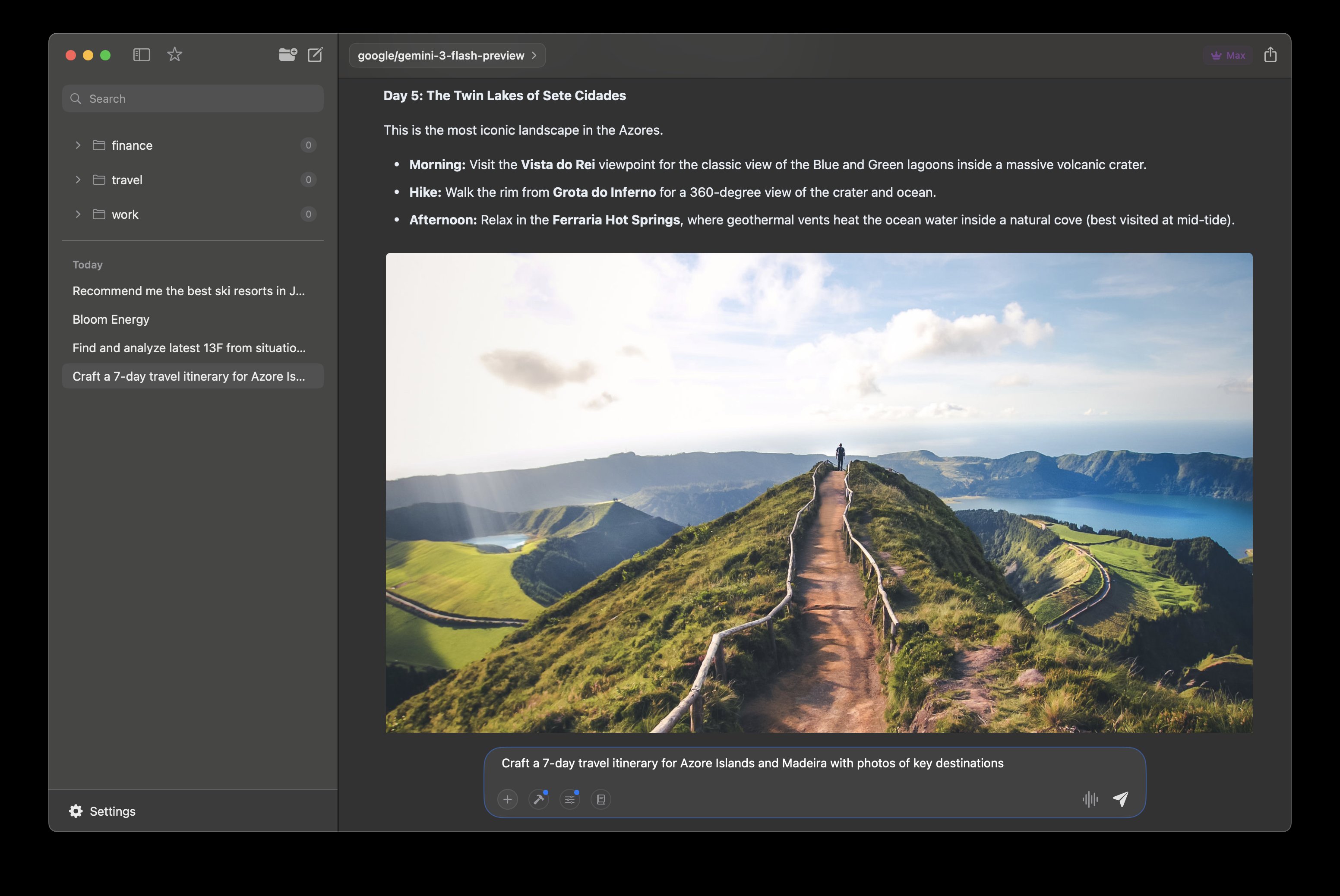
Itineraries with inline photos and formatted details
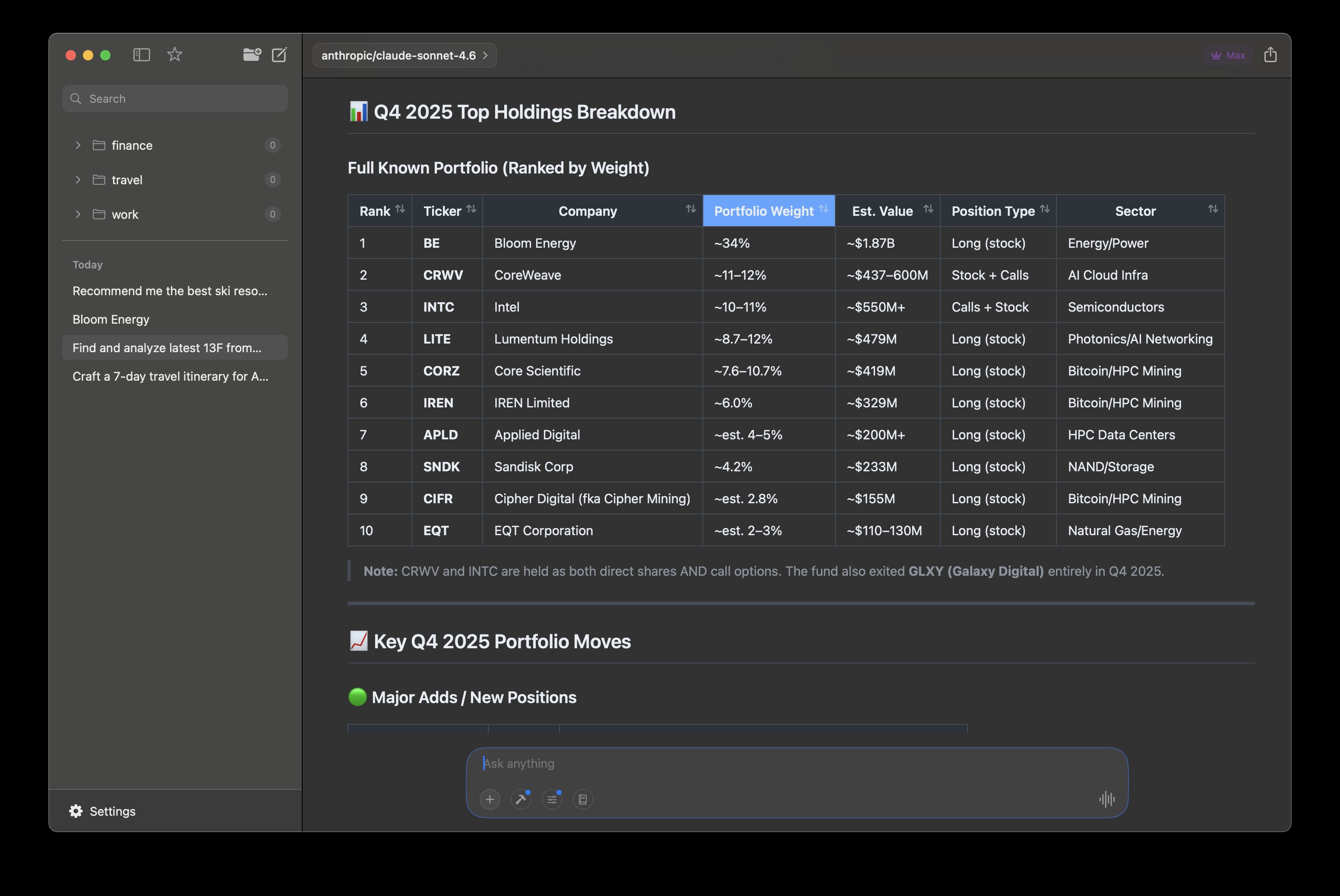
Sortable Tables
Structured data you can sort and explore inline
Built-in Tools
Web search, image search, MCP servers, and charts
Interactive Charts
Chart.js and TradingView charts rendered in conversations
Threaded Conversations
Branch into side threads without losing context
Agentic Research
Multi-step tool calling that fetches and presents findings
Photo Galleries
Image grids fetched and arranged automatically
Apple Maps
Interactive maps embedded in conversations with pinned locations
Works with the models you already use
 Ollama
  Claude
  OpenAI
  Gemini
  Grok
Grok  DeepSeek
  Qwen
Qwen  Cerebras
  OpenRouter
Features
More than chat
Switch models mid-conversation. Run local models offline or cloud models with your own keys. Agents that search the web, read your calendar, and write code. Results as charts, maps, and tables — not just text.
Your knowledge base grows as you work
Projects give every conversation shared context. Add persistent system instructions, attach files, and build a knowledge base that your model can search, read, and write — all mid-conversation. Turn on auto-distill and key facts get extracted into your KB automatically. No scripts, no terminal, no RAG pipeline.
- Projects with persistent system instructions and color coding
- Filesystem-based Knowledge Base — add files, create and edit pages
- Models search, read, and write KB pages during conversation
- Auto-distill: key facts extracted into KB after each response
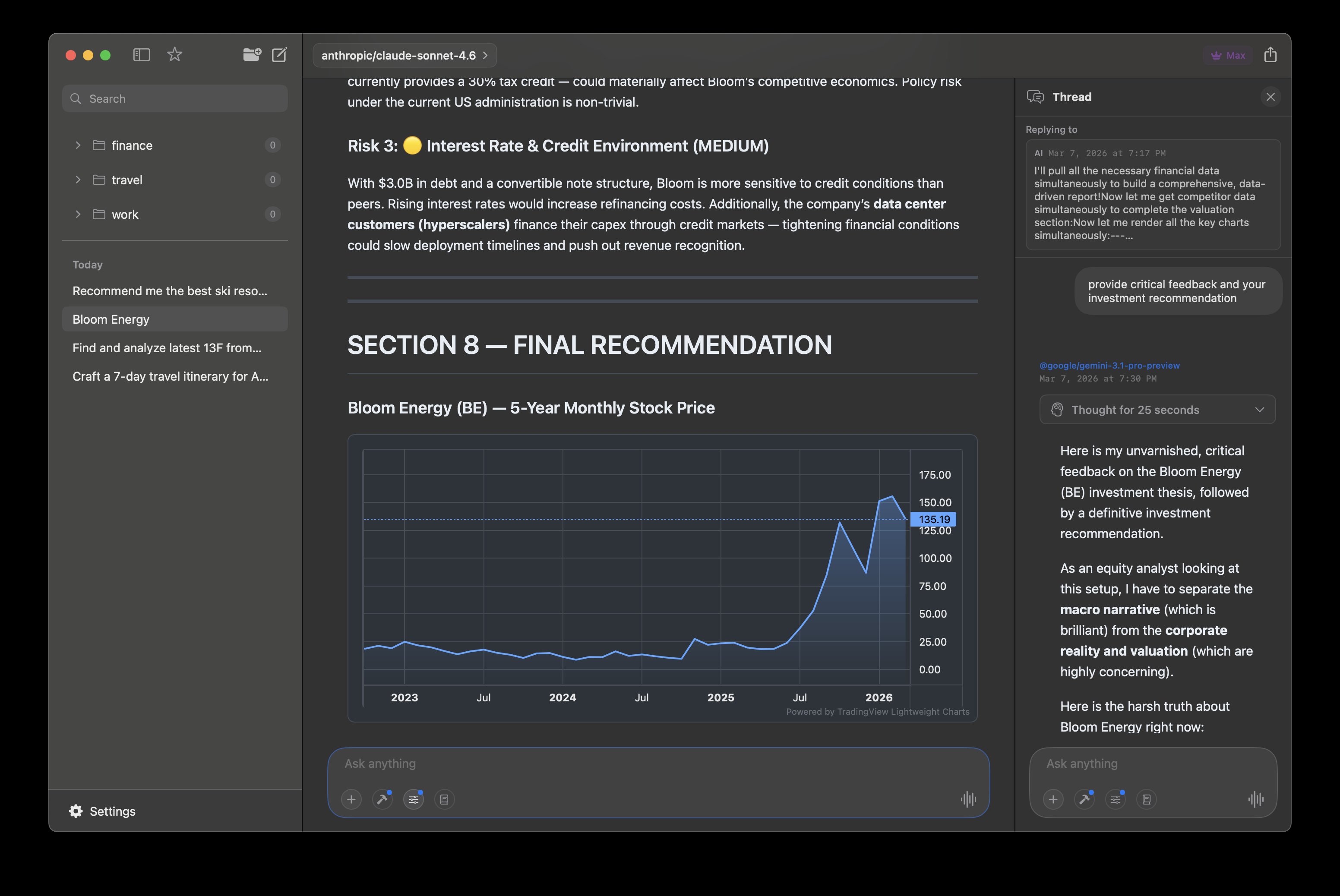
Every model, one app
Stop switching between ChatGPT, Claude, and a dozen browser tabs. Elvean connects to every major AI provider and your local models in one native interface. Bring your own API keys, pay providers directly, no markup.
- Ollama, LM Studio, MLX, Claude, OpenAI, Gemini, Grok, Cerebras, DeepSeek
- 300+ models via OpenRouter — including any OpenAI-compatible API
- Switch models mid-conversation with @mentions
- API keys stored in macOS Keychain, never on our servers
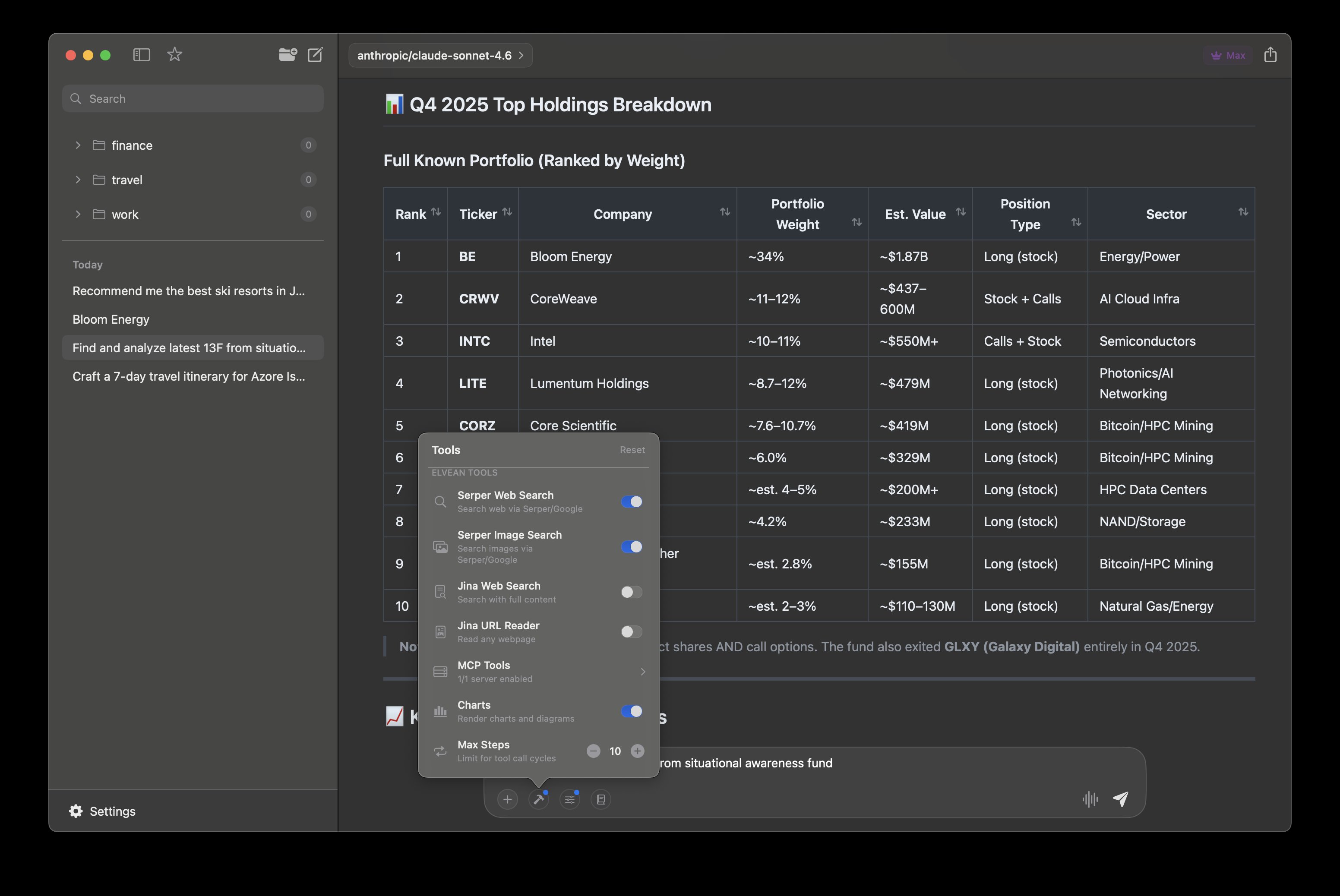
Responses that come alive
AI responses shouldn't be walls of text. Elvean renders charts you can interact with, tables you can sort, maps you can explore, and image galleries you can browse — all inline, right in the conversation.
- Interactive Chart.js charts and Mermaid diagrams
- Sortable, filterable tables with structured data
- Embedded Apple Maps with pinned locations
- Photo galleries fetched and arranged automatically
- Real-time weather forecasts via Apple WeatherKit
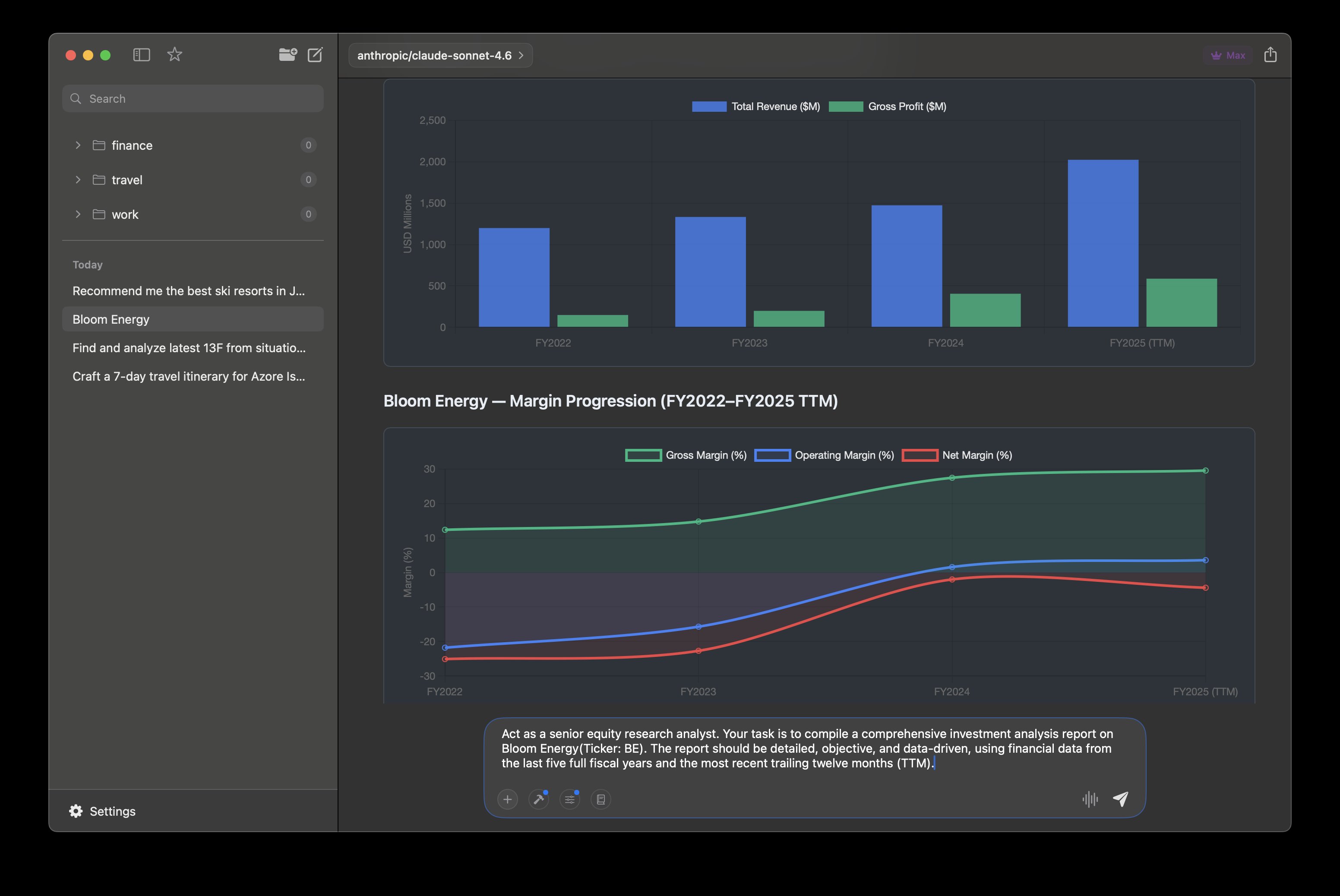
Put AI to work on multi-step tasks
Move beyond one-off prompts. Elvean's agent mode handles work that needs planning, iteration, and follow-through in a single flow.
- Action-oriented workflows that plan the next step, not just answer
- Built-in tools: web search, Apple Calendar, weather, screenshot to AI
- MCP servers for files, databases, and any external API
- Multi-step execution with live progress and inline results
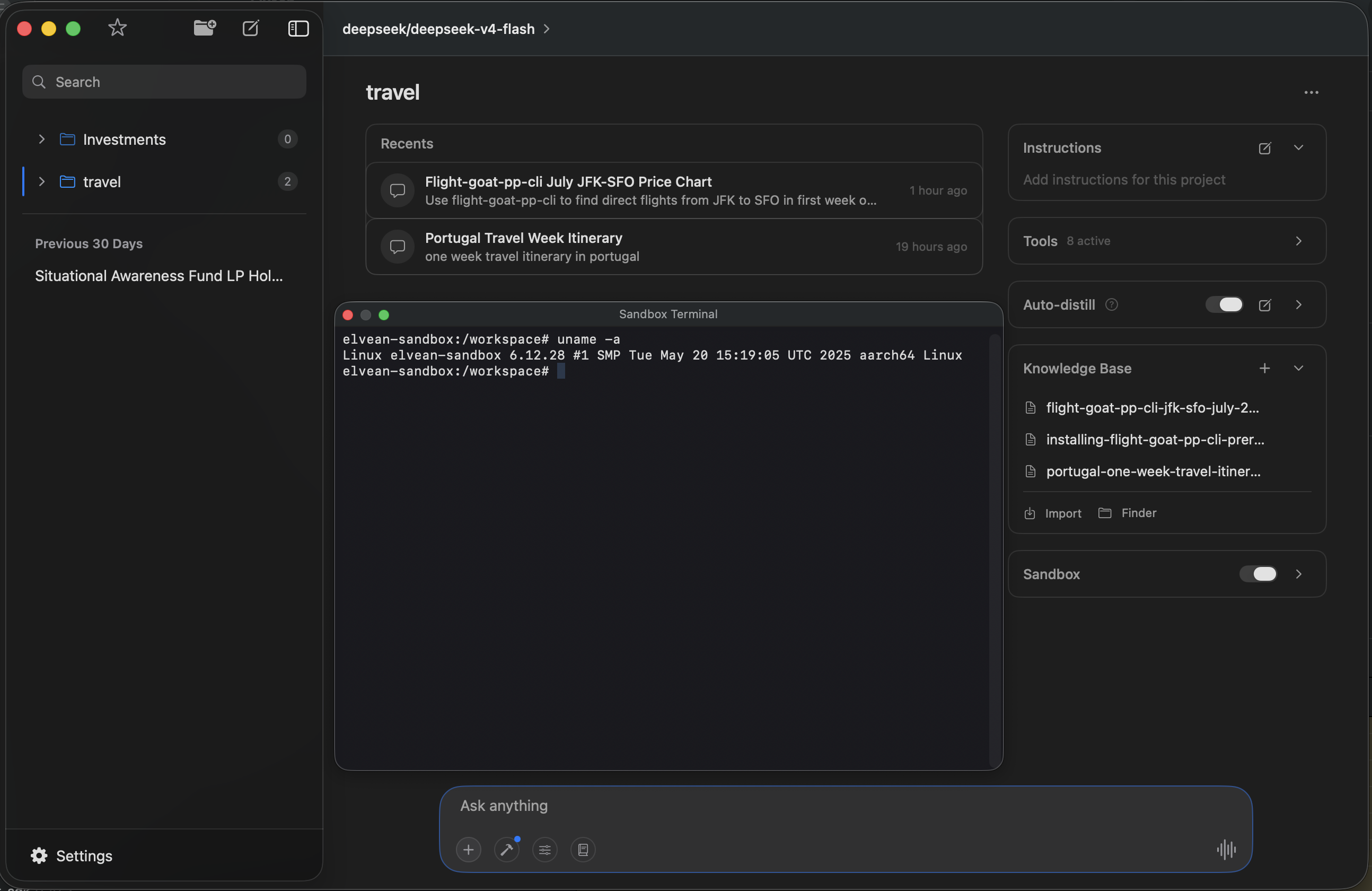
Give your AI a real environment
Your model doesn't just talk about code — it runs it. Each project can spin up a sandboxed Linux container with a full terminal. AI executes commands inside the sandbox and produces artifacts you can access from your project folder. Open the built-in terminal to interact with it directly.
- Isolated Linux container per project
- AI runs commands, installs packages, writes files
- Artifacts accessible from your project folder
- Built-in terminal panel (Cmd+Shift+T)
Conversations that stay organized
Long conversations get messy. Elvean brings Slack-style threads to AI — branch off into a side discussion without losing your main context. Fork any message to explore a different direction. Your thinking stays structured.
- Threaded conversations — branch without losing context
- Fork any message to explore alternate directions
- Folders, favorites, and full-text search across all conversations
- Cmd+F find within any conversation
Built for your Mac, not ported to it
Elvean is a native SwiftUI app — not an Electron wrapper, not a web view in a frame. It launches instantly, uses minimal memory, and respects every macOS convention you expect. Keyboard shortcuts, dark mode, and a system-wide prompt panel that works from any app.
- Native SwiftUI — optimized for Apple Silicon and Intel
- System-wide prompt panel: select text anywhere, hit a hotkey, get AI
- Prompt library with variable placeholders and Cmd+/ access
- Per-conversation settings: temperature, tokens, system prompts
Private by default. Not by afterthought.
Your conversations never touch our servers. Local models through Ollama, LM Studio, or MLX run fully offline — no internet, no data leaves your machine. When you use cloud providers, data goes directly to them. API keys live in your macOS Keychain. No telemetry. No tracking. No account required.
And there's more
🎙Voice input & text-to-speech
📎Image & PDF attachments
📝Edit any AI response in Markdown
📊Token usage tracking
📤Export to Markdown, HTML, PDF
⚡Metal-accelerated local inference
Pricing
Free to start, Pro when you're ready
No account required. Download and start chatting immediately.
Free
$0
forever
- ✓ 300+ cloud models (BYOK)
- ✓ Ollama, LM Studio & MLX local models
- ✓ Unlimited conversations
- ✓ Folders & organization
- ✓ System-wide prompt panel
- ✓ Fork any message
- ✓ Prompt library
Most Popular
Pro
$4.99/mo
or $49.99/year (save 17%) · 7-day free trial on all plans
- ✓ Everything in Free, plus:
- ✓ Projects with Knowledge Base & auto-distill
- ✓ Web, image & video search
- ✓ Interactive charts, diagrams & maps
- ✓ Screenshot to AI
- ✓ Apple Calendar & Weather tools
- ✓ Threads & @mention model switching
- ✓ Markdown editing of responses
- ✓ Unlimited MCP servers
- ✓ Export (Markdown, HTML, PDF)
- ✓ Priority support
FAQ
Common questions
Do I need an account to use Elvean?
Nope. Download, open, start chatting. No sign-up, no email, no account. If you use cloud models like Claude or GPT, you'll need your own API key — but that's between you and the provider.
Can I use it completely offline?
Yes. Connect Ollama, LM Studio, or MLX and everything runs locally on your Mac. No internet needed, no data leaves your machine. If you also use cloud models, those obviously need a connection — but local stays local.
What does "bring your own key" mean?
You use your own API keys from OpenAI, Anthropic, Google, etc. You pay the providers directly at their rates — no markup, no middleman. Your keys are stored in macOS Keychain, not on our servers.
How is this different from ChatGPT or Claude Desktop?
Those apps lock you into one provider. Elvean lets you use every model in one place — switch mid-conversation with @mentions, fork threads, render charts and maps, edit responses in markdown. It's a workspace, not a prompt box.
Is my data private?
We don't collect anything. No telemetry, no analytics, no conversation history on our servers. Local models are fully offline. API keys live in your Keychain. Your conversations stay on your Mac.
What's the difference between Free and Pro?
Free gives you unlimited conversations with any model — local or cloud. Pro unlocks power features: web search, charts, diagrams, threads, markdown editing, MCP servers, and exports. Both monthly and annual plans include a 7-day free trial so you can try everything first.
Does it work on Intel Macs?
Yes. Elvean runs on any Mac with macOS 13 or later — Intel or Apple Silicon. Local inference is faster on M-series chips, but the app works great on both.
Get Started
Ready to try Elvean?
Download, open, start working. No account required.