Open Source · MIT Licensed
Your Pi Sessions,
Beautifully Managed
Browse, search, and manage your Pi AI coding sessions across every platform. Full-text search, tree visualization, dashboards, and more.
Everything you need
A complete toolkit for managing your AI coding sessions
Multi-View Browser
List, project, and kanban views to organize sessions your way. Filter by tags, search, and sort.
Full-Text Search
SQLite FTS5 + Tantivy powered search across all sessions. Find any conversation instantly.
Session Visualization
Tree view and flow visualization to explore branching conversations and tool call chains.
Built-in Terminal
Integrated xterm.js terminal for running commands without leaving the session viewer.
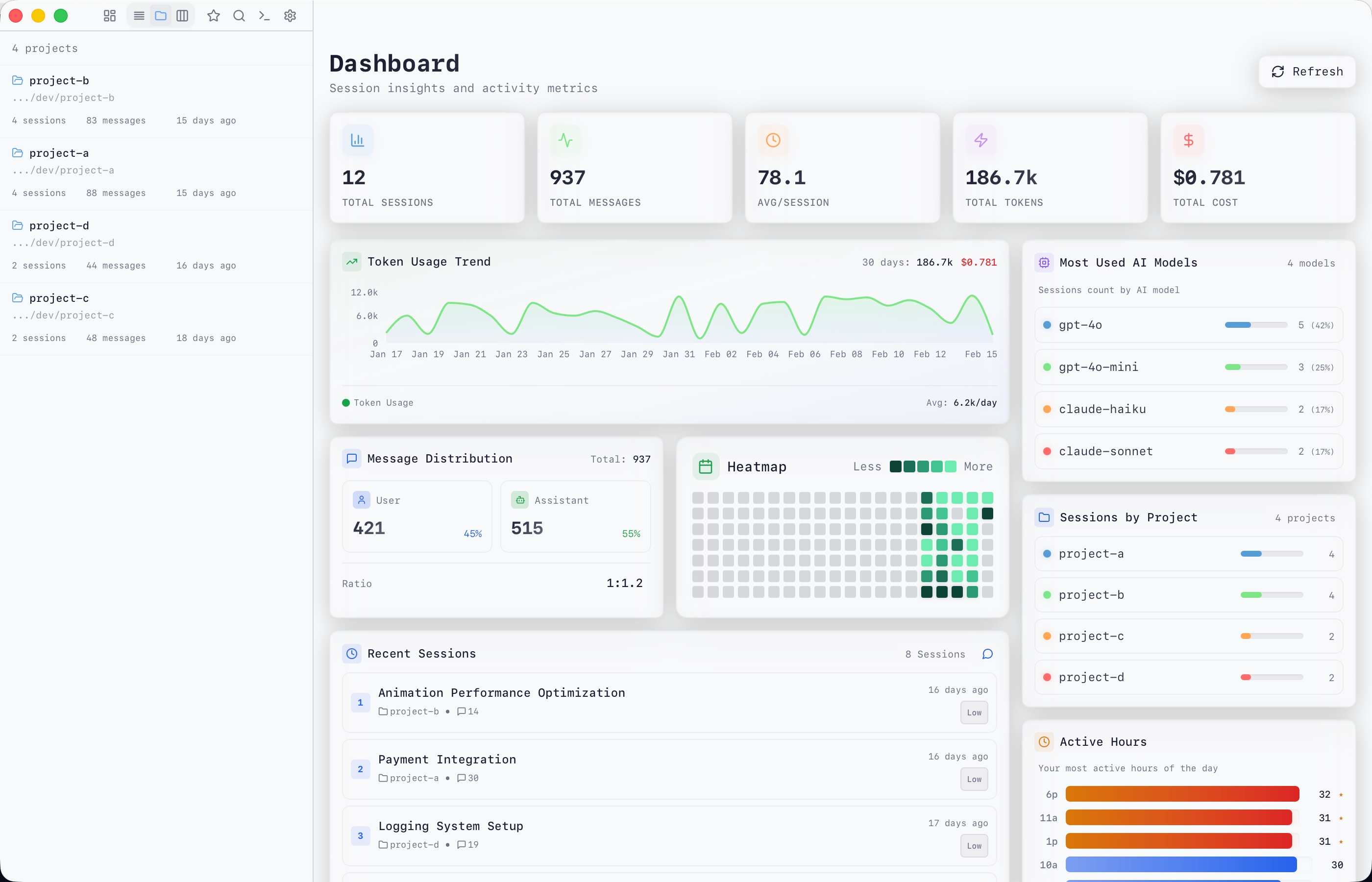
Dashboard & Stats
Activity heatmaps, usage statistics, and achievement badges to track your coding journey.
Hierarchical Tags
Organize sessions with nested tags. Bulk operations and smart auto-tagging support.
Flexible Export
Export sessions to HTML, Markdown, or JSON. Share conversations or archive them offline.
Multi-Protocol API
Tauri IPC, WebSocket, and HTTP endpoints. CLI mode for headless servers. Mobile optimized.
Built for every platform
One codebase, three protocols, runs everywhere
FrontendReact 18 + TypeScript + Tailwind
TransportTauri IPC · WebSocket · HTTP POST
BackendRust + Tokio + Axum + SQLite
Up and running in minutes
Three steps to manage all your Pi sessions
01
Download
Grab the latest release for your platform from GitHub Releases.
# Or install CLI for headless servers
curl -fsSL https://github.com/Dwsy/pi-session-manager/releases/latest
02
Configure paths
Point to your Pi session directories. Auto-detects the default location.
# Default: ~/.pi/agent/sessions
# Add custom paths in Settings → Session Paths
03
Start exploring
Browse sessions, search conversations, view dashboards, and manage tags.
# CLI mode for remote servers
./pi-session-cli --bind 0.0.0.0:52131