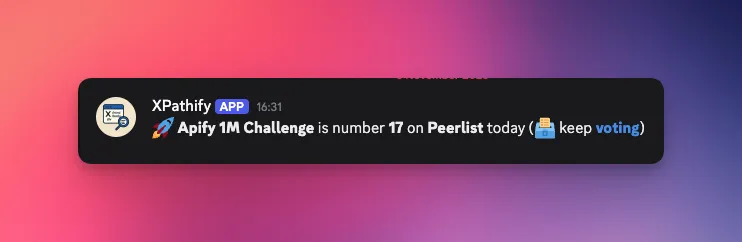
I'm participating in the Apify 1M Challenge, and I wanted to keep the community engaged by sharing daily updates about how the challenge is ranking on Peerlist.
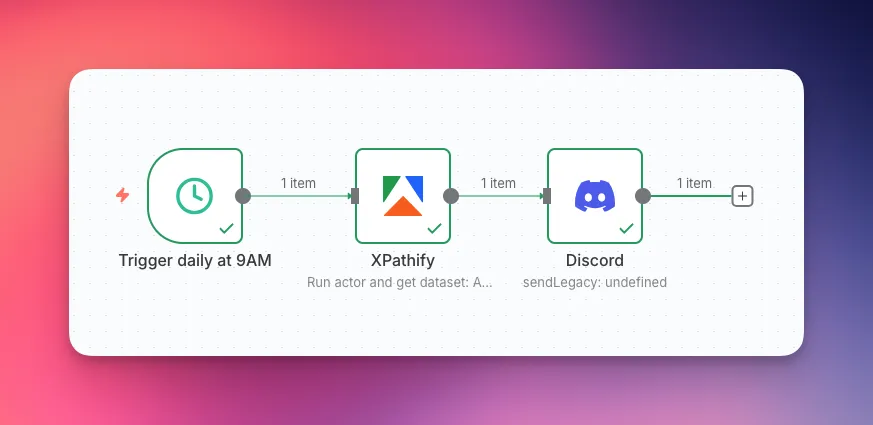
So I built a simple automation that sends the current Peerlist ranking to Discord every morning:
- Total setup time: 5 minutes
- n8n nodes needed: 3
- No manual XPath writing. No complex scraping logic. Just three connected nodes.
Prerequisites
You'll need:
- An Apify account (free tier works fine)
- An n8n instance (cloud or self-hosted)
- A Discord account
Step-by-Step Setup
1. Schedule Trigger Node
In a new n8n workflow, add a Schedule Trigger node and set it to run daily at your preferred time.
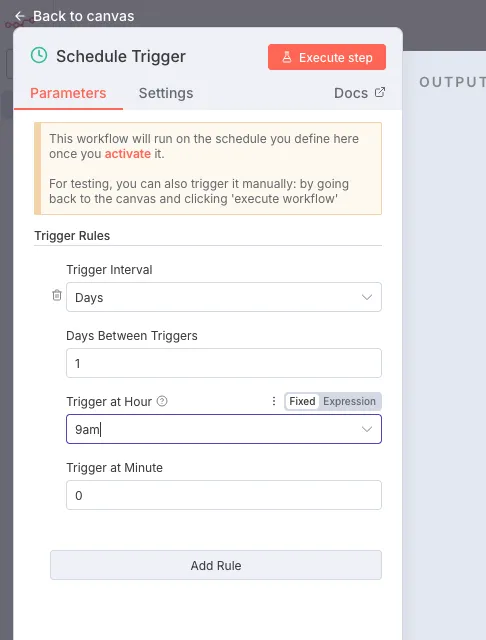 Setting the node to trigger the workflow everyday at 9am.
2. Apify Node
Connect an Apify node to the Schedule Trigger output.
You may need to install the Apify node if you haven't already (see documentation).
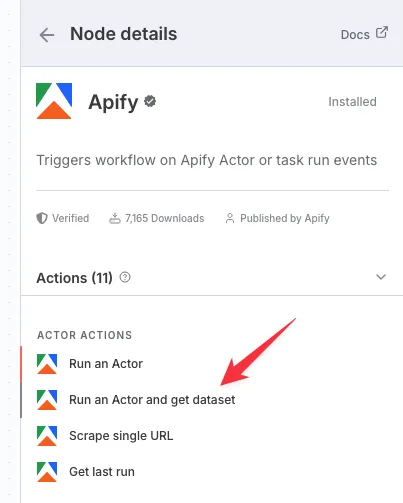 Select
 Run an Actor and get dataset.
This is where the magic happens. XPathify automatically extracts all text content from a webpage with ready-to-use XPath selectors.
Configure the node:
- Actor: Search for "XPathify" or use
scratchyscraper/xpathify(step 1 on the screenshot below) - Input JSON: Your target page, formatted as JSON (e.g.,
{"url": "https://peerlist.io/fabianmume/project/the-apify-1m-challenge"}) - Memory: 128MB is enough, this is a very lightweight actor
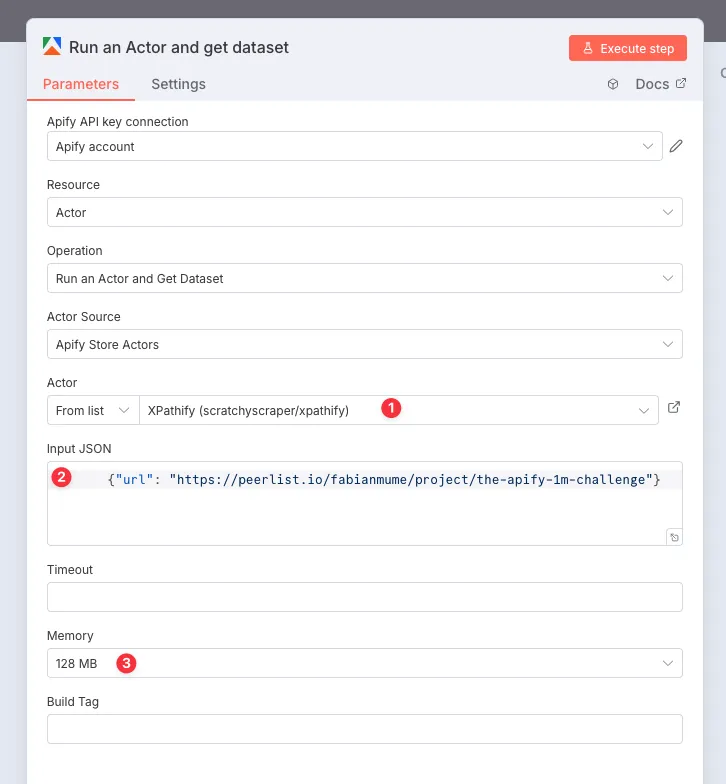 Apify node configuration on n8n
That's it. Run it once to see the output.
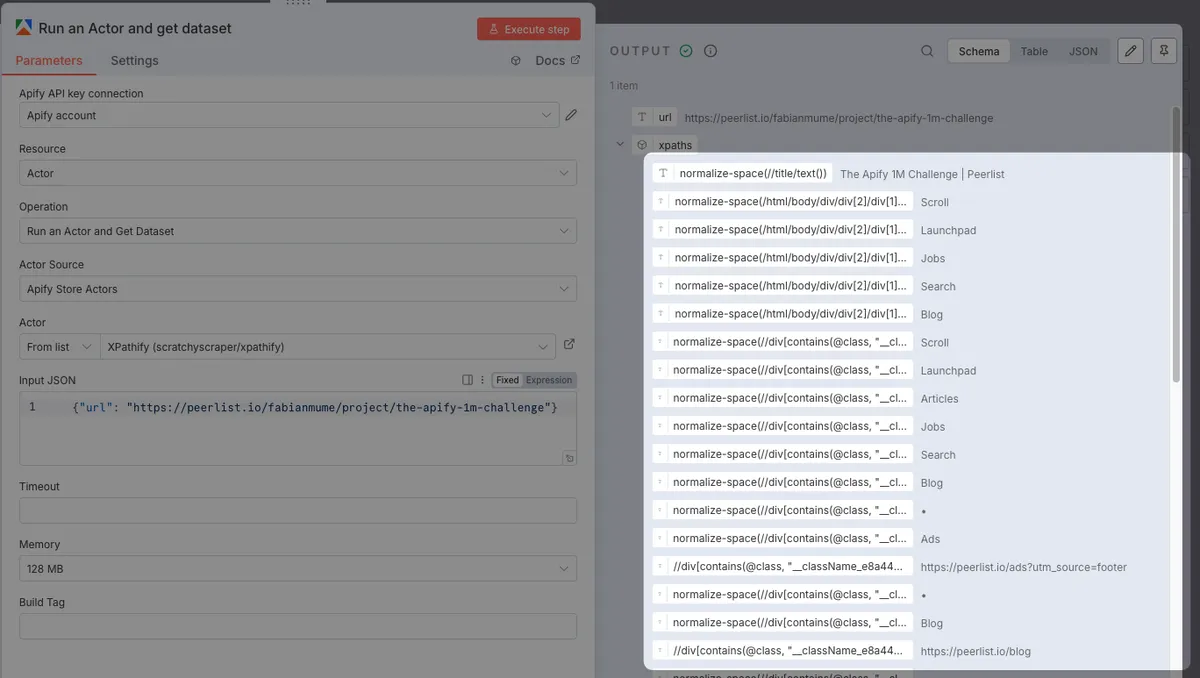
3. Discord Node
Finally, connect a Discord node to the Apify output.
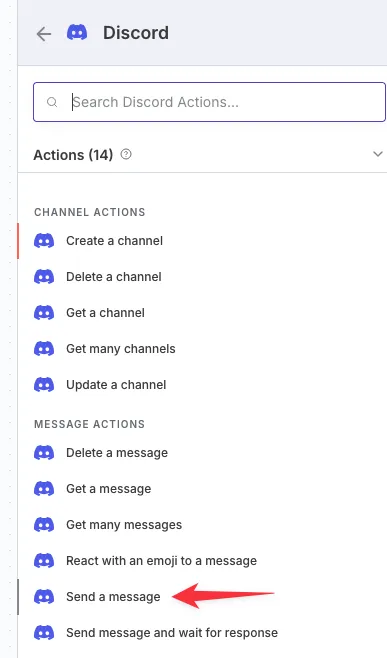 Select
 Send a message
Use the Webhook connection type and Create new credential to add your Discord webhook url (check out Discord documentation to create your webhook).
Then compose your message (this is the fun part).
The actor returns a structured JSON with all XPath mappings.
Find the one that contains the ranking number drag and drop the element in the message field.
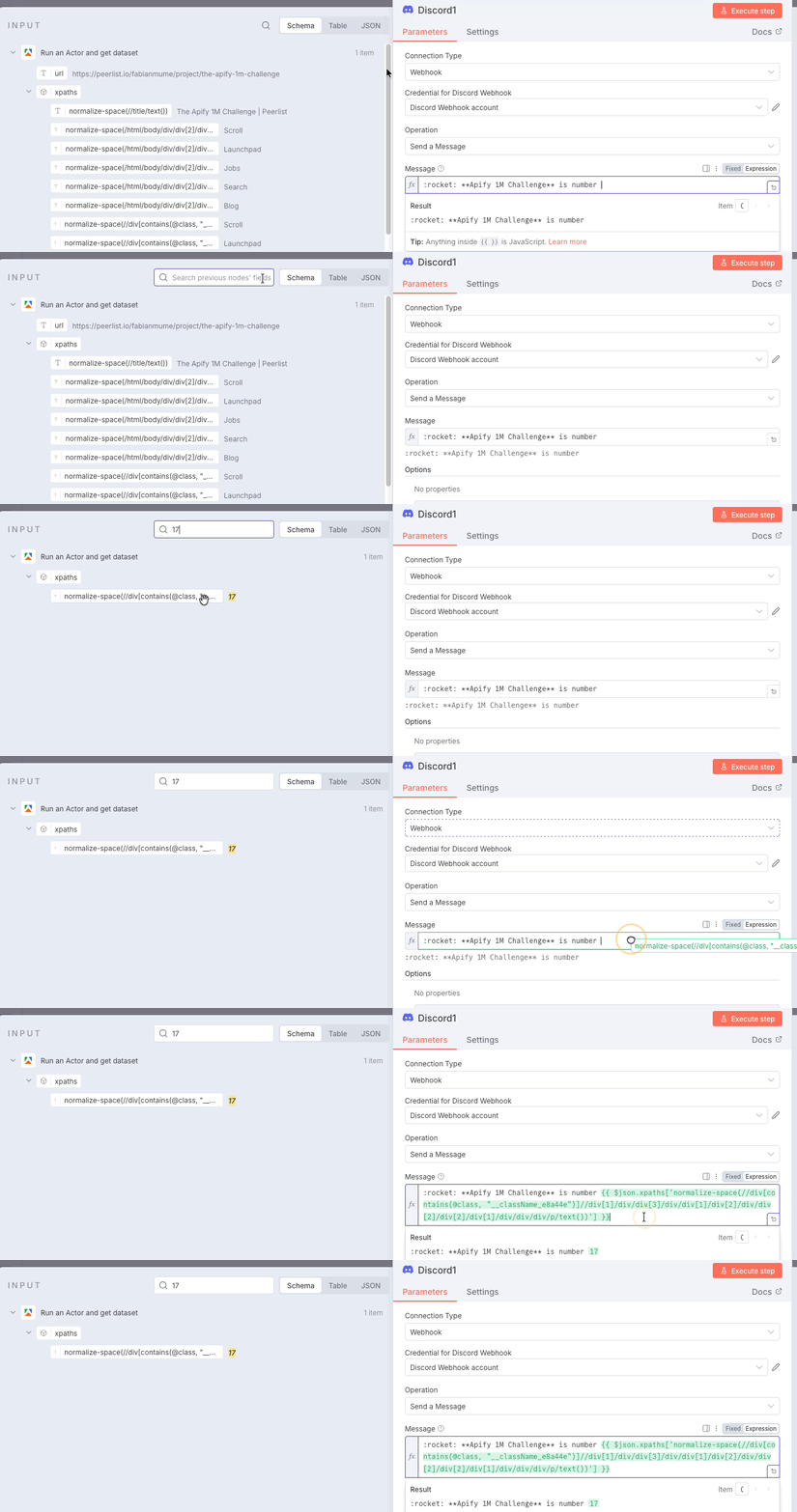 In node input, you can search for the value
 17 with the magnifier tool
Finish up writing your message template in Markdown:
:rocket: **Apify 1M Challenge** is number **{{ $json.xpaths['normalize-space(//div[contains(@class, "__className_e8a44e")]//div[1]/div/div[3]/div/div[1]/div[2]/div/div[2]/div[2]/div[1]/div/div/div/p/text())'] }}** on **Peerlist** today (🗳️ keep [**voting**](<https://peerlist.io/fabianmume/project/the-apify-1m-challenge>))
Don't worry about the long XPath expression - this was automatically generated by XPathify. Just use the key that corresponds to your desired value from the JSON output.
Discord Pro Tip: If you want to cancel the auto-embed link preview, you can wrap the link in '< >' tags (Source).
Activate and Test
Activate and save the workflow, then execute it.
If everything works, you're done!
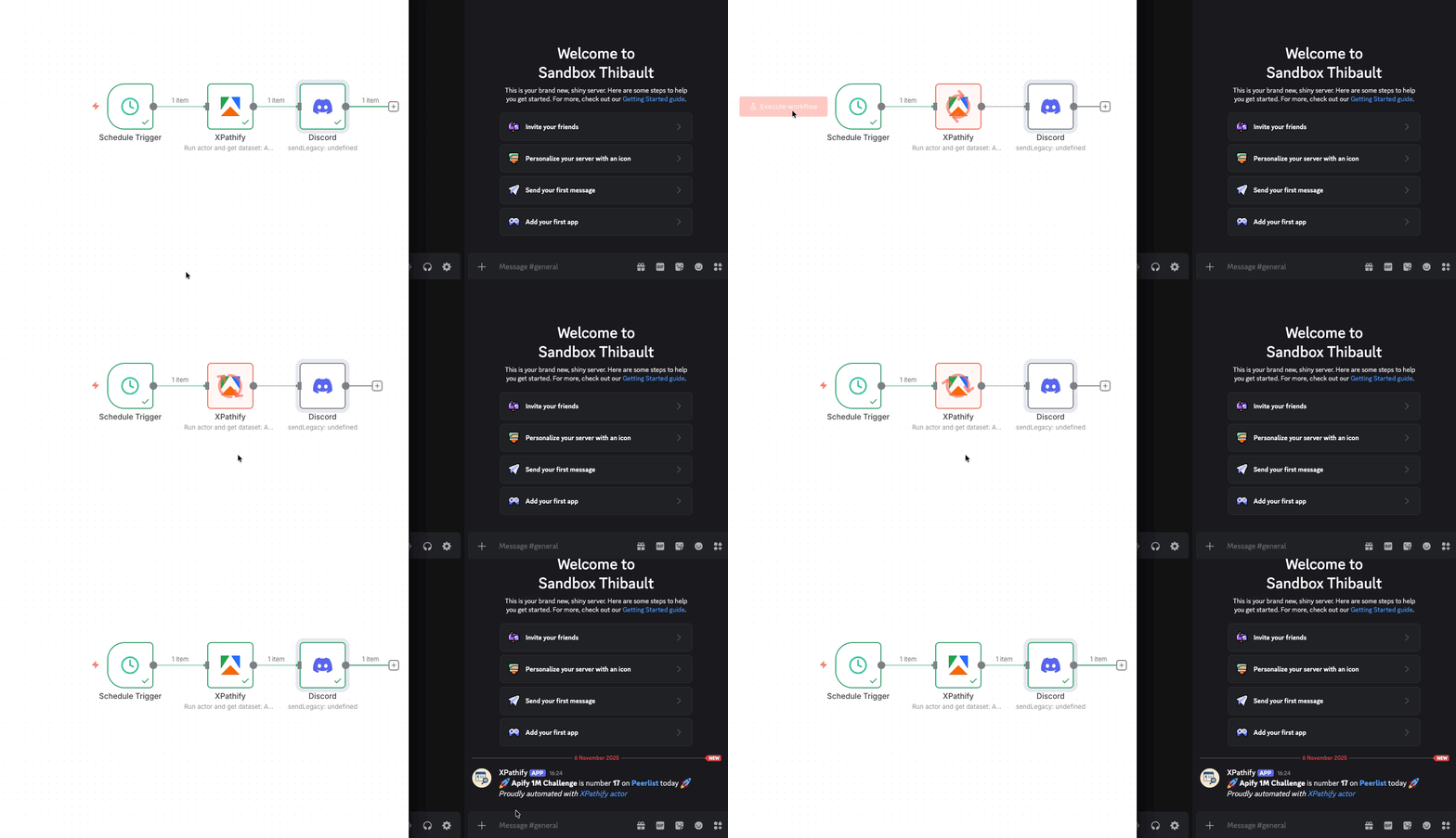 Tadaaaa
Beyond Challenge Tracking: Other Use Cases
XPathify can be used in many other use cases:
- Price monitoring (track competitor pricing)
- Changelog monitoring (get notified of product updates)
- Stock availability alerts
- Any "check this daily" task you're tired of doing manually
Feel free to test it.