A few months ago, I stood up a fiddly daily cron-job to log into my bank, credit card, and brokerage/retirement accounts. It was powered by Codex CLI running non-interactively, and had a fairly simple job: using the Chrome DevTools MCP, log into each website, extract balances and recent transactions, then send my wife and me a sort of “daily financial overview” email. It actually worked surprisingly well.
Well, until the next day. Then it broke. This pattern continued for some time — more often than not, it would work, but then some browser rendering quirk would break that day’s run, or we’d get an unexpected 2FA prompt that would brick that account. Sometimes, GPT would decide to completely change the email format, or it would get confused during a run and only pull one account’s information. Then, there was an account we needed to add that only allowed login with passkeys.
Eventually, I became a sort of unpaid tech support person for my wife, who wasn’t pleased when the daily emails didn’t come through as expected. Somehow, this led to my building Driggsby, an MCP server that tries to make this process less stressful. Two months, 75k lines of Rust, and a Plaid contract later, here we are.
Routines as an unlock
At a high level, Driggsby hooks into financial accounts using Plaid. Then it exposes a variety of tools over MCP: balances, transactions, investment info, loan info, and the like are each accessible through their own tools.
At first, the only way I used Driggsby was interactively, and on-demand — whenever I had a financial question, I’d open Claude, give it my question, and it answered using Driggsby. Over time, patterns started to emerge: most of my queries were about net worth, reviewing balances/transactions, and monitoring investments. Which made me wonder: what would be the easiest way for me to set this up on autopilot?
A few days ago, Claude Code routines were released, and immediately piqued my interest. As a Claude Code user already, this seemed like it would make it even easier to deploy an agent that would do anything I wanted.
Now, there’s nothing new per se about an agent loop running in the cloud. There are a million of those. What does feel new with Claude Code routines is the ease of setting one up.
You don’t have to write a bunch of agent-loop code and figure out where to deploy it,
or even spin up OpenClaw, the Codex SDK, or claude -p on Hetzner. You just write
a prompt. If you can get your data/tools into your routine cleanly through some
sort of MCP connector, you can cook.
The daily email
To start with, I went back to where I began — a daily email.
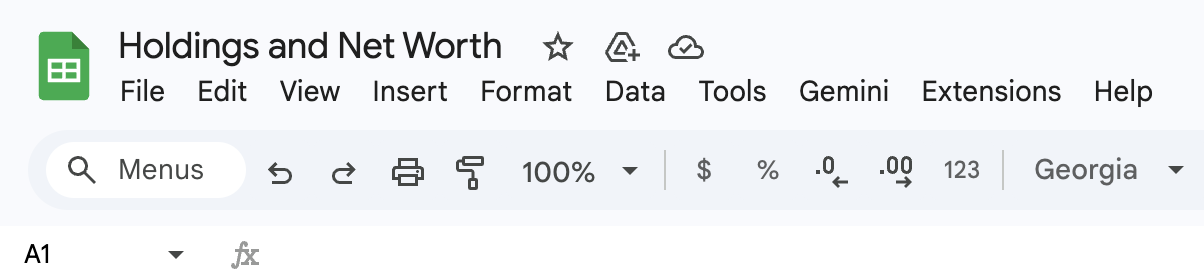
One of the main things we’d wanted in the first place was just a clean, nicely formatted daily email with an overview of all our accounts and net worth. For years, this info had lived for us in a dusty old spreadsheet somewhere on Google Drive. It only took about 15 minutes to update it, but that tiny friction was enough to keep us from doing it very often. We probably updated it at most once every six months.
How hard would this be to set up as a routine?
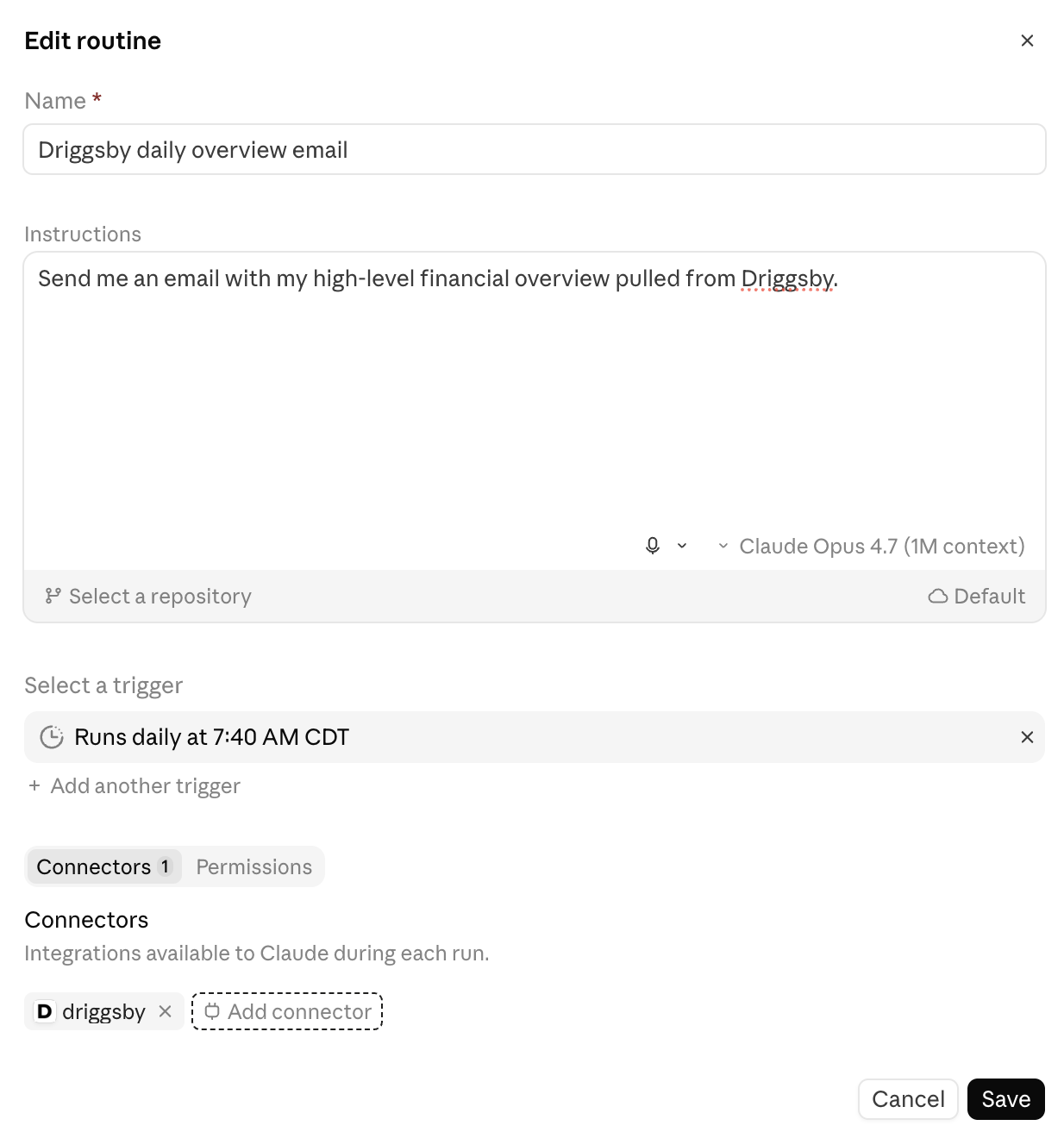
It ended up being incredibly easy. I input the below prompt, set a scheduled time for each morning, connected the Driggsby custom connector, and hit save.
Unfortunately, I then realized there was an issue: it had no way to send me an email. Thankfully, there was a simple solution: the Gmail connector. Added it, hit save. I now had a beautifully formatted, information-dense… draft sitting in my email. Oddly, it turns out the Gmail connector can’t actually send email; it can only create drafts. Back to the drawing board.
After browsing the Claude connector store and not seeing a way I was comfortable with to send email,
I added a simple MCP tool to Driggsby that ended up being surprisingly
convenient — email_me(). By restricting email sends to the account owner’s verified email and
disallowing links and images, we also made it secure enough to be comfortable with. To help with
formatting inconsistency across runs, we had email_me() require the email body be Markdown, and
added some nice CSS for the Markdown-rendered emails.
A few small bugs popped up, which were surprisingly easy to fix because of how inspectable routines are. The UI is essentially a normal, interactive Claude Code session that you’d see when using it through Claude Desktop or the web app — which made it easy to inspect runs as they were happening.
A couple test runs later, my email finally arrived. The daily email problem was solved. Now, changes to the email content over time don’t require code updates, just prompt tweaks through the routines UI.
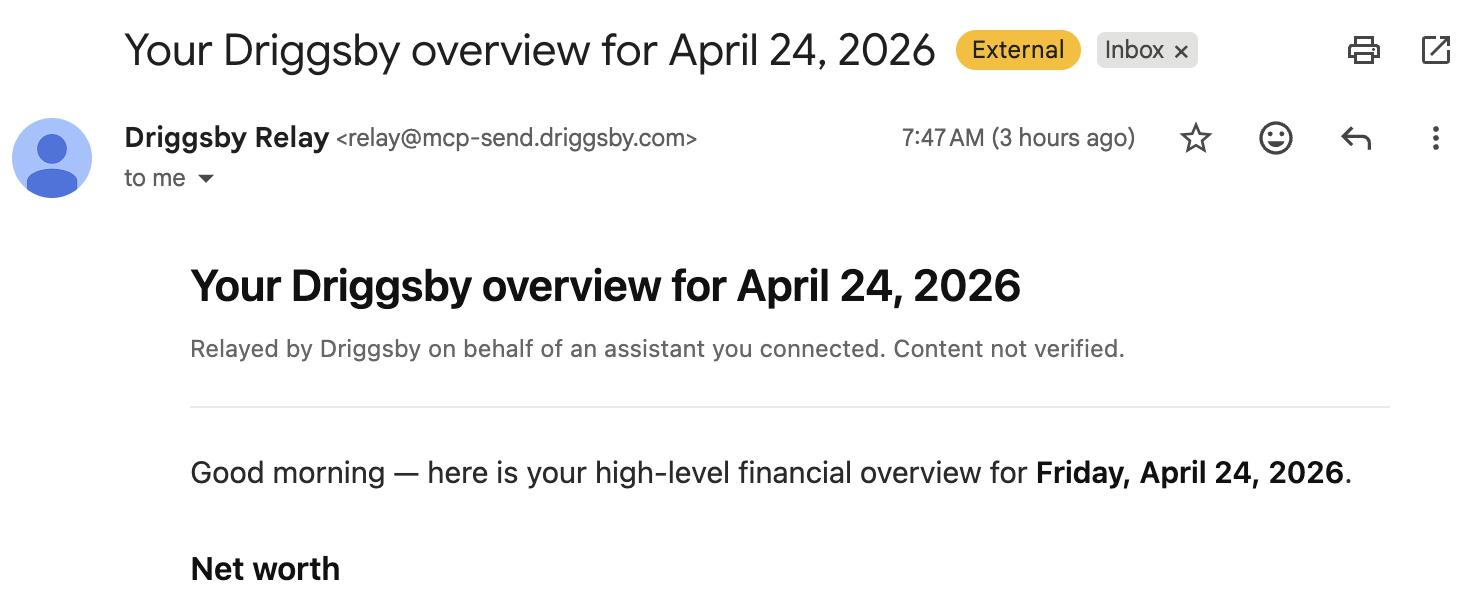
And, my wife now has her own custom daily email that she can edit with her own prompt — since we care about different things, this allows us to individually customize what we see each day.
Beyond the daily email
Now that the daily email was in place, new ideas started popping up. Now that I can spin up an agent with no infra burden, I wonder what else I could do with it?
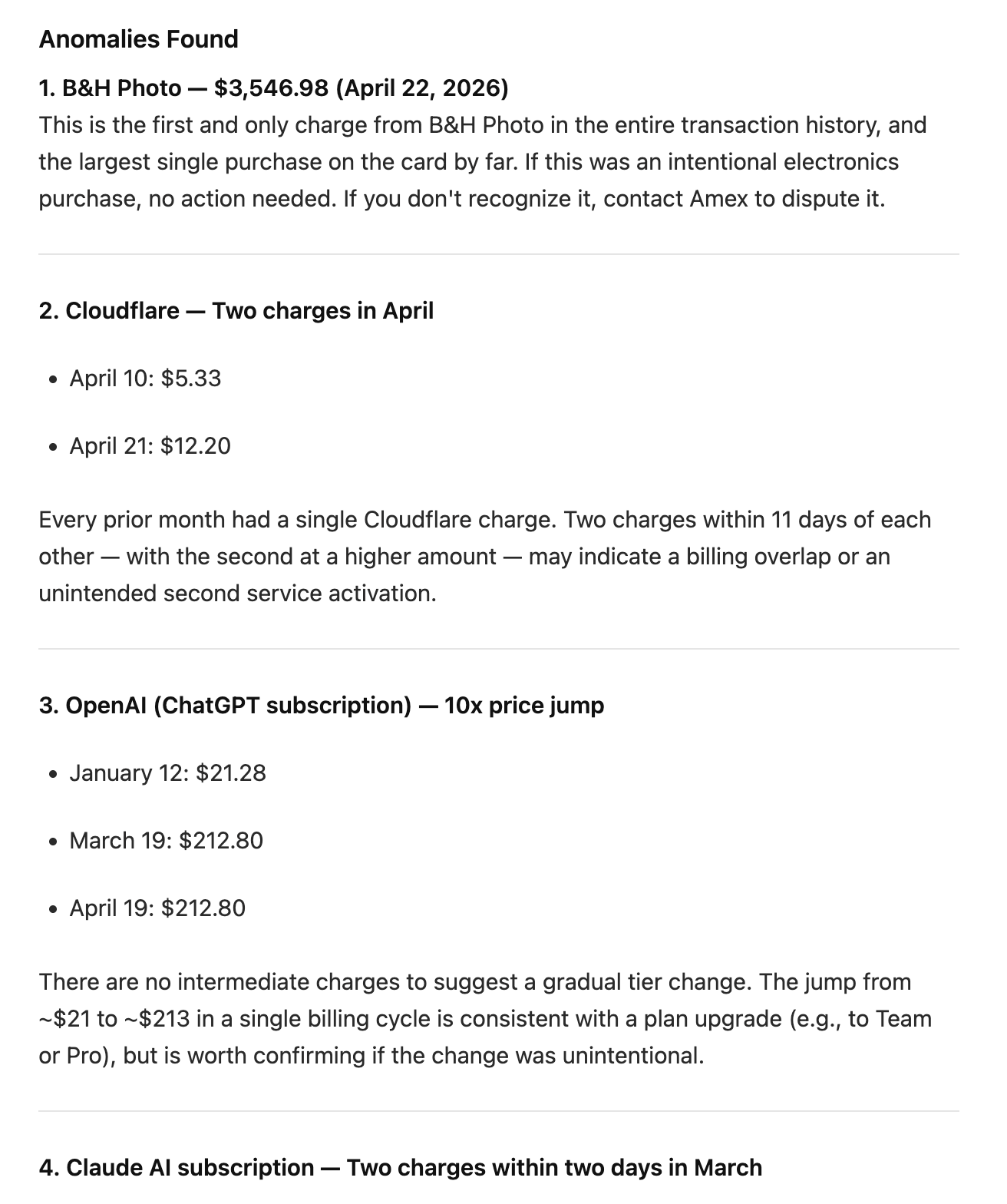
Since Driggsby has transaction data, this was the next one I reached for. I created a new weekly-run routine and gave it a simple prompt:
1. Pull my Amex credit card transactions for the past year.
2. Set aside *only* the transactions for the last 7 days and make those your focus.
3. If you see anything unexpected **in the last 7 days** based on past patterns (e.g., double-charges, subscription price changes, weird merchant names or descriptions), send me an email. Don't alert if all transactions appear normal and consistent with past patterns.
A prompt this basic definitely leads to false positives, but it’s cheap to refine it over time, and cheap to review.
Next, I wanted to look for anything unexpected on my checking account: were there any large or unexpected outflows?
Review my checking account transactions -- over the last day when compared to the last 12 months of transaction data, have there been any large or unexpected outflows that don't fit with past patterns? Focus on transactions over $500.
Hard constraint: *only* review transactions from the last day. This is an automation that runs daily, so that's all we care about.
If you find anything, alert me through email with the subject line "Checking account outflow alert". Otherwise, don't alert.
Over time, this has expanded into investments, subscription analysis, and even monitoring different categories of spending. It’s almost too easy to set up with routines — so over time, I’ll need to batch them or refine my prompts to check for multiple conditions.
Why it matters
The most powerful thing about routines is the ability to just try things with almost no effort. If you think of a prompt, you can run an automation. My wife — who’s a CPA — is now running her own automations, in the cloud, with data pulled live from Driggsby. That’s pretty cool. We should build more things that let you do that.
- Matt, founder & tech support lead