This page tracks major releases and incremental improvements for the Hetzner platform.
October 2025
In the locations EU and SIN, server plans are no longer distinguished by hardware type, but by hardware generation.
For this change, we are introducing new server lines:
-
Shared: Cloud Regular Performance (CPX Gen2 · x86)
Run on the more recent AMD hardware generations available in a location.
-
Shared: Cloud Cost-Optimized (CX Gen3 · x86 / CAX · Arm64)
CAX plans run on an Arm-based platform using Ampere® CPUs. CX Gen3 plans are based on older hardware generations (formerly used by CX Gen1 & Gen 2 and CPX Gen1). They can run on either Intel® or AMD, depending on availability.
-
Dedicated: Cloud General Purpose (CCX · x86)
Always run on the most recent hardware generations available in a location.
Existing servers are not affected by the deprecation of CX Gen2 and CPX Gen1 plans. They will continue to work.
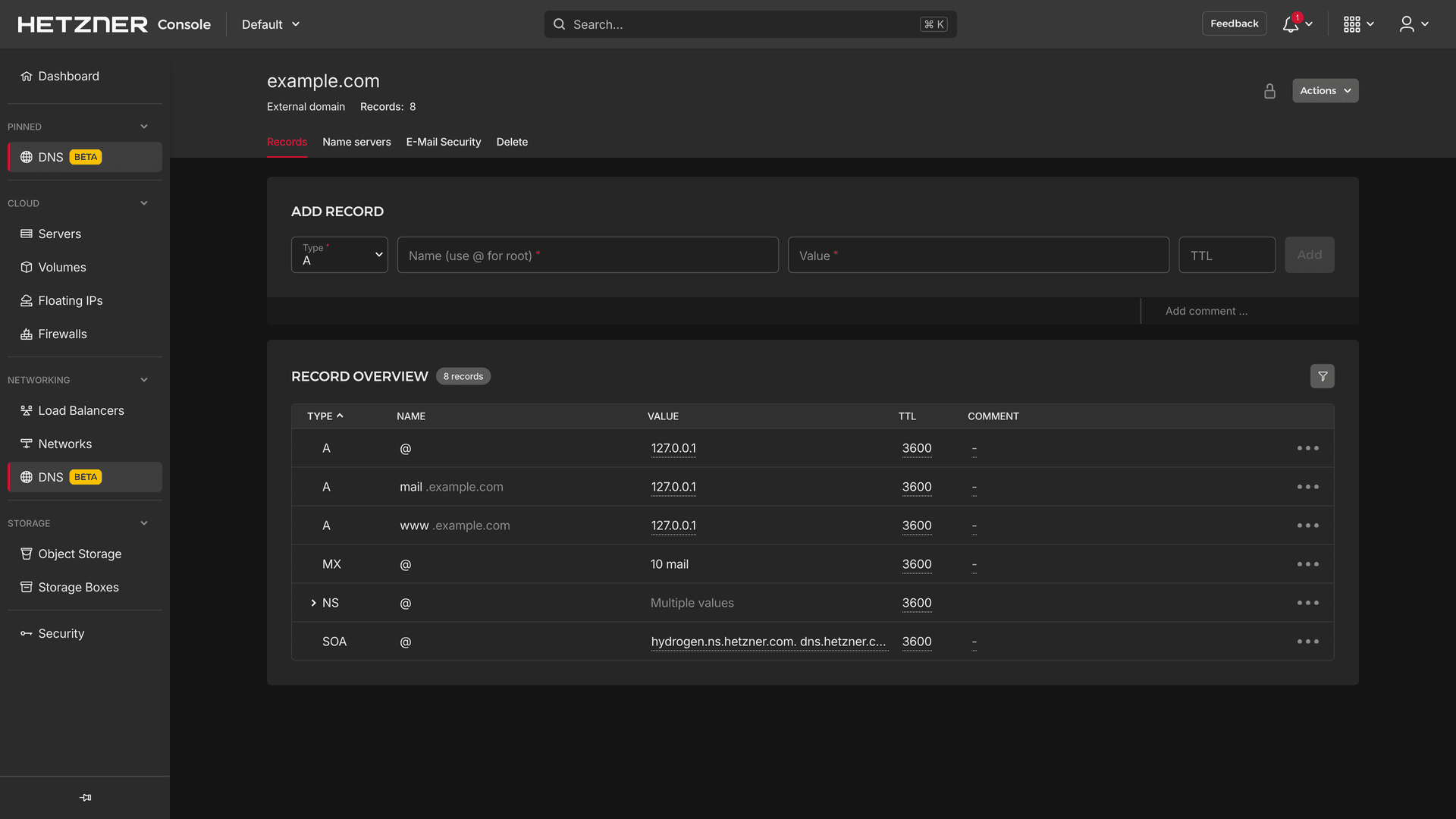
After Storage Boxes, DNS has also been moved from a separate panel into Hetzner Console.
-
Beta phase
Beta will likely end on 10 November 2025. After that date, it is no longer possible to create new zones in the old DNS Console. Follow this step-by-step guide to migrate your existing zones from the old DNS Console to Hetzner Console.
-
New features
-
Additional record types supported: HTTPS, SVCB, PTR, HINFO, RP, and more.
-
Record comments: Add a comment per record to better distinguish entries.
-
Integration into the Cloud API: Manage DNS zones via the Hetzner Cloud API.
-
New validations: Ensure correct configuration of zones with improved validation checks.
-
-
Reworked main navigation
For a clearer structure, DNS, Networks, and Load Balancers are now grouped under the new top-level item "Networking".
August 2025
We are dedicated to providing a smooth and intuitive user experience, and are continuously working to optimize our products and interface — keeping them clean, simple and, most importantly, user-friendly! To better understand your needs and possible pain points, we need your help:
🚀 Your input matters! In Hetzner Console, you’ll now find a new “Feedback” menu item in the header, where you can quickly share your ideas, feature requests, and criticism. Help us improve Hetzner Console together — we look forward to your feedback!
June 2025
The Cloud Console is now the Hetzner Console, reflecting our goal to unify all Hetzner products under one roof. Now live at: https://console.hetzner.com
- Reworked main navigation Resources are now organized into collapsible sections to give you a clearer structure. Pin the resources you use most often to keep them at the top for quick access.
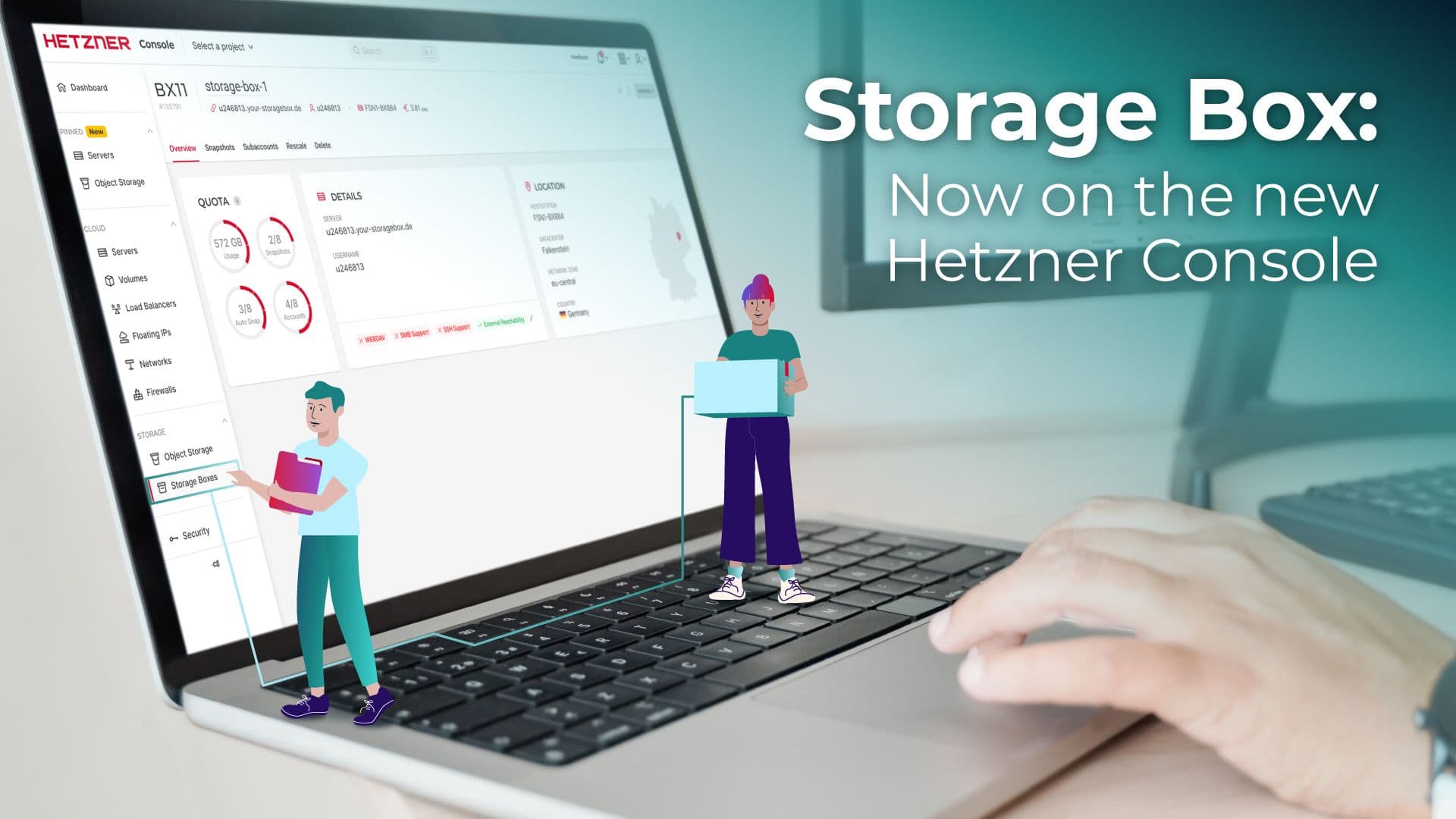
- Storage Boxes — now integrated Storage Boxes are the first product to move from a separate panel into the Console. They now share the same consistent and intuitive interface as our cloud products.
- Faster provisioning: New Storage Boxes are ready within seconds.
- Fully configurable at creation: Set up protocols (SMB, WebDAV, SSH), accessibility, and SSH keys right away.
- New API endpoint: You can now manage Storage Boxes via the Hetzner API. Please migrate your systems before 29 July 2025, as support for Storage Boxes via the Robot Web Service will end.
- Already migrated: Existing Storage Boxes are now in the project "Storage Box Migrated".
- Global search and usage preview: Due to technical dependencies, not available yet — we are already working on the integration!
December 2024
With the end of the beta phase, our S3-compatible Object Storage is now available to all our customers for flexible data storage.
- Buckets You can save, view, and download data via public URLs, and choose between the Bucket visibilities "private" and "public".
- Versatile application possibilities Use the Buckets for backups, file storage, hosting, infrastructure and development projects and much more.
- S3-compatible API Manage your data via our S3-compatible API. To create credentials, go to "Security".
September 2024
When you open a project, the new dashboard provides an overview of all resources, activities, and important information.
- Quick actions Add common actions like "Create Server," or "Invite Member" as quick action buttons that take you directly to the creation process.
- Custom cards Use custom cards to organize your resources based on labels.
- Status Card Stay informed about server outages or important updates. When everything is running smoothly, the card is hidden.
- Customize the dashboard Show or hide sections, change their order, or create and delete cards. Click the gear icon in the top right to personalize your dashboard. Settings are saved individually for each user and project.
August 2024
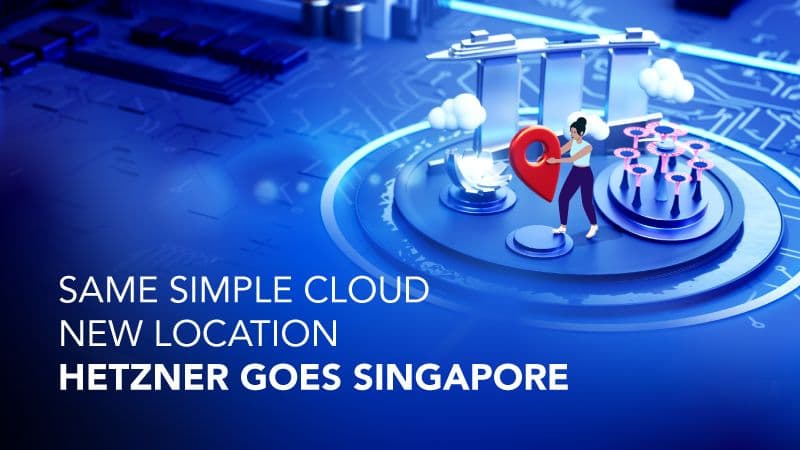
In addition to our five existing locations, Singapore is now also available!
- Available for many products Singapore is available for all cloud servers with AMD processors, and all cloud features.
- First location in Southeast Asia Singapore, a data center hub, provides exceptional network connectivity that caters to both local and overseas connections. It also expands our offer to a total of six locations in four different countries and on three continents.
- Fair prices This connectivity comes at a higher price for our products in Singapore compared to other locations. This also applies to charges for exceeding the included traffic limit. Of course, fair prices are still vital to us at Hetzner, and we always strive to provide attractive prices at all of our locations!
July 2024
The activities page has been reworked and now comes with an improved design.
- BETTER OVERVIEW To give you a clearer overview, the activities are now sorted by month and you can easily switch between the months as you need.
- EASY NAVIGATION More activities are automatically loaded as you scroll down, eliminating the need to switch between different pages and enhancing load times for a smoother user experience.
- DOWNLOAD AS CSV We only show activities from the past 90 days. To view all activities at any time, you can now download the activities of the selected month as CSV file.
June 2024
We are currently reworking the activities page and plan to introduce the changes at the beginning of July. From this time on, we will only show activities from the past 90 days and you will no longer be able to view activities that are older than that. If you still need your old activities, we recommend you manually save them yourself by the end of June. With the reworked activities page, you will get the new option to download the activities from the past 3 months as CSV file, which will make it easier for you in the future to save and access your activities.
New server plans with shared Intel® vCPUs are now available! The new servers will officially replace the current shared Intel® vCPU server plans which are now deprecated*.
- Four new server plans CX22, CX32, CX42, CX52
- Prices down, performance up! CX22 combines the best features of the two smallest deprecated server plans as it comes with the superior performance of CX21 at the more attractive price of CX11. The other three new server plans feature twice as many vCPUs and, on top of this, more attractive prices than their predecessors!
*To give you time to adapt the new server plans, the old server plans (CX11, CX21, CX31, CX41, CX51) will remain available for order via API until 6 September 2024. Existing servers are not affected by this deprecation and will continue to work.
February 2024
We added the new search criterion "label" to our global search, which means you can now search resources by our label selector query language. In the global search bar, you can use "ctrl / ⌘ + K" to switch between name/IP search and label search.
Changes regarding existing shortcuts
Up until now, the key combination "ctrl / ⌘ + K" was used to open the filter within projects, and the shortcut "/" was used to open the project-wide global search. As "ctrl / ⌘ + K" is more commonly used for global searches and "/" is more commonly used for local searches, we decided to adjust our shortcuts for a more intuitive experience. The shortcut / now opens the filter and "ctrl / ⌘ + K" now opens global search.
The Firewall settings now include an option to "duplicate" an existing Firewall. This option allows you to create a copy of an existing Firewall, making it quick and easy to set up Firewalls with similar rules. The duplicated Firewall is not applied to any servers after it was added and you can modify the cloned rules as needed.
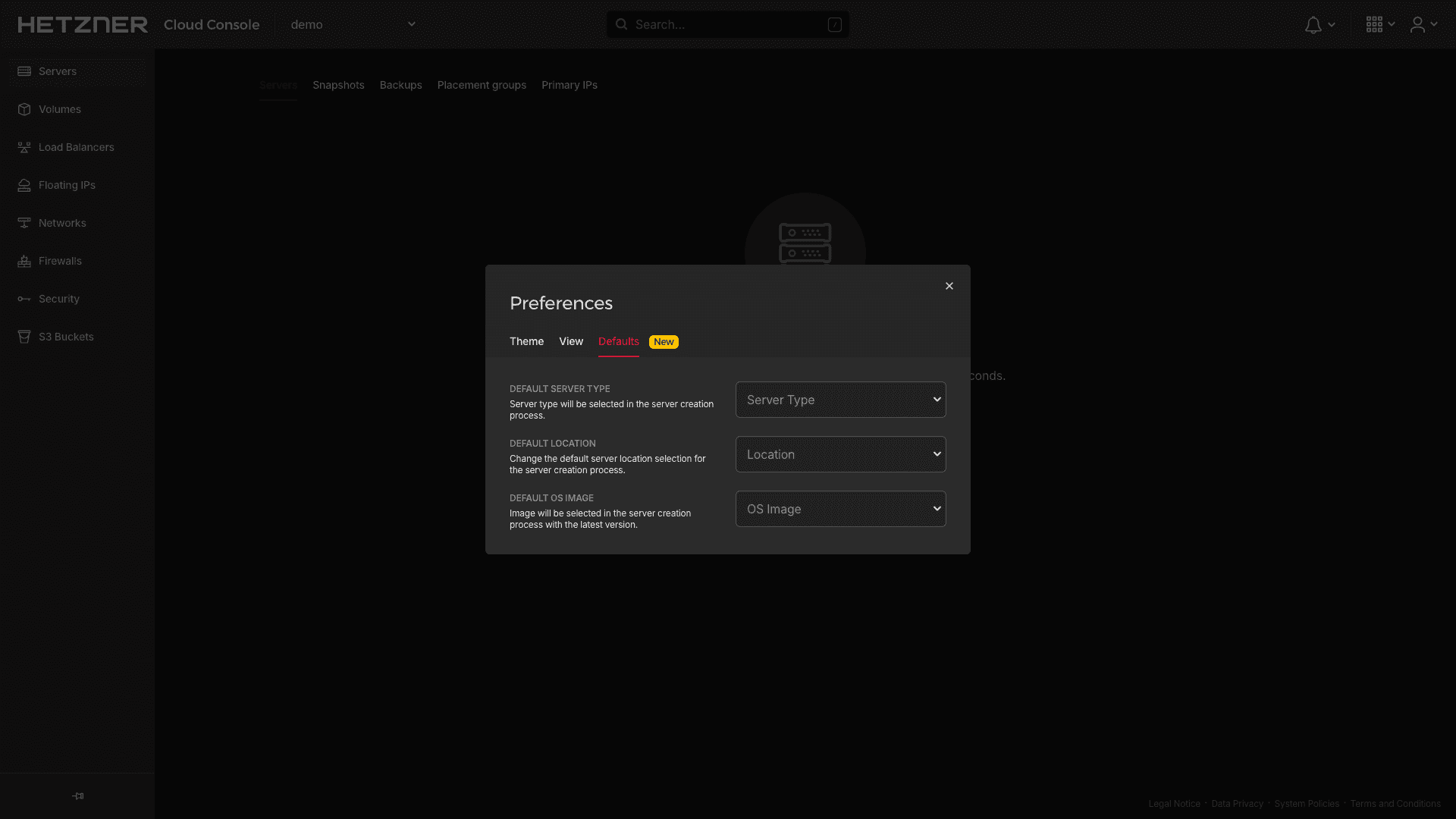
The "Preferences" modal now comes with the new tab "Defaults". There, you can set a server type, location, and image. When you create a new server, your preferred options are automatically preselected for you.
December 2023
As part of our ongoing effort to improve our responsive design, we redesigned our main navigation for small screens.
- We removed the left menu bar in projects. You can now use the menu icon in the top right to switch between resource overviews.
- The user menu now comes in an improved design that makes it easier to navigate on the phone.
September 2023
August 2023
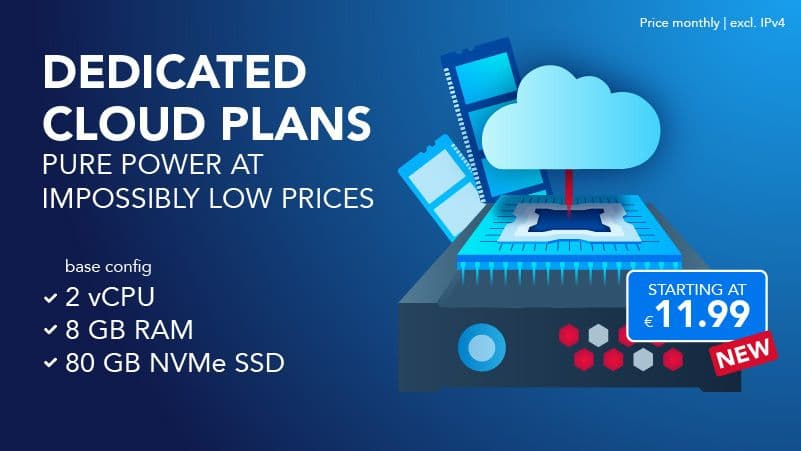
New server plans with dedicated AMD vCPUs are now available! The new servers will officially replace the current dedicated AMD vCPU server plans which are now deprecated*.
- Great performance per price The new servers come with the same performance as the deprecated server plans — but at far more attractive prices!
- More Traffic Up until now, all server plans included 20 TB of traffic by default. Depending on the plan, the new servers now come with up to 60 TB!
- Maximum performance Every dedicated vCPU instance has its own dedicated CPU resources. This allows them to handle high traffic and CPU-intensive tasks with ease. Additionally, the servers deliver highly predictable performance and response times.
*To give you time to adapt the new server plans, the old server plans (CCX12, CCX22, CCX32, CCX42, CCX52, CCX62) will remain available for order until 26 September 2023. Existing servers are not affected by this deprecation and will continue to work.
If you would like to link to one of our Apps, you can do it now using this new URL: https://console.hetzner.cloud/deploy/{app-name}. When you click it, you are taken to Cloud Console and prompted to select a project. After that, you are directly forwarded to the server create page on which the App specified for "{app-name}" is automatically preselected. You can use the new link in combination with the new "Deploy to Hetzner Cloud" button, which is available in 2 different sizes. Learn more about the button
July 2023
A technical changelog is now available at docs.hetzner.cloud/changelog. It offers an extensive overview of changes and includes announcements about our API, open-source integrations, and other relevant topics. Additionally, this page also includes an overview of all announcements from our »What's New« dialog. Next to adding the new changelogs, we also redesigned the original content at docs.hetzner.cloud. The improved design of the API docs now allows you to switch between dark and light mode.
The Cloud API now includes the new endpoint "GET /{resource}/actions" for all resources that return actions in API calls. This new endpoint replaces the deprecated "GET /actions" endpoint and you can use it to list all actions of a specific resource (e.g. of all servers or of all Load Balancers). Starting on 1 October 2023, the "GET /actions" endpoint will no longer be available. After that, it won't be possible anymore to list all actions across all resources.
Also starting on 1 October 2023, all action endpoints will only return actions from the past 90 days.
June 2023
Networks with vSwitch subnets now come with a new option that allows you to use your routes not only for cloud servers but also for dedicated servers. For this, we have added "Expose routes to vSwitch" to the action menus of those networks and vSwitch subnets. As long as the routes are exposed to the vSwitch, they also become reachable for all dedicated servers that are assigned to the vSwitch.
We updated the create page for servers to include a new search bar for apps. This way, you no longer have to look through the entire list of apps. Instead, you can just use the search bar to filter the results, making it quick and easy to find the apps you're looking for.
Starting on 18 July 2023, all server plans with Intel® vCPUs (CCX11, CCX21, CCX31, CCX41, CCX51) will no longer be available for order. Existing servers are not affected by this deprecation and they will continue to work. If you want to migrate an existing server with Intel® vCPUs to a server plan with AMD vCPUs, you can use the rescale option.
May 2023
Please note that there will be a change regarding the id fields in our API. At the moment, the id fields are only 32 bit wide. However, this is no longer sufficient. As a result, we will use larger IDs in future. This change will not affect IDs of existing resources.
Starting on 1 September 2023, the first IDs will use 52-bit integers.
Important:
- If you are using our API, make sure your code can handle 52-bit integers properly. Otherwise, you might run into issues.
- If you are using hcloud-go on a 32-bit platform, you will need to upgrade to a new version as the current one does not support 52 bit. Check out the official hcloud-go documentation for more information on an upcoming release.
April 2023
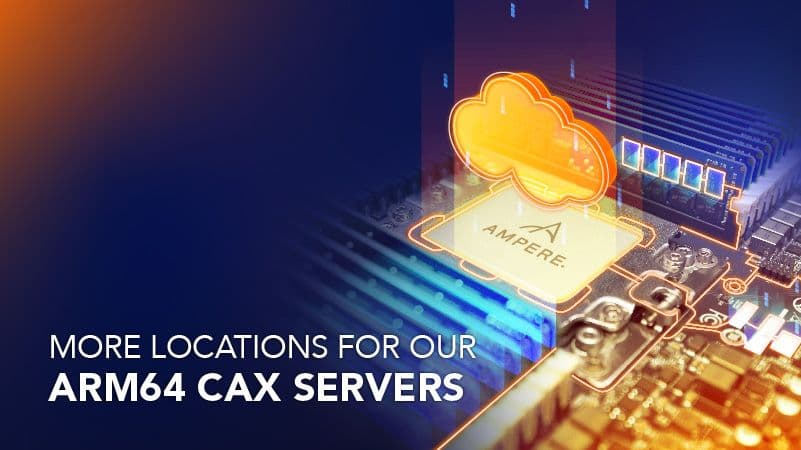
In addition to the existing servers with x86-based architecture (Intel & AMD), you can now also create servers with Arm-based architecture (Ampere).
- New CAX plans The 4 new CAX plans all come with shared vCPUs.
- Limited availability At the moment, the new servers are only available in Falkenstein.
- Great performance per price In comparison to other servers in the same price bracket, the Arm64 architecture makes it possible to get way more compute cores.
- High number of cores Due to the impressive number of cores, the servers can make quick work of even the most CPU-intensive tasks.
March 2023
Great news for all those AlmaLinux lovers out there! The RHEL-compatible Linux distribution is now available for all cloud servers. In total, you can now choose from 6 different OS images.
We have added three new Apps. With Owncast, you can now start your own live stream immediately after server creation. The PhotoPrism installation allows you to manage your pictures with AI functionality. And the RustDesk App turns your server into a ready-to-go remote desktop server.

February 2023
We redesigned the detail pages for servers, Load Balancers, Firewalls and Networks. The status bar at the top now comes with an improved design, and the resource menu bar is now horizontal and part of the sticky header at the top, allowing for quick and easy navigation between the different resource pages.
January 2023
December 2022
In addition to the four existing locations, Hillsboro, Oregon, is now also available!
- Available for almost all products Hillsboro, Oregon, is available for all cloud servers with AMD processors, and all cloud features.
- Second location in the USA When you create a new resource with US location, you can now choose between a location on the East Coast (Ashburn, VA) and a location on the West Coast (Hillsboro, OR).
- Silicon Forest The area with the nickname Silicon Forest is already known for the high concentration of high-tech companies, and it comes with an exceptional network that caters to both local connections and overseas connections.

November 2022
October 2022
September 2022
The updated design makes the creation page simpler and easy to follow. For this, a new menu sidebar on the right was built, allowing for quick and easy navigation and providing a rapid summary of your current settings. Some configuration processes have also been streamlined and simplified.
For an even better user experience, we have improved the behavior and design of notifications in the Cloud Console
July 2022
Up until now, IP addresses for firewall rules and labels had to be added one by one. Now, you can add several labels and IP addresses at the same time. Simply separate them by comma or with a space. This will make it easier for you to manage long IP lists, for example.
June 2022
You can now also browse your projects in a list view. The new design can be helpful if you have to manage projects with very long names, for example. You can use the new toggle next to the filter on the top right to switch between both views.
We have added four new Apps. You can now choose from the programming language Apps Go and Ruby, and start developing immediately after server creation. You could also use the Prometheus-Grafana installation to visualize metrics and display them graphically. Our CollaborationToolCollection App includes HedgeDoc, transfer.sh and whiteboard, and makes working on files in a team more dynamic and simple. BigBlueButton is no longer available.
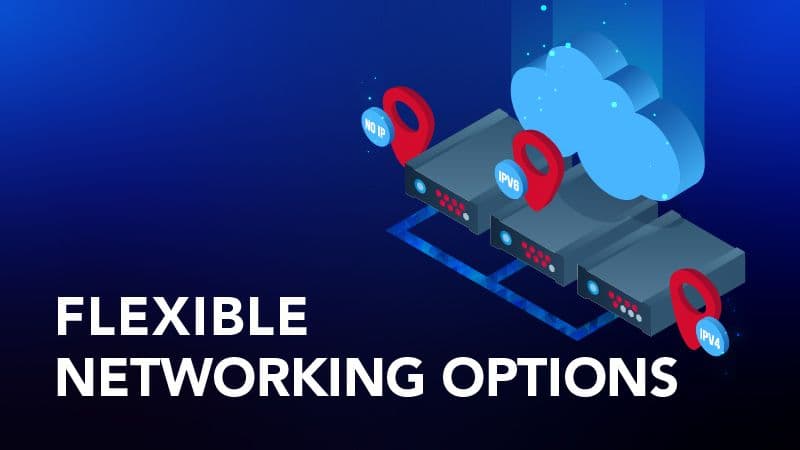
You can now decide for yourself which networking option you want, and use Primary IPs to manage your server’s public IPs. Because of the new options, servers and IPs are now billed separately.
- Choose from 3 networking options Server with two public IP addresses (IPv4 and IPv6). Server with one public IP address (IPv4 or IPv6). Server without any public IP addresses.
- Servers without any public network Adding the server to a private network will enable you to create the server without any public IPs and thus without a connection to a public network.
- New flexibility with Primary IPs After a server was created, you can still add, remove, or swap the server’s Primary IPs. To keep your Primary IP even if you delete the server it is assigned to, you can simply disable the “Auto Delete” option.
May 2022
With the new option to set individual SSH keys as default, you no longer have to manually select often-used SSH keys every time you create a new server. Instead, any SSH keys that have been set as default within a project will automatically be preselected for you.
March 2022
Any filter options and sort settings you set within a project now remain active for the entire session and are saved even if you switch between several list views. An automatic reset of your projects' filter settings is therefore only performed after the session was ended.
February 2022
Up until now, it was not possible to display hints again after confirming them. The hints draw attention to useful shortcuts and highlight helpful functionalities that can not only be helpful at the beginning. Therefore, it is now possible to display all onboarding hints again after they have already been read. You can find this option in the user menu under "Settings".
December 2021
We have deprecated the network storage based server types. Starting 1 Dec 2021, they will no longer be available. All of your existing ceph based servers will continue to work like they used to and there is no action necessary on your side regarding these servers. It is possible to rescale existing network storage based servers to local storage based servers.
November 2021
On 3 November, we launched our new location Ashburn, Virginia, for all cloud servers with AMD processors and all cloud features. The new U.S. location is one of the most important data center capitals in the world. Now, you can also profit from the strategic location and the global interconnectivity of the location.
October 2021
Our newest feature "Placement Groups" now makes it possible for you to influence the location of your cloud servers. Simply create a group of type "Spread" and all your virtual servers will be hosted on different physical servers. This will decrease the probability of some instances failing together.
September 2021
We have added new search criteria to our global search tool. This means that you can now also search for snapshots by name, certificates by name and networks by ranges.
Firewalls are now in general availability! You have not tried it out yet? Check it out now and use this feature to easily secure your servers by restricting certain TCP, UDP ICMP, ESP and GRE traffic. You can even add descriptions to distinguish between your individual rules after you create them.
August 2021
Our Global Search now makes it possible for you to search resources beyond the list view and therefore across all projects based on names or IP addresses and to navigate to them with just a few clicks.
- User-friendly keyboard navigation The search mask opens with a click on the search bar, or by simply pressing the / key. Keyboard navigation is also integrated in the search.
- Clear overview All search results are grouped according to resource type to provide a clear overview. The corresponding project is specified on the right. If you search from within a certain project, the corresponding resources will be displayed as the topmost results.

The reverse DNS entries for the public IPv4 and IPv6 addresses of the Load Balancers are no longer fixed and can now be changed to look more professional. Simply select your Load Balancer and define the reverse DNS (rDNS) of each IP address under the "Networking" tab.
July 2021
Next to public IPs, our Load Balancers now also support private IPs of Dedicated Root Servers (Hetzner Robot account) as targets. Simply add a network that has a subnet of type vSwitch and you will be able to define a private IP for your Dedicated Root Server within the IP range of this vSwitch subnet.
Our search bar has been replaced with a new filter on all list views in our panel. This way, you can use new search criteria that will help you narrow down your results even further, and you will be able to find your desired resources even faster. The previous key combination Ctrl / ⌘ + K can now be used to open the fiter and, as before, to switch between label search and name search.
June 2021
We’re constantly working on making it as easy as possible for you to set up a server. Apps allow you to create a server with software already preinstalled. This way, you no longer have to struggle with setting up a server yourself. Instead, you can get started immediately with ready to use software such as Docker, WordPress or Nextcloud. Learn more about Apps
May 2021
Firewalls can now be applied to servers using label selectors. The firewall is automatically activated, as soon as a server has the matching labels.
April 2021
In order to better differentiate between projects where you are not the owner, the project owner is now also shown.
With the relaunch of status.hetzner.com, the display of status messages has also been improved. For example, messages are now also displayed if your other Hetzner resources like dedicated servers are affected by outages.