Real-time LLM benchmarking and hardware telemetry for Apple Silicon
The only native macOS tool that correlates inference performance with GPU, CPU, power, and memory metrics in real time.
macOS 15+ Apple Silicon SwiftUI GPL-3.0 Open Source
150++
Benchmark Submissions
Benchmark Dashboard
Metrics & Export
Why Anubis?
The local LLM ecosystem on macOS is fragmented. Chat wrappers focus on conversation, monitors are CLI-only, and nothing correlates hardware with inference.
Chat Wrappers
Ollama, LM Studio, Jan focus on conversation -; not systematic performance testing or hardware analysis.
CLI Monitors
asitop, macmon, mactop show hardware stats but have no LLM context or inference correlation.
Eval Frameworks
promptfoo and similar tools require YAML configs and terminal expertise. No native GUI, no telemetry.
Anubis
Native macOS app that correlates GPU, CPU, power, memory, and frequency with live inference -; with one-click benchmarks and community leaderboards.
Features
Everything you need to benchmark, compare, and understand local LLM performance on your Mac.
◇
Benchmark Dashboard
Real-time dashboard with 8+ metric cards, 30 data points, 11 live charts, power telemetry, and configurable prompt presets. Exportable and comparable results and reports. Stream responses with live hardware overlay.
⚖
Arena Mode
Side-by-side A/B model comparison with sequential or parallel execution. Vote for a winner -; results are persisted with full stats.
□
Vault
Unified model management across all backends. Pull, delete, inspect, and unload models. Auto-enriched metadata from HuggingFace.
⚡
Power Telemetry
GPU, CPU, ANE, and DRAM power in watts via IOReport. See watts-per-token efficiency and compare quantizations by actual power cost.
⚙
Process Monitoring
Auto-detects backend process by port. Tracks real memory footprint including Metal/GPU allocations. Manual override available.
↗
Export & History
Full session history with replay. Export as CSV, Markdown, or shareable 2x retina PNG. Respects light and dark mode.
Arena -; A/B Comparison
Vault -; Model Management
⚡
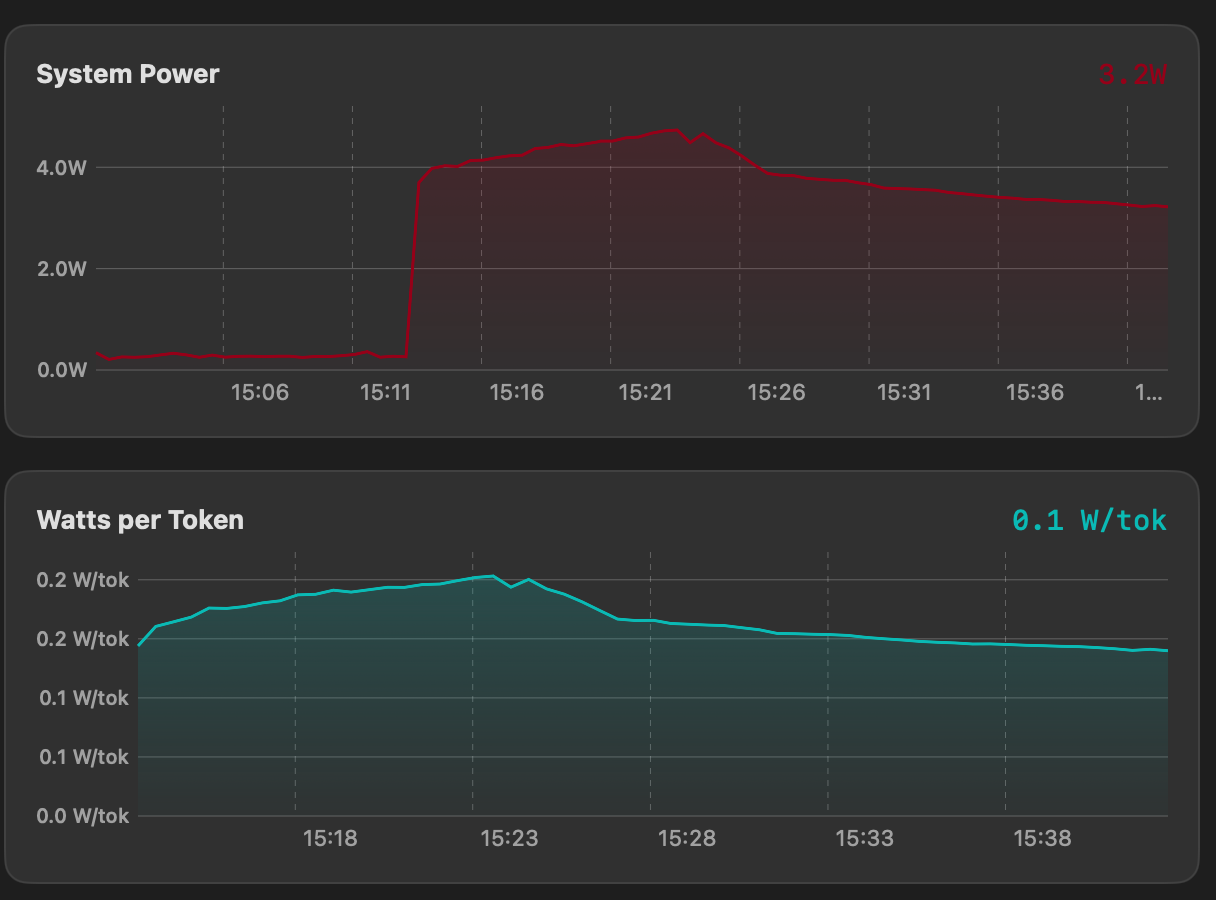
Power draw chart with watts-per-token overlay
Power Telemetry
⚙
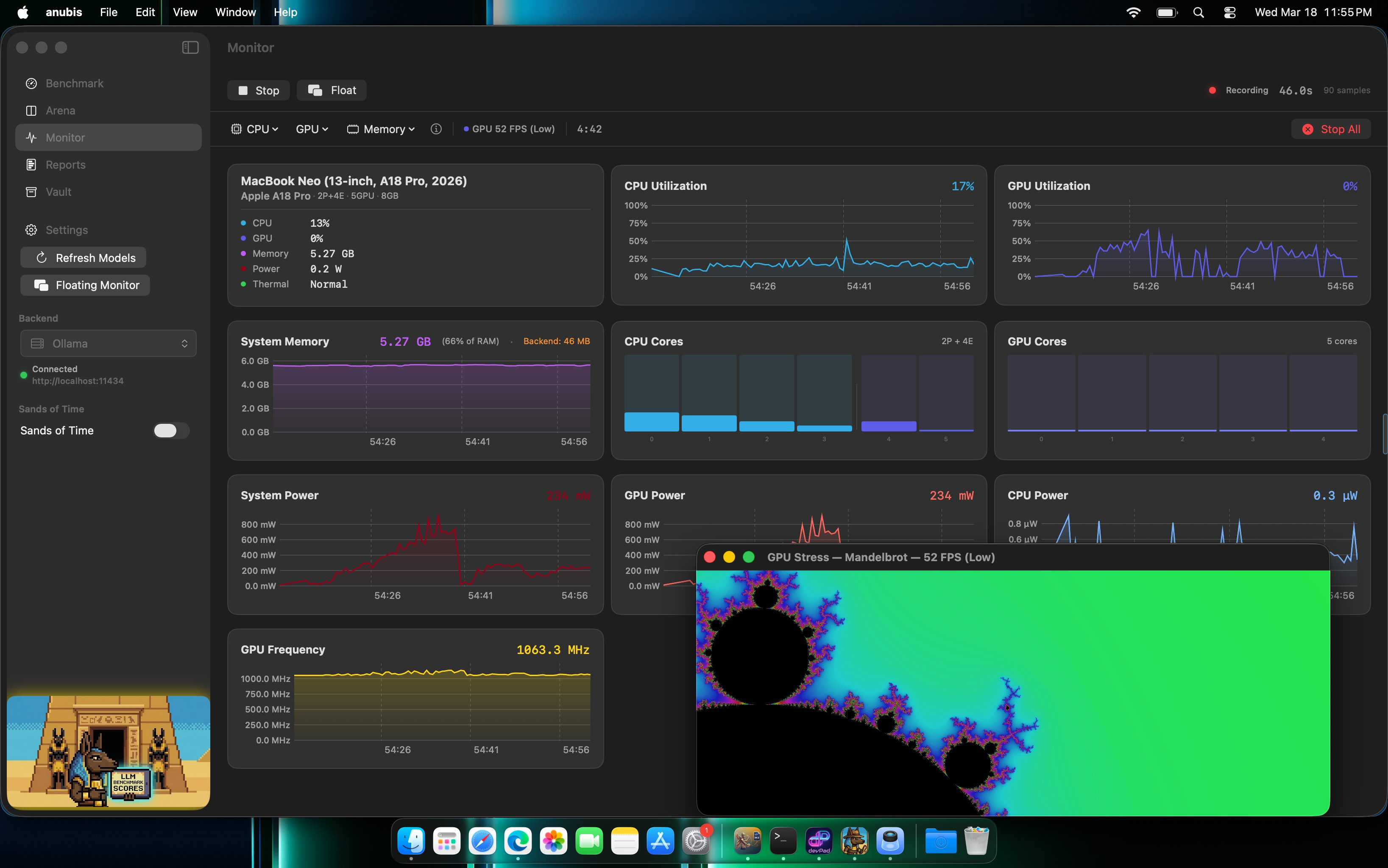
Standalone hardware monitor with stress test
System Monitor
↗
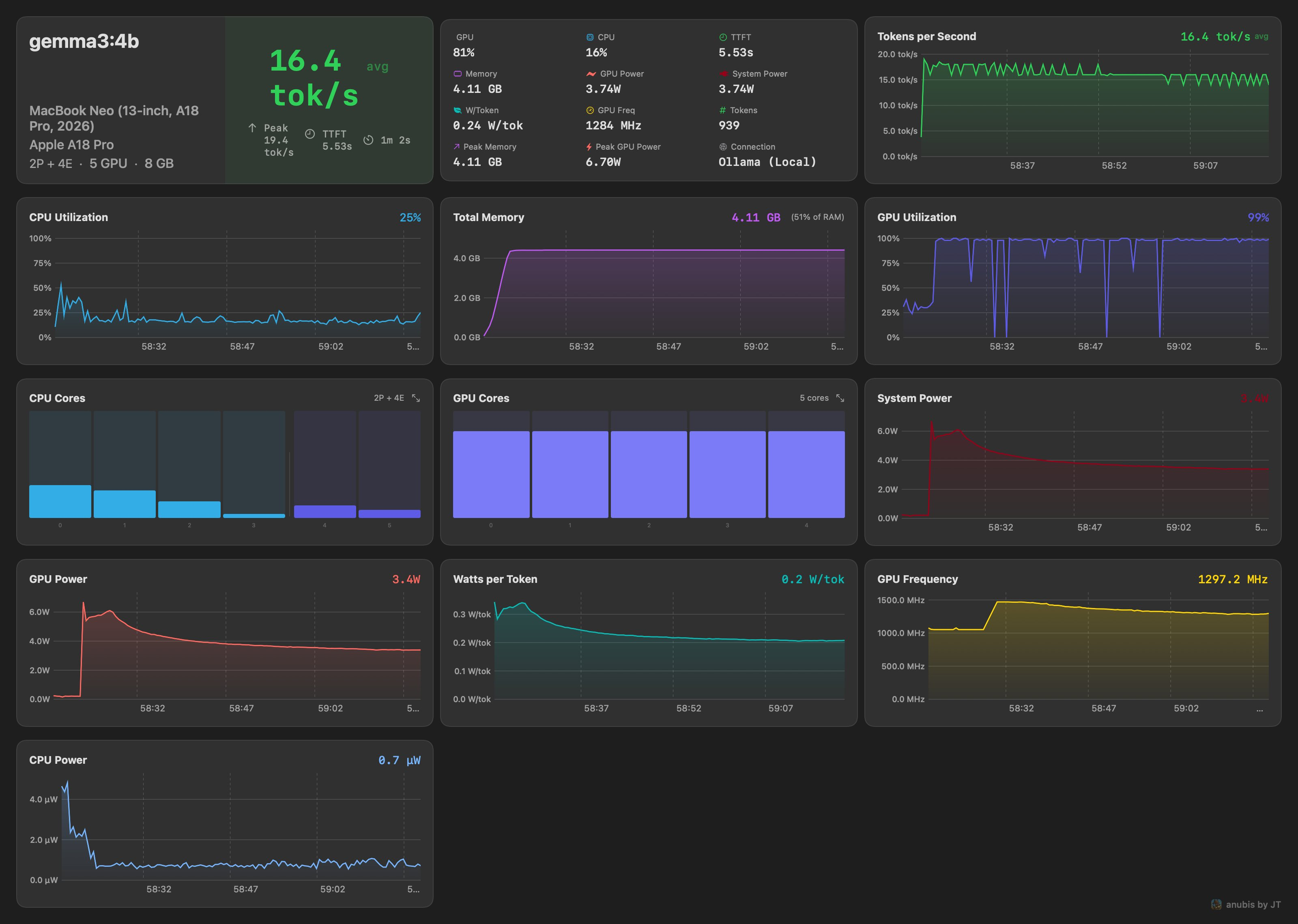
Retina PNG export and CSV/Markdown share sheet
Floating Hud & Hud
⚙
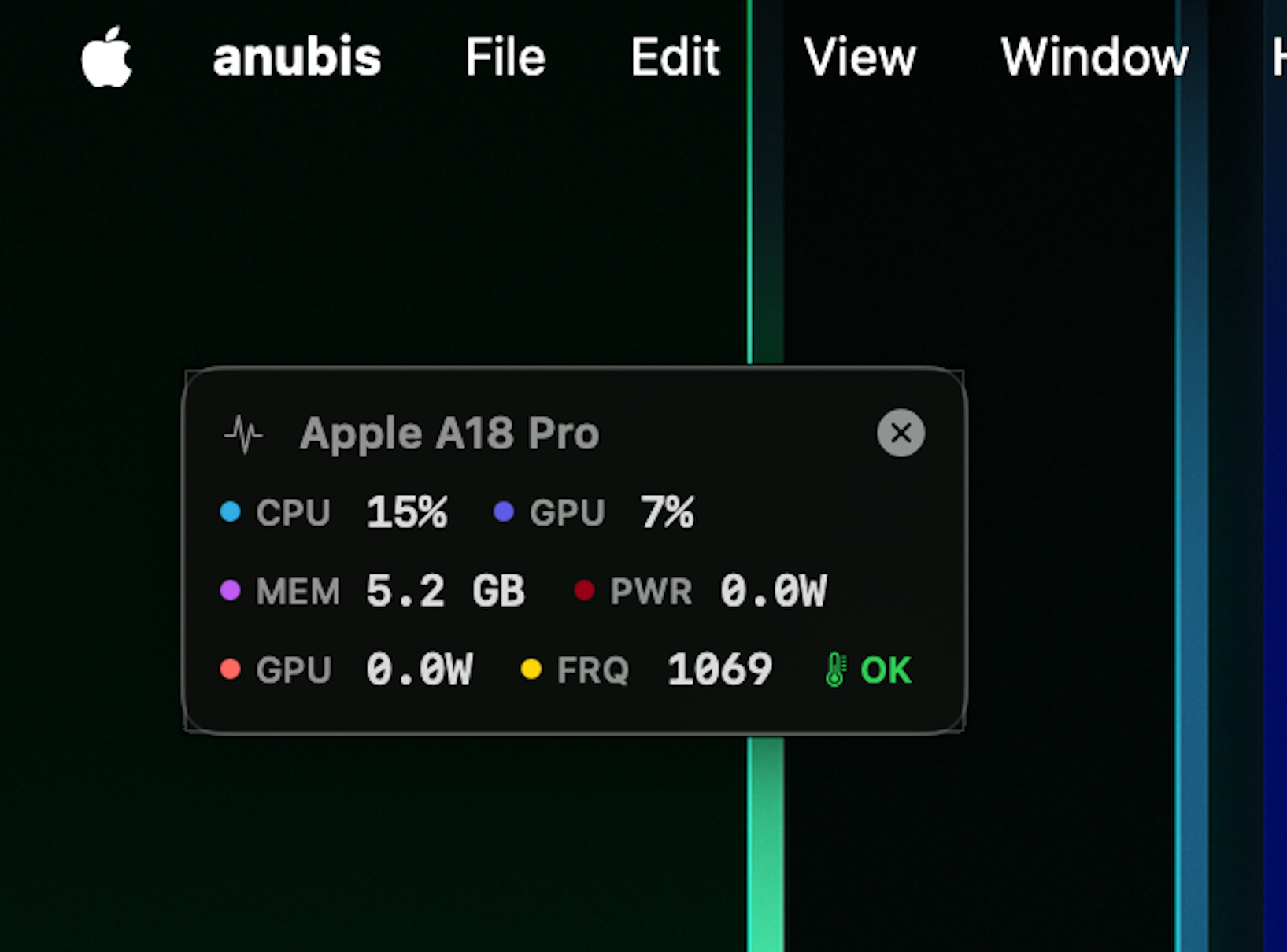
Independent Floating System Monitor Hud
Floating Hud & Share
⚙
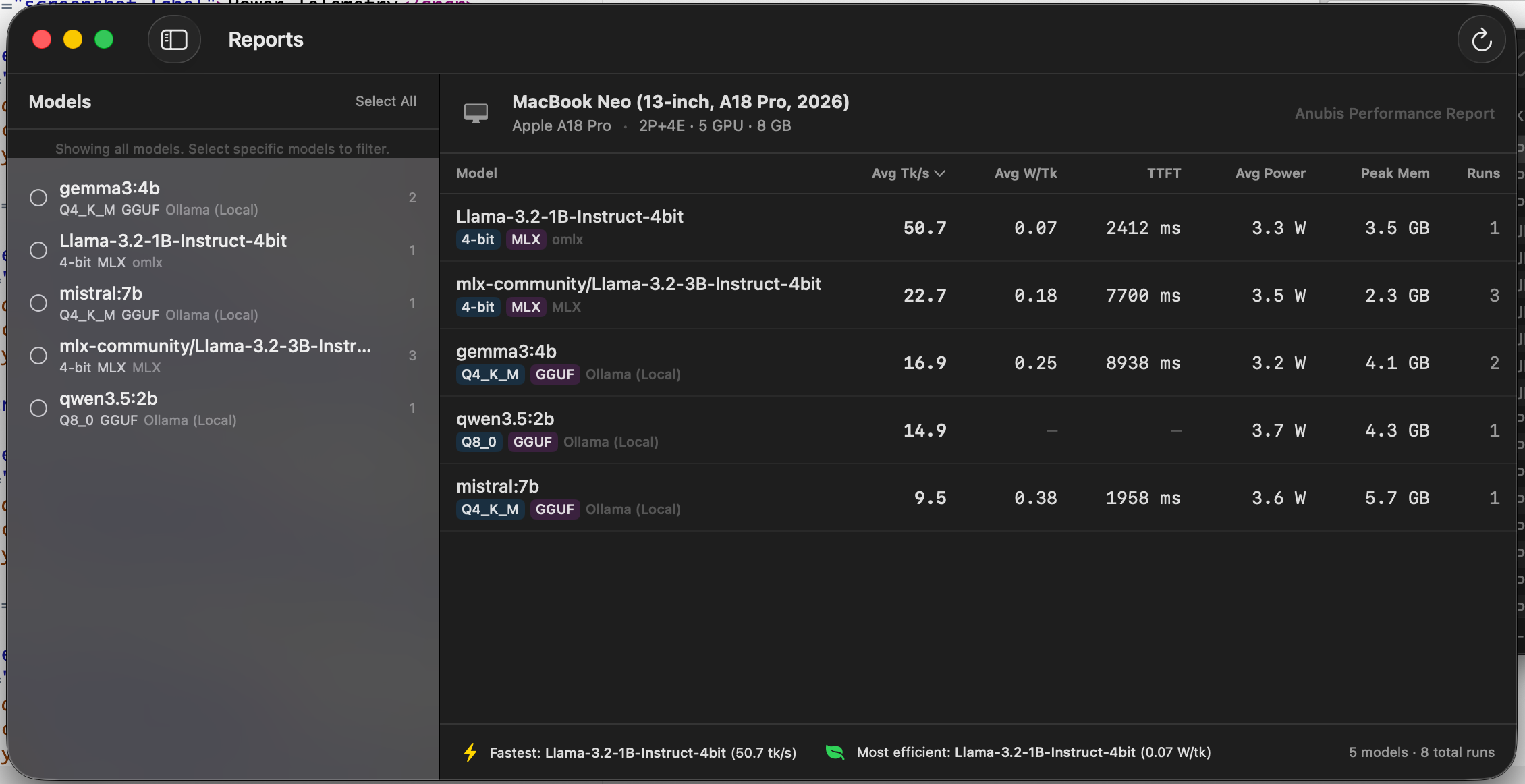
Report
Report to Compare average model performance
⚚
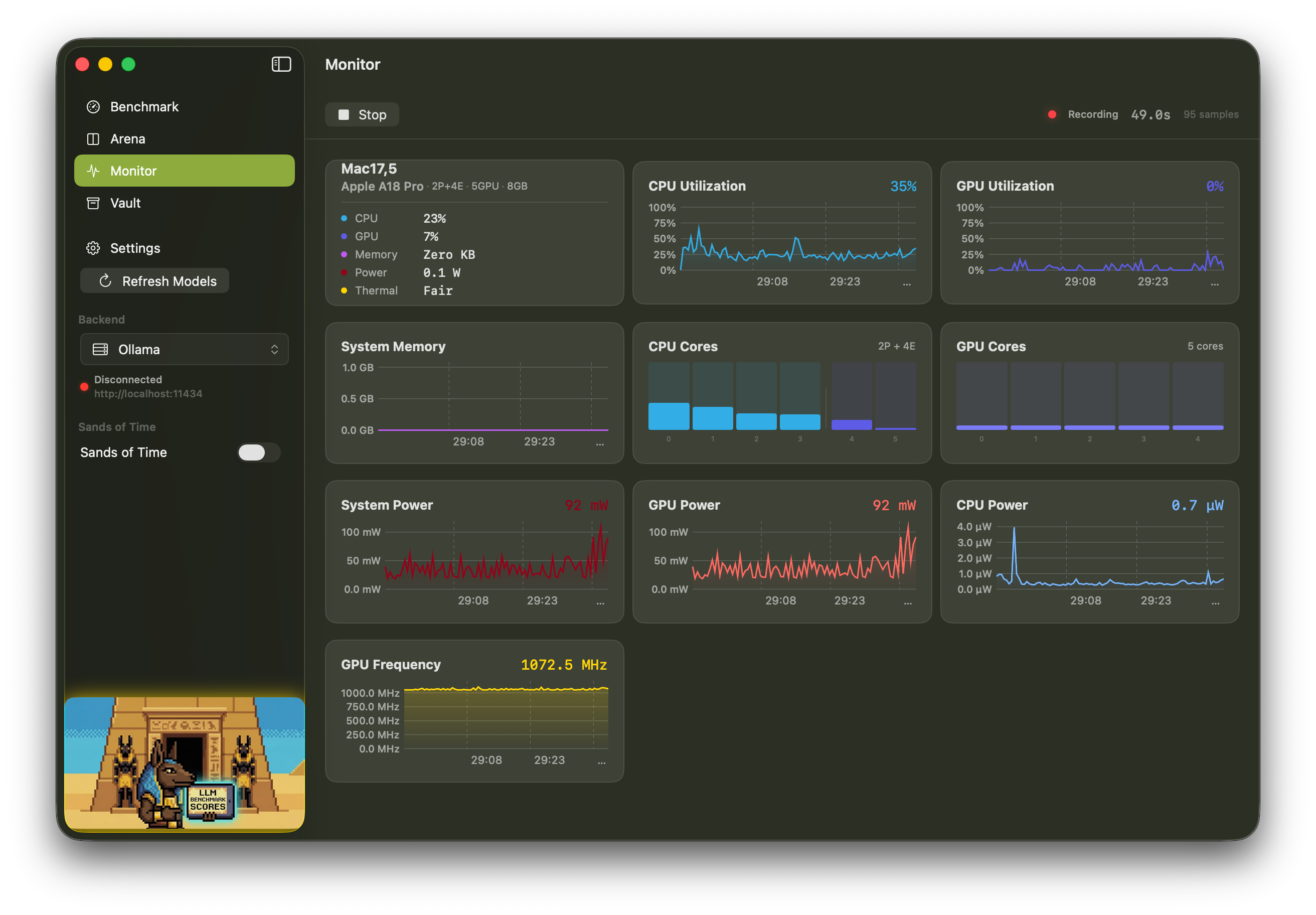
Independent Monitor
Run the system monitor, now without needing an LLM benchmark, with Stress tests
Supported Backends
Works with any OpenAI-compatible inference endpoint -; local or remote.
Ollama oMLX LM Studio mlx-lm vLLM LocalAI OpenWebUI Docker Models Any OpenAI-compatible
Hardware Metrics
Nine telemetry channels sampled in real time via IOReport and system APIs.
| Metric | Source | Description |
|---|---|---|
| GPU Utilization | IOReport | GPU active residency percentage |
| CPU Utilization | host_processor_info | Usage across all cores |
| GPU Power | IOReport Energy Model | GPU power consumption in watts |
| CPU Power | IOReport Energy Model | CPU (E + P cores) power in watts |
| ANE Power | IOReport Energy Model | Neural Engine power consumption |
| DRAM Power | IOReport Energy Model | Memory subsystem power |
| GPU Frequency | IOReport GPU Stats | Weighted average from P-state residency |
| Process Memory | proc_pid_rusage | Backend phys_footprint (incl. Metal/GPU) |
| Thermal State | ProcessInfo | System thermal pressure level |
Requirements
macOS 15.0+
Sequoia or later
Apple Silicon
M1 / M2 / M3 / M4 / M5+
Ollama
Or any compatible backend
☰
Community
Anubis Leaderboard
See how your Mac stacks up. 119+ benchmark submissions ranked by tok/s, power efficiency, and TTFT across every Apple Silicon chip.
Try Anubis OSS
Free, open source, and notarized. Download the app or build from source.
Anubis is open source under the GPL-3.0 license, built to further local, private LLM use on Apple Silicon. A limited version is also available on the Mac App Store as part of the Architect's Toolkit bundle -; purchasing supports continued development.

App Store Bundle
The Architect's Toolkit
devPad + cyberWriter + Anubis