You can access support resources by clicking the Support tab, located on the upper-right navigation menu of any Meta for Developers page. View trending bugs, suggested developer documents, links to developer groups, and ways to contact us with issues. You may need to login to view all features of our support systems.
Direct Support
Developer support is now available for developers who need assistance while completing a Data Access Renewal assessment and throughout their experience on Meta for Developers. Support is provided for Data Protection questions, data handling questions, and app review questions.
What to expect
- A functionality to submit a question to direct support and get a response within 48 hours
- An overview of Data Access Renewal and Data Handling Questions
- Answers to frequently asked questions, with an option to input a question using free form text
How to access
Support is available by directly asking a question using the “Ask a question” feature, or by selecting “Contact Direct Support”.
Here are the steps to get help from your developer dashboard. Note that there are two main ways of accessing the Help page, depending on where you are.
- Within developers.facebook.com/support:
If you are on developers.facebook.com, you can access help via the “Get Help” on the bottom right.
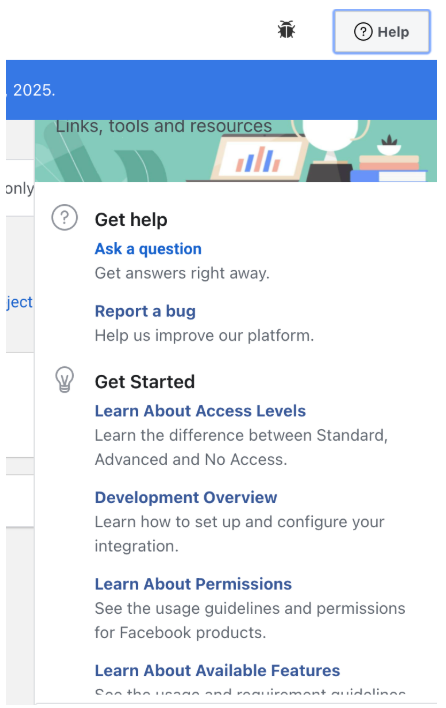
- Within data access renewal:
If you are currently in Data Access Renewal, you can access support within your developer assessment page using “Get help” on the bottom left corner of the screen. Note that you must open any of your required actions before you see this feature.
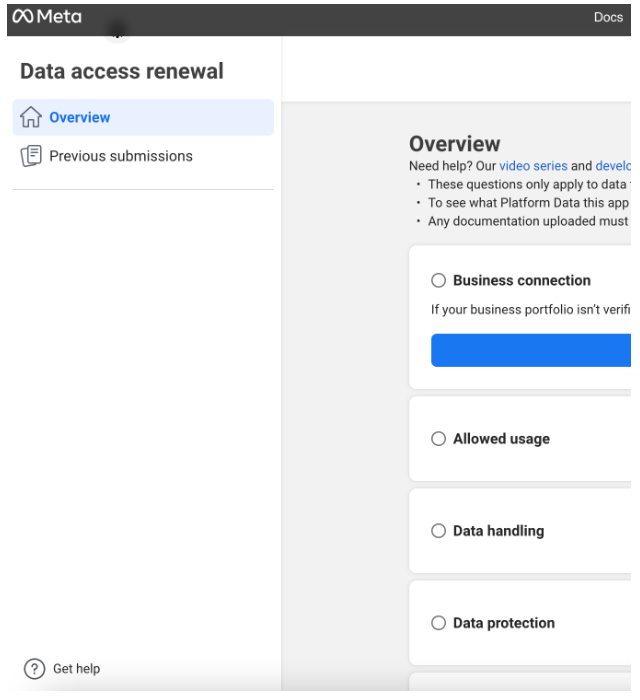
Once you’ve accessed Help, click “Ask a question” on the left hand panel:
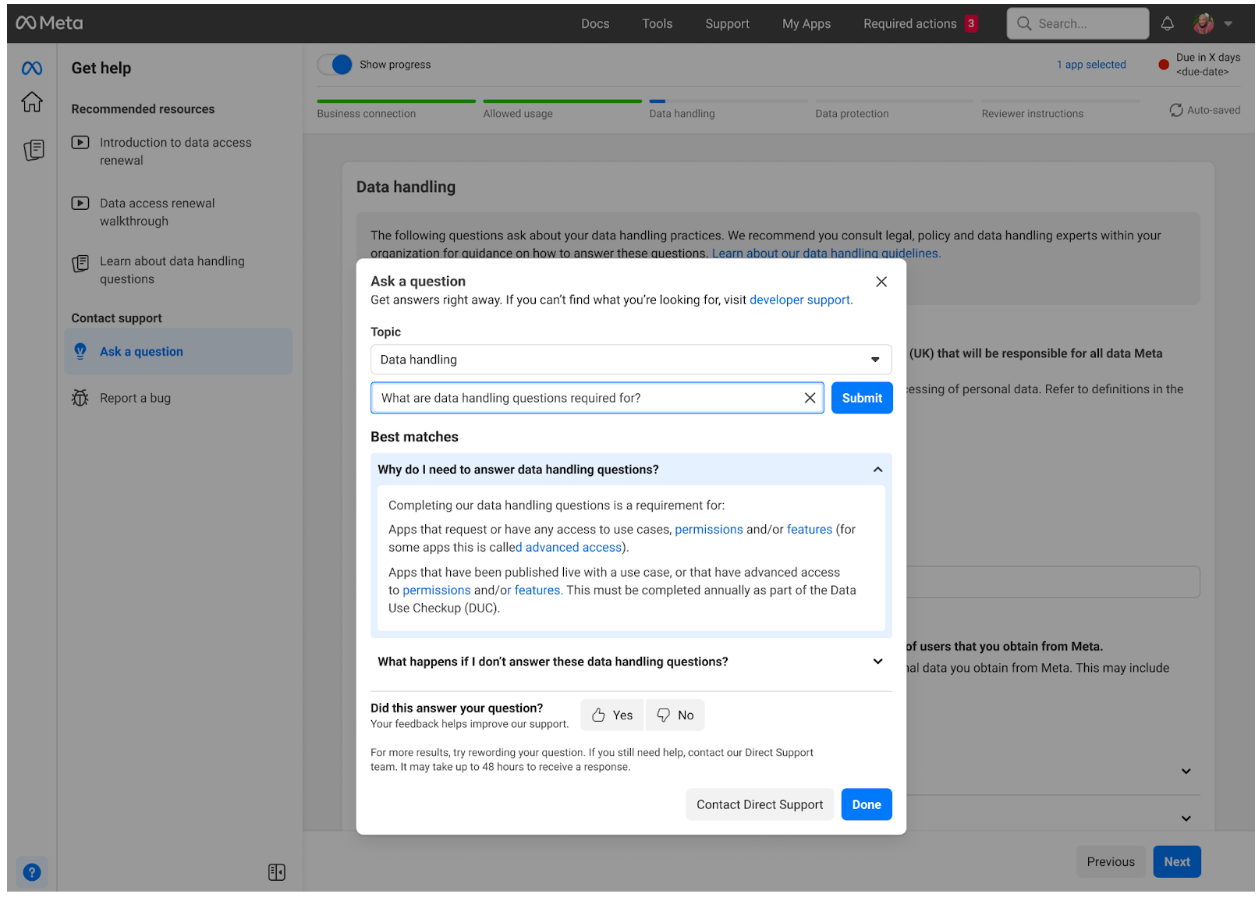
There is dropdown field for selecting a “topic”, for which you can ask a question. If you do not see your question in the dropdown field or you have an additional question, select “Contact Direct Support” .
pic4
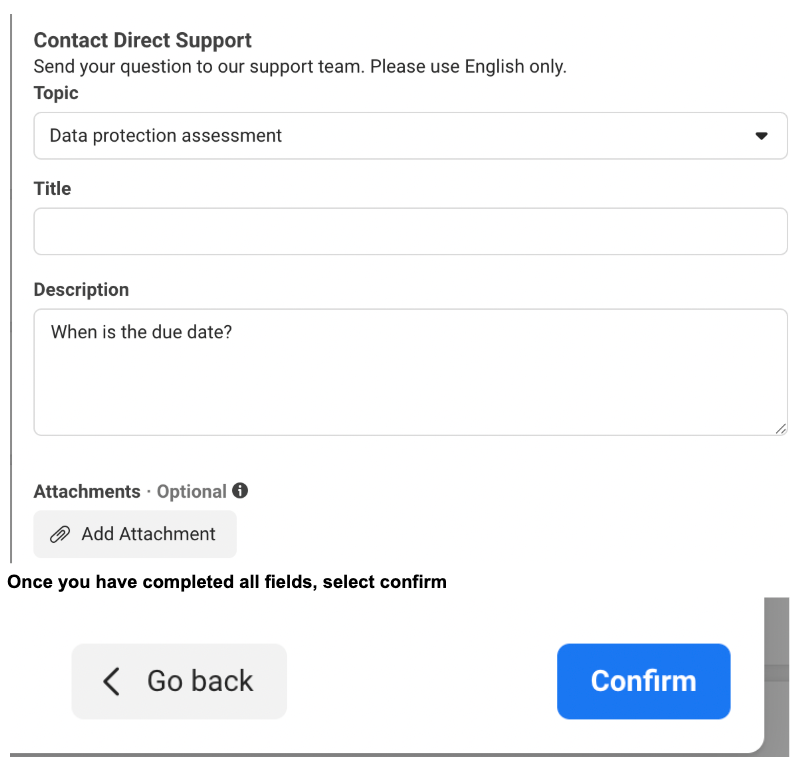
Once submitted, Developer Support will get back to you within 2 business days. You can view any submitted questions here.
Platform Status Dashboard
Use the Platform Status Dashboard to learn about platform status, issues, and outages that might be affecting your app.
Facebook for Business Status
Use the Facebook for Business Status to learn about Facebook platform and business product (Ads, WhatsApp Business API, Facebook Developer Platform, etc.) issues.