Training course
Android Basics with Compose
Android Basics with Compose is a self-paced, online course on how to build Android apps using the latest best practices. The course covers the basics of building apps with Jetpack Compose, the recommended toolkit for building adaptive user interfaces on Android.
Course goals
- Understand the fundamentals of Kotlin and Jetpack Compose
- Build basic Android apps
- Use Jetpack libraries and modern Android development practices
- Create adaptive layouts optimized for different display sizes
Prerequisities
- Basic computer skills
- Basic math skills
- A computer that can run Android Studio (see system requirements)
- (Optional) Android device
Unit 1: Your first Android app
3 pathways | Duration: 10 hours
Learn programming basics and create your first Android app.
- Write simple Kotlin programs that display text output.
- Download and install Android Studio.
- Build an Android app with a simple user interface that displays text and images.
- Run the app on a device or emulator.
Pathway 1 | Duration: 3 hours
Learn introductory programming concepts in Kotlin.
Welcome to Android Basics with Compose
Video
Your first program in Kotlin
Codelab
Create and use variables in Kotlin
Codelab
Create and use functions in Kotlin
Codelab
Practice: Kotlin Basics
Codelab
Quiz
Pathway 2 | Duration: 4 hours
Install and set up Android Studio, create your first project, and run it on a device or emulator.
Introduction to Android Studio
Video
Download and install Android Studio
Codelab
Create your first Android app
Codelab
Run your first app on the Android Emulator
Codelab
How to connect your Android Emulator
Codelab
Quiz

Pathway 3 | Duration: 3 hours
Build an Android app with a simple user interface that displays text and images.
Intro to Jetpack Compose
Video
Design a birthday card app
Video
Build a simple app with text composables
Codelab
Add images to your Android app
Codelab
Practice: Compose Basics
Codelab
Project: Create a business card app
Codelab
Quiz
3 pathways | Duration: 21 hours
Continue learning the fundamentals of Kotlin, and start building more interactive apps.
- Use conditionals, function types, classes, and lambda expressions in Kotlin.
- Understand how composition and recomposition works.
- Add a button to an app UI and respond to user taps.
- Create an app that works with data entered by the user.
- Learn how to use state to display data and reflect the changes automatically when the data gets updated.
- Write unit tests to test isolated functions.

Pathway 1 | Duration: 8 hours
Learn more fundamentals of Kotlin, object-oriented programming, and lambdas.
Kotlin Fundamentals
Video
Write conditionals in Kotlin
Codelab
Use nullability in Kotlin
Codelab
Use classes and objects in Kotlin
Codelab
Use function types and lambda expressions in Kotlin
Codelab
Practice: Kotlin Fundamentals
Codelab
Quiz

Pathway 2 | Duration: 6 hours
Learn how to respond to a button click in an Android app.
Intro to Dice Roller app
Video
Create an interactive Dice Roller app
Codelab
Use the debugger in Android Studio
Codelab
Practice: Click behavior
Codelab
Quiz

Pathway 3 | Duration: 7 hours
Create a tip calculator app that calculates the tip from user input.
Understanding state in Compose
Video
Intro to tip calculator
Video
Intro to state in Compose
Codelab
Calculate a custom tip
Codelab
Write automated tests
Codelab
Project: Create an Art Space app
Codelab
Quiz
Unit 3: Display lists and use Material Design
3 Pathways | Duration: 15 hours
Build apps that display a list of data and learn how to make your apps more beautiful with Material Design.
- Use data classes, functions, and collections in Kotlin.
- Create a scrollable list in an app that displays both text and images.
- Add click listeners to interact with list items.
- Add an app bar to the app and modify the app theme.
- Use Material Design to build modern and intuitive user interfaces, using colors, shapes and typography.
Pathway 1 | Duration: 8 hours
Learn additional Kotlin programming concepts that will enable you to build more interesting and fun Android apps.
More Kotlin fundamentals
Video
Generics, objects, and extensions
Codelab
Use collections in Kotlin
Codelab
Higher-order functions with collections
Codelab
Practice: Classes and Collections
Codelab
Quiz

Pathway 2 | Duration: 4 hours
Create an app that displays a scrollable list of text and images using Compose.
Intro to Affirmations app
Video
Add a scrollable list
Codelab
Change the app icon
Codelab
Practice: Build a grid
Codelab
Quiz
Pathway 3 | Duration: 3 hours
Make your apps more beautiful and intuitive to use with Material Design, animations, and accessibility best practices.
Intro to Material Design with Compose
Video
Material Theming with Jetpack Compose
Codelab
Simple animation with Jetpack Compose
Codelab
Testing for Accessibility
Codelab
Practice: Build Superheroes app
Codelab
Project: Create a 30 Days App
Codelab
Quiz
Unit 4: Navigation and app architecture
3 pathways | Duration: 28 hours
Learn app architecture best practices, how to implement navigation, and how to build adaptive UIs for a great user experience on any screen size.
- Explain activities and their lifecycles.
- Understand Modern Android architecture.
- Use StateFlow and UDF pattern to work with state and events.
- Add a ViewModel to save data and state.
- Set up and use the Navigation component with Compose.
- Learn the principles of adaptive and responsive design.
- Use window size classes to create adaptive layouts for multiple form factors.
- Add a navigation drawer to an app.

Pathway 1 | Duration: 9 hours
Learn about app architecture and how to use ViewModels, UI State, and StateFlow to build more complex apps.
Stages of the Activity lifecycle
Codelab
Intro to App architecture
Video
Architecture: The UI Layer
Video
ViewModel and State in Compose
Codelab
Write unit tests to test the ViewModel
Codelab
Practice: Add a ViewModel to Dessert Clicker
Codelab
Quiz

Pathway 2 | Duration: 6 hours
Learn how to use the Navigation component to build more complex apps with more screens
and how to navigate and pass data between different composables.
Introduction to Navigation and Cupcake App
Video
Navigate between screens with Compose
Codelab
Test the Cupcake app
Codelab
Practice: Add navigation
Codelab
Quiz
Adapt for different screen sizes

Pathway 3 | Duration: 13 hours
In this pathway, you'll learn how to adapt your app to different screen sizes and provide a better user experience, as well as how to test your adaptive UI.
Build an adaptive app with dynamic navigation
Codelab
Build an app with an adaptive layout
Codelab
Practice: Build Sports app
Codelab
Project: Create a My City app
Codelab
Quiz
Unit 5: Connect to the internet
2 Pathways | Duration: 9 hours
Use Kotlin coroutines to perform multiple tasks at once, and learn about HTTP and REST to get data from the internet using Retrofit. Then use the Coil library to display images in your app.
- Describe the basics of concurrency and how to use coroutines in an Android app.
- Define and understand the data layer in Modern Android app architecture.
- Implement a repository to centralize data access.
- Use Retrofit to retrieve data from a remote server.
- Load and display images using the Coil library.
- Implement dependency injection to decouple the classes, making it easier to test, maintain, and scale the app.
Pathway 1 | Duration: 6 hours
Implement coroutines to perform tasks concurrently without blocking the app, and learn about HTTP and REST to get data from the internet.
Connect to the internet
Video
Introduction to Coroutines in Kotlin Playground
Codelab
Introduction to Coroutines in Android Studio
Codelab
Introduction to HTTP/REST
Vide
Get data from the internet
Codelab
Quiz
Load and display images from the internet

Pathway 2 | Duration: 3 hours
Apply architecture best practices to the app and use Coil to download and display images.
Architecture: The Data Layer
Video
Add repository and Manual Dependency Injection
Codelab
Load and display images from the internet
Codelab
Practice: Build amphibians app
Codelab
Project: Create a Bookshelf app
Codelab
Quiz
3 Pathways | Duration: 10 hours
Learn how to store data locally on the device and keep your apps working through any network disruptions for a smooth and consistent user experience.
- Learn the basics of SQL to insert, update, and delete data from a SQLite database.
- Use the Room library to add a database to an Android app.
- Use Database Inspector to test and debug database issues.
- Use Preference DataStore to store user preferences.

Pathway 1 | Duration: 2 hours
Learn how to use SQL to read and manipulate data in a relational database.
Introduction to Databases and SQL
Video
Use SQL to read and write to a database
Codelab
Quiz

Pathway 2 | Duration: 6 hours
Use the Room library to easily create and use relational databases in an Android app.
Kotlin Flows in Practice
Videon
Using Room Kotlin APIs
Video
Persist Data with Room
Codelab
Read and update data with Room
Codelab
Practice: Build Bus Schedule app
Codelab
Quiz
Store and access data using keys with DataStore
Pathway 3 | Duration: 2 hours
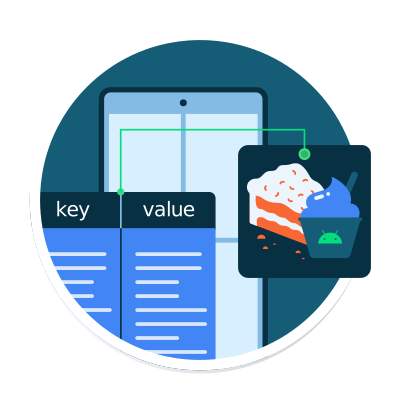
Learn how to store simple, key-value pair data with Preferences DataStore in an Android app
Introduction to Datastore
Video
Preferences Datastore
Video
Save preferences locally with DataStore
Codelab
Project: Create a flight search app
Codelab
Quiz
1 Pathway | Duration: 3 hours
Use Android Jetpack's WorkManager API to schedule necessary background work, such as data backups or fresh content downloads, that keeps running even if the app exits or the device restarts.
- Define long running tasks that need to run in background work.
- Add WorkManager to an Android app.
- Create a Worker object and enqueue work.
- Create constraints on WorkRequests.
- Use the Background Task Inspector to inspect and debug WorkManager.
Schedule tasks with WorkManager

Pathway 1 | Duration: 3 hours
Learn when and how to use WorkManager, an API that handles background work that needs to run regardless of whether the application process is still running.
Introduction to WorkManager
Video
Implementing WorkManager
Video
Background work with WorkManager
Codelab
Advanced WorkManager and Testing
Codelab
Practice: Build Water Me app
Codelab
Quiz
2 Pathways | Duration: 4 hours
Learn how to use Compose and the older UI toolkit based on Views side-by-side in the same app. In this unit, you will learn interoperability APIs and best practices to add a new feature to an existing app in Views, use an existing library that uses Views, or use a UI component that is not yet available in Compose.
- Understand the View-based UI toolkit and build app UI using XML.
- Add a composable in an app built with Views.
- Add Navigation component to the app and use it to navigate between fragments.
- Use AndroidView to display views.
- Add existing View-based UI components in a Compose app.
Android Views and Compose in Views

Pathway 1 | Duration: 3 hours
Learn the basics of building apps with Android Views and how to add a composable in an app built with Views.
Android View System
Video
Build an Android app with Views
Codelab
Add Compose to a legacy app
Codelab
Quiz

Pathway 2 | Duration: 1 hours
Learn how to add and use existing Views inside an app built with Jetpack Compose.
View Interoperability in Compose
Codelab
Add Compose to a legacy app
Codelab