Develop With Data That Is Realistic
DevDB dramatically improves developer productivity of data-heavy apps, by running managed cloud databases that are filled with realistic data, share datasets with your team, snapshot and rollback, any lots more!
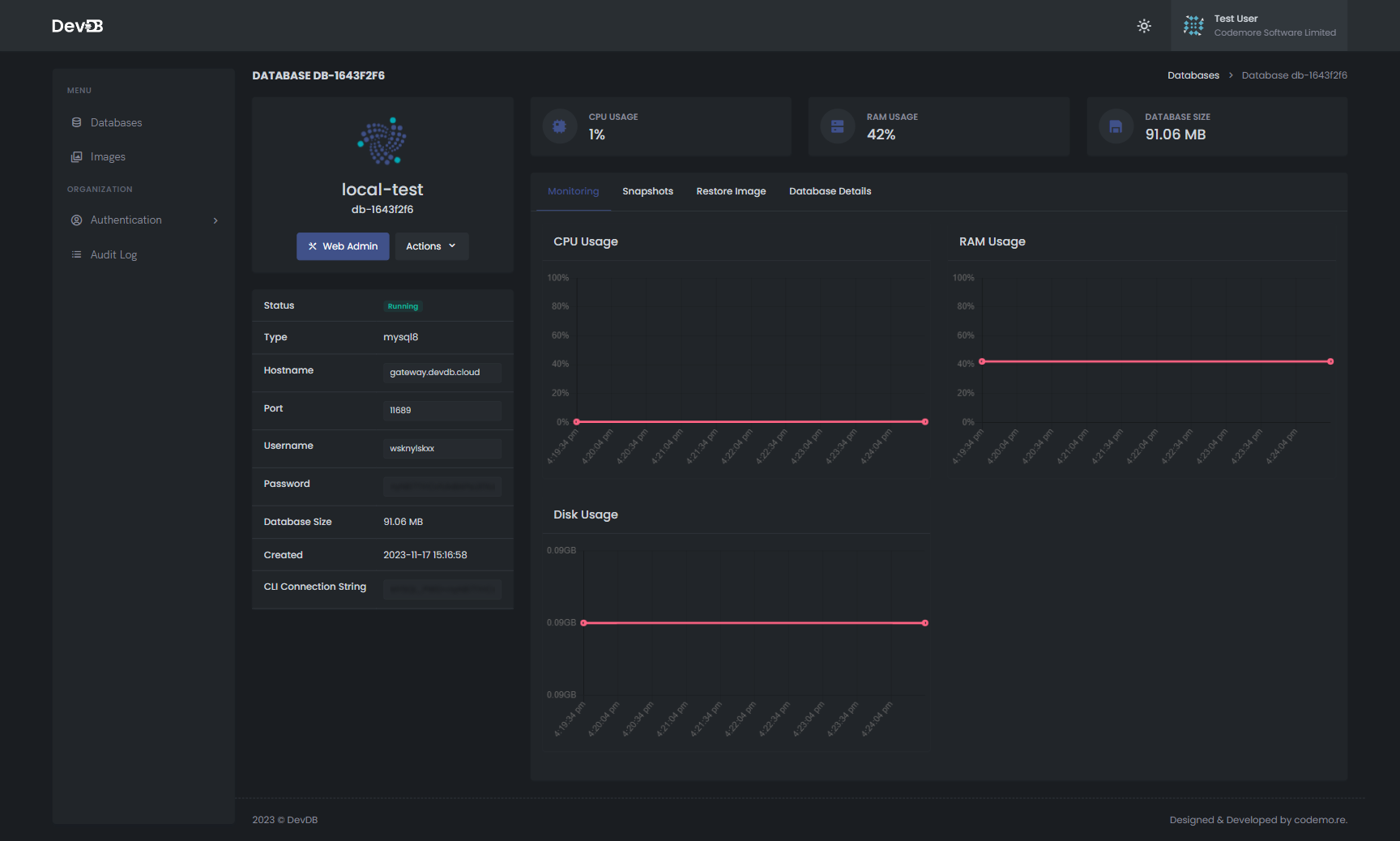

Why Use DevDB
Data-Driven Development
Harness the power of production-like datasets for efficient and secure development.

Remove Performance Bottlenecks
Our scalable cloud infrastructure runs on dedicated hardware that is designed to give the best performance, so you can develop faster

Increase Security
Limit access to snapshots, and prevent data from being on developer laptops to reduce risk of stolen data


HOW IT WORKS
Get going in a few easy steps
1
Register your DevDB Account
It's free!
2
Create A Cloud Database
Secure connection details are created and provided as soon as you create a database
3
Load Database with Data
Load the new database with data from existing databases or with demo data
4
Snapshot and Share Database
Whenever someone needs a new database to develop with, they can instantly create a new one from the snapshot
INCREASE PRODUCTIVITY
Improve Developer Efficiency both locally and in CI
Overview of DevDB in Local Development
DevDB Provides cloud-hosted, managed databases. These databases can be securely accessed from local development environments, enabling efficient workflows for data-heavy applications.
DevDB's functionality includes creating databases from existing snapshots, and the ability to roll back or fork these databases using either the DevDB CLI or a web interface.
- Managed Cloud Database Access: Securely connect to cloud databases directly from local environments.
- Snapshot-Based Database Creation: Create new databases from snapshots for consistent and replicable testing environments.
- Rollback and Forking Capabilities: Use DevDB CLI or web interface for database version control, including rollback and forking.

Overview of DevDB in CI/Dev Environments
The databases can also be accessed from any non-local environment, including branch-based or fixed deployments. DevDB is particularly beneficial for Continuous Integration (CI) and development environments due to its robust features that facilitate efficient database testing and management.
- Test Database Migrations: Use real, anonymized data in DevDB to accurately test and refine database migrations.
- Flexible Data Setups: Easily create varied data environments in DevDB to test different features and scenarios.
- Simple Rollback Mechanism: Quickly revert data migrations in DevDB if new developments introduce issues or break features.
PRICING
Ready To Get Started?
Take the first step towards success and get started with our comprehensive solutions today.
$ 29 / month
Ideal for individual developers;
- 3 databases
- 50GB storage
- 1 user
- No anonymization jobs-
- Group And Permission Management
$ 149 / month
Suited for small teams
- 10 databases
- 500GB storage
- Unlimited users
- 1 Anonymization Job
- Group and Permission Management
Contact Us
Designed for large organizations
- Unlimited databases
- Unlimited storage
- Unlimited users
- Unlimited Anonymization jobs
- User and Permission Management with SSO
$ 299 / Per year
Ideal for individual developers;
- 3 databases
- 50GB storage
- 1 user
- No anonymization jobs
- Group And Permission Management
$ 1499 / Per year
Basic features for up to 40 users.
- 10 databases
- 500GB storage
- Unlimited users
- 1 Anonymization Job
- Group and Permission Management
Contact Us
Designed for large organizations
- Unlimited databases
- Unlimited storage
- Unlimited users
- Unlimited Anonymization jobs
- User and Permission Management with SSO
START NOW!
Get Started with DevDB Today
Embark on a smoother, more efficient development journey – sign up for DevDB now and transform your data management experience.